
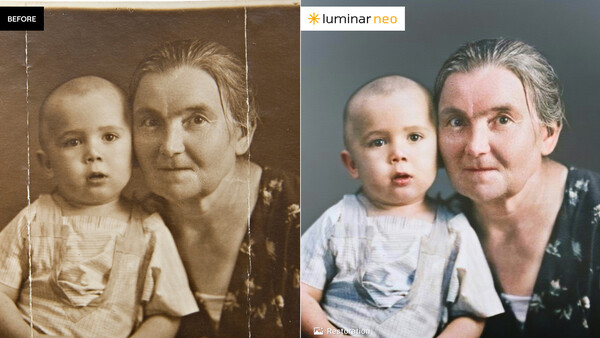
I've gotten my hands on a beta of the new, and I have to say improved, Luminar Neo fall release from Skylum. It keeps everything that's good in the current version and adds a couple of new features that will likely get non-owners of the current product on board.
Photo Restoration
This is a wow. I've tried similar work on some other platforms, including Photoshop, but I've never seen restoration routines look as good as these. You take a scan of a damaged photo, import it to Luminar Neo, and drag it to the Photo Restoration GUI. You have a choice of cleaning up the photo, adding color, or both.
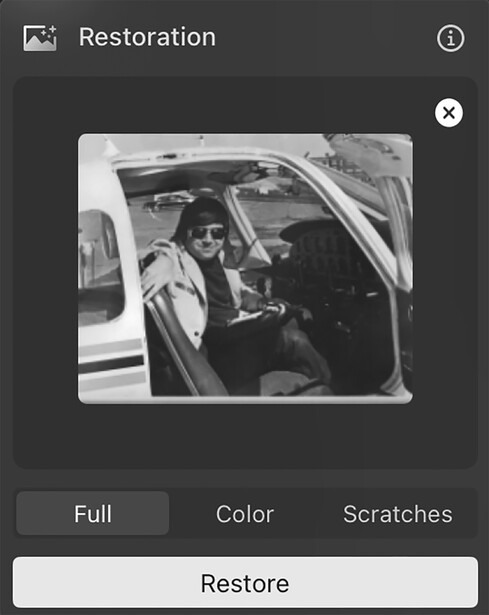
I had an old photo from my flying days that I had thrown in a drawer. Not a great photo, and I was squinting into a bright sun. There's a tear in the photo just to the left of my head.

Nevertheless, Luminar Neo sharpened the photo, cleaned it up a bit, and added realistic colors. I didn't look any better, but the photo sure did, and the tear is gone.

Since I was already in the Neo editor, I brought up the shadows slightly but didn't otherwise fiddle with the photo. I could have played with color balance a bit, but this was a great place to start. It was far better than my experiments doing the same thing in Photoshop.
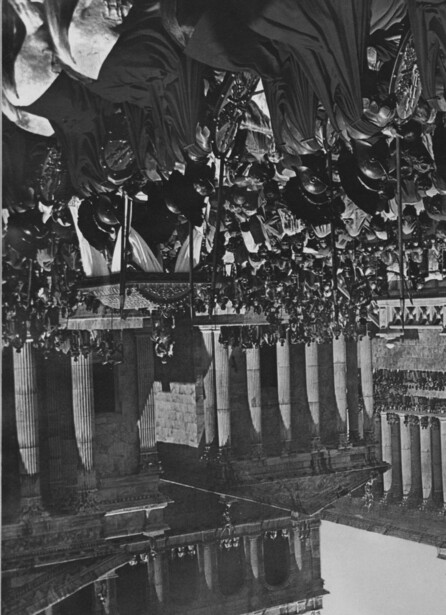
Years ago, I had written a book about epic movies from the ’60s and had a worn black-and-white still in my files.

Light Depth Control
I think this feature will also really excite photographers. It replaces the former Relight feature, which in my view didn't work very well.
This new feature lets you manipulate light in a three-dimensional space. It can find a subject, a person, persons, or objects, and let you control the light, along with foreground and background illumination and the color temperature.
I had this image of a big cactus in Arizona:

It was a little busy, but I brought up the new Light Depth control. It gave me tremendous latitude to control the direction of light, pick the subject, and darken or brighten the foreground and background.
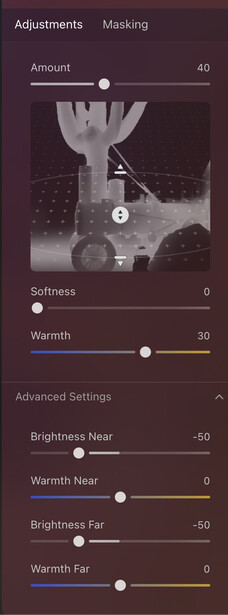
With some easy adjustments, I wound up with this:

It's still a cluttered image, but it really improved the lighting. This tool alone, I think, is worth the upgrade. It was also great at controlling the lighting on people or a single person.
The Luminar Neo Ecosystem
This is an additional-cost option that allows users to start an edit on a mobile device and finish it on a computer, or the other way around. There's also the ability to create a simple website of your photos and share it with clients or family. I gave that feature a try, and it worked well. At this point, the websites are pretty basic; you can't add text descriptions, but you can publish, if you wish, the image metadata.
Pricing
After complaints from users, Skylum pretty much killed the subscription model, but it's replaced with some confusing pricing, and with frequent sales, the prices go up and down.
The fall update with the new Ecosystem features will be available in early November. There's some special Black Friday pricing, (see the Skylum website), and current customers can add the Ecosystem features at a 50% discount. There are a variety of what Skylum calls perpetual licenses, but those only include software updates for one year, so the word perpetual is a bit confusing. If you are already a Luminar Neo owner, you can sign on to your account and they will tell you what you have now and what you can upgrade to.
My Thoughts
The newest features, photo restoration and Light Depth, are class-leading features, using AI to really create something of value for old and damaged photos, and in the case of Light Depth, take your images to the next level while still keeping them natural looking. I haven't seen tools like this anywhere else that are this good.
The Ecosystem upgrade is a good idea, giving you a workflow that is easy to manage and extends between mobile devices and your regular editing on a laptop or desktop.
The website creation feature could be handy, but it's a bit limited in the format of the websites. Most professionals have easy ways to share images with clients. It should be useful for people who want a quick way to share family or travel photos. With some enhancements, professionals might find creative uses for it as well.
I'm impressed with this update. Skylum has been creative at giving photographers useful tools and still keeping their software easy to use. Current owners will like what's new, and I suspect people who don't own Luminar Neo will want to get on the bandwagon.




Join the Fstoppers community for free
-
Post comments and join in the discussions
-
Browse the site ad-free
-
Share your work and get featured in the community
-
Compete in the photo contests for fun and prizes
3 Comments
Looks like great software, but how does it compare against competitors? What other tools are out there for automated photo restoration and colorization?
The more I use Neo the more I like it. I use Capture One as my primary editing program. I don’t think I could use Neo to replace C1 but it does come in handy at times.
Thanks for the article I have a big box of old film photos and slides some were taken with the wrong setting or the lab messed up but many different colors in each image. also have so many negatives of travels in the Mediterranean while in the Navy in the 70's to the 90's.
#1 with some help with Lrc years ago.