Photoshop’s beta just added third-party AI models to Generative Fill, and it changes how you edit. You can stack multiple instructions in one prompt, keep context from the original photo, and steer results without micromanaging masks or selections.
Coming to you from Aaron Nace with Phlearn, this helpful video shows how partner models sit next to Firefly in the model picker and handle complex, conversational prompts in a single pass. You see a logo removed, clouds added, and an overall cleanup done at once after selecting the full image. The key shift is context: instead of typing rigid commands, you describe edits as if you’re talking to an assistant, and the model interprets them against what’s in the frame. It uses a generative credit per run, and the partner models return one result at a time, so you iterate by regenerating rather than cycling three thumbnails. You’ll pick up where these models excel and where they wobble, which matters when you don’t want to babysit edges or skin tone shifts.
This thoughtful video also compares results across models on the same prompt. “Fill the room with mid-century modern furniture” produces a believable, styled interior while preserving a real shelf and then dressing it, which is exactly the kind of contextual edit that saves time on composites. FLUX.1 Kontext [Pro] tends to be literal and clean with typography and straight-edge objects, while Nano Banana leans more stylized and can drift into creative hallucinations. Firefly remains the safest choice for commercial needs and gives multiple variations per run. You see where photorealistic lighting holds up and where faces or hands still trip, which keeps expectations grounded.
Nace pushes further with look changes and set swaps. A studio portrait gets turned into a sunset scene on arctic tundra, with lighting on clothing and skin adapting to the new environment. That kind of global re-light would take layers, blend-ifs, and dodge-and-burn if you built it by hand. He also tries a desk scene edit that removes a computer, adds a phone, and reposes arms. One take spawns a third arm, then the next passes fix it, which is a clean demonstration of the “iterate fast, keep the keeper” mindset. The Polaroid treatment test shows how these models can package multiple steps, such as frame, texture, light leaks, and background, into one prompt without breaking the original composition.
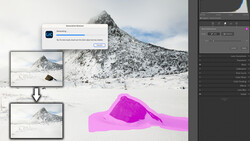
Not every test lands. A black-and-white portrait with “storm clouds, eagle, lightning” falls apart with mismatched tones and sloppy subject separation, the exact case where a manual Select Subject, sky swap, and careful edge work still wins. A “make the rocks more interesting” prompt shows how vague instructions can veer into fantasy geology, then snap back when you regenerate with the same words, reminding you to guide style and constraints when realism matters. Hair-color and wardrobe edits are surprisingly solid, but you’ll still want to scan for subtle stretching or shifted features before delivery. Check out the video above for the full rundown from Nace.





Join the Fstoppers community for free
-
Post comments and join in the discussions
-
Browse the site ad-free
-
Share your work and get featured in the community
-
Compete in the photo contests for fun and prizes