
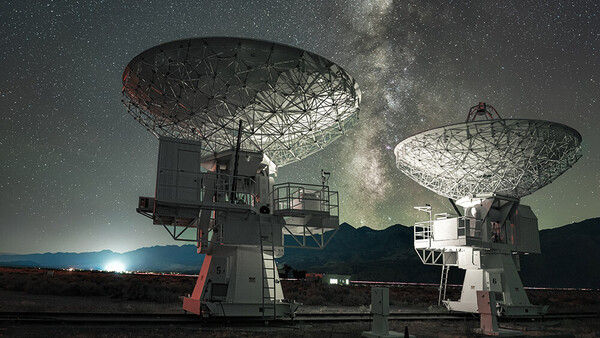
You write a prompt. Adobe edits your photo accordingly. The AI Assisted Editor, released August 31, 2026, as part of Photoshop 27.10, lets you edit images simply by describing what you want in plain English. Just type what you want, and the AI figures it out. You'll find out what happened when I let it loose on my Milky Way photos.
AI Assisted Editor
The AI Assisted Editor is a new, completely separate mode from Photoshop's standard editing environment, which Adobe now calls the Pro Editor. These appear in the upper-left corner, and you toggle between the two with a single click.
As Adobe describes it, AI Assisted Editor is "a simplified, AI-powered mode in Photoshop that helps new users edit images using natural language prompts and AI-powered tools, such as Prompt, Markup, Fill, Remove, Crop and expand, Upscale, and Remove background."
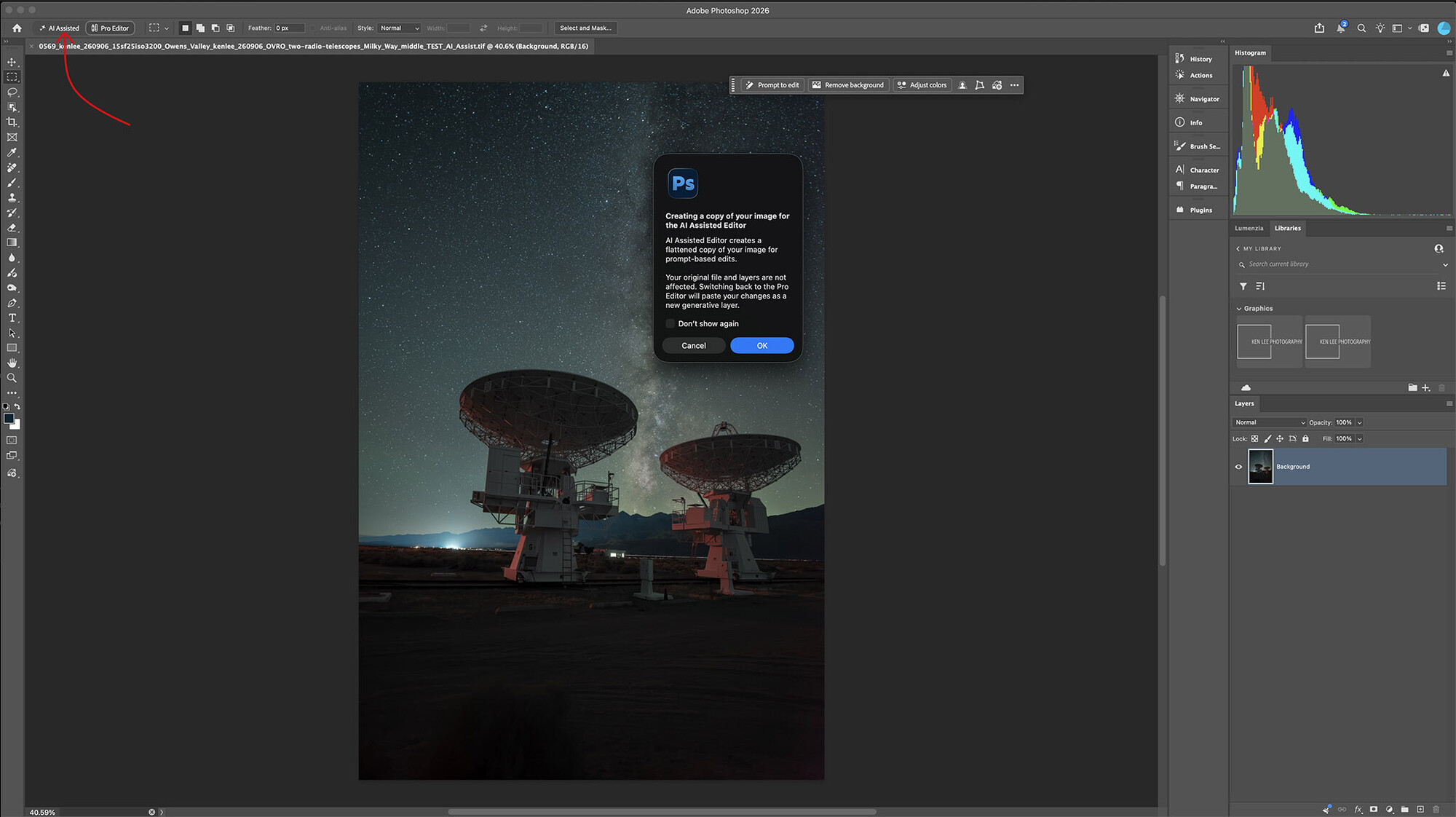
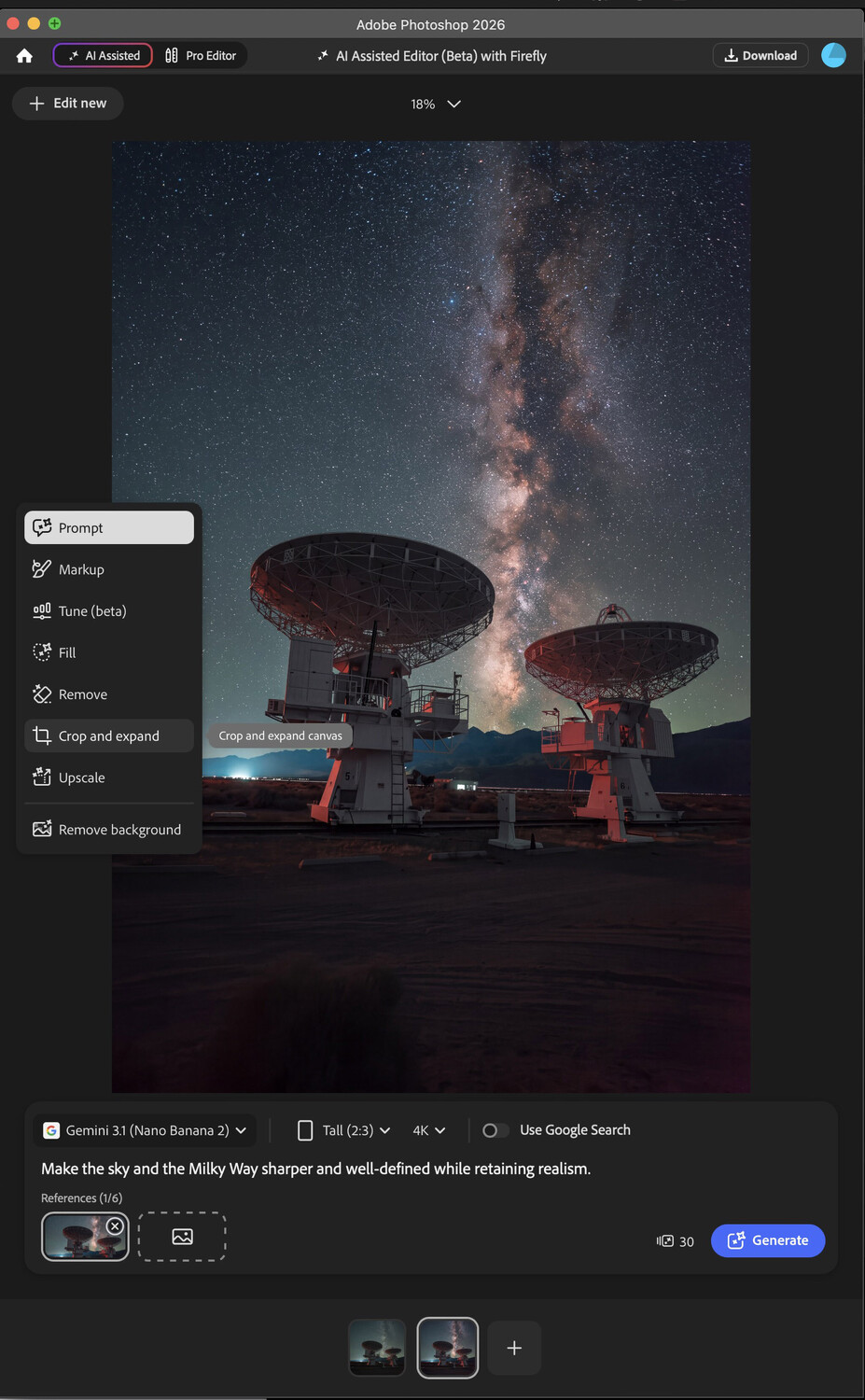
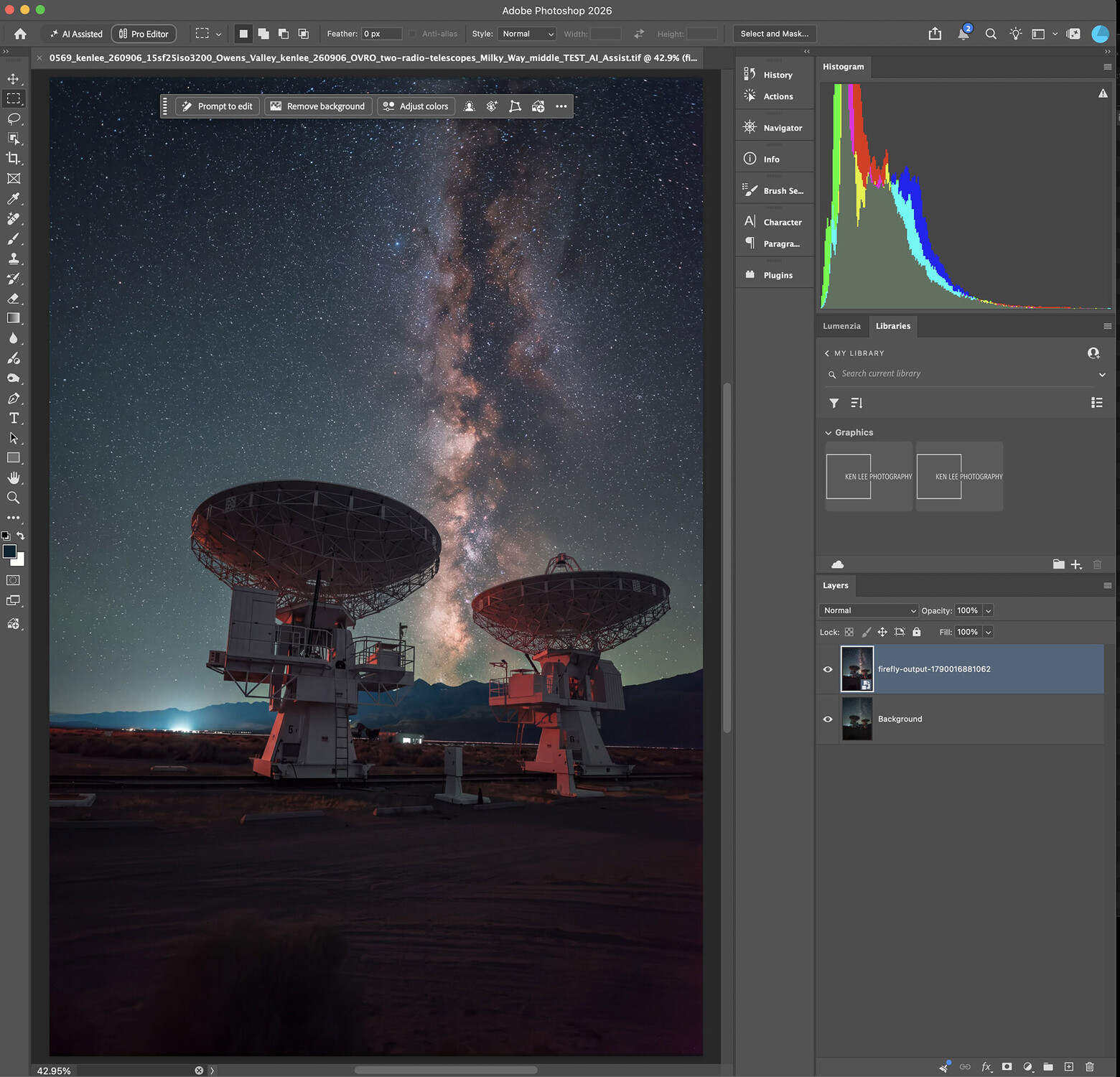
Using AI Assisted Editor in Photoshop, using only a key prompt, then bringing it back into the more traditional editing mode, now referred to as Pro Editor by Adobe.
One important thing to know before you dive in: switching from Pro Editor to AI Assisted Editor flattens your layered document. However, when you switch back, your AI edit gets added as a new layer. In other words, it's nondestructive. No need to panic.
How would it do with unedited Milky Way photos? Here's what happened.
Test One: Sharpening the Milky Way
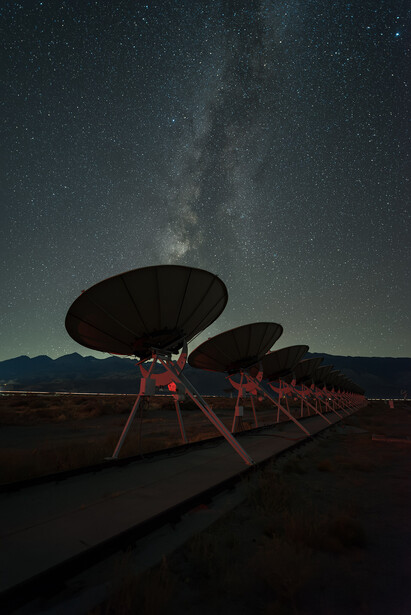
For my first photo, I kept the key prompt simple: "Make the sky and the Milky Way sharper and well-defined while retaining realism." I did this twice. Since AI is interpreting the prompt fresh each time, results will vary. In other words, this is not a preset. And given that I can write any prompt, there is no way it could be.
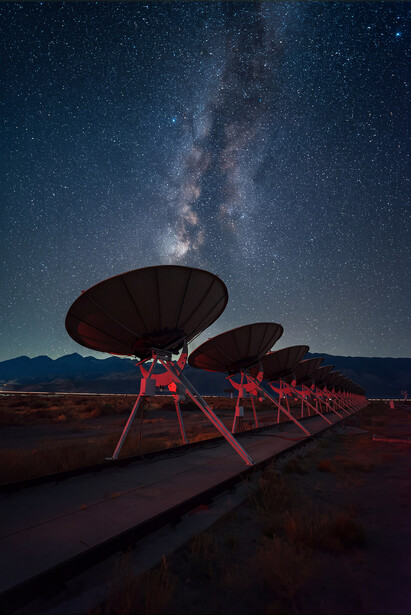
The first result was competent. It carried out my prompt without going overboard.
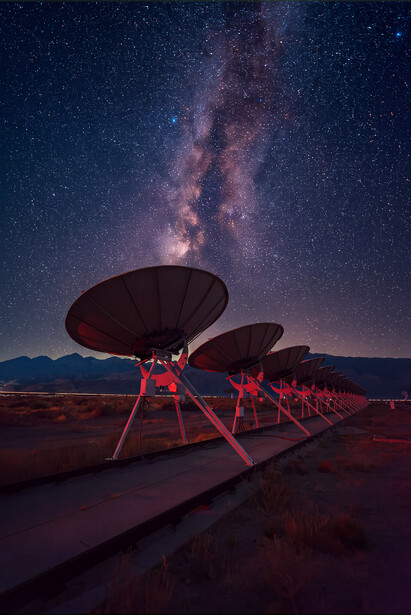
The second attempt pushed things a little too far for my tastes. Your mileage may vary, of course. For me, this was a little too processed-looking.
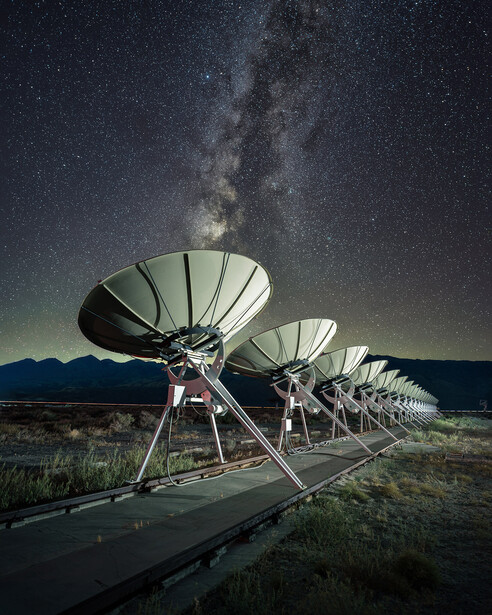
Here is a photo with my processing. The foreground looks different because I blended a low-ISO photo with a longer exposure so I could have enough time to light-paint the radio telescopes, using a lower ISO to reduce noise and increase dynamic range.
Test Two: Sharpening the Milky Way and Fixing Color
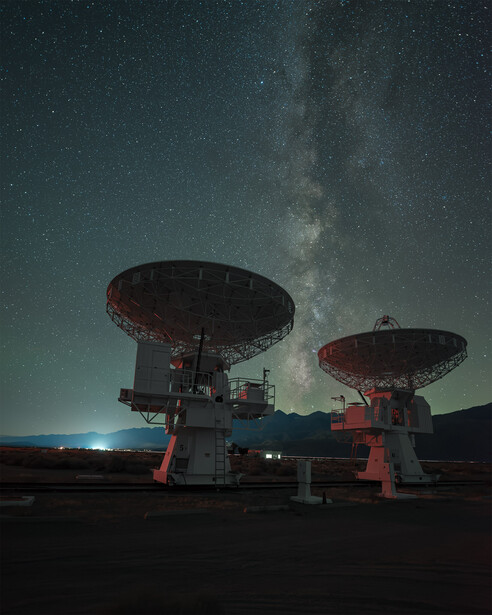
For my second Milky Way test image, I was curious about how AI Assisted Editor would handle a prompt instructing it to reduce some of the cyan and green in the sky. While some green occurring naturally on the horizon was expected, the original photo seemed to have a little too much for my taste. My prompt was straightforward: "Make the night sky, including the Milky Way, more sharp and vivid and greatly reduce the cyan and green colors in the sky."
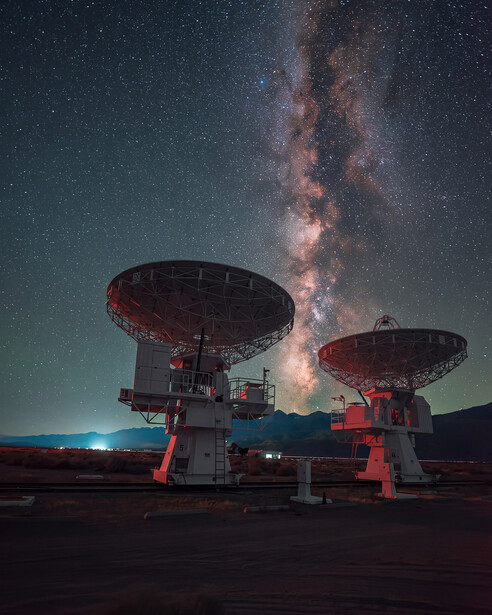
The result was once again carried out well. The feel seems relatively natural. And the edit did reduce the cyan and green colors in the sky.
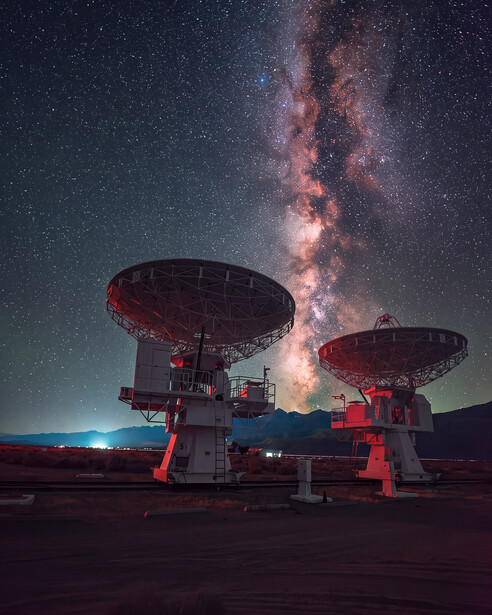
The second attempt, once again, felt too processed for my tastes. Again, this is indicative of the fact that AI isn't running a preset but actually interpreting the prompt fresh each time, with varying results.
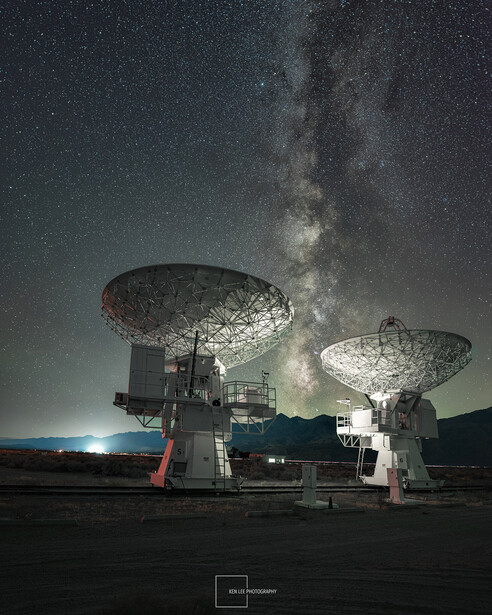
With each photo, I liked AI Assisted Editor's first attempt. While I ultimately wanted to edit my photo differently, I was impressed with its processing choices.
I tend to go for less punchy and colorful Milky Way processing, preferring a subtler approach than AI Assisted Editor. But that might not be what you want. Perhaps you might like AI Assisted Editor's interpretation of the Milky Way more. It sure is a considerably easier way of editing! Or perhaps you like something else. Processing and interpretation are two of the main reasons why so many Milky Way photos differ greatly from each other.
One Important Observation
One thing worth noting for pixel-peepers: the stars shifted very slightly between attempts. Worse, some very faint stars were added, shifted positions slightly, or disappeared entirely. The difference was subtle but apparent. You'd never see it on a social media post, but if you're printing large or scrutinizing at 100%, it's worth knowing.
However, this is important because the photo is being altered, even if it requires pixel-peeping to see. Because of this, I would not use AI Assisted Editor to process any of my Milky Way photos if I were submitting them to publications such as National Geographic. And I would not use it if this were for any journalistic reason.
Below are three photos at 100% magnification. Two of the photos were processed using AI Assisted Editor, and one of them is the original. I compare the first and second processing attempts to the original. Toggle back and forth to see the minute differences between the faint stars.
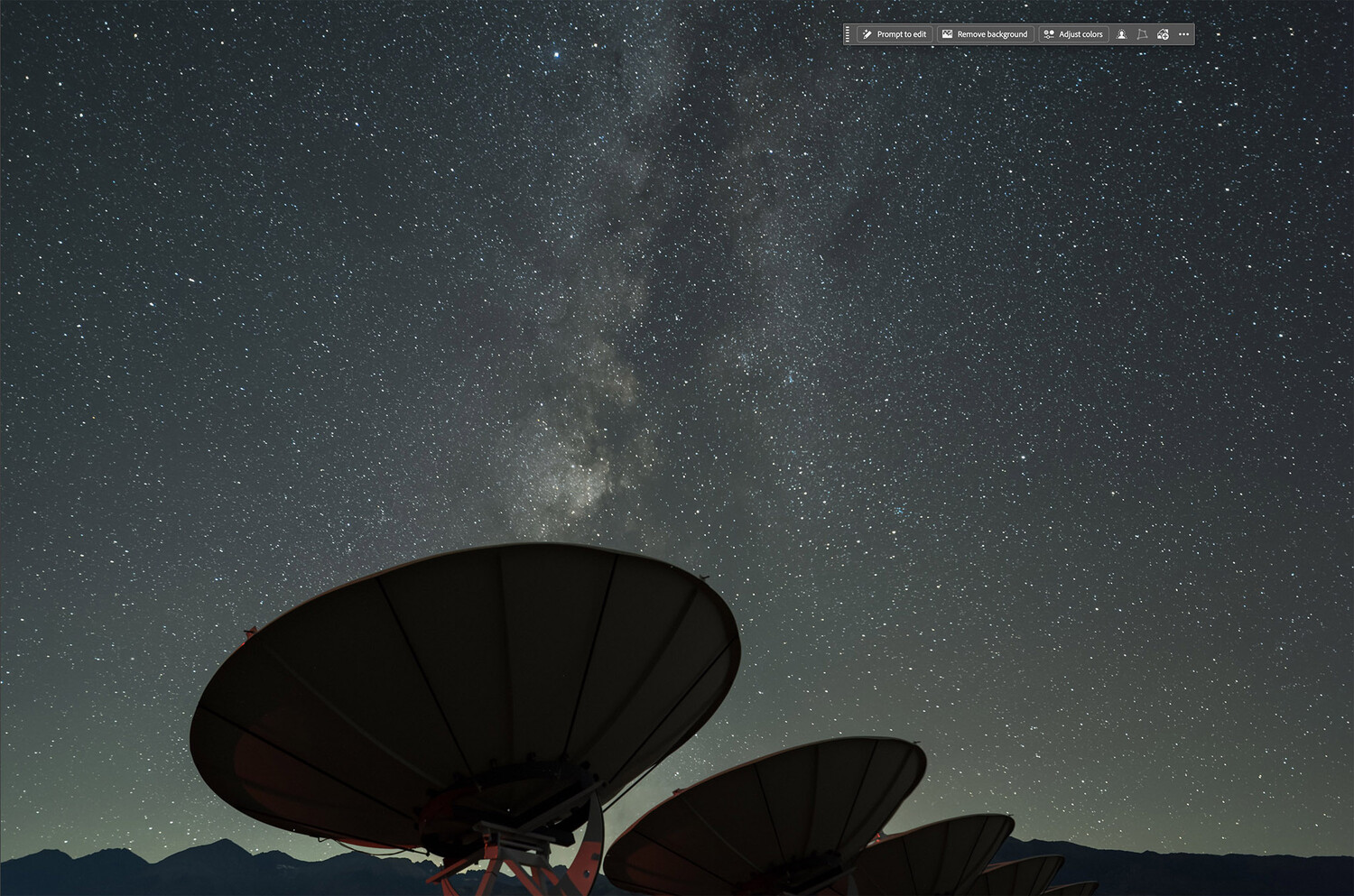
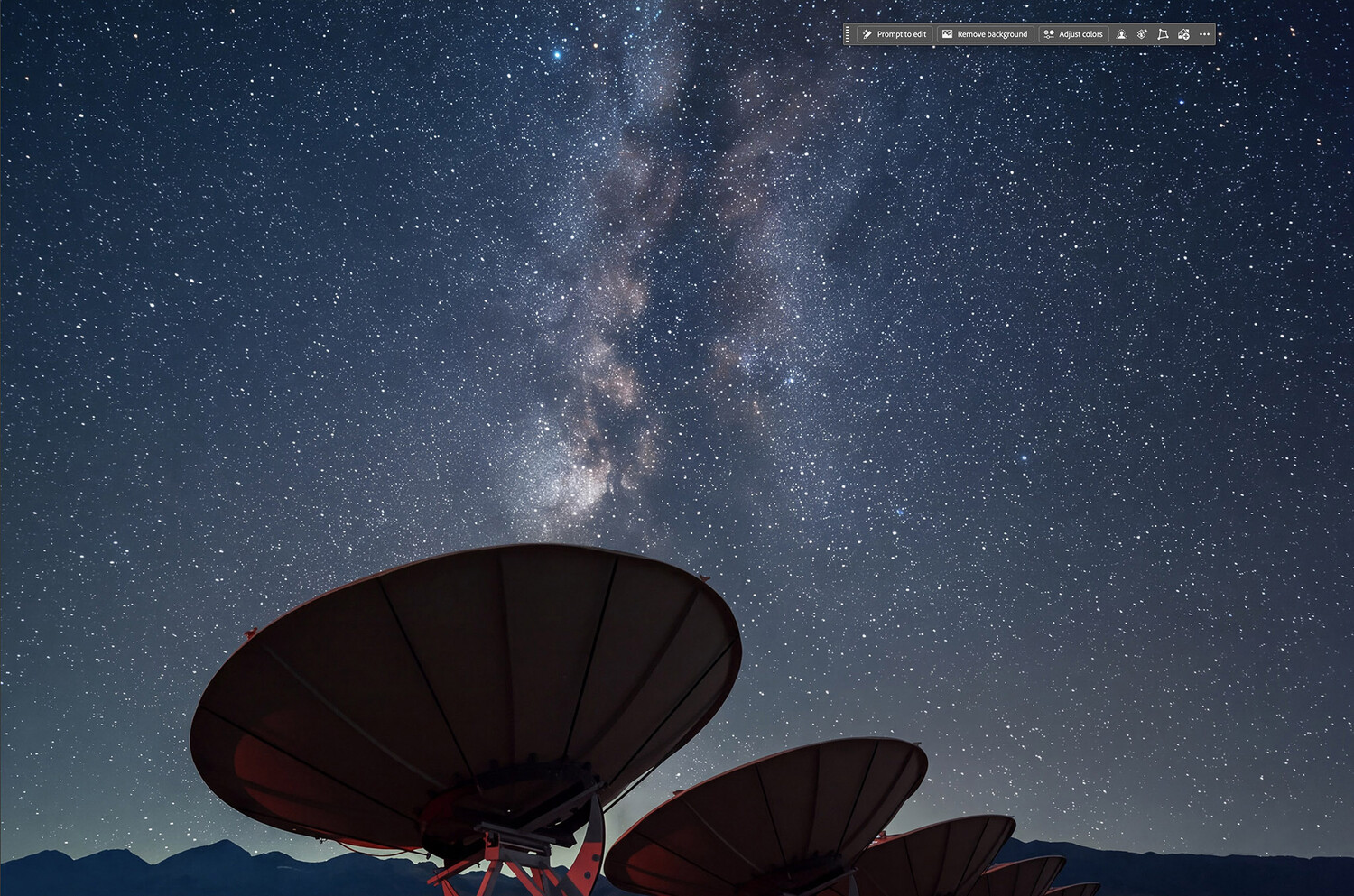
Showing how the faint stars are sometimes altered by AI Assisted Editor. 100% magnification between the original and the first processing attempt.
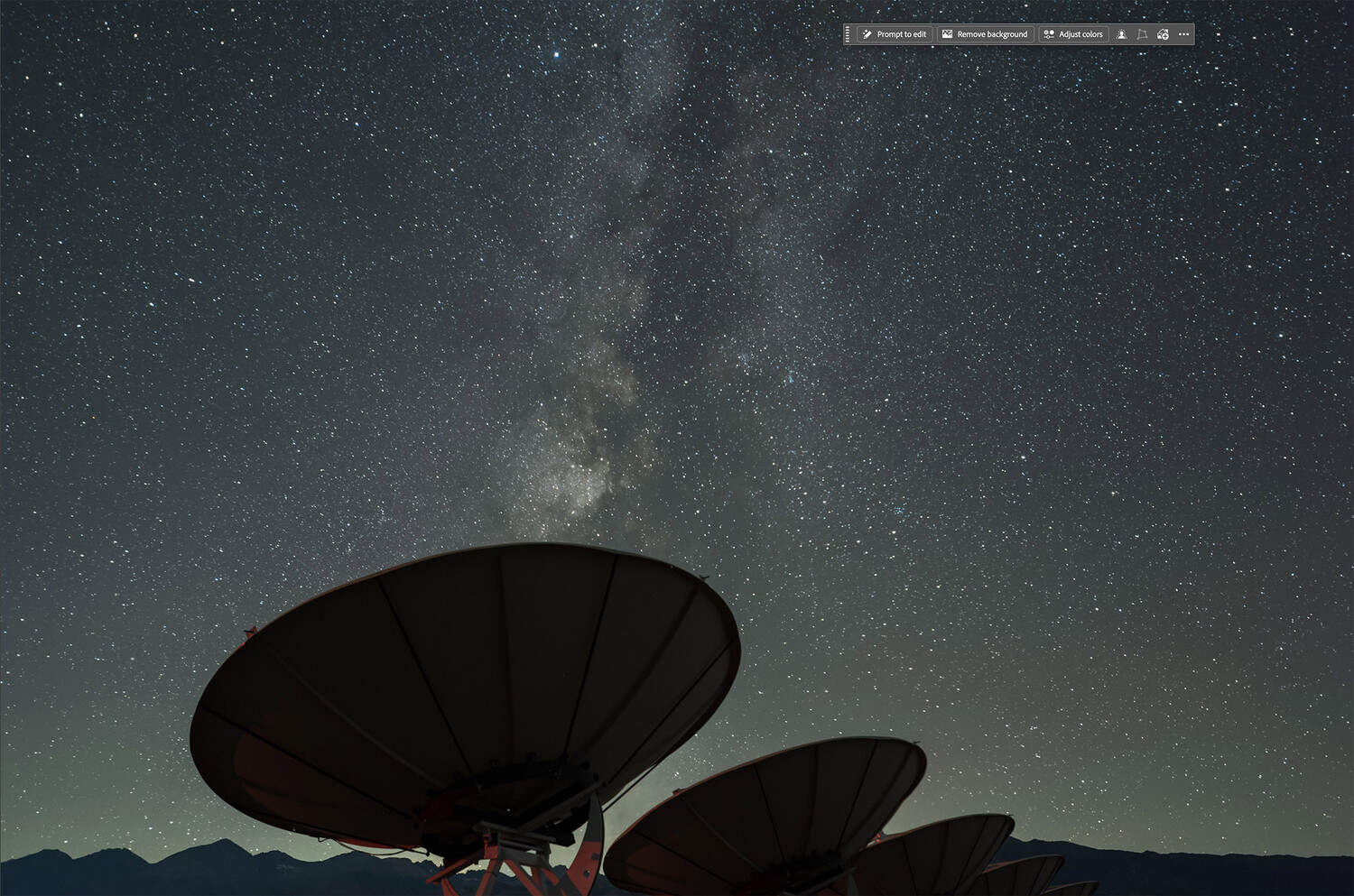
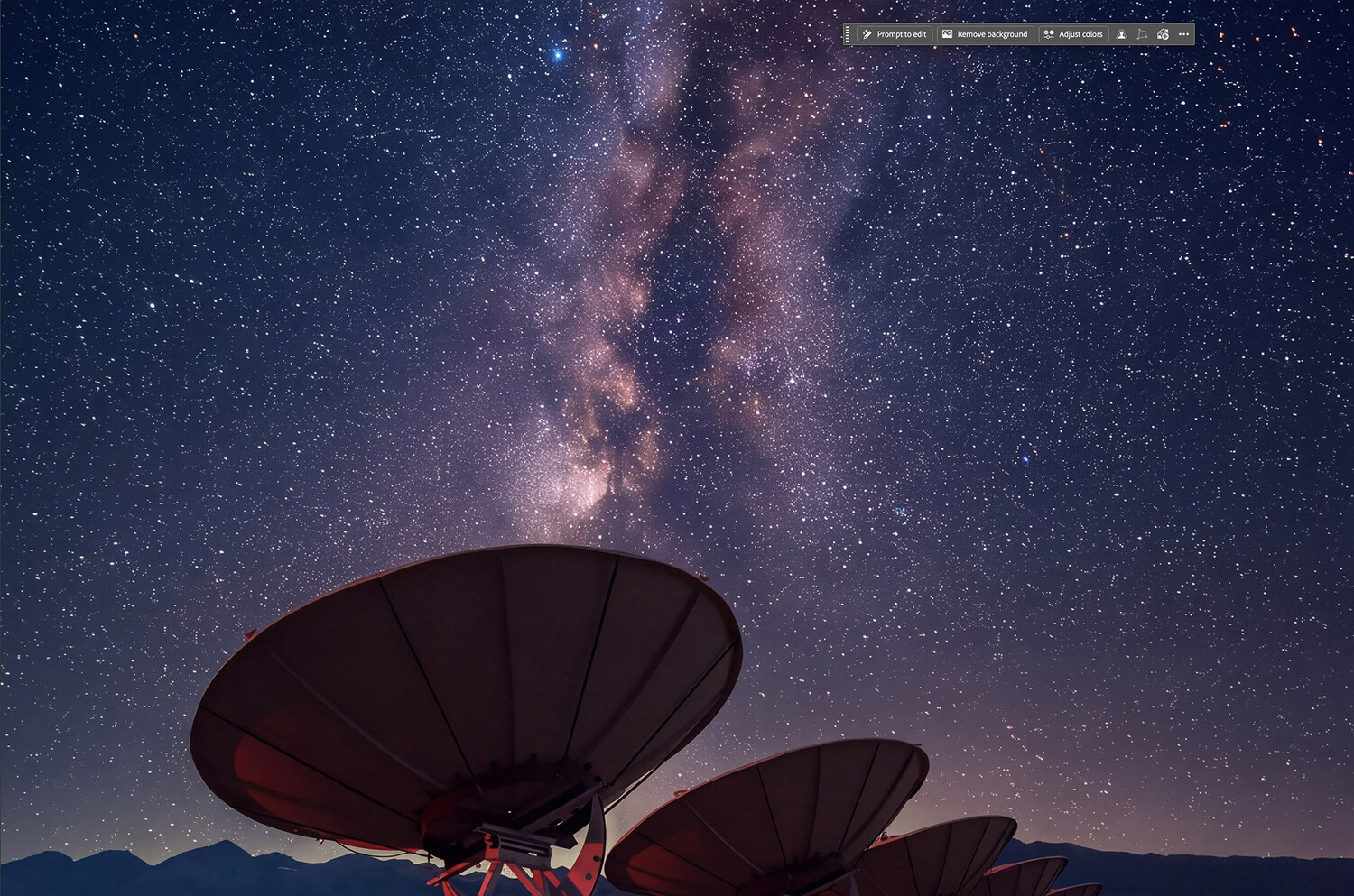
Showing how the faint stars are sometimes altered by AI Assisted Editor. 100% magnification between the original and the second processing attempt.
I am not a lawyer. I don't know what the legal ramifications are for submitting a photo that has been altered, no matter how slightly.
I already use Lightroom AI Denoise with a very gentle hand, as settings at its default of 50 and above can also sometimes alter some of the stars, causing them to have artifacts or slight, wispy tails if used too strongly.
And if AI Assisted Editor is changing, adding, or subtracting stars, no matter how faint, then that is something that all of us should know. I know that many will say, "No one is pixel-peeping the way that you do when you are processing a photo. No one will see it, and it will not matter. Stop talking about a problem that does not exist." That might be a fair point if creating art or posting on Instagram or Facebook.
But it might be an issue if one needs journalistic integrity or is otherwise submitting it to a publication that requires that the photo not be altered.
Thoughts About Processing
Generally, I was impressed with AI Assisted Editor's ability to carry out my key prompts and process Milky Way photos in a reasonably pleasing manner. As many night photographers know, Milky Way photos are not the easiest to process. Raw Milky Way photos are often underwhelming, lacking contrast, color, or any sort of "life."
For a deeper look at astrophotography shooting and post-processing, Photographing the World 2: Cityscape, Astrophotography, and Advanced Post-Processing covers the subject in detail.
Therefore, processing a photo is largely a matter of taste. After all, the photo we are processing will not look like it does in person. If it did, it would be a mostly black photo with a very dark foreground and a faint smudge of stars to represent the Milky Way. In other words, it would not look like much at all.
Much of processing a Milky Way photo is about judgment and taste. In my opinion, as night photographers, we want to create a Milky Way photo that fills us with awe as it did in person. It should be grounded in what we experienced, even if it does not look exactly like what we saw. But it should also not look like someone superimposed a deep-sky NASA photo or have a sky filled with psychedelic colors, completely unhinged from reality.
But that's my opinion, one of many valid approaches. Other people might want something that does look like a deep-sky NASA photo behind radio telescopes, reasoning that, after all, those colors do exist, and our cameras can legitimately see them. Just because I prefer a more subtle edit doesn't mean anyone else should.
The prompts that you give to AI Assisted Editor reflect your tastes. And depending on the model being used, its interpretation may reflect patterns in Milky Way photos represented in its training data, which can influence how it interprets your key prompts.
Join the Fstoppers community for free
-
Post comments and join in the discussions
-
Browse the site ad-free
-
Share your work and get featured in the community
-
Compete in the photo contests for fun and prizes
6 Comments
Will it facilitate blending of foreground and background images on tracked astrophotography shots?
You ask a great question. And unfortunately, I don’t have an answer!!
Has anyone tried the word prompts for this?
First let me say I have not heard of this till now and THANK YOU for the information!, I will have to try. As far as editing MW's many have no idea of what it was like to edit a MW back when it started to be popular in 2013/14/15 when the Sony A7SM1 and A7SM2 came out. First in video mode and the highest ISO used you could see what no person could see just looking up even in the darkest of places.
The capturing had many different ways but mainly for noise reduction taking like 10 to 20 images on a tracker and then merging with a program and then using the program to pick out the stars and get rid of what was left also capturing with camera NR off meaning more noise with dead and hot pixels. Also the the foreground capture the be blended in last. That whole process just did not agree with for as it is said "Too much Sugar for a Dime" meaning too much work for to get what you want.
Noise a big problem today and worse back in say 2015 for being a hobbyist could not afford PS or Lr/Lrc and even with the gift from Sony with a $25 Capture ONE still noise problem and using a 5 Day Deal Buy got the entre Topaz package the better NC of any. So I had some fun.
Next the lenses being sold in the range of fast then f/2.8 by Rokinon and others started with unchipped and only LC's where from web site programs that did not work, so a whole night capturing could not be used till just a few years ago when Lrc had the LC by selecting Lens maker and MM/f" today till able to use.
You mention the colors of green and others and was a problem for me not knowing what and having to use filters to get rid of Amber lights of cities back then came across Clark Vision Color of the Night Sky https://clarkvision.com/articles/color.of.the.night.sky/ a NASA photography back in film days and today Digital a great read of all things.
My A7M1 would capture the green and red/magenta colors of Earth's upper atmosphere not to be confused with the magnetic Aurora Borealis. Every image is a learning experience. You mention over processing by the AI but I do not see the camera used. My A7S cameras M1/M2/M3 even in the darkest of places really have to be above ISO 6400 and able to capture a day like image with stars in the sky even Blue Hour with stars. The 2 images had to have exposure lowered to make like a night capture both 2015.
One thing maybe the AI is using for your bight foregrounds is your cameras ability to capture and your able to brighten the foreground because of ISO Invariance meaning a capture at a lower ISO giving a dark image can be brightened just by increasing exposure in post with some shadow help with lower noise than a higher ISO.
You can edit your by yourself in just Lrc if you want, have never used PS.
1. a 2015 image that was captured bracketing 3 at +/- 2EV, camera NR is automatically turned off if below 1 sec.. Bracketing was a hot subject then but you not only get noise but hot and dead pixels to add to the unknowing is no LC's available (for years) with a unchipped Rokinon 14mm f/2.8 night images not able process but Lrc got many of them.
2. 2015 with the Sony APS-C E 10-18mm (15-27mm in 35mm) f/4 OSS used in full frame mode at 12mm and yes bracketed for sky and foreground both bright and colorful.
3. Proof the Canon T2i is able to capture a MW, finding when looking back at old images so as not to hype the A7S's
4. a panorama using the A7SM3 and the FE 12-24mm f/2.8 GM with IBIS turned off the lens is heavy so now I use the E 10-18mm F4 OSS. the reason for a 10/12/14 in a Pano capture is to get more stars above the arch getting a normal framed image vs a 6x9 pano look. but also great for that high vertical capture in Aug to Oct and for info using a 10/12/14 in landscape mode the star trail just goes laterally across the sky vs the arch.
Thanks! I was using an old Nikon D750 DSLR for these photos with an Irix 15mm f/2.4 lens.
Great observations and photos.
Great article. Perhaps the AI editing has learned from all the grossly over-edited MW photos that proliferate the internet. I much prefer your subtlety, but would add just a little more punch.
Thanks! One can only hope so. That said, I think my word prompts kept it in check. I’d like to think so, anyway.