

The most expensive photograph you'll ever lose is the one you never backed up.
If you lived through the transition from film to digital, you remember when "backup" meant having enough film canisters in your camera bag and maybe keeping your negatives in a fireproof safe. Those days of physical, tangible media created a false sense of security that many photographers carried into the digital age—and it's been a costly mistake for thousands of professionals and enthusiasts alike.
The brutal reality is this: digital photography has made us more productive, more creative, and infinitely more vulnerable. While we can now capture thousands of images in a single session that would have cost hundreds of dollars in film and processing, we've also created a single point of failure that can erase decades of work in milliseconds. A hard drive crash, ransomware attack, or house fire doesn't discriminate between your grocery list and your life's work.
Yet despite the exponential increase in both photographic output and digital vulnerability, most photographers approach backup with the same casual attitude they once reserved for buying film. This isn't just negligence—it's professional malpractice. In an era where a single wedding shoot can generate 3,000+ raw files worth $5,000+ in immediate income and potentially tens of thousands in future print sales, treating backup as an afterthought is like performing surgery without sterilizing your instruments.
The reality is harsh: hard drives fail regularly. If you're relying on a single drive for storage, you're essentially gambling with your entire career. Even the most reliable drives will eventually fail, and that failure often comes without warning.
This article isn't another surface-level overview of "remember to back up your files." It's a comprehensive disaster prevention strategy that acknowledges the harsh realities of digital photography while providing practical, implementable solutions that have evolved from decades of collective industry pain. We'll examine the technical foundations of bulletproof backup systems, analyze the cost-benefit equations that separate amateur approaches from professional necessities, and explore the automation tools that make comprehensive backup as routine as chimping your LCD.
The Great Digital Transition: How We Got Here
From Chemical Security to Digital Vulnerability
Photographers who shot film enjoyed an inherent backup system that digital shooters lost without initially realizing it. Every roll of 35mm film was, in essence, a physical master copy. Process it properly, store the negatives in archival sleeves away from heat and humidity, and you had a backup that could outlast your grandchildren. Even the contact sheets and proof prints served as visual catalogs that could survive localized disasters.
The transition to digital eliminated this built-in redundancy while exponentially increasing our output. A professional wedding photographer in 1990 might expose 15-20 rolls of 36-exposure film (540-720 frames) during a full day's shoot. Today, that same photographer routinely captures 2,000-4,000 images, each file consuming 25-50 MB of storage space. What once fit in a shoebox now requires terabytes of storage infrastructure.
More critically, film's development process created natural decision points. You couldn't shoot indefinitely without processing, which meant regular intervals for reviewing, editing, and organizing your work. Digital photography removed these checkpoints, enabling binge shooting sessions that can generate months' worth of content in a single day—all stored on volatile media that can fail without warning.
The Hidden Costs of Digital Abundance
The democratization of photography through digital technology created an unexpected problem: the illusion of zero marginal cost. Once you owned a digital camera and memory cards, additional photographs seemed "free," leading to exponential growth in image libraries without corresponding investment in storage infrastructure.
Consider the arithmetic: a serious enthusiast who shot 10 rolls of film per month in 1995 was investing roughly $100 monthly in materials and processing. Today, that same photographer might capture 2,000 images monthly, generating 50-100 GB of data, yet spend nothing further until their computer runs out of space. This economic shift delayed the recognition that digital photography's storage and backup requirements represent ongoing operational costs, not one-time equipment purchases.
Professional photographers faced even steeper curves. Commercial photographers keep complete session archives for years to accommodate art director changes and license extensions. The storage requirements alone have grown from gigabytes to terabytes.
The 3-2-1 Rule: Your Foundation for Digital Preservation
Understanding the Core Principle
The 3-2-1 backup rule represents the minimum viable product for data protection, developed by storage engineers who understood that single points of failure aren't theoretical risks—they're mathematical certainties over time. The rule is deceptively simple: maintain three copies of your data, store them on two different media types, and keep one copy offsite.
This formula addresses the three primary vectors of data loss: hardware failure, location-based disasters, and human error. Hardware failures include drive crashes, controller malfunctions, and even gradual bit rot. Location-based disasters encompass everything from house fires and floods to theft. Human error covers accidental deletion, corruption during transfer, and the countless ways photographers can inadvertently destroy their own work.
The genius of 3-2-1 lies in its redundancy mathematics. With three independent copies, the chance of losing data becomes extremely small—essentially eliminating hardware failure as a meaningful risk. The two-media-type requirement prevents technology-specific vulnerabilities (like magnetic interference affecting all your hard drives simultaneously), while offsite storage protects against localized catastrophes.
Modern Interpretations and Extensions
Contemporary interpretations of 3-2-1 have evolved to address cloud computing, solid-state storage, and the realities of multi-terabyte photo libraries. Many storage professionals now advocate for 3-2-1-1-0: three copies, two different media types, one offsite, one offline (air-gapped), and zero recovery time objectives for mission-critical data.
The offline component addresses ransomware threats that weren't considered when 3-2-1 was originally formulated. Modern ransomware can encrypt any connected storage device, including network-attached storage and cloud drives. An air-gapped backup—periodically connected external drives or tape archives—provides insurance against malware that spreads through your network infrastructure.
For photographers managing libraries exceeding 10 TB, the 3-2-1 rule requires strategic implementation. Complete duplication of massive archives becomes prohibitively expensive and time-consuming. Advanced strategies include tiered storage systems where recent work follows strict 3-2-1 protocols while archived content uses 2-1-1 or similar reduced redundancy approaches based on access frequency and replacement difficulty.
Implementation Challenges for Photographers
Photography workflows present unique challenges for 3-2-1 implementation. Unlike business documents or databases, photo libraries consist of large files with irregular access patterns and complex interdependencies between raw files, edits, catalogs, and metadata. A wedding photographer's complete deliverable might include gigabytes of different file types, plus catalog files and client presentations, all of which must remain synchronized across backup copies. The timing requirements compound these challenges. A commercial photographer who promises 48-hour turnaround can't wait for overnight cloud uploads to complete before beginning post-production work. This necessitates local backup systems that can keep pace with immediate workflow requirements while background processes handle offsite replication.
Storage cost calculations also differ significantly from typical business applications. While an accountant might backup 100 GB of spreadsheets and documents, a wedding photographer generates similar data volumes every weekend during peak season. Annual storage growth of 500 GB - 2 TB is common for active professionals, requiring backup budgets that scale with shooting volume rather than studio overhead.
Storage Media Comparison: Choosing Your Backup Arsenal
Hard Disk Drives: The Workhorses of Bulk Storage
Hard disk drives remain the backbone of most photographers' storage systems, offering the best balance of capacity, cost, and reliability for large-scale backup applications. Current-generation drives provide capacities up to about 20 TB, with cost-per-terabyte ratios that make them practical for multi-copy backup strategies.
Western Digital's Black series and Seagate's IronWolf Pro drives are two good options for photography applications. These drives typically cost $15-25 per terabyte and carry 5-year warranties with mean time before failure (MTBF) ratings exceeding 1 million hours—theoretical lifespans of 114 years under constant operation.
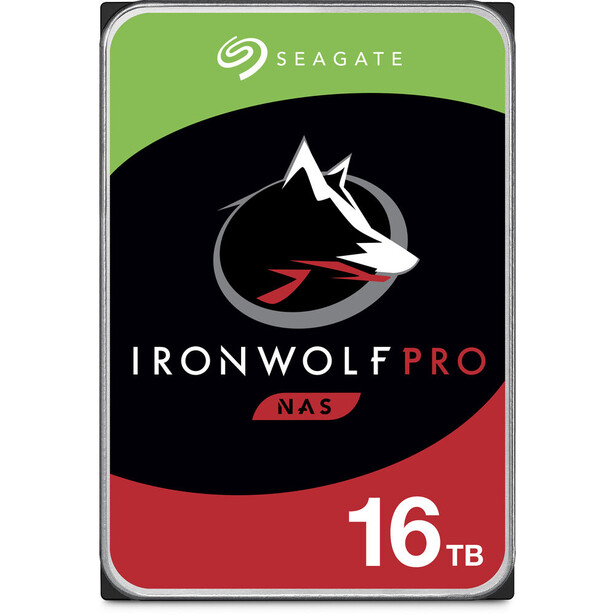
Performance characteristics matter significantly for photography workflows. While 5,400 RPM drives offer lower power consumption and noise levels, their transfer rates of 120-140 MB/s can bottleneck backup operations involving hundreds of gigabytes. The 180-220 MB/s sustained transfer rates of 7,200 RPM drives reduce backup windows and minimize workflow disruption.
Solid State Drives: Speed Versus Capacity Trade-offs
Solid state drives have revolutionized primary storage for photography workstations, offering random access performance that dramatically improves catalog browsing and file processing. However, their role in backup systems requires careful cost-benefit analysis due to significantly higher per-terabyte costs and different failure characteristics.
Current SSD pricing ranges from $60-150 per terabyte depending on interface and performance specifications, making them significantly more expensive than equivalent HDD capacity. For photographers with multi-terabyte libraries, SSD-based backup systems quickly become costly. A 20 TB backup requirement could cost $1,200-3,000 using SSDs versus $300-500 with HDDs.
SSD failure modes also differ fundamentally from traditional drives. While HDDs typically exhibit gradual degradation with predictable warning signs, SSDs can fail catastrophically when their wear leveling algorithms exhaust available spare sectors. Modern drives include wear monitoring through SMART attributes, but the failure timeline can be compressed compared to mechanical drives.
The optimal role for SSDs in photography backup systems is as high-speed local cache for active projects. A 2-4 TB SSD can provide immediate backup for current work while background processes replicate data to larger HDD-based systems. This approach combines SSD performance benefits with HDD economic advantages while maintaining recovery time objectives for urgent projects.
Network Attached Storage: Centralized Protection
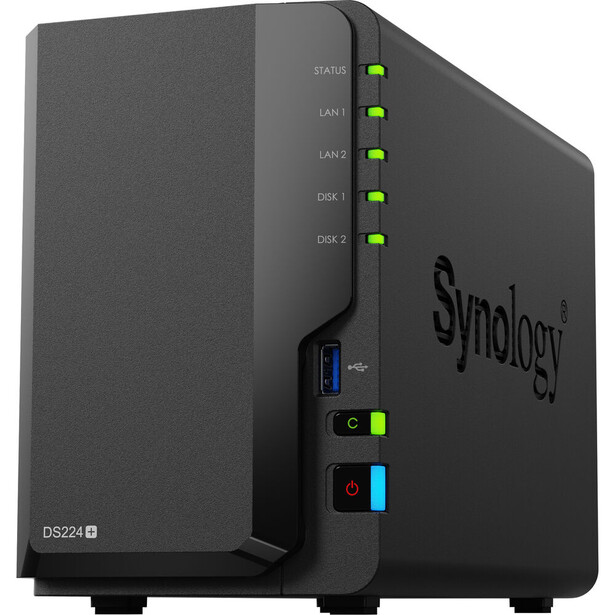
Network Attached Storage systems represent a significant step up in sophistication and reliability for photographers managing multiple workstations or collaborative workflows. Enterprise-grade NAS units like Synology DS1821+ or QNAP TS-832PX provide RAID redundancy, automatic backup scheduling, and remote access capabilities that transform backup from a manual chore into an automated infrastructure service.
RAID configurations offer varying levels of protection and performance optimization. RAID 1 (mirroring) provides 100% redundancy but sacrifices 50% of raw capacity. RAID 5 tolerates single drive failures while utilizing approximately 80% of total capacity, making it attractive for larger arrays. RAID 6 survives two simultaneous drive failures, providing additional protection for critical archives at the cost of reduced usable capacity and write performance penalties. To be clear, no matter the array, a RAID system still counts as one and only one copy of data.
The economic advantages of NAS systems become apparent at scale. An 8-bay Synology DS1821+ populated with 8 TB drives provides 48 TB of usable capacity in RAID 6 configuration for approximately $2,500 total investment. Equivalent capacity using individual external drives would cost similar amounts while requiring manual management and lacking redundancy features.
Modern NAS platforms include sophisticated backup applications that can automatically synchronize with cloud services, maintain versioned file histories, and send alert notifications for drive failures or system issues. These features transform passive storage into active data protection systems that require minimal ongoing attention once properly configured.
Optical Media: The Forgotten Archive Solution
While optical storage has largely disappeared from mainstream computing, it retains specific advantages for long-term photographic archives that make it worth considering for specialized applications. Optical discs provide true write-once protection against corruption, electromagnetic interference immunity, and shelf life ratings exceeding 100 years when stored properly.
Blu-ray BDXL discs offer 100 GB capacity per disc, making them practical for archiving completed projects or annual photo library snapshots. Professional archival discs like Panasonic's BDXL media use inorganic recording layers that resist degradation better than consumer-grade alternatives. At approximately $15 per disc, the cost per gigabyte is higher than other media, but the permanence factor can justify the expense for irreplaceable content.
The primary limitations of optical archiving include limited capacity per disc, slow writing speeds (6-12x BDXL requires 45-90 minutes for a full disc), and the need for compatible drives that may become obsolete over time. However, for photographers seeking maximum security for their most valuable work, optical archives provide insurance against electronic failures, malware, and technological obsolescence.
Contemporary optical archiving strategies typically focus on milestone preservation rather than ongoing backup. Annual library snapshots, completed project archives, or "greatest hits" collections work well on optical media, while active workflows rely on faster, higher-capacity solutions for day-to-day protection.
Automation Systems: Making Backup Invisible
Local Automation Strategies
The biggest obstacle to consistent backup isn't technical complexity—it's human behavior. Photographers consistently understand backup is important, yet many don't maintain current backup copies of their complete libraries. The solution lies in automation systems that remove human decision-making from the backup equation. Modern operating systems include sophisticated backup automation tools that can monitor specified folders and automatically replicate changes to designated targets. Windows' File History and macOS Time Machine provide basic automation, but photography workflows benefit from more specialized solutions.
The key to successful automation is designing workflows that integrate seamlessly with existing photography practices. Rather than requiring photographers to remember backup procedures, automated systems should trigger based on normal activities like importing images, closing Lightroom catalogs, or connecting external storage devices.
Folder watching represents the most transparent automation approach. Applications like FreeFileSync or Resilio Sync monitor designated directories and automatically replicate changes to backup locations within minutes of detection, but they can also synchronize deletions, accidental or intentional. This approach works particularly well for photographers who maintain consistent file organization structures and import workflows.
Event-based triggers provide more sophisticated automation options. Applications can detect when catalog files are closed, when import operations complete, or when specific storage devices connect, then automatically execute backup sequences without user intervention. These systems require more initial configuration but provide more reliable backup coverage for complex workflows.
Cloud Integration and Synchronization
Cloud storage services have evolved from simple file hosting to sophisticated backup platforms with features specifically designed for photographers' needs. The key differentiator between consumer cloud storage and professional backup services lies in their approach to large file handling, bandwidth optimization, and retention policies.
Services like Backblaze, Crashplan, and Carbonite provide unlimited storage capacity with automatic background synchronization that doesn't interfere with normal computer operations. These services use sophisticated algorithms to detect file changes and upload only modified portions, dramatically reducing bandwidth requirements for large photo libraries.
The unlimited aspect of services like Backblaze proves particularly valuable for photographers whose libraries grow unpredictably. Wedding photographers might add 100 GB in a single weekend, while travel photographers could accumulate terabytes during extended trips. Flat-rate unlimited services eliminate the budget uncertainty associated with metered cloud storage.
However, unlimited services typically include restrictions that photographers must understand. Most limit backup to directly attached storage, excluding network drives or cloud sync folders. Some impose bandwidth throttling during initial uploads or restrict file types that qualify for backup protection. Reading the fine print prevents unpleasant surprises when recovery situations arise. That being said, I've used Backblaze for years and love it.
Advanced cloud backup platforms provide features that extend beyond simple file copying. Versioned backup maintains multiple copies of files as they change over time, enabling recovery from corruption or unwanted edits that aren't immediately detected. Some services offer continuous data protection (CDP) that captures changes in near real-time, reducing potential data loss to minutes rather than hours or days.
Catalog and Metadata Synchronization
Photography workflows create complex relationships between image files, editing catalogs, keywords, ratings, and adjustment settings that must remain synchronized across backup copies. Traditional file-based backup systems can break these relationships if files and catalogs become separated or if catalog references become invalid due to path changes. Lightroom catalogs present particular challenges because they contain file paths, edit histories, and metadata that can become corrupted if backed up while the application is running. Best practices require closing Lightroom before backup operations and ensuring that both catalog files and associated smart preview/metadata directories are included in backup sets.
Adobe's cloud synchronization features provide automatic backup for catalog data and smart previews, but they don't include original raw files. Photographers using Lightroom CC's cloud sync still need separate strategies for backing up their complete image libraries. The integration between cloud catalogs and local storage requires careful planning to ensure that all components remain accessible during recovery scenarios. Third-party catalog management tools like Photo Mechanic Plus or Capture One provide different synchronization challenges and opportunities. Photo Mechanic's database can be backed up independently of image files, while Capture One's catalog structure includes embedded edit settings that must be preserved with specific file relationships intact.
Disaster Recovery Planning: When Prevention Fails
Defining Recovery Time Objectives
Recovery Time Objective (RTO) and Recovery Point Objective (RPO) represent important concepts that determine backup system design and investment priorities. RTO measures how quickly you can restore operations after a failure, while RPO measures how much data you can afford to lose based on your backup frequency.
Professional photographers operating deadline-driven businesses typically require RTOs measured in hours rather than days or weeks. A wedding photographer who suffers a primary drive failure on Tuesday cannot wait until weekend to restore operations if they have a Saturday wedding to deliver. This necessitates backup systems designed for rapid recovery rather than simple archive protection.
RPO calculations depend heavily on shooting schedules and workflow patterns. Photographers who shoot daily require backup systems that capture changes within hours, while those with weekend-only shooting schedules might accept 24-48 hour RPOs. The key insight is that RPO requirements determine backup frequency, while RTO requirements determine recovery infrastructure.
High-frequency backup systems using real-time synchronization or continuous data protection can achieve RPOs measured in minutes but require significant bandwidth and storage resources. Balanced approaches use frequent backup of active projects (hourly or daily) combined with less frequent backup of archived content (weekly or monthly).
Understanding your actual RTO and RPO requirements helps optimize backup investments. A photographer who shoots once weekly but can tolerate 48-hour recovery times needs very different infrastructure than one who shoots daily with same-day delivery commitments. Overbuilding backup systems wastes resources, while underbuilding creates business continuity risks.
Testing and Validation Procedures
Backup systems that aren't regularly tested are expensive illusions. Many attempted data recoveries fail due to corrupted backup files, configuration errors, or incomplete backup coverage. The only way to verify backup integrity is through regular recovery testing using realistic scenarios. Effective testing procedures should simulate actual failure conditions rather than simple file copying exercises. Testing recovery of complete project folders including raw files, edit catalogs, metadata, and final deliverables reveals integration problems that wouldn't surface during partial tests. Testing should also include scenarios like corrupted catalog files, missing directory structures, and hardware changes that might affect file path references.
Monthly testing schedules work well for most photography workflows, but testing frequency should increase during busy seasons when backup systems experience higher stress. Wedding photographers should test recovery procedures before peak season begins, while commercial photographers might test monthly during active periods and quarterly during slower seasons.
Documentation plays a critical role in recovery testing effectiveness. Written procedures that specify exact steps for accessing backup systems, locating files, and restoring catalog databases enable successful recovery even under the stress conditions that typically accompany actual disasters. Testing procedures should be written clearly enough for non-technical assistants to execute successfully. Recovery testing should also include performance benchmarks that establish realistic expectations for restoration timeframes. Knowing that your backup system can restore 500 GB in 4 hours helps establish client communication strategies and workflow adjustments during actual recovery situations.
Multi-Site Recovery Strategies
Geographic diversification represents the ultimate protection against localized disasters, but implementation requires careful consideration of bandwidth limitations, synchronization complexity, and access control requirements. Photographers with studios in multiple locations or those who travel extensively need backup strategies that provide access from any location while maintaining security and data integrity.
Cloud-based backup services provide natural geographic distribution, but recovery speeds depend heavily on internet bandwidth at the recovery location. Downloading 2 TB of backup data over a residential internet connection could require days or weeks, making cloud-only strategies impractical for rapid recovery scenarios. Hybrid approaches that combine local and cloud backup provide better balance between protection and accessibility.
Physical media rotation between locations offers an alternative approach that doesn't depend on internet bandwidth for recovery operations. Photographers can maintain synchronized drive sets at home and studio locations, or use bank safe deposit boxes for offsite storage. This approach requires manual intervention but provides rapid recovery capabilities regardless of internet availability.
For photographers managing truly irreplaceable archives, consider multi-vendor cloud strategies that distribute copies across different service providers. This approach protects against vendor-specific failures, service discontinuations, or account access problems that could temporarily or permanently block access to backup data. The additional complexity and cost are justified only for truly critical archives where single-vendor risk is unacceptable.
Cost-Benefit Analysis: Investing in Protection
Calculating Your Data Value
The first step in designing appropriate backup systems involves quantifying the actual value of your photographic assets, extending beyond immediate replacement costs to include lost opportunities, relationship damage, and reputation impacts that accompany data loss scenarios.
Direct replacement costs include the obvious expenses of reshooting lost sessions, but these calculations often underestimate total impacts. A wedding photographer who loses a couple's images faces reshoot costs that are literally impossible—you cannot recreate a wedding ceremony. The actual cost becomes the complete loss of that revenue plus potential legal liability, negative reviews that impact future bookings, and relationship damage throughout the vendor network.
Commercial photographers face different but equally severe calculations. Losing a product photography session might cost $5,000-15,000 in immediate reshoot expenses, but if the campaign launch timeline cannot accommodate delays, the lost opportunity costs could exceed $100,000. Stock photographers who lose archive files forfeit years of potential licensing revenue from images that might generate income for decades.
The time value component of data loss often exceeds direct financial impacts. Recreating five years of careful keyword tagging, location data, and subject identification represents hundreds of hours of work that most photographers cannot afford to repeat. Even if backup systems cannot prevent this administrative loss, understanding its value helps justify investment in more sophisticated backup solutions.
Reputation damage calculations require honest assessment of market positioning and client relationships. Photographers who built reputations for reliability and professionalism can see their brand equity evaporate overnight if data loss forces them to explain why their backup systems failed. In markets where technical competence is expected rather than exceptional, backup failures signal broader professional inadequacies.
Infrastructure Investment Strategies
Backup system investments should scale with business revenue and data value rather than following arbitrary technology budgets. A photographer generating $100,000 annually from work stored digitally should invest proportionally more in data protection than someone earning $10,000 from weekend photography activities.
The 5% rule provides a reasonable starting point for backup budget calculations: annual backup infrastructure expenses should approximate 5% of revenue derived from digital assets. This guideline accounts for ongoing storage costs, hardware replacement cycles, and service subscriptions while remaining proportional to business scale. Photographers whose entire income depends on digital files might justify 7-10% investment levels, while those with diversified revenue streams could operate with 3-5% budgets.

Return on investment calculations for backup systems differ from typical business equipment because they provide insurance value rather than direct revenue generation. The ROI becomes positive when backup systems successfully prevent data loss that would have exceeded their total cost. Given the high-value nature of photographic assets, most comprehensive backup systems achieve positive ROI by preventing even single major loss events.
Service Provider Evaluation
Choosing cloud backup services requires careful evaluation of features, limitations, and pricing structures that can significantly impact long-term costs and recovery capabilities. The unlimited storage marketing that attracts many photographers often includes restrictions and limitations that aren't apparent until recovery situations arise.
Backblaze represents one of the most photographer-friendly solutions available, offering unlimited storage for $99 annually with no file size restrictions or bandwidth throttling during uploads. The service includes versioned backup that maintains deleted files for 30 days and changed files for one year, providing protection against corruption or accidental deletion that might not be immediately detected.
The restore process reveals important differences between backup services. Backblaze allows complete account restoration via downloadable zip files for libraries under 500 GB, while larger restorations can be shipped on USB drives or disk media for faster recovery. This hybrid approach addresses the bandwidth limitations that make cloud-only restoration impractical for large photography libraries.
Service reliability and business continuity represent critical evaluation factors that extend beyond features and pricing. Backup services that discontinue operations or change terms of service can leave photographers stranded with inaccessible data. Established companies with diversified revenue streams and transparent financial reporting provide better long-term stability than startups or services with unsustainable pricing models.
International considerations affect service selection for photographers who travel extensively or maintain global client bases. Services with international data centers provide better upload performance from remote locations, while those with content delivery networks (CDN) enable faster access to backed-up files regardless of geographic location. However, international data storage might complicate legal compliance for photographers working with sensitive subjects or regulated industries.
Implementation Timeline: Building Your Backup System
Phase 1: Emergency Stopgaps (Weeks 1-2)
The immediate priority for photographers without adequate backup systems is implementing emergency protection that can prevent catastrophic loss while more comprehensive solutions are designed and deployed. This phase focuses on speed and simplicity rather than elegance or automation.
Cloud backup service subscription represents the fastest path to offsite protection for active photographers. Services like Backblaze can begin uploading data within hours of installation, providing immediate protection for new work while background processes handle existing archives. The initial upload might require weeks for large libraries, but new files receive protection within hours of creation.
External drive backup provides immediate local protection that doesn't depend on internet bandwidth or service availability. A simple USB 3.0 external drive with automatic backup software can begin protecting active projects immediately while cloud uploads progress in the background. This dual approach provides both rapid local recovery and geographic protection against localized disasters.
The key insight for emergency implementation is that partial protection is infinitely better than no protection. Photographers who delay backup implementation while researching perfect solutions continue accumulating unprotected data that increases their total risk exposure. Emergency measures can prevent losses during the research and deployment phase for more sophisticated systems. Priority should be given to protecting irreplaceable content over archive material during emergency phases. Current client work, recent shoots, and projects in active development deserve immediate backup attention, while older archive material can wait for comprehensive system deployment. This triage approach ensures that the highest-value content receives protection first.
Phase 2: Local Infrastructure (Weeks 3-8)
Local backup infrastructure provides the foundation for rapid recovery and ongoing data protection that doesn't depend on internet connectivity or cloud service availability. This phase involves deploying hardware and software systems that integrate with existing photography workflows while providing automated protection for daily operations.
Network Attached Storage deployment is a significant step up in backup sophistication that provides centralized protection for multiple workstations while enabling automated scheduling and monitoring. Modern NAS systems like Synology DiskStation or QNAP models include comprehensive backup software that can automatically synchronize with cloud services while maintaining local redundancy through RAID configurations. RAID configuration selection depends on capacity requirements, performance needs, and fault tolerance priorities. RAID 1 provides maximum protection and performance for smaller libraries, while RAID 5 or 6 offer better capacity utilization for larger archives. The key consideration is ensuring that RAID rebuild times don't create extended vulnerability periods—large drives can require 24-48 hours for rebuilds during which additional failures would cause data loss.
Backup scheduling should be designed around photography workflow patterns rather than arbitrary time intervals. Photographers who import images daily benefit from automated backup that triggers on import completion, while those with irregular shooting schedules might prefer backup jobs that execute when new content is detected. The goal is ensuring that backup operations don't interfere with client work while maintaining short recovery point objectives. Testing procedures should be established during initial deployment rather than deferred until after implementation is complete. Regular test restores help identify configuration problems, compatibility issues, and performance bottlenecks before they impact actual recovery situations. Monthly test schedules work well for most photographers, with additional testing during busy seasons or after system changes.
Phase 3: Cloud Integration (Weeks 6-12)
Cloud integration provides geographic protection and remote access capabilities that extend local backup systems beyond single-location risks. This phase involves selecting and deploying cloud services that complement rather than replace local infrastructure while optimizing upload performance and managing ongoing bandwidth requirements.
Bandwidth optimization becomes critical for photographers with large libraries or frequent shooting schedules. Initial cloud uploads can consume internet connections for weeks, potentially interfering with normal business operations like client communication, online galleries, or cloud-based editing software. Strategies include overnight upload scheduling, bandwidth throttling during business hours, or temporary internet service upgrades during initial synchronization.
Selective synchronization allows photographers to prioritize cloud backup coverage based on content value and replacement difficulty. Current client work and irreplaceable archive material might receive immediate cloud protection, while raw footage, duplicates, or easily replaceable content could use local-only backup to conserve bandwidth and storage costs.
The integration between local and cloud systems requires careful planning to ensure that recovery operations can use either source depending on failure scenarios. Cloud services provide excellent protection against local disasters, but internet outages or service problems might make local backup the only viable recovery option. Hybrid systems that maintain complete redundancy across both local and cloud storage provide maximum flexibility during recovery operations. Monitoring and alerting systems should be configured to provide early warning of synchronization problems, bandwidth issues, or service interruptions that could compromise backup coverage. Many cloud services provide detailed reporting and notification systems that can alert photographers to missed backup windows or upload failures before they create significant exposure gaps.
Phase 4: Advanced Automation (Months 3-6)
Advanced automation transforms backup from a task requiring ongoing attention into a transparent infrastructure service that operates reliably without manual intervention. This phase focuses on eliminating human decision-making from backup operations while providing sophisticated monitoring and recovery capabilities.
Workflow integration represents the pinnacle of backup automation, where backup operations become automatic responses to normal photography activities rather than separate processes requiring attention. Advanced systems can detect when catalog files are closed, when import operations complete, or when specific storage devices connect, then automatically execute appropriate backup sequences.
Multi-destination automation enables sophisticated backup strategies that distribute data across multiple local and cloud targets with different retention policies and access characteristics. Current work might be backed up to multiple local drives plus two cloud services for maximum redundancy, while archive material uses simpler strategies with longer retention periods and lower access requirements.
Error handling and recovery automation provides resilience against temporary failures that might interrupt backup operations. Advanced systems can retry failed operations, work around temporary connectivity issues, and notify administrators of persistent problems that require attention. This automation prevents minor technical issues from creating backup coverage gaps that accumulate over time.
Real-World Disaster Scenarios: Learning from Loss
Hardware Failures and Their Cascading Effects
Hard drive failures represent the most common data loss scenario facing photographers, but their impacts extend beyond simple file recovery to encompass workflow disruption, deadline pressure, and client relationship management challenges that multiply the total cost of hardware failures.
Mechanical drive failures typically provide warning signs through increasing bad sectors, unusual noises, or degraded performance that alert monitoring systems before complete failure occurs. However, photographers working under deadline pressure often ignore these warnings, continuing to use failing drives until catastrophic failure makes recovery impossible or requires expensive professional data recovery services. The cascading effects of drive failures often prove more costly than the original data loss. A wedding photographer who loses a Saturday shoot due to Sunday drive failure faces not only the immediate problem of missing client files but also the deadline pressure of pending deliveries, the need to communicate problems to anxious couples, and potential reputation damage that affects future bookings.
Professional data recovery services can sometimes restore files from failed drives, but costs typically range from $1,000-5,000 per drive with no guarantee of complete recovery. Success rates depend heavily on failure types—logical corruption from file system problems often recovers better than physical damage from impact or thermal stress. The time requirements for professional recovery (typically 1-2 weeks) often exceed client patience and deadline requirements.
Prevention strategies focus on proactive monitoring rather than reactive recovery. Drive monitoring systems can detect drive degradation before failure occurs, providing opportunities to replace drives during planned maintenance windows rather than emergency situations. Most NAS systems include drive monitoring with email alerts that enable proactive replacement scheduling.
Ransomware and Malware Attacks
Ransomware attacks targeting creative professionals have increased dramatically as attackers recognize the high value that photographers place on their image libraries. Unlike business documents that might be recreated from other sources, photographs represent unique assets that cannot be replaced, making photographers attractive targets for extortion schemes.
Modern ransomware variants specifically target common photography file formats including raw files, catalog databases, and project folders. Some variants scan network drives and cloud sync folders, encrypting any accessible storage that contains valuable file types. This scope means that simple local backup strategies provide insufficient protection against determined attackers.
The timeline of ransomware attacks creates particular problems for photography workflows. Many attacks encrypt files gradually over several days or weeks, potentially corrupting backup copies before the attack is detected. By the time visible symptoms appear, multiple backup generations might contain encrypted files, complicating recovery efforts and potentially requiring restoration from older archives.
Air-gapped backup strategies provide the most reliable protection against ransomware attacks. Backup drives that are only connected during scheduled backup operations cannot be encrypted by malware that spreads through network connections. This approach requires more manual intervention than automated systems but provides guaranteed clean recovery copies regardless of network infection scope.
Business continuity planning for ransomware attacks should include client communication strategies that acknowledge problems without revealing technical details that might damage professional credibility. Photographers who can restore operations quickly from clean backups often experience minimal client impact, while those requiring extended recovery periods face more serious relationship and reputation consequences.
Natural Disasters and Geographic Risks
Natural disasters present unique challenges for photographers because they typically destroy all local storage simultaneously while creating urgent deadlines for insurance documentation and client communication. Hurricane, fire, flood, and earthquake scenarios require backup strategies that provide geographic diversification and rapid remote access capabilities.
The 2017 California wildfires destroyed numerous photography studios and resulted in total loss for photographers whose backup strategies relied primarily on local redundancy. Studios with RAID systems, multiple local drives, and even fireproof safes experienced complete loss when evacuation orders prevented equipment recovery and fires consumed entire buildings.
Flood damage creates particularly insidious problems because water damage often appears repairable initially but causes gradual corrosion that makes drives fail weeks or months after apparent recovery. Photographers who think they've survived flood damage often experience delayed failures that compromise recovery operations long after the initial disaster.
Geographic backup strategies must account for regional disaster patterns that could affect multiple locations simultaneously. Photographers in earthquake zones need backup sites beyond the fault system, while those in hurricane regions require protection that extends beyond the typical storm surge areas. Simple distance separation isn't sufficient if backup locations share common infrastructure or disaster risks.
Cloud-based backup provides excellent geographic protection, but disaster scenarios often include extended internet outages that prevent access to cloud-stored files. Hybrid strategies that combine cloud backup with physical media stored in geographically separate locations provide better protection against extended infrastructure disruptions that might accompany major disasters.
Client Expectation Management During Recovery
Data loss scenarios create complex client communication challenges that require balancing transparency about technical problems with maintenance of professional credibility and confidence. Photographers must acknowledge problems while demonstrating competence in recovery operations and commitment to client service.
The timing of client notification significantly impacts relationship outcomes. Early communication that acknowledges problems while outlining recovery plans often produces better results than delayed notification after missing promised delivery dates. Clients appreciate transparency and planning more than technical excuses or defensive explanations about hardware failures.
Recovery timelines should be communicated conservatively to allow buffer time for unexpected complications during restoration processes. Promising 48-hour recovery then requiring additional time damages credibility more than initial estimates of 72-96 hours followed by early delivery. The psychological impact of beating expectations exceeds the benefit of optimistic initial projections.
Alternative delivery options can maintain client satisfaction during extended recovery periods. Photographers who can provide low-resolution previews, quick selections, or partial galleries demonstrate continued progress while complete restoration proceeds in the background. These interim deliverables help maintain client engagement and confidence during recovery operations.
Professional liability and client contract considerations should address data loss scenarios before they occur rather than during crisis situations. Clear contract language that acknowledges technical risks while outlining photographer responsibilities and client remedies helps manage expectations and provides framework for problem resolution that protects both parties' interests.
Technology-Specific Recommendations
Backblaze: The Unlimited Solution That Works
Backblaze has earned a reputation among photographers as the most practical cloud backup solution available, combining unlimited storage capacity with affordable pricing and sophisticated features designed specifically for large file libraries like photography archives.
The unlimited storage model eliminates the budget uncertainty that affects other cloud backup strategies. Wedding photographers who might add 100GB during peak weekend shoots don't need to worry about storage quotas or overage charges. Travel photographers who accumulate terabytes during extended trips can upload everything without calculating per-gigabyte costs that might encourage dangerous selective backup strategies. Pricing at $99 annually for unlimited storage represents exceptional value compared to metered alternatives.
The restore process addresses the practical realities of photography workflows better than many competing services. Small restorations (under 500 GB) can be downloaded directly as zip files, while larger libraries can be shipped on USB drives or hard drives for $99-189 (a cost that can be refunded once you return the drive). This hybrid approach solves the bandwidth problems that make cloud-only restoration impractical for large photography libraries.
Versioning features provide protection against corruption or accidental deletion that might not be immediately detected. Backblaze maintains deleted files for 30 days and changed files for one year, enabling recovery from editing mistakes, catalog corruption, or malware that gradually corrupts files over time. These features have saved photographers (including me) from losses that wouldn't be preventable with simple backup copies. One particularly valuable recovery involved client-requested images that had been initially rejected and deleted locally but remained accessible through Backblaze's versioning system, enabling last-minute client deliveries that would otherwise have been impossible.
Synology NAS: Professional Local Infrastructure
Synology DiskStation systems represent the gold standard for photographers requiring sophisticated local backup infrastructure with enterprise features at prosumer prices. Models like the DS1821+ provide 8-bay capacity that can accommodate photographers' growing storage requirements while offering comprehensive backup software and remote access capabilities.
The DiskStation Manager (DSM) operating system includes Hyper Backup software that can automatically synchronize with cloud services while maintaining local RAID redundancy. This integration eliminates the manual coordination required with separate backup applications, ensuring that local and cloud backup remain synchronized without requiring ongoing attention.
RAID configuration options provide flexibility for different protection and performance requirements. RAID 5 configurations lose one drive's capacity to parity protection but provide excellent balance between usable space and fault tolerance. RAID 6 configurations sacrifice additional capacity but survive two simultaneous drive failures, providing extra protection for critical archives where maximum reliability justifies reduced efficiency.
Remote access features enable secure backup monitoring and file access from any internet connection, providing capabilities that extend beyond simple storage into complete infrastructure services. Photographers can verify backup status, access archived files, and manage storage resources remotely without requiring VPN connections or complex network configuration.
The total cost of ownership calculation for Synology systems becomes attractive as storage requirements grow beyond single-drive solutions. An 8-bay DS1821+ populated with 8 TB drives provides approximately 48 TB of usable RAID 6 storage for $2,500 total investment. Equivalent capacity using individual external drives would cost similar amounts while requiring manual management and lacking redundancy features.
Conclusion: Building Your Digital Safety Net
The transition from film to digital photography fundamentally changed our relationship with photographic permanence, shifting from inherently durable physical media to volatile digital files that require active protection to survive. This transformation created opportunities for unprecedented creative freedom and productivity while introducing risks that can erase decades of work in milliseconds.
The harsh reality is that data loss isn't a theoretical possibility for digital photographers—it's a mathematical near-certainty over career timespans. Hard drives fail, malware spreads, disasters strike, and human errors accumulate. The only variable is whether these inevitable events result in inconvenient recovery operations or catastrophic losses that damage careers and destroy irreplaceable memories.
Comprehensive backup strategies represent professional necessities rather than optional insurance policies. The cost of implementing robust backup systems pales compared to the potential losses they prevent, both in direct financial terms and in the broader impacts on professional reputation, client relationships, and creative legacy. A properly designed backup system should operate transparently, providing protection without interfering with creative workflows or imposing ongoing administrative burdens.
The 3-2-1 rule provides the foundation for reliable protection: three copies of your data, stored on two different media types, with one copy maintained offsite. Modern implementations extend this framework to address contemporary threats like ransomware, bandwidth limitations, and the massive scale of digital photography archives. Cloud services like Backblaze provide affordable offsite protection, while local infrastructure like Synology NAS systems offer rapid recovery and automated management.
The key insight for photographers designing backup systems is that perfect solutions don't exist—only trade-offs between cost, convenience, and protection levels. The optimal system for any photographer depends on their shooting volume, business requirements, and risk tolerance. However, the worst possible system is no system at all.
Automation represents the crucial factor that determines long-term backup success. Systems requiring ongoing human attention will eventually fail when deadline pressure, travel schedules, or simple fatigue interrupt manual backup procedures. The best backup systems operate like professional insurance policies—invisible during normal operations, comprehensive during crisis situations, and reliable enough to trust with irreplaceable assets.
Your photographic legacy depends not just on the images you create, but on the systems you build to preserve them. Every photograph you've captured represents a moment that will never exist again, a combination of light, subject, and vision that cannot be recreated. The backup systems protecting those moments deserve the same attention and investment you devote to the cameras and lenses that captured them. The question isn't whether you can afford to implement comprehensive backup systems—it's whether you can afford not to.





Join the Fstoppers community for free
-
Post comments and join in the discussions
-
Browse the site ad-free
-
Share your work and get featured in the community
-
Compete in the photo contests for fun and prizes
7 Comments
A really very successful article on the subject of data backup. What I find particularly positive is the comprehensive consideration of all the consequences associated with data backup. I was not aware of some things in this clarity - another lesson learnt! After reading these lines, everyone should know what to do when it comes to individual data backups.
Thank you! I really wanted to go beyond the usual "remember to back up" advice and dig into the real-world complexities. Glad it provided some new insights!
Being a dinosaur in the IT industry I could skip over the surface of a good deal of your article without "touching the water" too often.
But one thing I only found out recently is this - about SSDs:
The effect may be more or less dramatic based on technology generations and vendors. Apparently, the memory cells of SSD storage will lose their stat over time if they aren't refreshed from time to time. The SSD will do that automatically in the background - as long as it is under power. But an external SSD that gets archived in a safe somewhere is likely to lose some and eventually all of its data if it isn't connected to power every once in a while - estimates go from as low as one year and up to around five years. That is not too dramatic if you know it and act accordingly. But some of us, being used to HDDs that can theoretically live on the shelf forever, it may come as a shock. SSDs that permanently live in equipment, such as a PC or NAS, are not affected. But leave your old laptop on the shelf for ten years and you may find the drive blank.
Another thing I feel I should share: There are situations that can badly affect your chemical film archive as well. I had a burst water pipe problem once, which cause a good deal of problems, as expected. What I had almost missed was that some of the water ran across the hallway and into the next room, there finding a way down the wall into my downstairs office, where some of my negatives were - safely? - stored.
What do you do with a pile of soaked negatives? Soak them some more, then dry them as you would in your darkroom. I ran a bathtub full of water, threw the lot into that and let them soak for half an hour or so. Then I got me a roll of ordinary copper wire, cut off small pieces to form little hooks and used those to hang all my six slide strips on a clotheshorse, wiping each of them between two fingers to avoid the formation of drops. Cautious application of a hair dryer at a low temperature might be a good idea, as is an environment as dust-free as possible. I got lucky that way ...
That SSD power requirement is such an important point that many photographers don't know about, thank you! And your water damage recovery story is gold. The bathtub soaking method is brilliant. Thanks for sharing that practical wisdom!
I have read this a couple of times and while it is interesting, I think it is also lacking in practical experience.
Disclaimer: I am a senior UNIX/Linux system administrator with years of experience in backup/restore/system recovery.
The two NAS's you listed are not what I would consider "enterprise grade", anything that has one power supply and network port is consumer grade. Enterprise Grade means it has two or more power supplies, two or more network ports, remote management capabilities outside of the network connection, and the ability to support hot spare drives. Hot spare drives allows an array to failover with no loss of uptime. Of course this comes at the cost of capacity, but you have to decide what is more important.
Last weekend I had a situation at work where a fibre channel switch failed, rendering half of my network paths to my tape drives unavailable. Yes, backups did work, but only on specified paths. This is called "degraded mode", while not perfect, it allows for some key functionality to work until the problem is fixed. In consumer grade grade devices where there is only a single power supply and a network connection, expect a phone call minimally because all functionality has failed.
The idea of using Blu-Ray media is a very, very bad one!! I know this from first hand experience as I had to scramble to recover data from my Bu-Ray discs that were degrading in front of me. NOT RECOMMEDED 0/10.
The Synology uses the btrfs filesystem, which Linux zealots proclaimed as the "ZFS killer", unfortunately it has not lived up to the hype. RedHat has removed support for it in RHEL 8 and Veritas (NetBackup) does not recommend using btrfs for a volume that stores the NetBackup database. Anyone who has ever worked with a backup/restore product knows what happens if you lose the catalog, it is the kiss of death. If you are willing to risk your data long term, fine, otherwise I would recommend ZFS, a filesytem/volume manager I have used since 2006 to manage and protect production and personal data. Your call.
I do not understand why tape backup is not mentioned, other than the fact that some feel it is antiquated. Backup to tape provides for some unique opportunities for long term storage and recovery from spyware/ransomware attacks. I could go into circumstances where tape backup would benefit a business, but that is far beyond the this discussion. If you are not considering tape, you should be.
The article pays a lot of attention to images and mass storage, it doesn't pay any attention to thew various computers a business uses, and what steps are necessary to protect them. If you get hit by a ransomeware attack, it is more than likely through one of your computers, operated by anyone from a receptionist, to one or more of your assistants to yourself. Your desktops need to be backed up as well or you could be down for weeks or months:
https://arstechnica.com/information-technology/2019/05/baltimore-ransom…
The bottom line is this: You want to protect yourself, prepare to spend a ton of money.
Disclaimer, I'm NOT am a senior UNIX/Linux system administrator....
Regarding your point on BTRFS, please correct me if I'm wrong (as a user of Synolgys with BTRFS I'd really like to know!), but I was under the impression that Synology doesn't use BTRFS-RAID but mdadm RAID with a BTRFS filesystem on top. That implementation addresses the problems where BTRFS-RAIDs would corrupt data on a scrub. I understand that you may have a preference for ZFS but, from many things I read (https://daltondur.st/syno_btrfs_1/), their implementation is solid. Am I missing anything?
Paul, it is a matter of perspective. When one vendor (RedHat) removes a filesystem from their OS and another vendor (Veritas) does not recommend using said filesystem with key data (the NetBackup Catalog), some of us "old hands" get an uneasy feeling. My concern is long term storage of data and I don't think btrfs is quite there. I could be wrong, but I work with a group of guys who don't believe in gambling with someone else's data, or their own.
I took a look at the linked article and while btrfs took some bashing, it is not the same as day to day use over a period of time. Just watch your logs for unusual or scary entries.