Edits rise or fall on how much color data remains when shadows are lifted or highlights are controlled, and 16-bit files preserve far more of that information. The difference shows up in smoother gradients, cleaner transitions, and a wider range of tones that stay stable under heavy adjustments.
Coming to you from Matt with B&H Photo and Video, this detailed video walks through what extra color depth actually looks like when you start adjusting a file from the Hasselblad X2D II 100C. The walkthrough starts with a night scene, where dense shadows and pinpoint highlights usually challenge dynamic range. Adjustments to exposure, highlights, and shadows reveal how much tonal separation remains intact, even at ISO 800. Noise stays controlled, and distant buildings retain clarity when zoomed in, showing how the sensor’s deep color data supports aggressive edits. A closer look at the HSL panel demonstrates how hue and saturation changes stay smooth rather than shifting abruptly between color blocks.
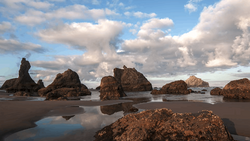
The video continues by showing why switching between 16-bit and 14-bit color can be practical on the same camera. Large files slow down workflows where quantity matters, but the full color pipeline becomes worthwhile for deliberate images where nuanced tones matter. Lightroom adjustments highlight how the system handles bright urban lights against a dark sky without color banding. Masking tools are used to add controlled emphasis and guide attention, with the file holding together even when multiple adjustments overlap. This section makes the technical difference visible without giving away every step demonstrated onscreen.
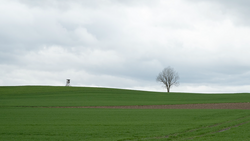
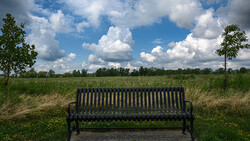
A shift to a quiet woodland scene shows how 16=bit color supports moodier edits. Texture and clarity changes reveal how foliage can be shaped without appearing brittle or processed. Dehaze adjustments add depth to an overcast landscape while keeping branches and leaves natural. Masking across the trail and around an old seat in the frame directs attention through the composition without creating halos or tonal jumps. A brief crop test shows how a single high-resolution frame can be reworked into multiple compositions while keeping color transitions intact. This part of the video shows how subtle changes accumulate into a cohesive look while the file remains stable.
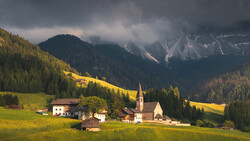
A final example focuses on fall color and how many tonal variations remain inside reds, yellows, and greens. Channel-by-channel zooms demonstrate how much information sits inside small patches of foliage, even when the overall scene sits past peak season. HSL adjustments show how easily specific tones can be isolated or reshaped without turning the file muddy. The comparison makes clear how higher bit depth influences flexibility in both fieldwork and post-production. Check out the video above for the full rundown from Matt.
Join the Fstoppers community for free
-
Post comments and join in the discussions
-
Browse the site ad-free
-
Share your work and get featured in the community
-
Compete in the photo contests for fun and prizes
8 Comments
I wish.... All for the low price of $10k-$12k (body an 1 lens) for this.
With how much faster modern CPUs and GPUs are, there is no reason to reduce color depth in in order to try and improve workflow speed. For still images, always use the highest possible quality your camera can offer.
The only exception is really raw video capture since drive makers are failing to make sufficient advancements on storage capacity, where most users will still be on 8-12TB hard drives, with usually only around 6-8 of them in their desktop PC, thus not enough bulk storage for a reasonable archive of raw video, and too costly to do a NAS with enough storage for it.
You fail to prove your point from the 14 bit raw to 16 bit. There have been many years of digital and with that going from camera to computer with a selection of monitors has been a struggle when it comes to the colors of a scene. First is a camera capture is RAW or jpeg, the jpeg has so many variables as to settings one applies or just the cameras auto mode letting the camera programmer pick. A very important is not only the computer and its speed, which about every three years everyone a new model and make comes out and most operating systems require a whole new base of components! A very important final thing is the monitor and only recently has a photography model come to be made and not the old gaming models, it is like TV's how far have they come or even go without also thinking about monitors for us photographers and our digital needs. I ask you are on a laptop have you had the monitor calibrated and if so which calibrator?, Those also get better over time! What many forget is the grey card to set the programable WB or to take one image with a say Spyder Cube by Datacolor and learn how to use it. We all have had so many monitors and computers over the years. Ah! and RAW is just that every thing the sensor captures and can be played with in the future also.
Once you started playing with the images the RAW becomes not image you took but you become an artist making it look the way you want it and either RAW or jpeg it has been played with in the end.
Lastly your big deal about 100MP's my Sony A7RV does 61MP and also great for cropping but will also do Pixel Shift giving a 240MP result, in the result you get so much detail in the smallest of areas that to see on a print (if a printer is good enough) someone will need to use a magnifying glass to check for each detail. The extra for the A7RV is it can be done hand held also no tripod required and also just for a regular capture a bracketed capture of 5 at +/- 2EV also can be done hand held and even in the blue hour.
Look I know your camera is very expensive BUT I have had the 5MP point and shoots pf the 2000's that when you look back at the images there is very little noise even when i had a Canon T2i it was great and even editing the images on now newer computers and monitors images are better. I started with Sony with the A7SM1 for it could do bracketing 5 at +/- 3EV it was the HDR era what can I say but where it was greatest was Astro Milky Way rarely above 3200 and get a day like image but with stars and capturing the colors of the high altitude colors of gases where when first seen in the images thought something wrong or a filter was needed.
The end all to end all is the printer and what it can print in its little dots also as far as digital if you plan on sharing on line it will be a small jpeg some where in the digital world with bad and good monitors. Also as photographers we end up as artist changing what was captured like a painter on canvas.
I have been chasing the color thing forever and even used the Datacolor Spyder Cube multi shot compare learning to use the results to link to the RAW to get exposure and color and in the end I also had to play with the image. A little info you can play with an image several days or weeks apart and each time have a different result, for every YouTube edit not one ever goes to the top of the main section in Lrc to the four blocks and selects a camera color profile (a jpeg pick) to start with for every kid likes to play their own way!!!!
1. What are real colors.
2. Ever been in a lit cave A7SM1 hand held at 10mm no IS/OSS more in an image than in exit post cards.
3. A7RM2 Bracketed 5 at +/- 2EV but with the center images using a Datacolor Spider Cube linked to other images.
4. Using Vivitar Vivicam8300s 8.1 MP point and shoot with zoom lens edited with Lrc years ago still a good camera just how you edit and SW used as well as computer and monitor.
The fact is that actual photo cameras are 12-bit or 14-bit. This is because these are hybrid cameras, with video in mind, unlike the Hasselblad, which is for photography. And for photography, megapixel count and color depth are valued.
However, in the latest cameras from manufacturers, we see nothing but an increase in frame rate (fps), at the expense of megapixels and color depth. This should make us wonder if companies are steering us (towards video) where we wanted to go (towards photography).
Well, no. That is not correct. The Fuji gfx series sacrifices fps for 100mb images at 16 bit. Not all manufacturers are following the path you suggest
Largest full-frame manufacturers (Canon, Nikon, Sony) follow this path.
I'm assuming the graphics card of the computer, and the monitor, can support 16-bit color?
If not, then what you're seeing is just an attempt of the GPU and the monitor to display a signal. A conversion.
With 16 bit you can recover shadows and highlights, so you can win in any way.