The phone in your pocket is now a real part of your kit, and not only because its camera got good. It is the device you plan a sunrise on, the one you cull a shoot on in the passenger seat, and the one a client sees your portfolio on. The apps that run on it split into two groups: the ones that make the phone a better camera, and the ones that make you a better photographer regardless of what you shoot with. Those are different purchases, and mixing them up is how people end up paying monthly for something they open twice a year.
Three things decide every pick below. Platform, because much of the best photography software is still iPhone-only and Android shooters deserve to know that before they get excited. Pricing model, because a one-time purchase is a tool you own and a subscription is a tool you rent. And whether the app touches raw files, which is the line between a serious workflow and a nicer Instagram filter.
Every entry states its platforms and how it charges you, right in the spec block, so nobody buys into an ecosystem they cannot use. Fstoppers has not run formal hands-on reviews of the current versions of these picks, and we say so in each entry. This category has excellent free options, so start there and spend money only when you hit a wall.
Our Picks
 Best Camera App Halide Mark III
 Best Free Camera App Adobe Project Indigo
 Best Editor Adobe Lightroom
 Best Free Editor Snapseed
 Best for Film Looks and Presets VSCO
 Best for Planning PhotoPills
 Best for Astrophotography Stellarium Mobile Plus
 Best for Portfolio Glass
 Best for Cloud Backup and Sync Amazon Photos
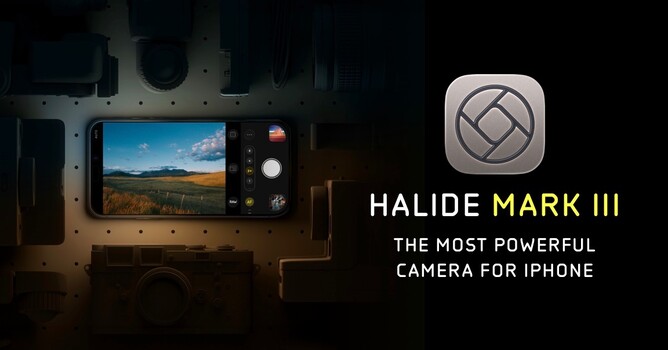
Best Camera App: Halide Mark III
Halide's Process Zero switches off Apple's multi-frame pipeline to hand you a single raw exposure that behaves like film, and its Photo Lab reprocesses raw from six major camera brands.
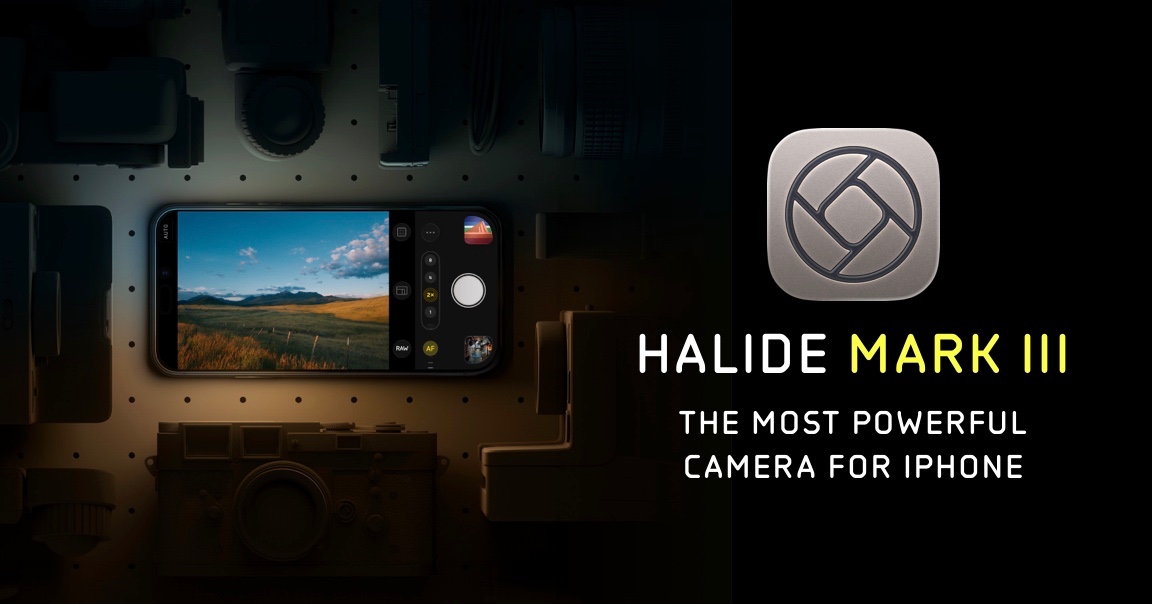
Halide Mark III arrived in May 2026 as the third generation of Lux Optics' camera app, and it is built around a problem most phone owners have felt without naming. Modern phone cameras run every frame through an aggressive multi-frame pipeline that flattens contrast, sharpens skin, and hands you a photo that already looks edited. Process Zero, which Lux introduced back in 2024 and has been refining since, turns all of it off. You get a single exposure, read straight off the sensor, with grain where grain belongs and highlight rolloff that behaves like film rather than like an algorithm's idea of film. The output is noisier. It is also yours to grade.
What Mark III adds is a redesigned capture interface, a set of new Looks developed with colorist Cullen Kelly (Valencia for landscapes and cityscapes, Rembrandt for portraits, Chroma Noir for black and white, and more, with future Looks included in the license), and the manual tools you actually want: focus peaking, a focus loupe, full manual exposure, and a macro mode. The real headline is Photo Lab, a built-in editor that reprocesses raw files, and not only the iPhone's own. In beta, it opens raw from Canon, Nikon, Sony, Fujifilm, Hasselblad, and Leica bodies, which turns the app into an on-location review tool.
Fstoppers has not put Mark III through a formal review, so treat this as a read of the spec sheet, not a shutter count of our own. The honest limitation: Halide is iPhone and iPad only, and it is deliberately in tension with the phone's own strengths. If you want the best-looking JPEG with the least effort, Apple's stock camera and the computational pick below beat it every time. The one-time license is also the most expensive thing in this guide that is not a professional subscription, and the App Store price has already risen once since launch.
If you shoot a mirrorless body all week and want the phone to behave like a small version of it, check the current price of Halide Mark III on the App Store. Also consider the Leica LUX app for the opposite philosophy, with Leica Looks and simulations of lenses like the Noctilux-M 50mm f/1.2 ASPH applied on the way in, though the free version limits you to five Looks and a single lens, it is iPhone only, and its Pro tier is a subscription.
What We Like
- Process Zero delivers a clean, unprocessed file no other iPhone app matches
- Photo Lab reprocesses raw files from six major camera brands
- Available as a one-time purchase, not subscription-only
What Could Be Better
- iPhone and iPad only, with no Android version
- Process Zero files are noisier and need editing to shine
- Pricing has climbed well past casual-app territory
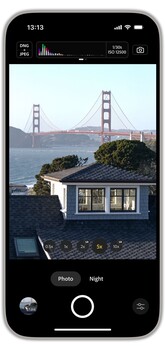
Best Free Camera App: Adobe Project Indigo
Free with no account or upsell, Project Indigo merges a long burst of underexposed frames into a file with less noise and a tone curve that looks like real camera output.
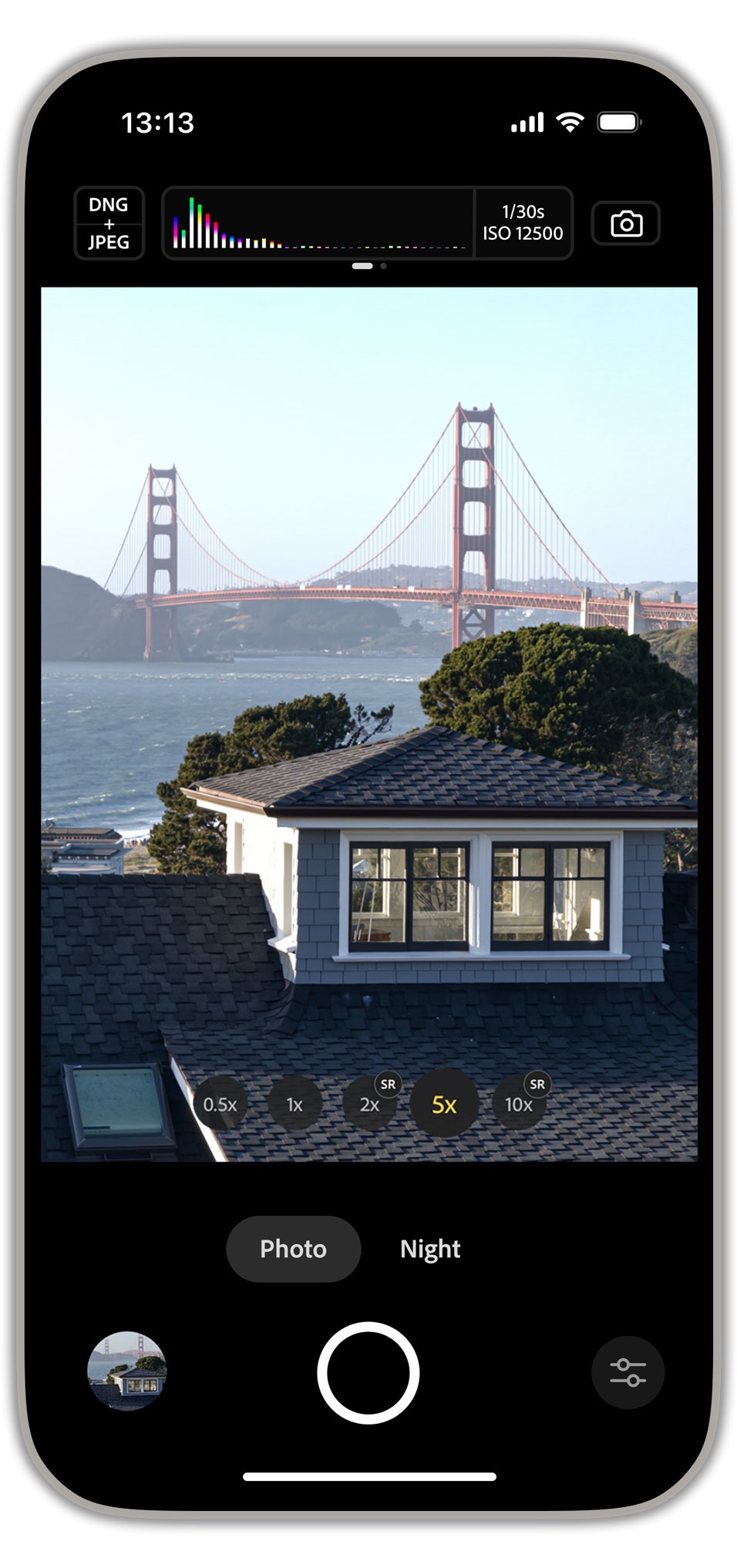
Adobe's research team took a different route to the same destination. Rather than switching computational photography off, Project Indigo does more of it, and does it with better taste. The app captures a longer burst of underexposed frames than Apple's pipeline does and merges them into a file with less noise, more highlight headroom, and a tone curve tuned to look like a photograph out of a real camera. Shadows stay dark. Skin keeps its texture. The difference is not subtle in high-contrast light.
The feature set is deeper than free software has any right to be: a Night mode built on long multi-frame merges, a super-resolution zoom that reconstructs detail rather than upscaling mush, a macro mode, a live histogram, zebra striping, and full manual control of focus, exposure, ISO, and white balance. Every capture can go out as a DNG, and the handoff to Lightroom is one tap. A Technology Preview called Face Dewarp corrects the stretched faces you get at the edges of the wide angle lens, in one mode for faces alone and another for whole people. An April 2026 update brought initial iPad support, iPhone 17e compatibility, a grid view in the filmstrip with multi-select, and a display of the 35mm equivalent focal length for each rear camera.
We have not tested it in house, and the documentation makes plain where it costs you. It is slow, because merging that many frames takes time, and Adobe recommends an iPhone 15 Pro or newer, which quietly excludes a lot of phones. It is a Labs project rather than a shipping product, so features come and go under the "Technology Previews" banner and nothing guarantees Adobe keeps it alive. The iPad build is Adobe's own word "initial" and is not yet tuned for tablets. There is still no Android release, though Adobe has said one is planned. For an iPhone owner who has not decided whether phone photography is worth spending money on, it costs nothing to find out, so check the current status and price of Adobe Project Indigo on the App Store.
What We Like
- Free, with no account, no ads, and no upsell
- Merged files look like camera output, not phone output
- Excellent Night mode and a useful super-resolution zoom
What Could Be Better
- Slow capture and processing on anything but recent iPhones
- Experimental Labs status means no guarantee of longevity
- iOS only, with Android still unreleased
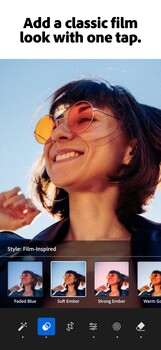
Best Editor: Adobe Lightroom
Lightroom lets you start an edit on a phone and finish it on a desktop without tracking a single file, and its AI masking isolates a sky or a face that brush work rarely holds on a small screen.
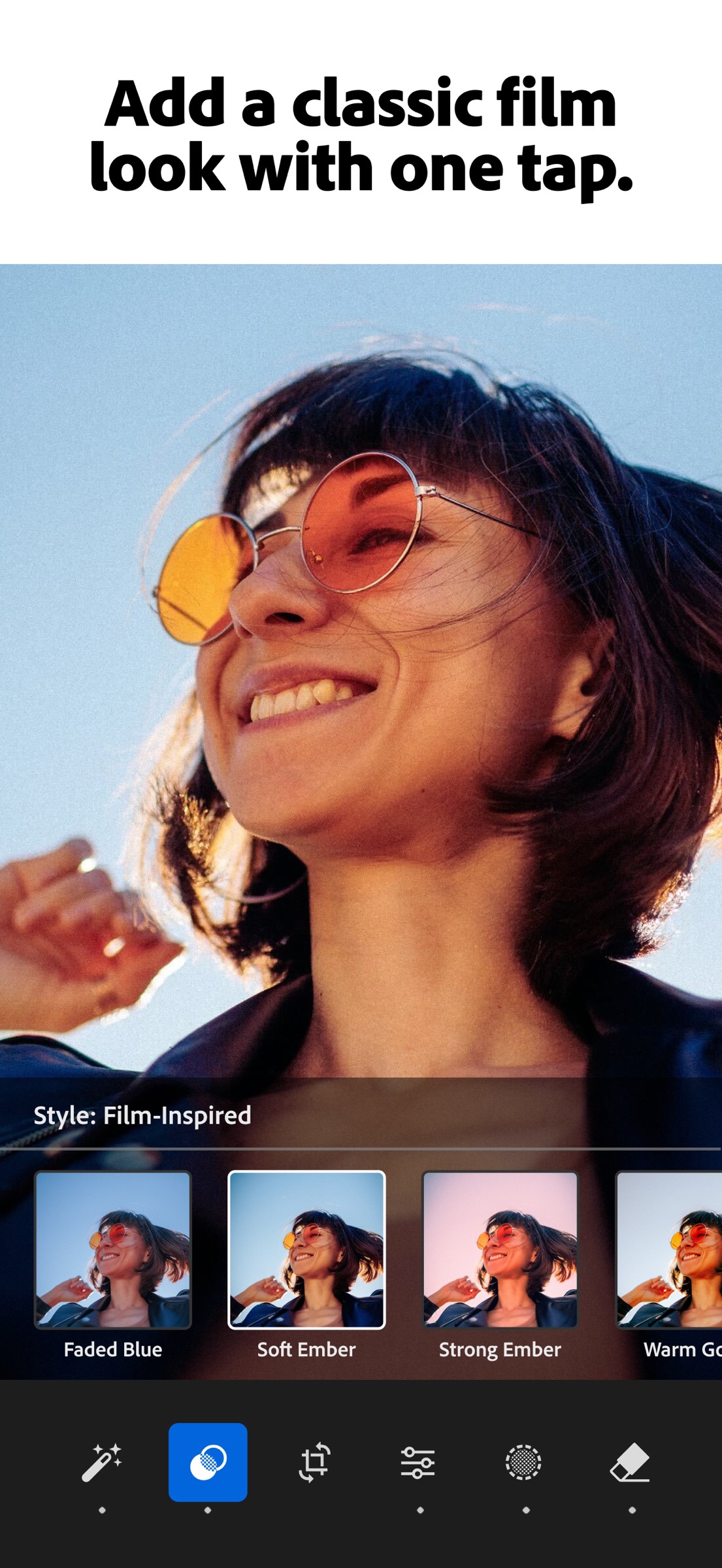
Nothing else in this guide does what Adobe Lightroom does, which is let you start an edit on a phone in a hotel room, finish it on a desktop the next morning, and never think about which file lives where. That sync is the product. The mobile app is a real editor rather than a companion viewer, with the same processing engine and sliders you use on a computer.
The AI masking is the feature worth the money: point it at a landscape and it isolates the sky, the subject, or a face on its own, and the mask holds together around hair and branches in a way brush work rarely does on a small screen. The healing tool is content-aware rather than a crude spot patch, so power lines and sensor dust actually go away. If you want to learn the desktop side properly, Fstoppers' Mastering Adobe Lightroom course covers the workflow the mobile app plugs into.
We have not run a formal Fstoppers review of the current mobile build, so the accounting below comes from Adobe's own documentation. The free tier is generous on capture, organization, sharing, and basic tone work. Everything that makes Lightroom worth choosing over Snapseed sits behind the subscription: AI masks, the healing brush, geometry, raw editing, batch work, and cloud sync itself. Without a plan, every device is an island. That is a monthly bill forever, and it is the most common reason photographers go looking for an alternative, which our photo editing software guide covers in depth.
If you already pay Adobe for the desktop side, the mobile app is the best reason to keep paying, so check the current plans and price for Adobe Lightroom at Adobe. Also consider Darkroom if you live inside Apple's ecosystem and want one universal app across iPhone, iPad, and Mac, with an "unlock everything forever" option instead of a permanent subscription.
What We Like
- True cross-device sync of edits, originals, and presets
- AI masking that holds up around hair, branches, and skylines
- Free tier is usable rather than crippled
What Could Be Better
- Everything important is behind a subscription
- Sync and storage costs escalate as your library grows
- No one-time purchase at any price
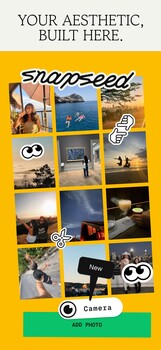
Best Free Editor: Snapseed
Every adjustment lands as a re-editable layer you can brush onto part of the frame, a stack no free rival matches, and the app carries no ads, watermarks, or upsells.
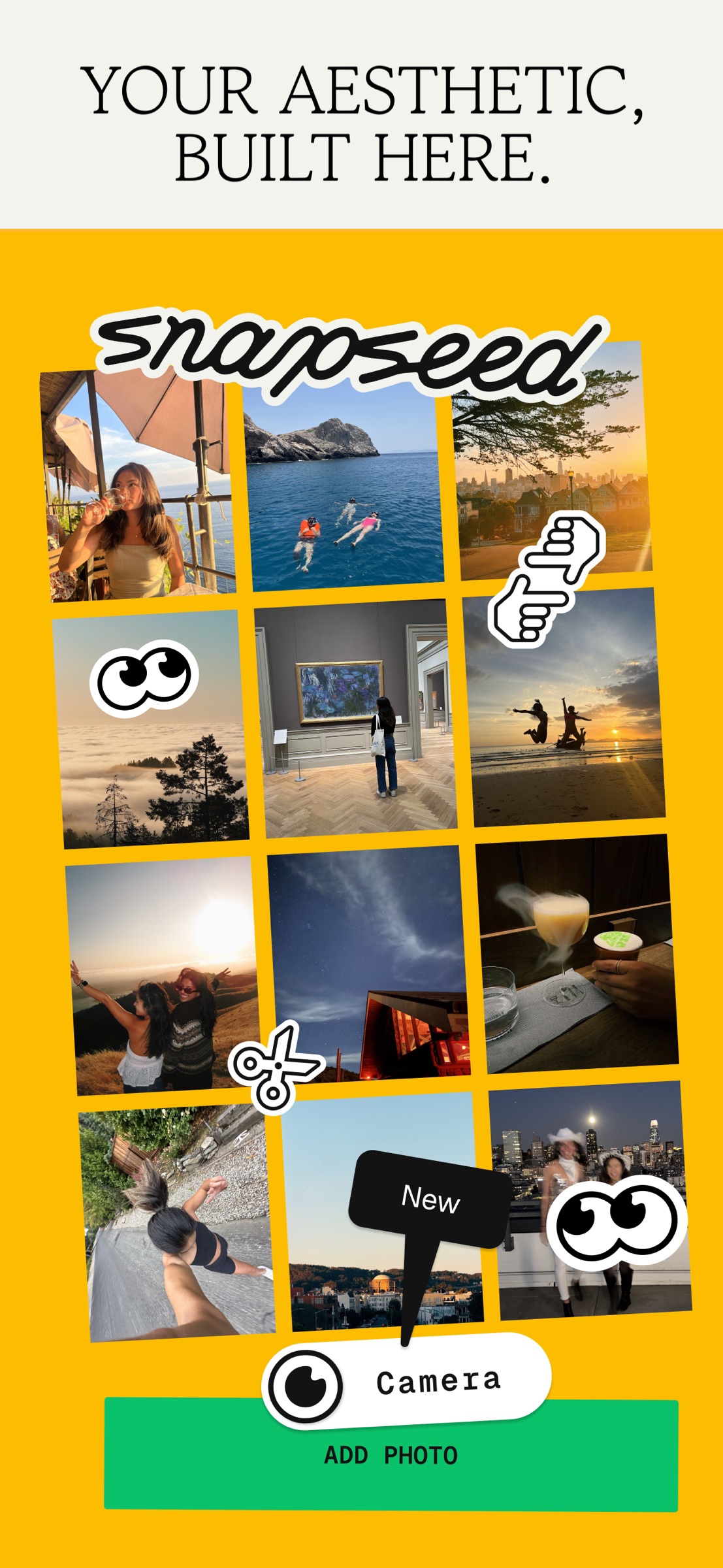
Snapseed spent years looking like abandonware, and then Google brought it back. Version 3.0 landed on iOS in June 2025 with a full redesign, and Snapseed 4.0 rolled out on Android in May 2026, putting both platforms on the same modern app for the first time in a decade. Google's own description is the pitch: more than 30 pro tools and filters, with no subscriptions, purchases, ads, or watermarks.
The tool that still has no real free rival is the stack. Every adjustment is stored as a re-editable layer, and you can brush any one of them onto only part of the frame with a fingertip: a contrast boost on a face, a curve applied only to a sky, all reversible three sessions later. Add healing, selective adjustments, curves, perspective correction, one-touch masking that isolates a subject from its background, and raw development, and you have most of what a phone edit needs. The 4.0 release also added Batch Edit, which pushes a saved look across a run of frames, and a built-in camera with real-time film simulations named for the stocks they imitate (Kodak Portra 400 and 160, Fuji Superia 200 and 800, Agfa Scala, Polaroid 600) plus halation and bloom effects.
No Fstoppers reviewer has taken this build through a full test. The limits are structural rather than hidden. There is no cloud sync, no library management, no ratings, and no culling, which rules it out as the center of a professional workflow. Raw is where the platform gap bites: Android is guaranteed only for DNG, so a Canon CR3 or a Sony ARW off a card reader is an iOS-only proposition. The interface relies on drag gestures that are learnable but not discoverable, and Google's history here is a fair reason to wonder how long the revival lasts. For a beginner, a second shooter, or anyone who edits a handful of frames a week, it is still the app to install before you spend a dollar anywhere else, so check the current version and price of Snapseed on Google Play or the App Store.
What We Like
- Genuinely free, with no ads, watermarks, or upsells
- Re-editable stacks with selective brushing, still unmatched at this price
- Raw development, curves, healing, masking, and batch edits included
What Could Be Better
- No cloud sync, no library management, and no culling tools
- Raw support on Android is limited to DNG
- Google's long-term commitment is unproven
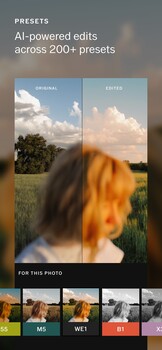
Best for Film Looks and Presets: VSCO
VSCO's film emulations sit under a photograph rather than on top of it, shifting color and contrast the way a stock would, with more than 200 opening up on the Plus membership.
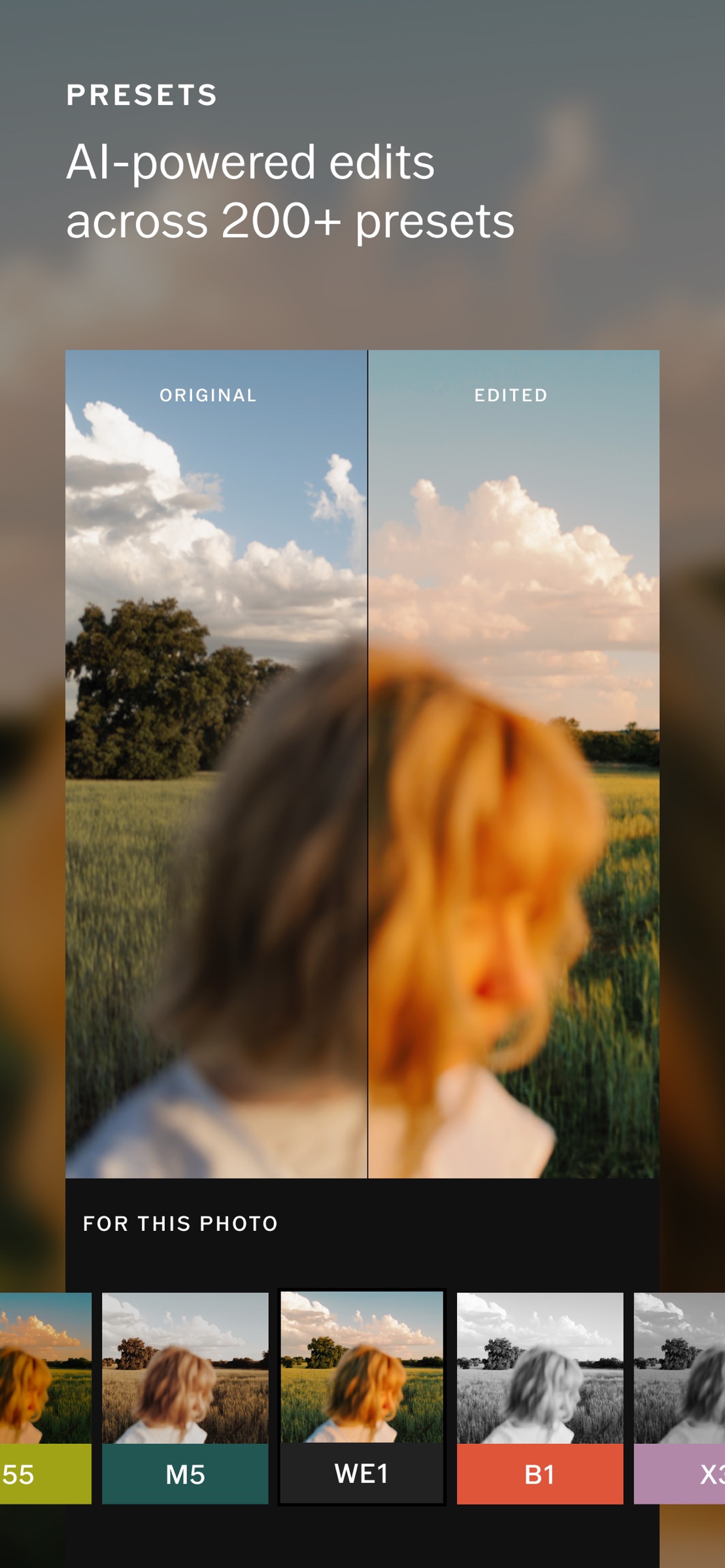
Presets are the fastest way to make a body of work look like it belongs to one photographer, and VSCO has been the reference point for a decade. The free Starter tier gives you 15 presets; the Plus membership opens more than 200 along with mobile video tools and an ad-free app. What separates them from the filter packs bundled into social apps is restraint. VSCO's emulations sit under a photograph rather than on top of it, shifting color and contrast the way a film stock would.
The 2026 story is that VSCO stopped being a filter company. The Pro tier now folds in Studio Pro, the company's pro-grade editor, along with unlimited AI Lab access, unlimited client galleries, and a portfolio site with a custom domain. On June 23 the company launched VSCO One, which adds a business layer on top: client management, bookings and scheduling, invoicing, contracts, and support for up to six users and four brands, billed annually only. If you already pay for a gallery service, a website, and a CRM separately, the arithmetic is worth doing.
We have not tested the platform end to end, and the caveats are real. The Pro and One tiers run on iOS and desktop only, so an Android professional cannot buy the top of this stack. The editing engine still trails Lightroom on heavy raw work, and the app's roots as a social network mean the interface keeps pulling you toward a feed you may not want. For most readers the answer is the Plus membership: buy it for the presets, ignore the rest, and check the current tiers and price of VSCO at VSCO before you commit to anything above it.
What We Like
- Film emulations with real restraint, not novelty filters
- Useful free tier and an inexpensive entry membership
- Pro tier bundles client galleries and a portfolio site
What Could Be Better
- Pro and VSCO One are unavailable on Android
- Raw editing still trails Lightroom
- The top tier is a serious annual commitment
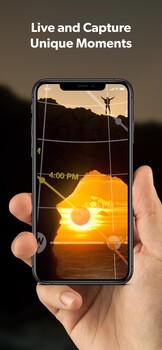
Best for Planning: PhotoPills
Held up at a location, PhotoPills draws the sun, moon, and Milky Way core across the live camera view for any date you choose, all for a single one-time payment.
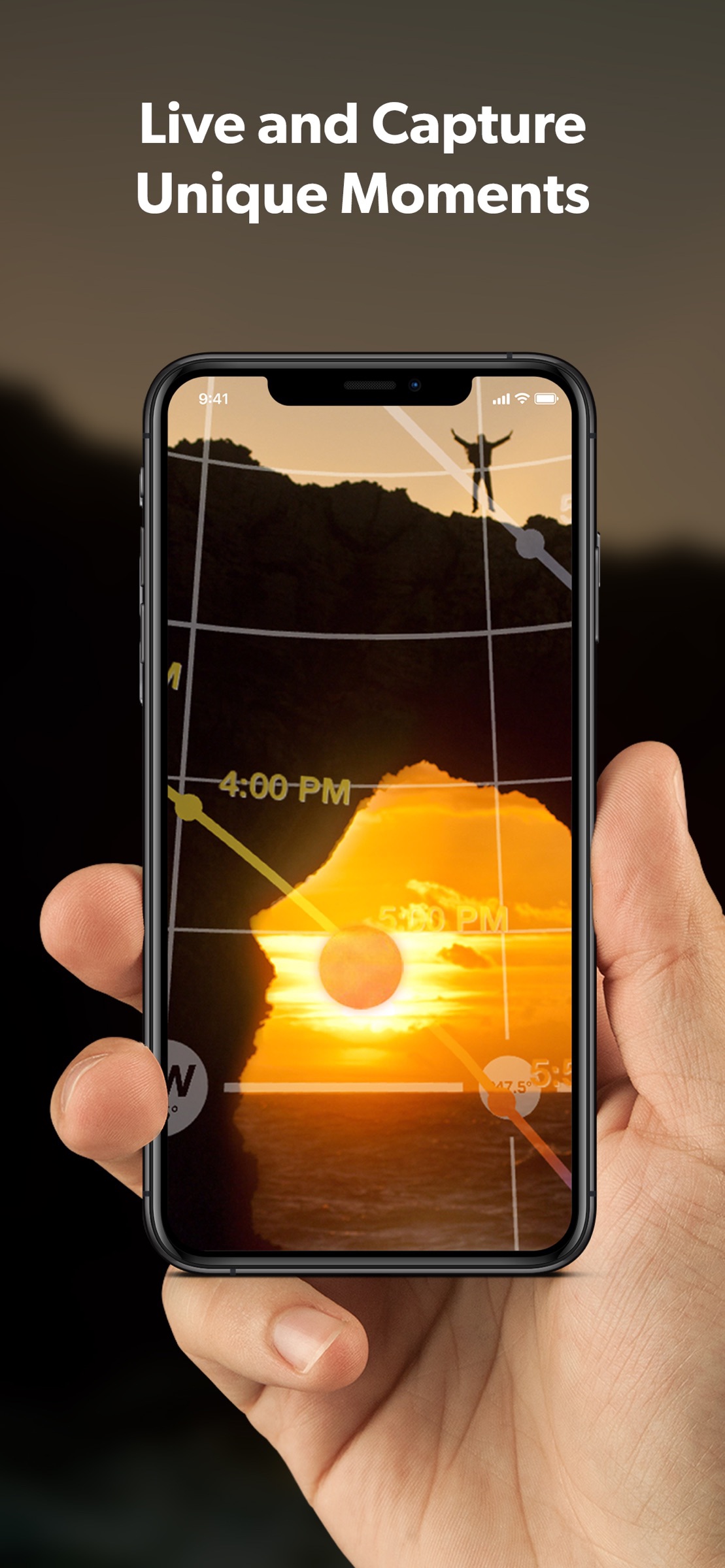
Buy this one. PhotoPills is the easiest recommendation in this guide, because nothing else combines the planning, the math, and the augmented reality in one place for a single payment. Hold the phone up at a location in the middle of the afternoon and the app draws the sun's path, the moon's path, and the arc of the Milky Way's galactic core across the live camera view, dated to whatever night you choose. You can stand in a spot in June and see where the core will sit over the ridge in September, which is the difference between a planned photograph and a lucky one.
Underneath the AR layer sits a 2D map planner that lets you drop a pin anywhere on Earth and scrub through time, plus the calculators most photographers eventually need: depth of field, hyperfocal distance, long exposure, timelapse intervals, star trails, and the exposure that freezes stars at a given focal length. A camera database means the math uses your actual sensor, and the Plans manager fires a notification when the alignment you planned is about to happen.
No Fstoppers hands-on review exists for this one, so the specifics above come from the developer's current feature list rather than our own field use. The honest weakness is the learning curve. PhotoPills is dense, its terminology is its own, and the interface has not fundamentally changed in years, which means new users routinely bounce off it and never come back. There is no account-based sync, so a plan built on your phone reaches your tablet only if you export a backup of your plans and points of interest and restore it there. It is not a beautiful app. It is a precise one.
Anyone who has driven two hours to a location and found the light coming from the wrong side of the mountain should check the current price of PhotoPills on the App Store or Google Play. Also consider Sun Surveyor for the same sun, moon, and Milky Way path planning in a gentler interface, though it does not carry PhotoPills' calculator suite.
What We Like
- AR planner shows the sun, moon, and galactic core in the actual scene
- One-time purchase with no subscription anywhere in the app
- Complete calculator suite tied to your specific camera
What Could Be Better
- Steep learning curve and dated interface
- No account-based sync between devices
- Overkill for anyone who only shoots in daylight
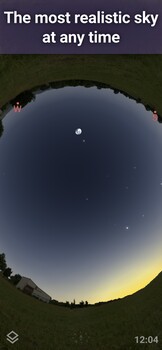
Best for Astrophotography: Stellarium Mobile Plus
Built on the Gaia catalog of more than 1.69 billion stars, Stellarium identifies your target in real time and shows when it crosses the meridian before the trees eat it.
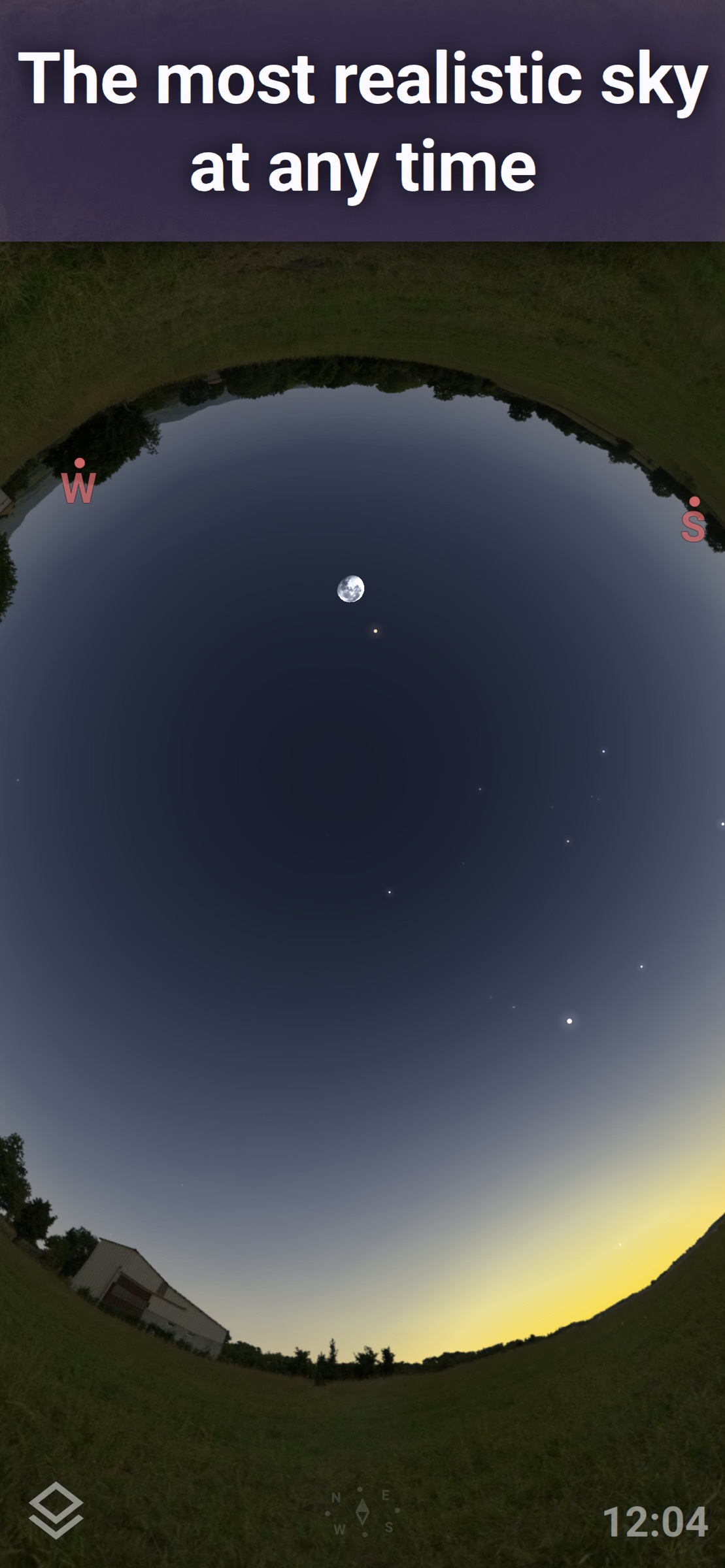
PhotoPills tells you when the Milky Way core clears the horizon. It will not tell you where the Veil Nebula is, or whether the galaxy you have been chasing is high enough at 2 a.m. to justify the drive. That is the job of Stellarium Mobile Plus, built by the team behind the desktop planetarium software most astrophotographers already run at home. The Plus upgrade pulls in the Gaia DR2 database, more than 1.69 billion stars, every known planet, moon, and comet, and a catalog of over two million nebulae and galaxies. Out of signal, it falls back to a reduced set that still holds two million stars, two million deep sky objects, and 10,000 asteroids, which is far more than any night in the field will ask of it.
Point the phone at the sky and it identifies what you are looking at in real time. Scrub the clock forward and it shows the same patch of sky at any hour of any night, so you can work out when your target crosses the meridian and how much altitude you have before the trees eat it. There is a red night mode that will not destroy your dark adaptation, an AR mode that overlays the sky map on the camera feed, and Wi-Fi telescope control for Plus users, covering any GOTO mount that speaks NexStar, SynScan, or LX200. Pair it with one of the smart telescopes we cover elsewhere and it becomes a target-selection tool rather than a stargazing toy.
We have not run it through an Fstoppers review, and the app has a blind spot worth naming: it is an astronomy app, not a photography app. It knows nothing about your lens, your sensor, or your light pollution, and it will happily point you at a magnitude 12 galaxy your 200mm lens has no business photographing. The free version is capable but limited, Plus pricing has been listed at more than one figure across storefronts, and the download is heavy at 478 MB on iOS.
For anyone shooting the night sky with a tracker, a telescope, or a long lens, this is the reference, so check the current price of Stellarium Mobile Plus on your app store. The free version tells you whether you need the paid one.
What We Like
- Enormous star and deep sky catalog, with a deep offline subset for the field
- Real-time sky identification and a genuine red night mode
- Plus can be unlocked outright instead of rented
What Could Be Better
- Knows nothing about your camera, lens, or exposure
- Plus pricing is inconsistent between storefronts
- Free version is meaningfully limited
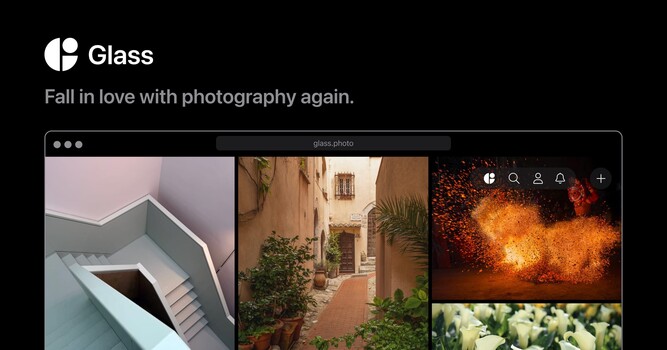
Best for Portfolio: Glass
Glass drops the advertising, the algorithm, and the public like counts, and it keeps unlimited high-resolution uploads with full EXIF for viewers who care about still photography.
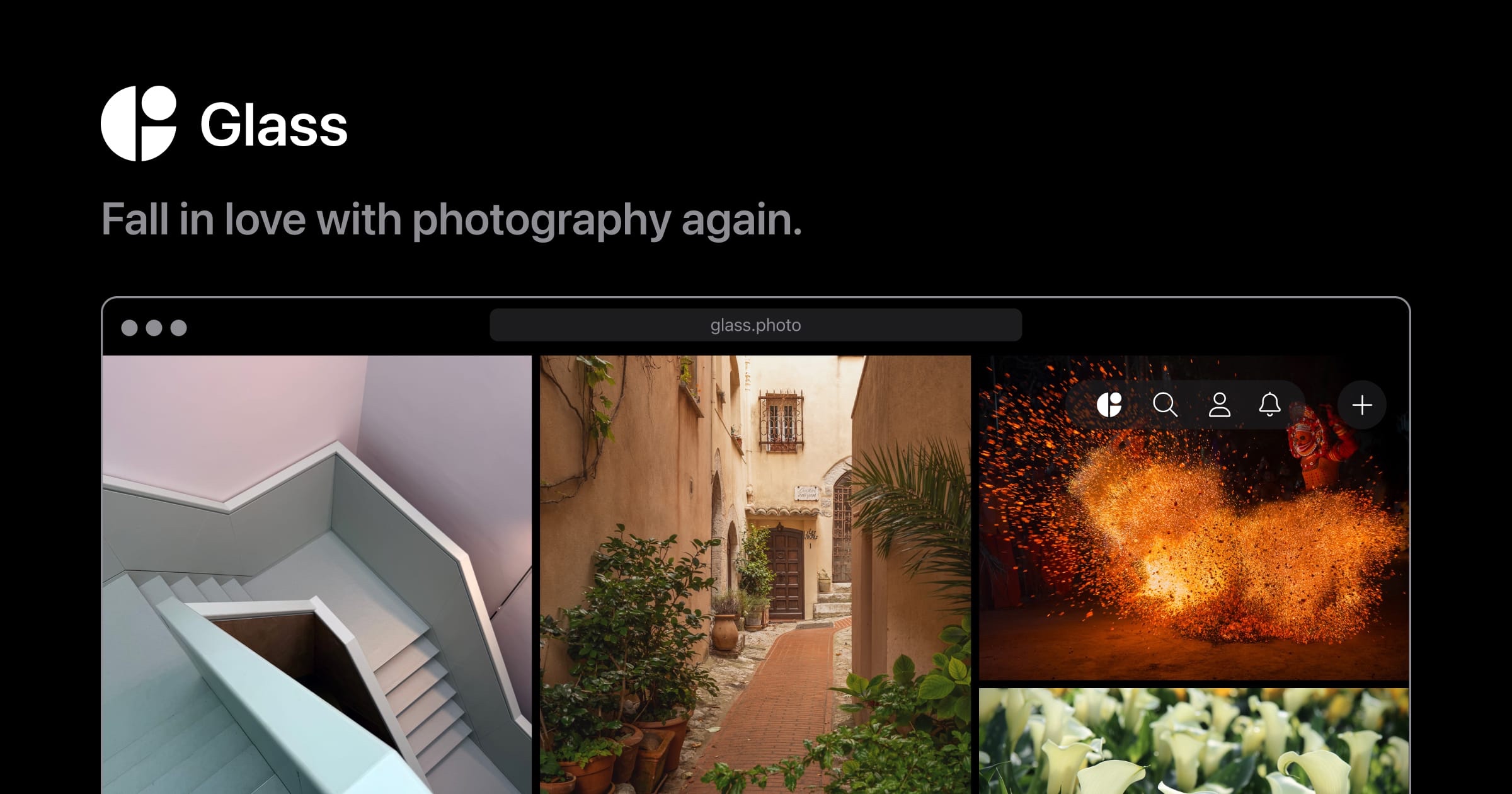
Instagram stopped being a portfolio somewhere around the time it decided you wanted video. Glass is the response: a subscription-funded photography community with no advertising, no engagement algorithm, and no public follower or like counts. The feed is chronological, and what you are paying for is the absence of the machinery that makes every other platform hostile to still photography.
As a portfolio it does the things photographers ask for and social networks refuse. Uploads are unlimited and stay at high resolution rather than being crushed into a square. Every image carries its EXIF, so viewers see the body, the lens, the aperture, and the shutter speed, and the app organizes work by camera and lens, which makes browsing it a useful way to research gear. You get a public profile that works as a shareable portfolio on any device and a Series feature for album-style bodies of work. The free Viewer tier lets you look around and follow up to three photographers; the Member tier unlocks uploading, and a Patron tier above it adds gift memberships and early features.
Fstoppers has not reviewed Glass, and the drawbacks are predictable for a small independent platform. The audience is small by design, so if your goal is client acquisition or reach, this is not the tool and you should be building a real website instead. There is no client delivery, no proofing, and no sales. Paying to post your own photographs is also a hurdle a lot of photographers never clear.
If you want a place to put good work in front of people who care about good work, check the current membership price of Glass on its site. Also consider Pixieset if what you need is client delivery, proofing, and print sales, since it offers free galleries and mobile gallery apps you can hand to a client.
What We Like
- No ads, no algorithm, and no public like or follower counts
- Unlimited high-resolution uploads with full EXIF displayed
- Runs on iOS, Android, Windows, and the web
What Could Be Better
- Small audience compared to any mainstream platform
- Subscription required to post at all
- No client galleries, proofing, or print sales
Best for Cloud Backup and Sync: Amazon Photos
Prime members get unlimited full-resolution storage that keeps raw at its original size rather than transcoding it, so the highest-value move in this guide is turning on auto-upload tonight.
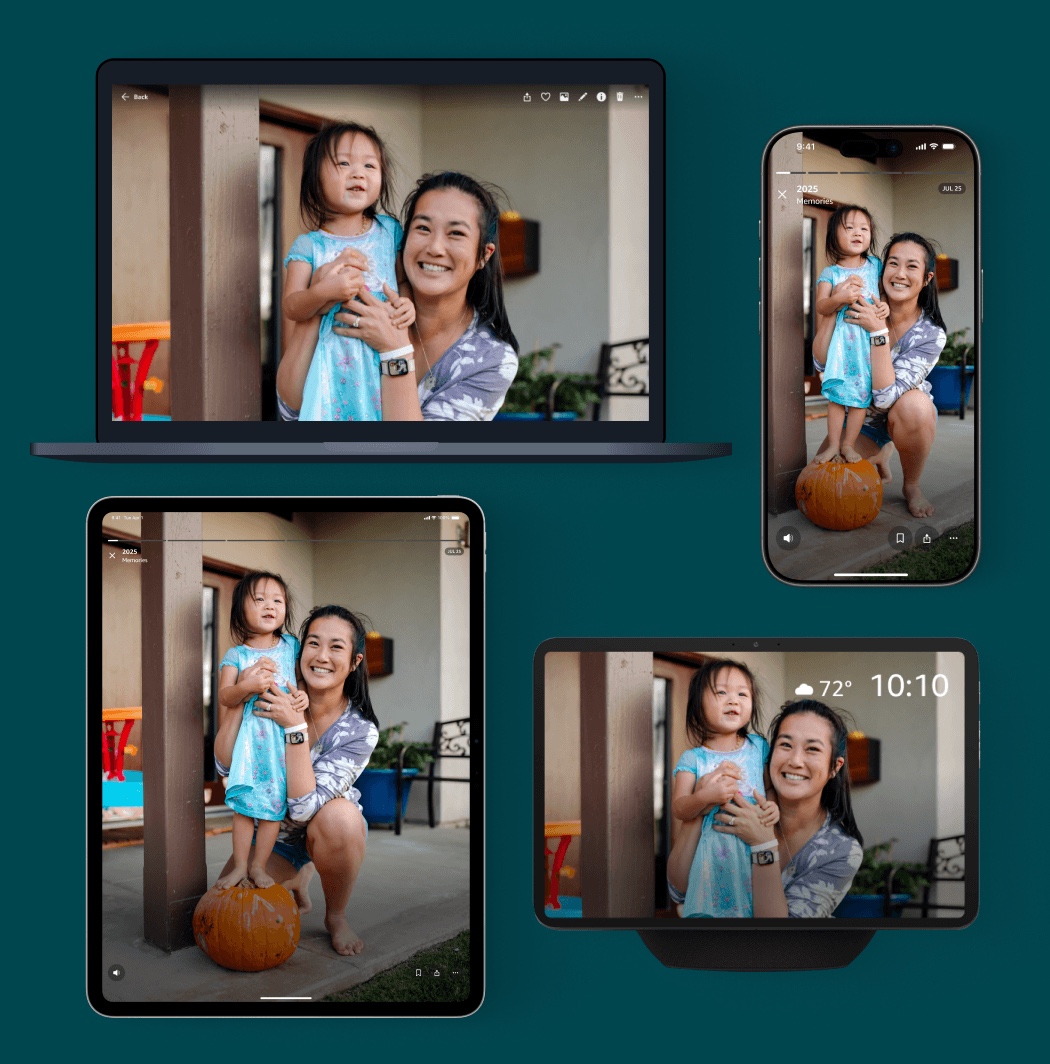
This is the least glamorous pick in the guide and probably the most valuable. Amazon Photos gives Prime members unlimited, full-resolution photo storage, and unlike almost every competitor it does not quietly mean "unlimited compressed JPEGs." It takes raw files at their original size and does not count them against a quota. If you already pay for Prime for the shipping, you already pay for offsite backup of your entire archive and have probably never used it.
The apps are ordinary in the best way. Auto-upload runs in the background from your phone, a desktop uploader handles the folders on your working drive, and Family Vault extends the same unlimited benefit to five other people. None of this replaces a local backup: it is the offsite copy in a sane three-copy strategy, and it is the copy most photographers skip because the good services charge by the terabyte.
We have not formally reviewed the service. Amazon states the catch plainly: the unlimited benefit covers photos only. Video gets 5 GB, so video shooters will be buying a storage plan or keeping footage elsewhere. Check your own raw format against Amazon's supported file list before you trust it with an archive, because the list is narrower than the marketing suggests. Canon, Nikon, Sony, Olympus, and DNG are all there. Fujifilm's RAF and Panasonic's RW2 are not, which quietly excludes two brands' shooters from the headline benefit. This is a consumer product rather than a professional asset manager, so the organizational tools are thin and it does nothing to help you cull or catalog. Your archive also lives inside a Prime membership, which means the day you cancel Prime is the day you have a problem.
For most photographers, the single highest-value action in this entire guide is turning on auto-upload here tonight, so check what is included with your account and the current storage prices at Amazon Photos. Also consider Google Photos if you are not a Prime subscriber, though its free allowance is 15 GB shared across your whole Google account, which a single shoot will exhaust.
What We Like
- Unlimited full-resolution photo storage, raw files included, for Prime members
- Keeps raw at original size rather than transcoding it
- Family Vault extends the benefit to five other people
What Could Be Better
- Only 5 GB of video storage included
- Fujifilm RAF and Panasonic RW2 are not supported
- Weak organization, and your archive is tied to an active Prime membership
How to Choose a Photography App
Start with the question almost nobody asks first: what phone do you own? This category is lopsided. Halide, Leica LUX, and Project Indigo are iPhone only, Darkroom is Apple only, and VSCO's professional tiers run on iOS and desktop, not Android. If you shoot Android, your realistic stack is Lightroom, Snapseed, PhotoPills, Stellarium, Glass, and Amazon Photos, all of which are excellent, and you can skip the iOS entries with a clear conscience.
Next, decide what the phone is for. If it is a camera you actually shoot with, spend on a capture app. If it is a companion to a real camera, the capture app is irrelevant and the money belongs in editing, backup, and planning. Those two photographers have almost no overlap in what they should buy, and the marketing for these apps is designed to blur the distinction.
Then look hard at the pricing model. A one-time purchase like PhotoPills, Stellarium Plus, or Halide's lifetime license is a tool you own, and the cost is over the moment you pay it. A subscription is a rental with an unbounded total. Neither is inherently wrong, because cloud sync and server-side AI cost the developer money every month and it is fair to be charged for them. But if an app runs entirely on your device and syncs nothing, a subscription is a business decision rather than a technical necessity, and you are allowed to hold that against it.
The spec people overrate is preset count. Two hundred presets is not ten times better than 20, and every photographer who has used them for a year settles on three. The spec people underrate is offline capability, because planning and astronomy apps get used in a canyon with no signal at 4 a.m., and an app that needs a network connection to draw a star map is useless exactly when you need it.
Finally, build the stack, not the app. Almost everyone ends up with the same shape: a capture app, an editor, a planner, and a backup. Fill those four slots with the cheapest thing that does the job, and upgrade only the slot that is holding you back. If you are still choosing the camera the phone is meant to complement, our beginner cameras guide is the place to start.
What We're Looking For
Our picks weigh what an app does that its competitors cannot, whether it works on the platform you actually carry, whether it charges you once or forever, and whether it handles raw files or only finished ones. Every platform, feature, and pricing detail here was checked against the developer's current App Store, Google Play, or product page at the time of writing. App pricing moves more often and less predictably than camera pricing, so treat the figures as a snapshot and check the store before you buy. On testing, we are being straight with you: Fstoppers has not run formal hands-on reviews of the current versions of the nine picks in this guide, and we say so in each entry rather than implying a testing history we do not have. We reviewed the Leica LUX app in 2025, and we suggest it here as an alternative to Halide. Where the text describes how an app behaves, that comes from the developer's published documentation. Most picks across our buying guides come from gear our writers have used hands-on. Where we have not, as here, we say so.
Frequently Asked Questions
What Is the Best Camera App for the iPhone?
Halide Mark III, if you want manual control and a file you can grade yourself, because its Process Zero mode switches off the phone's computational pipeline. Adobe Project Indigo is the better answer if you want the best-looking photo with the least work, and it is free. A lot of photographers keep both installed.
Is There a Good Camera App for Android?
Not in the same class. Halide, Leica LUX, and Project Indigo are all iOS only. Android photographers are best served by their manufacturer's own pro mode, which on recent Pixel, Samsung, and Xiaomi flagships supports manual exposure and raw capture, and then by Lightroom or Snapseed for editing.
Can I Edit Raw Files on My Phone?
Yes, and it works better than most photographers expect. Lightroom, Darkroom, and VSCO's paid tiers develop raw files, including files pulled off a mirrorless camera over a card reader. Snapseed does too, though on Android it is guaranteed only for DNG. A recent phone handles full-size raw without stuttering, and the real constraint is screen size, not horsepower.
Is PhotoPills Worth It in 2026?
Yes, for anyone who shoots landscapes, cityscapes, or the night sky. It is a one-time purchase, its augmented reality planner shows where the sun, moon, and Milky Way core will fall in your composition, and nothing else combines that with a full calculator suite. If you only shoot indoors or in daylight, skip it.
Do I Need to Pay for Lightroom on Mobile?
Only if you need what the subscription unlocks. The free tier covers capture, organization, and basic editing. AI masking, content-aware healing, geometry tools, raw editing, batch edits, and cross-device sync all require a paid plan. If you never edit on more than one device, Snapseed does most of the same work for nothing.
Fstoppers may earn a commission from purchases made through links in this article. Our picks are made independently by our editorial team.