
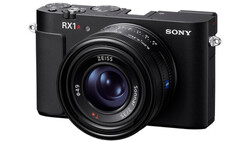
I've used a lot of cameras. I have had hands-on experience with basically every Sony release for the past five years, plus the latest from Nikon, Canon, Leica, Fujifilm, and even Hasselblad. My main workhorse and my everyday carry camera is still Sony. Not because they're perfect, but because they give me things no other brand does, like the global shutter in my a9 III or the sheer amount of tech packed into something as small as the RX1R III.
But perfect and good aren't the same thing. There's a list of changes that could make every Sony camera better, and the wild part is that most of them wouldn't require new hardware. Firmware updates could handle almost everything below.
This Isn't a Pointless Wishlist
Before I get into the list, I know what this looks like. Some random person complaining about menu items nobody at the company will ever read. But I know for a fact that people at Sony watch videos (and read articles) like this, and I know for a fact they listen and make changes based on user feedback.
I know this because I've had the honor of attending a Sony Kando Trip, one of the creator events Sony puts on, and I've talked directly with Sony engineers. I've made requests that actually got implemented. I don't know if I was the specific person who caused any particular change, but I know I was at least one of the voices asking for it.
A good example: dial switching used to trigger a pop-up confirming the settings tied to whatever custom position you just switched to, whether that was M to 1 or 1 to 2. It killed the whole point of having quick-change dials, because you had to confirm the change before you could shoot. Now, on newer Sony cameras, flipping the dial just jumps your settings instantly, no confirmation needed. That's the kind of thing that gets fixed when enough people ask for it. So here's my list, and if you agree with any of it, say so. If I'm missing something you want, say that too, because now you know Sony might actually be reading what you say.
Save Autofocus Behavior to the Custom Dials
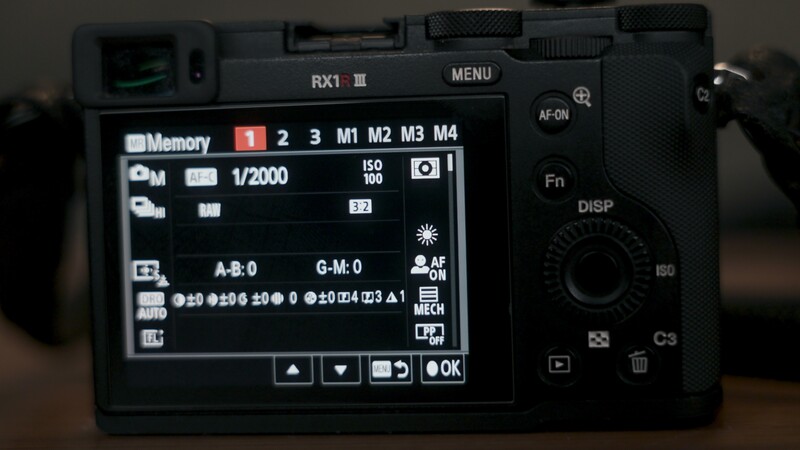
There's a setting that adds or removes autofocus from the shutter button. Most of the time I shoot with back-button focus and don't want AF tied to the shutter, but there are specific situations where I do need it there. Right now, that means keeping the setting pinned in my custom menu and diving in to toggle it manually every time. What I want is for this specific setting to save directly to the 1, 2, and 3 custom memory recall positions on the dial, so switching focus behavior is just a flick instead of a menu hunt in the middle of a shoot.
Fix the Custom Button Inconsistencies
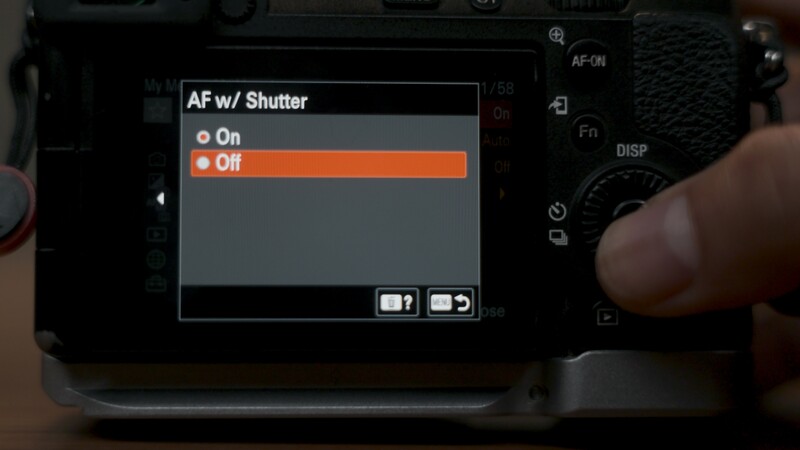
Sony does custom buttons better than most other brands as a whole, but there's still a real inconsistency problem. Press some custom buttons and you get a menu to scroll through. Press others and the button just cycles through the available options directly. The display button cycles. The shutter type button opens a menu. There's no reason both behaviors can't be a choice you make when setting up the button, something as simple as a checkbox for "show menu" versus "cycle."
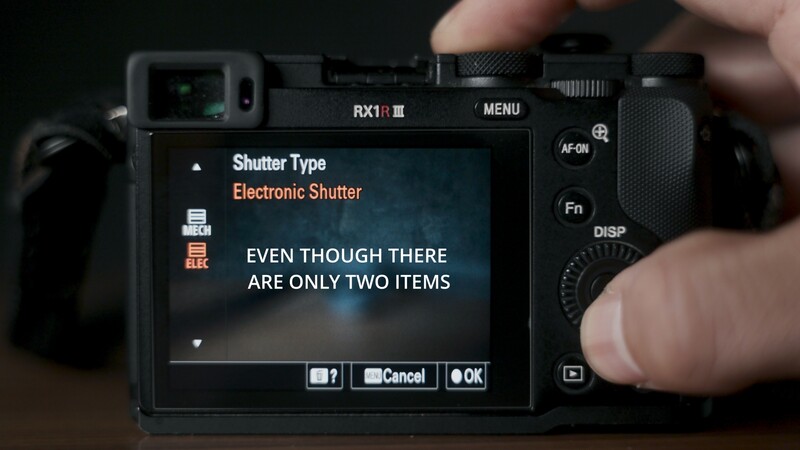
On top of that, I want the ability to remove items from any menu tied to a custom button, the same way we can already trim down the display cycle so it only shows nothing or shows everything. Fewer irrelevant options means less scrolling. Some settings that could use this treatment:
- White balance
- AF modes
- Drive modes
- ISO options
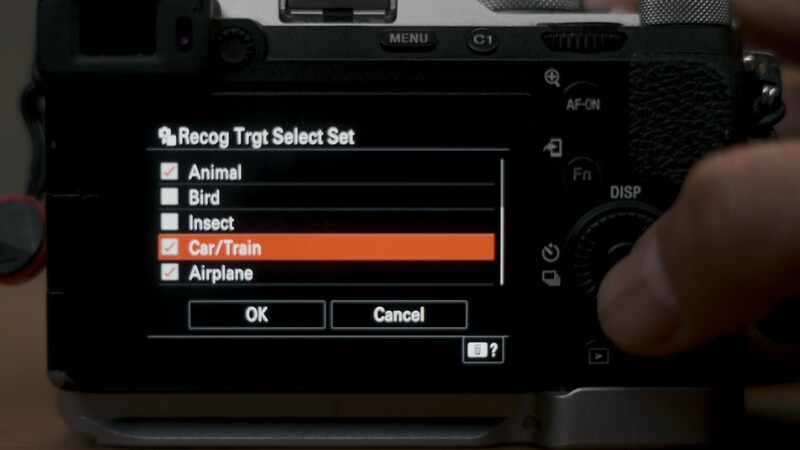
For a lot of what I shoot, I'd rather have a button just toggle between two settings I actually use, even if the camera technically offers more. Shutter type is a good example. Some cameras give you electronic, mechanical, and electronic front curtain. I'd happily drop front curtain and just bounce the button between electronic and mechanical. Same with white balance. I only ever use three or four presets, so those are the only ones I want to see when I press that button. AF subject tracking is another one. I never need cars, planes, trains, or bugs. Other people do, and that's fine, and here Sony actually lets me pull those off my button so I'm not scrolling past things I'll never select. Now I want this for all the buttons.
Give Me Press-and-Hold Options
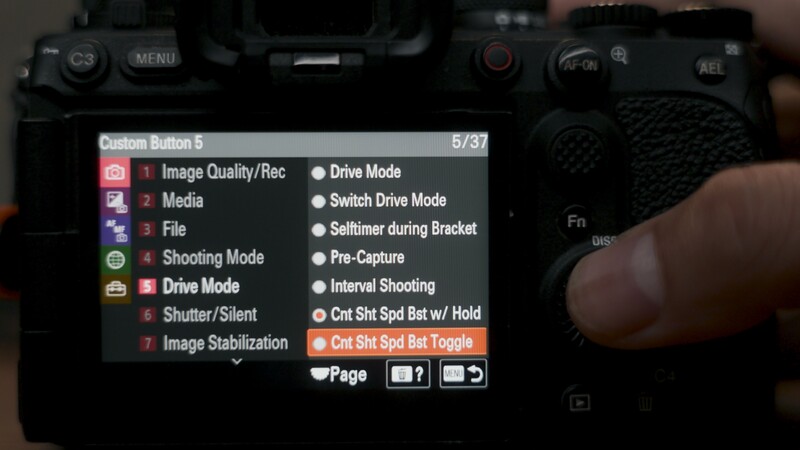
I want the ability to set certain custom buttons to "press and hold" instead of "press to change." The C5 boost button on the a9 III is a perfect example. Press and hold it, and the camera jumps to a higher programmed frame rate, say from 5 frames per second up to 120, or 60, or 30, whatever it's set to. Let go, and it drops back to whatever you had originally.
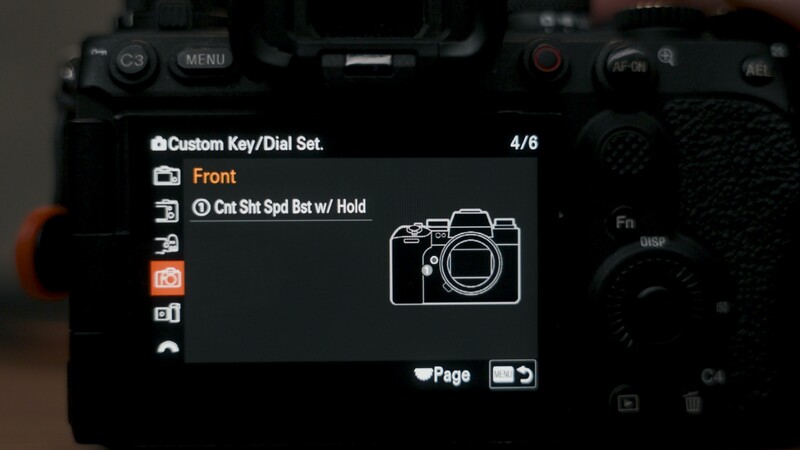
I want that behavior for other settings too. APS-C mode is the obvious one for me. I love having a button for it, but I constantly leave it on by accident or forget to turn it off. A press-and-hold version would mean I'm shooting in crop mode only while the button is down. Pre-capture is another good candidate. I only need it for specific situations, and it's another setting I regularly forget to switch off, which leaves me digging through a pile of extra images later. Tie it to a hold instead, and it's only active while my finger is on the button. Sony actually has these two options for that boost button I talked about, though I think the implementation would need to change if it were available for every or most buttons.
Let Every Button Do Press, Hold, and Double Press
Both the Nikon ZR and the Sony FX5 already do this on one button: a press brings up a quick menu, and a long press brings up the full menu. I want that logic available on every custom button, with press, press-and-hold, and even double-press all mapped to different functions.
Picture the C1 button set up like this:
- A single press opens the minimum shutter speed menu
- Press-and-hold enables APS-C mode
- Double press cycles between mechanical and electronic shutter
That's three functions living on one button instead of one, which matters a lot on cameras with a limited number of custom buttons. It would also open up more interesting programming for buttons like play, where you'd still get quick image review but gain extra functionality layered on top.
More Aspect Ratios for Soft Cropping
This one I'm stealing straight from the Fujifilm GFX100RF: the ability to soft crop to more aspect ratios. Give me 65:24, 5:4, 1:1, all of it. It's a soft crop, so the JPEG or HEIF is recorded at the selected aspect ratio, while the raw file retains the full-resolution image data and can be developed at a different aspect ratio later. The Sony RX1R III does something similar with its Step Crop Shooting feature: JPEG and HEIF files are cropped, while raw files retain the full frame with crop information stored in the metadata.
For this to actually be great, it needs the same trimming ability I asked for above. One of my biggest complaints with the GFX100RF was that I only wanted three or four of the available crop ratios, but I still had to cycle through every option on the dial to get to them.
A Real Flash Kill Switch
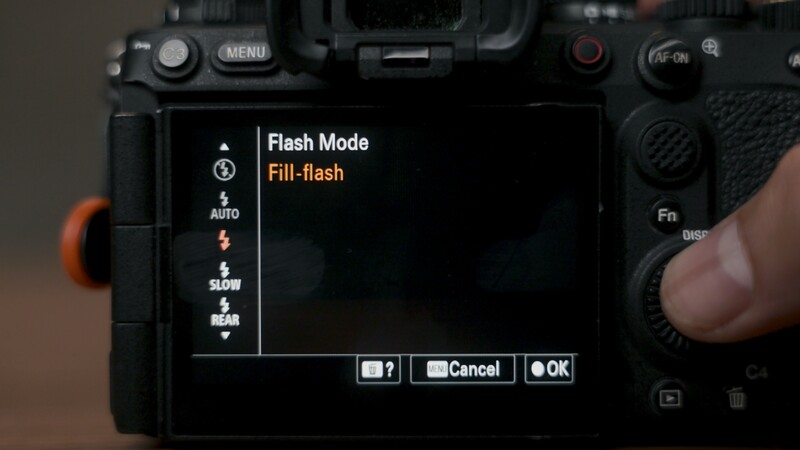
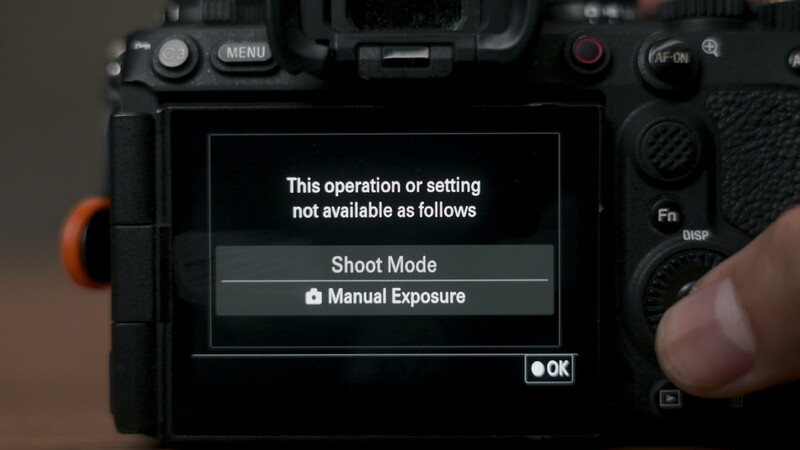
This one is old. It was already on the Nikon D750 back in the day: a button you press and hold that simply won't let the flash fire. Right now on Sony, I can set a button to access flash mode, but that only opens a menu. There's no quick way to just kill the flash with a button press. But even if I go this route, when I've tried to access a flash-off setting directly, it shows up grayed out and unselectable in every mode I've tested. My guess is that this only works with Sony-branded flashes, but if anyone knows the actual reason, I'd like to hear it. Either way, I want a quick, universal flash-off option that works regardless of what flash is mounted.
Let Me Customize the Swipe Menu
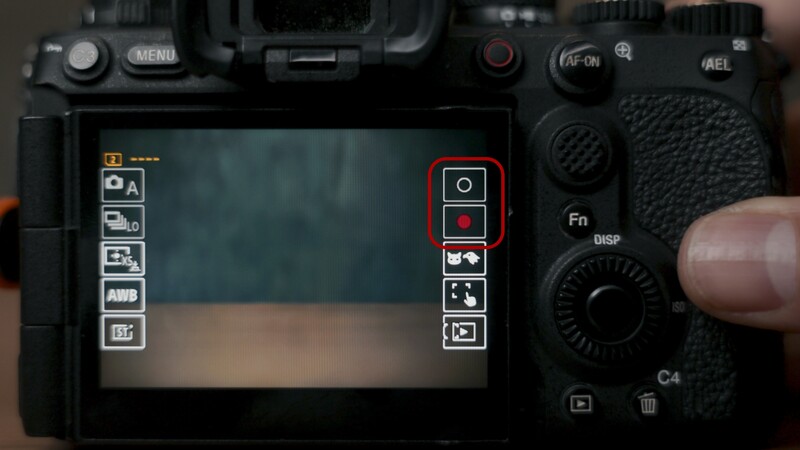
Sony introduced a swipe-left-and-right menu, I believe starting with the ZV-E1, and it's genuinely handy. It works like a second Fn menu, with quick access to items you can hide when you don't need them. The problem is that whatever Sony has programmed into those slots is fixed. You're stuck with it.
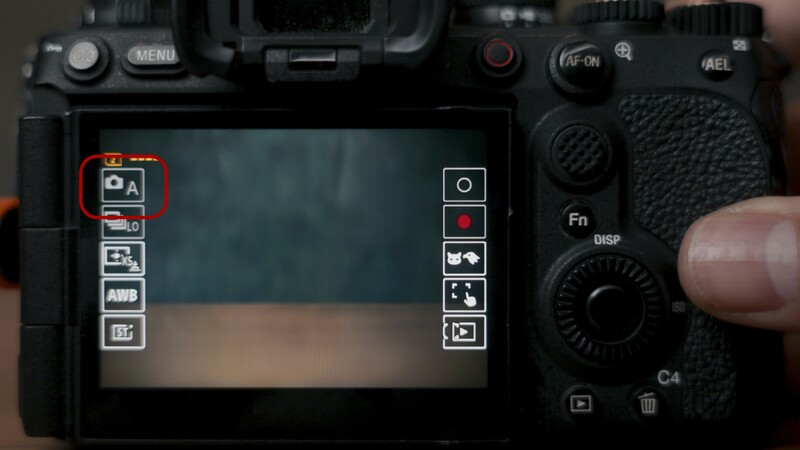
I'm never going to use that menu to change my memory camera settings or to start recording, but those are the options I'm given. I already have full editing control over the Fn menu, so giving that same control to the swipe menu should be a straightforward add.
Fix the Exposure Compensation Preview
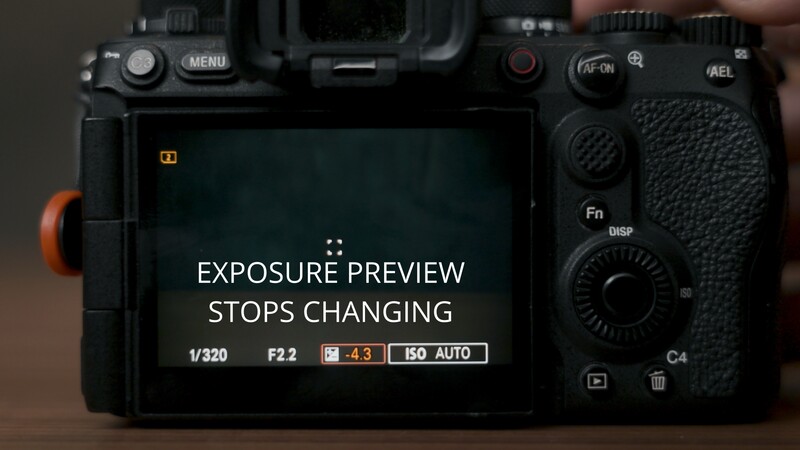
This one is more of a bug than a feature request. The old exposure compensation dial had plus and minus markings physically etched into it, which limited it to plus or minus 3 stops. Current dials are blank, so you can program them for anything, but I still prefer using it as the exposure compensation dial. The upside of a blank dial is that you can now dial in plus or minus 5 stops. The problem is the exposure preview still cuts off at plus or minus 3. Past that point, the preview stops reflecting what the final image will actually look like, even though the camera can absolutely show that same preview correctly if you dial in the identical settings through manual mode instead.
Anamorphic and LUT Support Beyond Video
The FX5 already offers anamorphic desqueeze, with some limitations, but only in video mode. I've been shooting with anamorphic lenses for photos recently and enjoy it, so I'd like real desqueeze support in photo mode too, not just video.

Along the same lines, I want LUT support in both photo and video, and honestly I'd love more in-camera ability to apply a style or edit as the image is being captured. Fujifilm is the obvious reference point here, but Nikon has started doing this too, and I think Nikon actually has the potential to do it better than Fujifilm with a few more updates. Sony has positioned itself as a camera technology pioneer for years, so skipping this feels like a real miss.
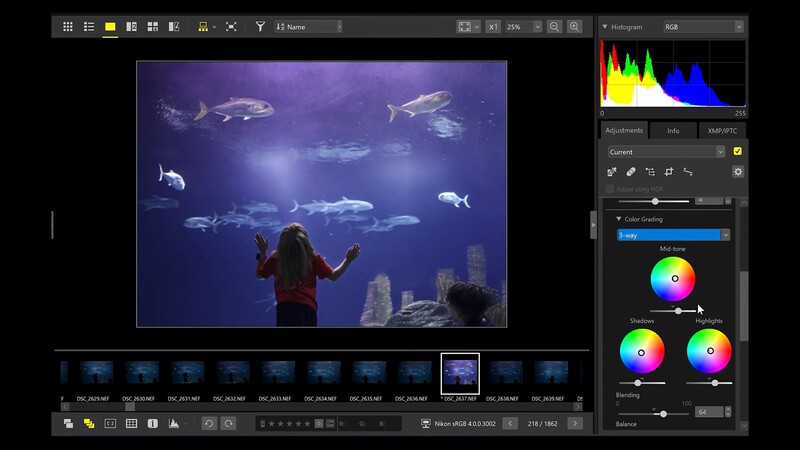
Format Both Cards at Once
A small one: let me format both memory card slots at the same time instead of waiting for card one to finish before I can even start on card two. This should be an easy add. Just one more button that says "format both cards."
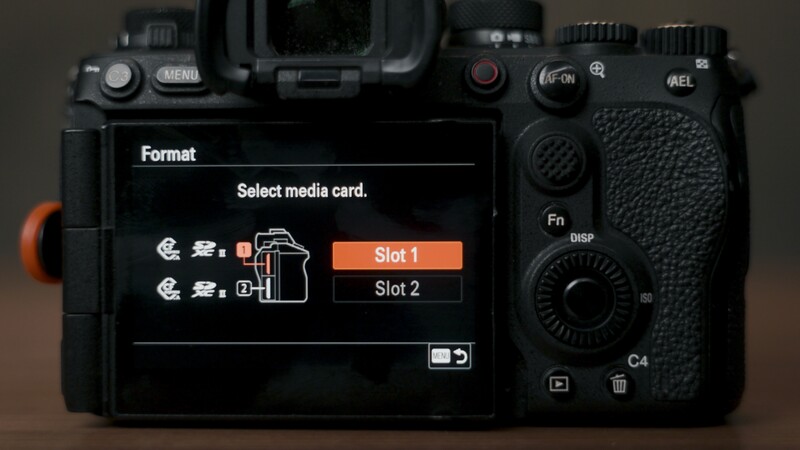
Let Me Trim the Whole Menu System
People love to hate on Sony's menus, but I think that's really because there's so much you can control, which is a good thing on its own. The problem is that a lot of those options are things you'll never touch, so scrolling through the full menu gets overwhelming.
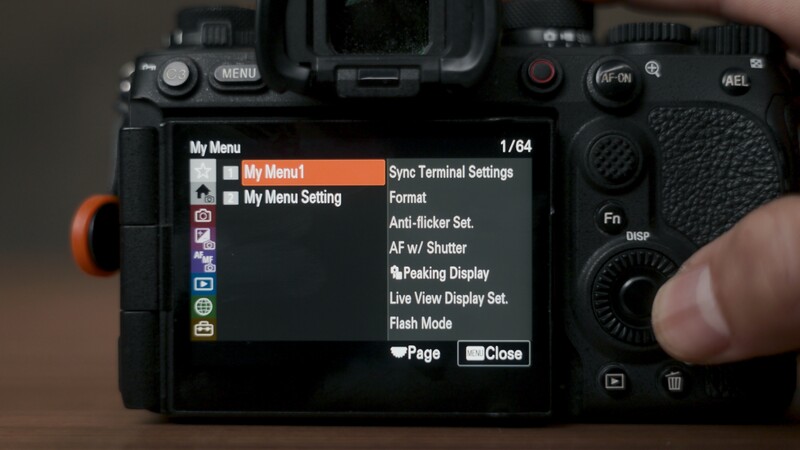
Sony tried to solve this with My Menu, where you can pin the items you actually want in one place. But that setup sacrifices the pre-organized structure of the normal menu system. What I want instead is the ability to go through the full menu and uncheck everything I know I'll never use, so those items simply stop showing up. Combine that with the press-and-hold idea from earlier: a normal press of the menu button opens my trimmed-down version, and a long press still gets me the complete menu when I need it. And yes, keep My Menu around too for that quick access to favorites.
In-Camera Double Exposures
This is the last item on the list: in-camera double exposures. Sony used to have this. Back when Sony had a small app store for its cameras, you could add double exposure capability. That app system supported cameras including the a7 II, a7R II, and a7S II, but Sony's newer generations moved away from the PlayMemories Camera Apps platform. Sony clearly has experience implementing this kind of feature; I just want it back.

If they bring it back, it needs to be done properly. Nikon's D850 could combine two to 10 NEF (raw) exposures and let you keep the individual exposures, while newer mirrorless bodies such as the Nikon Z9 still let you save the individual shots as NEF files but record the finished multiple exposure as a JPEG. Canon has changed its implementation too: the Canon R5 can use a raw image already on the card as the first exposure, while the Canon R5 Mark II documentation describes starting from a JPEG image instead.
If Sony adds this, source images and the final combined image both need to be savable as raw. It would also be great to combine more than two images and to get a real range of blend modes.
What Do You Want?
That's my full list (at least my heavy-hitting items), and hopefully some of it reaches the people at Sony. If there's anything I missed that you want to see added, drop it in the comments, because now you know exactly who might be reading them.



Join the Fstoppers community for free
-
Post comments and join in the discussions
-
Browse the site ad-free
-
Share your work and get featured in the community
-
Compete in the photo contests for fun and prizes
15 Comments
Great article. I hope that people that work at Sony's camera firmware get aware of this. +1 for the press and hold feature for function buttons (or latch/unlatch as it's called in guitar pedal world). I have the APS-C function programmed on the lens button and often forget it. I would like it to be on for one shot. And automatically goes back to fullframe again after shutter release.
By hiring designers capable of making not ugly cameras ?
Offer "full" size rather than compact size bodies.
My A7C II means I can carry around a fairly small camera with FF as an EDC. I wouldn't want it any bigger.
1. I would like to customise a function button as a shift button. For example holding the lens button and press another c button to access a second layer of functions.
2. I would Like to have the AI-White Balance, the Level + Histogramm at the Same time, and latest Subject recognition in all Sonys as an update.
+1 for press and hold feature.
Focus bracketing with a start and endpoint! Not just a bracketing with stupid value. I want to set a close focus point, a far point and then set a number of frames. For macro work this would be great
Yeah, I miss that from my Fuji. Canon uses an arcane formula that requires sacrificing a chicken and reading the entrails, then taking way more shots than you need.
Most of these are pretty brand and use-case specific, but “let me customize the swipe menu” is a pet peeve of mine. I have a $200 cycling computer that lets me configure the display (via my phone) to show the data fields I would like to see and arrange them on the screen. Why the hell can’t camera manufacturers do this?
Their cameras are far from perfect.
Sony cameras require the biggest compromises in the camera world.
I live by moto, purchase what ever camera system you want, as long its not Sony.
Coming from Nikon and Pentax to Sony and can not agree.
What compromises do you think they make?
While Sony's specifications look incredible on paper, living with these cameras day to day reveals a ton of recurring compromises.
Sony always prioritizes making bodies as small and compact as possible. For anyone with average to large hands, this results in a cramped grip, tiny buttons placed way too close together, and a total lack of comfortable physical handling compared to chunkier Canon or Nikon bodies.
While the newer models have improved a bit, Sony has a long legacy of notoriously confusing, deeply nested menu systems. On top of that, their touchscreen implementation was severely limited for years because they restricted touch to just moving a focus point rather than letting you navigate the actual menus.
To protect their highest end profit margins, Sony frequently recycles low resolution, inaccurate rear LCD screens like those cheap one million dot panels on bodies costing thousands of dollars. This makes it incredibly difficult to judge critical focus or color accuracy in the field.
Several high megapixel or mid range bodies also suffer from slow sensor readout speeds in video modes, which causes extreme geometric distortion and a nasty rolling shutter jello effect when panning quickly. Furthermore, teardowns and long term reviews frequently note that Sony's weather sealing is less robust than traditional DSLR heritages like Nikon or Canon, especially around the bottom plate and the battery door.
The sentiment that Sony treats its customer base as an open beta testing pool stems primarily from their corporate philosophy on software and product lifecycles. Consumers who pre order cutting edge mirrorless tech effectively act as real world beta testers for the industry, funding rapid hardware iterations that leave existing devices behind.
For years, the community has pushed back against a barrier heavy, convoluted desktop installation process. It used to require mass storage toggling, tethered cables, and account logins, which stands as a prime example of poor software support compared to the seamless card based updates you get from competitors.
Unlike companies like Fuji or Nikon who frequently drop massive firmware updates that give older cameras entirely new features, Sony leaves existing models to languish.
Once you buy a camera, it rarely gets better. If Sony invents a new software feature like Animal Eye AF or focus breathing compensation, they almost never back port it to older flagship cameras, even if the hardware is fully capable of running it.
This fueled the flagship abandonment narrative because users of ultra expensive premium bodies like the Sony Alpha 1 and Alpha 7S III watched significantly cheaper, entry level bodies receive advanced AI tracking and software tools while their premium devices were ignored for years.
Users felt they had paid a premium to test early architecture, only for the polished software benefits to be handed down to cheaper models later. While major firmware overhauls were eventually released to bring these flagships up to speed, the updates arrived years late and the ecosystem still suffers from basic, unaddressed user experience flaws.
Sony operates like an electronics company first and a camera company second. They iterate rapidly and release hardware components that do not feel entirely harmonized. For years, users had to deal with terrible menu layouts, a lack of built in intervalometers, and a buggy smartphone app ecosystem just to get access to Sony's class leading sensor technology.
Essentially, the consumer pays to tolerate the software quirks so Sony can gather data and refine the next camera hardware iteration rather than supporting the device you already bought.
This makes Sony the ultimate compromise because it separates pure engineering power from the human experience of making art. No other brand demands that you forfeit physical comfort, seamless muscle memory, and peace of mind just to get a usable image.
On top of that, you are forced to spend hours behind a computer screen because Sony images notoriously require the most amount of editing and heavy lifting just to come close to the colors others get straight out of the camera. It takes an immense amount of time, patience, and color grading skill just to get your files into the same ballpark as what rival systems deliver instantly.
When you buy into this system, you are not investing in a lifelong partner for your creative journey. Instead, you are getting a piece of high tech machinery that views your frustration both in the field and in post processing as data for its next product cycle.
The single thing I really missed when I moved from Panasonic to Sony is Far/Near Shift, which lets you continue to use full normal autofocus, but shift to the next thing behind of in front of what the AF is currently locked to.
Like if I take a closeup of an apple on an apple tree, it first locks the frontmost apple, then I press the button assigned Far Shift and it locks onto the apple behind it, then I press Far Shift again and it locks on something further away.Sony is really cumbersome in comparison when taking photos between tree branches unless the subject is a person, bird or animal (then the AI subject detection kicks in).