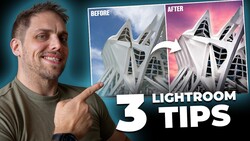
If you've been paying for a Lightroom Classic subscription while quietly wondering whether it's still worth it, DxO PhotoLab 9 is a direct answer to that question. After roughly 15 years of Lightroom as his primary editing tool, Matt Day spent two months with PhotoLab 9 before canceling his Adobe subscription entirely.
Coming to you from Matt Day, this detailed hands-on video walks through how DxO PhotoLab 9 actually works as a day-to-day editing environment, not as a feature checklist, but as a real workflow replacement. One of the first differences Day points out is that PhotoLab 9 doesn't use a catalog system. You work directly off your files wherever they're stored, on any internal or external drive, without importing anything. It's non-destructive, and your adjustments export to a new file rather than touching the originals. Day was skeptical of this at first, having relied on Lightroom catalogs for organization, but PhotoLab 9's project system solved that for him. Photos spread across multiple drives can be grouped and accessed together without moving a single raw file.
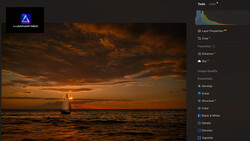
The editing side, what PhotoLab 9 calls the Customize panel, maps closely enough to Lightroom's Develop module that Day says the retraining period was shorter than expected. A few weeks of regular use and the new layout started to feel natural. DxO Smart Lighting is one of the tools he highlights early, a balanced exposure tool that reads the image and gets you to a reasonable starting point without much manual input. The film rendering options are another standout: the software includes emulations of Kodak Portra 160NC, Fuji 400H, Lomography Color Negative 800, Ilford HP5 Plus 400, and others. Day doesn't use these as accuracy benchmarks, he uses them the way he'd use a color profile in Lightroom, dialed back to around 40 to 50 percent intensity and then tweaked manually from there. The noise reduction is also worth calling out. Working with Nikon Z8 files, Day turns on the denoising tool and the result is nearly instant, with color noise cleaned up and a texture that reads more like film grain than digital smearing.
One feature that nearly convinced Day on its own is the scanned film optimization tool, which handles negative inversion directly inside the app. He's been using Negative Lab Pro for film scanning for around seven years, but that plugin requires a Lightroom subscription to run. PhotoLab 9 builds the inversion workflow in natively. For black and white film, Day says the results are comparable to Negative Lab Pro and actually faster to get to. Color negative inversion is a different story, and he's honest about where PhotoLab 9 still has some catching up to do. That comparison, and the full walkthrough of how Day processes both digital and film images, is worth seeing in full. It's also worth noting that the scanned film optimization tool requires DxO FilmPack as an add-on.
Beyond the editing tools, Day flags two things that matter to him independently of image quality: PhotoLab 9 is a one-time purchase at $239 for a new license, and nothing in your workflow touches a cloud server. Your files stay local. When Day went to cancel his Adobe subscription, he was offered free months and a discount before being hit with a roughly $90 cancellation fee. He paid it and moved on. Check out the video above for the full rundown from Day.



Join the Fstoppers community for free
-
Post comments and join in the discussions
-
Browse the site ad-free
-
Share your work and get featured in the community
-
Compete in the photo contests for fun and prizes
14 Comments
I have both. I like DxO’s color science, and it does the best job in Denoise. But there is far more flexibility in the Adobe suite. (And frankly, I am quite disturbed at the DxO business model which requires paying for a full upgrade, even if you’ve purchased the prior version just weeks before.)
If one quits Lightroom, one has a certain number of images (perhaps easily 100K for some of us) tucked away that have had LR edits. You can import the original file to DxO and edit anew, or you can import the final edited image JPEG or TIFF into DxO for further editing, but what you CAN'T do, unless I missed something, is import the original file to DxO and then have it apply all/some of your LR edits with fidelity.
So images from the past (10 years ago to yesterday) that you might want/need to work with in the future? If you cancelled LR you now start from scratch. Yes, you can do that, but how often will you do so? That's rather a barrier.
Convert them to DNG.
Even more of a reason to bite the bullet and drop LR for future edits. Currently you're chained to Adobe. Though can't you continue to use LR Classic for your LR edited files?
Niope. The 800 lb gorilla is still. king. They simply have great tools, stable apps, stable pricing. They have the critical mass to be class-leading in features: either they put stuff out first or quickly riposte to any and all competitors. Wanna experiment? Fine. But for certainty and stability, the photo plan (LR+PS) irules.
"stable pricing"
My LR+PS subscription has gone up 100% in the past year or two.
"class-leading in features"
DxO's DeepPRIME noise reduction runs 3x faster than Denoise on my Mac Studio M2 Ultra and produces equal or better results.
I use LRC but I also bought DXO PRIME Denoise for use on ISO 3200+ files. It does a great job, but I find the speed to be about the same on my PC. The one thing I wish DXO would change is the fact it copies the finished image into its own Collection inside LRC vs returning directly to the develop panel like Nik apps do.
Not sure what you’re talking about. My Adobe photographers plan hasn’t changed in pricing in almost a decade.
Are you paying monthly? Have you checked your billing statements lately? Is Adobe charging different prices to different people? I've had my subscription for years without interruption. It started at $10/month, but not any more.
Agreed. I have the annual photo plan, and at $10 USD/mo for both LR and PS I think it's great value. I held off for many years (stuck with LR4) but when they really started with the feature updates a few years ago I subscribed. As you said, the tools (remove in PS and masking in LR) keep getting better and better.
It USED TO BE $10/month. Now, I'm getting billed $16.32, and new signup is $19.99.
Dropped Adobe because of the costs. £20/month is beyond my budget. It's ridiculous.
Loving Darktable. Loving learning Darktable and love the results I'm getting, especially with film emulation using HaldCLUTs.
Free and open source. Just need to get over the learning curve, but there's plenty of instructional videos on YouTube.
I'll be sticking with Darktable now and for AI noise reduction etc for the rare times I need it I'll use an online service. I use a small laptop with a slow Intel i3 processor and 8gb RAM and Darktable 5.4.1 works a charm on it. May even move over to Linux too.
I have been using DxO for about 3 years now for portraiture work. Like many people I am 100% for the one-time purchase every couple years instead of a subscription model. And the DxO suite is very impressive with its color science snd denoising technology.
Unfortunately, multiple DxO PL versions have encountered a regression recently that absolutely destroys masking performance. Im talking like it takes 20 minutes to edit just one photo due to this critical bug. Whats worse, is that DxO acknowledges the problem but refuses to fix it in versions like PL 7 or 8 that are still in active support. I contacted their support team, and after a month and a half of back-and-forth, there was no solution in sight except to purchase the new version of their software when mine was still actively supported. This to me is the nail in the coffin for DxO. Sure, they have great software (when it works) and the pricing is reasonable, but if they cant offer customers solutions to critical bugs that halt a photography business, thats Bad New Bears for me and its back to Big Adobe.
I absolutely love DxO and it's not subscription so if you don't need/want/like the next version then just skip it. However although it has superb NR and colour management to get the best out of it you need the NIK plug-in (and that costs another $100+) so it is pretty expensive when calculating the full package (and want the Film package too? That'll be another $100+ thank you very much).
I also have Topaz Denoise AI however I rarely need to go there (1 in a hundred) since the DxO NR does the job nearly every time.
I love it though, it has sped up my workflow (it loads in under 10 secs - I'm using a MacMini M1) with the ease of processing and for me that is very important as I shoot a lot and getting through processing hundreds of images a month (thousands before culling) is key to staying on top of my work for my books and prints.
It's not perfect though - the repair/clone tool needs work (as they do in most programs - though I've seen PS does a great job).