Megapixel count is one of the most debated specs in photography, and the question of how few you can get away with for large prints is one that rarely gets a straight answer. Keith Cooper put that question to a real test using a camera from 2002 and actual prints made today, and the results are worth seeing.
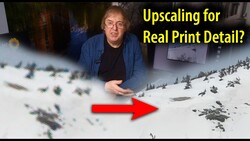
Coming to you from Keith Cooper, this detailed video walks through the full process of taking raw files from an Olympus E-20 — a 5 MP, CCD-sensor camera from around 2002 — and printing them at A3+ (13 x 19 in) on metallic paper using an Epson ET-8550. The files are 2,560 x 1,920 pixels. That's it. And Cooper prints them large anyway. He runs them through Topaz Gigapixel AI (version 8) at 4x to 6x enlargement, which takes the pixel count up to roughly 10,000 x 8,000 before any output sharpening. That's a big ask from such a small file, and part of what makes this worth watching is seeing how far modern upscaling software can actually carry a 20-year-old image.
One thing Cooper addresses early is raw compatibility. Camera Raw supports the E-20's raw files, but DxO PhotoLab does not, and neither does most of the original software that shipped with the camera. If you're working with old files from discontinued cameras, that's a real limitation. He also flags a specific optical issue with this camera: blue and purple fringing that shows up near bright areas like sky. It's not chromatic aberration in the traditional sense, and Camera Raw's standard chromatic aberration checkbox won't fully fix it on its own. You have to use the fringing correction separately, and pushing it too hard clips blue from the sky. Cooper explains the tradeoff clearly and shows what it looks like at high magnification before and after correction.
What's less obvious going in is how much of the final result comes down to decisions made after the upscaling. Cooper opens the enlarged file in Photoshop, applies levels and curves adjustments, and then uses Nik Collection (version 9) to add a subtle layer of film grain. The reasoning is practical: the grain softens some of the flatness that upscaling can introduce, and at print size, it's invisible without a magnifying glass. He also covers print sharpening, including the often-ignored point that sharpening on screen should look slightly overdone because the print will render it differently than your monitor does. He's also deliberate about which areas of an image need no sharpening at all, specifically smooth areas like clear sky, where sharpening only amplifies grain.
Check out the video above for the full rundown from Cooper, including his side-by-side comparisons of different Gigapixel AI settings and his take on whether a 5 MP print can realistically hold up next to output from a modern camera.

Join the Fstoppers community for free
-
Post comments and join in the discussions
-
Browse the site ad-free
-
Share your work and get featured in the community
-
Compete in the photo contests for fun and prizes
6 Comments
The problem I see here is the choice of sensor size. Why the E-20 and not the E-5 with it's larger 5 MP sensor? Or one of the APS 5 MP sensors?
Apples to oranges.
Very simple answer to that one - I have an E-20 in my 'old cameras' drawer, the one I acquired in 2002...
My old E-20 served me well with 13 x19 prints many moons ago. No special enlargement apps.
Yes, I did quite a few in the past. This was partly to see how using different [newer] editing techniques, such as the resizing might be of benefit for some images.
I had some excellent prints too back when I used it more often.
Totally agree, Keith. I have 2 16x20s I made 20 years ago from 5mp Minolta Dimage 7i raw files and on the wall they look great. Back then, I upscaled using Photoshop in increments with subtle sharpening applied.
Recently, I re-visited those same .MWR files using Lightroom and Generative Upscale. Unsurprisingly, the files are even better. The detail captured by that 5mp was surprisingly good. I wrote a blog about it here; https://blog.luxborealis.com/2026/03/23/topaz-gigapixel-now-built-into-…
Ideally for big prints, e.g.., 8x10 inches to around 11x17, usually 60-100 megapixels can offer decent results without the need for AI upscaling (especially when you want to use the max print dpi that the printer supports), though due to a lack of high enough resolution sensors, to avoid many artifact, especially for stuff that you would use a large format printer for, you are effectively stuck getting a camera like the H6D-400C and using the sensor shift 400 megapixel mode, and then probably AI upscaling from that to get a decent print (e.g., 30-50 inch range).