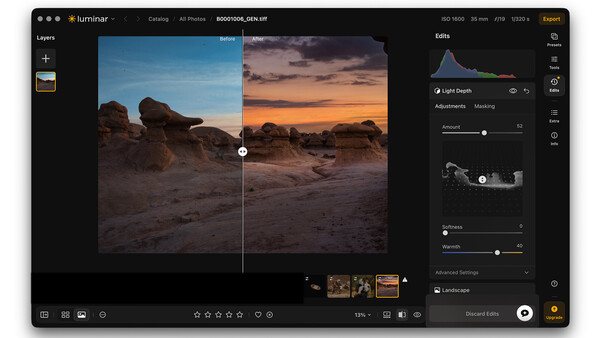
Luminar Neo users will see an update to their app today. It’s version 1.28.0. Skylum is also moving toward a new name for the app, which is actually the original name. Neo will be dropped, leaving just Luminar.
According to Skylum, today’s update is the first stage of a major redesign that makes editing more intuitive while delivering faster performance throughout the app.
The updated navigation and workspace make tools easier to access while laying the foundation for more improvements coming later this year. Here’s what’s new:
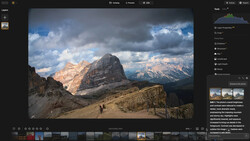
- Catalog and Edit are now one space. There’s no more switching between separate modes: Presets, Tools, and Edits are now together in one panel on the right, so everything you need is always within easy reach. This is a long-overdue change, and it’s appreciated. Features like Upscale AI are on the Edit menu, where they belong.
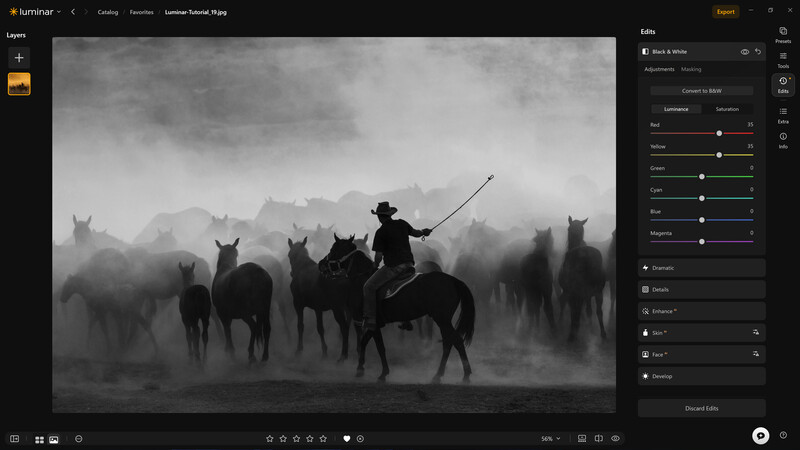
- New navigation. Easily keep track of where you are with breadcrumbs, move between photos using familiar back and forward buttons, and hide the Catalog panel whenever you want more room to edit.
A redesigned right sidebar. Quickly access Presets, Tools, Edits, a photo’s Info, and Extra tools from one organized sidebar. Extra tools include GenErase, GenSwap, GenExpand, Upscale AI, HDR Merge, Panorama Stitching, and more.
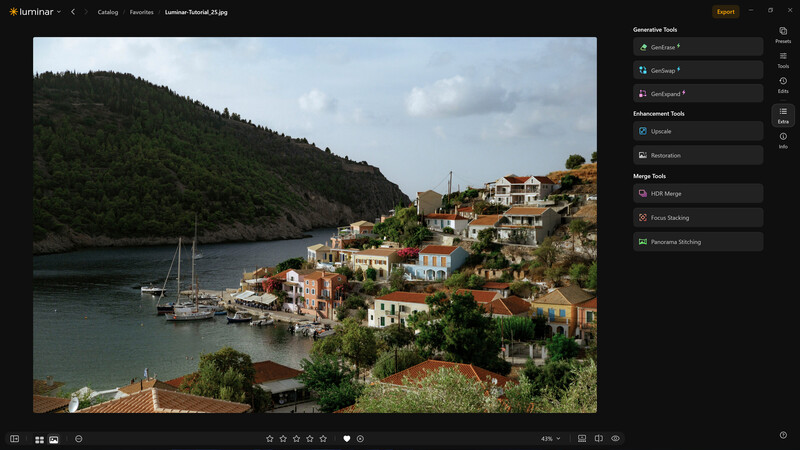
Everything is one click away. Your account is now available from the left sidebar, Education brings guides and tutorials together in one place, and the new full-screen Creative Library makes browsing creative assets easier than ever.
- Expanded camera support. You can now edit photos taken with the Leica SL3-P, Leica M11-P, Panasonic Lumix DC-L10, Sony a7R VI, and Sony a7 V, including compressed raw files from the Sony a7 V.
Other improvements include:
- Faster exports — export photos up to 27% faster on both Windows and macOS, so you spend less time waiting.
- Instant Preset previews — preview Presets up to 3.8 times faster, making it easier to browse and compare different looks.
- Smoother batch editing — edit large groups of photos much faster while using fewer system resources.
- More efficient masking — masking tools now use up to 33% less memory, delivering a smoother editing experience, especially with large images.
There are also a host of OS-specific fixes for Windows and macOS.
Skylum is promising another major release this fall, with these features:
- Crop: A more precise, intelligent tool will read an image and suggest several finished compositions, taking into account its subjects, balance, leading lines, and visual weight.
- Atmosphere – Fog: This will give photographers a more natural way to shape the mood of their photographs. Instead of adding a flat layer of fog, it will intelligently blend atmospheric effects into the scene, responding to its light, color, and depth so the edit feels authentic to the photographer’s creative vision.

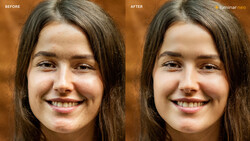
- Improved Enhance: An advanced model will read the photo first and adapt more precisely without overprocessing the scene.

- Web Editor: Luminar will expand its cross-platform experience by adding a web-based editor to its existing range of apps. Users will be able to open a browser, pick up where they left off, and continue editing.
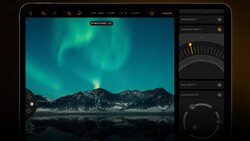
AI Assistant is already available in Luminar Neo. It lets photographers describe the result they want and then recommends suitable tools and adjustments. Depending on the request, it can also provide editing suggestions, ready-to-use adjustments, or guidance to the appropriate tools.
Skylum is also introducing new pricing options. Its current plans include a desktop license, a cross-device license that adds the mobile app, and a Max license that also includes access to the Creative Library.
Skylum is offering discounts for some buyers on its pricing page, along with details about each license. Current perpetual-license users can continue using the version they own. Their licenses include updates, bug fixes, improvements, and some new features, although major upgrades may require an additional payment.
At any rate, Luminar Neo users whose plans include the update will see version 1.28.0 when they run their copy.


Join the Fstoppers community for free
-
Post comments and join in the discussions
-
Browse the site ad-free
-
Share your work and get featured in the community
-
Compete in the photo contests for fun and prizes
No comments yet