Skin retouching tools usually give themselves away by making faces look plastic. The new blemish removal tool inside Camera Raw takes a lighter hand, and that restraint is exactly what makes it worth learning.
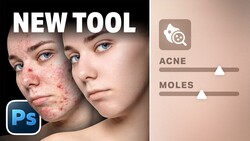
Anthony Morganti walks through the tool from the ground up in the current version of Photoshop, starting with an unedited raw file and moving all the way to a full portrait edit. You'll find the tool in Camera Raw's removal section, under a "distraction removal" area labeled blemishes. Roll it open, click the single checkbox, and Camera Raw uses AI to clean up the skin in roughly ten seconds.
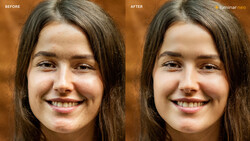
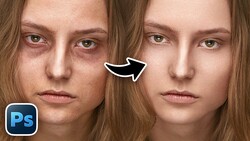
The result comes across as subtle, and Morganti treats that as the whole point. Click the little eyeball and the before-and-after looks almost identical at first glance, but hit the refine button and red overlay marks reveal how much the tool actually addressed. Two sliders control the outcome: amount sits at 100 by default and fade sits at 50. Pull the amount slider left to bring back original skin texture if the cleanup went too far. Push the fade slider right to erase more permanent features like moles and scars, or drag it left to strengthen them again.
Morganti spends real time on the refine brush, and the two buttons there confuse people. Restore acts as a negative brush, so painting with it removes the blemish removal and brings the original blemish back. The remove button lets you catch anything the AI missed. He also demonstrates the workflow on non-raw files, where you reach the tool through Filter, then Camera Raw filter. The critical habit he pushes: don't apply it directly to the background layer, because those edits bake in permanently.
The smart object step is where this tutorial earns its keep. Duplicate the background layer with Command J on a Mac or Control J on a PC, then go to Filter and choose "convert for smart filters." That turns the layer into a smart object, so double-clicking the Camera Raw filter later reopens your edit exactly where you left off. On an image with two people, Camera Raw shows individual face circles, letting you edit each person separately or all of them together. Morganti holds back the full start-to-finish portrait edit for the video, including how he handles eight separate masks across a single face.
Adobe has been folding generative and AI-driven features into Camera Raw and Lightroom steadily, and this blemish tool fits a pattern where the software makes a first pass and then hands you sliders to dial it back rather than forcing an all-or-nothing result. If you shoot headshots, family portraits, or editorial work where faces need to read as real, a tool that under-corrects and lets you push further is easier to trust than one that starts at maximum and hopes you notice. The smart object approach Morganti demonstrates also generalizes beyond this one feature: keeping Camera Raw edits editable inside Photoshop is a discipline that pays off across every filter you apply, not just blemish removal.
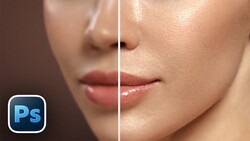
Morganti covers facial skin, body skin, eyebrows, the sclera, iris and pupil, lips, teeth, hair, and clothing, treating each as its own small adjustment. He explains why he masks facial skin even after removing blemishes, how he tames shine without a dedicated slider by manipulating highlights, whites, shadows, and blacks, and why brown eyes resist detail no matter what you do. He also flags the AI edit status icon that warns when masks need rebuilding after a blemish edit, though he found the order of operations didn't affect his results the way he expected.
Watch the full walkthrough above to see Morganti's complete portrait edit and the fix he uses when a retouched face ends up the wrong color.


Join the Fstoppers community for free
-
Post comments and join in the discussions
-
Browse the site ad-free
-
Share your work and get featured in the community
-
Compete in the photo contests for fun and prizes
8 Comments
Or keep it real and reduce the amount of depressed teenage girls who don't look at all like the models in the resulting pictures 👍
.
Bull. Scars, blemishes, thin lips, miniature boobs, fat....the percentage of women ever looking anything like on the 'perfect' image is 0,0. Imperfection is unique, beautiful and just reality. Retouching is fake and is not photography at all.
.
In my world a lot of people are marked for life by the scars zits leave behind. But thanks for explaining the sliders, you opened my eyes.
And thanks for explaining what photography is! I used some sliders on the photo of your wife on the beach offered to me by Elon. An idiot liking nudes paid me real money for it, making it a real photo 😬👍
Deleting your comments is one way of saying you were foolish :-)
Must dehumanize.
Why doesn't Adobe publish a public list of words prohibited by generative fill? I was surprised by something I tried yesterday being refused as it had nothing to do with even a hint of sensuality ("swimsuit") or violence ("gun").
You can tell that most photographers and artists are not what used to be called "avant garde" as there is virtually no complaint about censorship by Adobe.
It would be impossible for some of the great and deeply religious art masters to work on the images with generative fill. The most oppressive censorship regime in American history is now controlled by technology companies. Not a peep about that from Fstoppers.