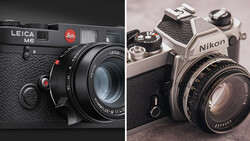
Film photography costs money at every step, and if you shoot both film and digital, keeping a consistent look across both can be a real headache. Knowing how to replicate that film aesthetic in post gives you control over the final result without being locked into a single workflow.
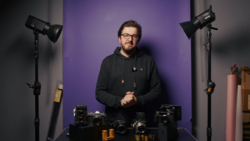
Coming to you from Max Kent, this practical video walks through how to build a Lightroom Classic preset that mimics the look of color film stocks like Kodak Gold 200 or Kodak Color Plus. Kent starts in the tone panel, pulling highlights up slightly to simulate the mild overexposure common in film scans, then lifting shadows and blacks to get that pastel, washed-out quality that makes film feel like film. He brings warmth into the temperature, dials back clarity to lean into imperfection, and reduces dehaze to add a subtle haze without making it look like a 1970s music video. The grain section gets specific attention, and Kent makes a point worth paying attention to: grain in Lightroom doesn't render accurately at preview size, so what looks subtle on screen can look overwhelming after export.
Once the preset is built, Kent tests it across several very different shots, including a landscape, an evening scene, and a portrait. Each one needs small individual tweaks, mostly in temperature and HSL, and that's where the video gets genuinely useful. The HSL adjustments in particular show how the same preset reads differently depending on what colors are dominant in a frame. Lowering the luminance of greens and yellows in a grassy shot or shifting the blue hue toward cyan in an evening image are the kinds of small moves that push a result from "edited" to "authentic-looking."
One detour worth noting: Kent also walks through DxO PhotoLab 9 as an alternative editing platform, pointing out that it's a one-time purchase rather than a subscription, and that its Nik Collection add-on includes halation effects, which are the soft, glowing color halos around bright areas that give CineStill 800T its distinctive look. If you're specifically chasing that CineStill aesthetic, halation is something Lightroom won't give you natively, and Kent flags that as a reason to at least look at what PhotoLab offers. For anyone already tired of monthly software bills, that's a real consideration.
Check out the video above for the full breakdown, including exactly how Kent dials in each adjustment and how he handles the preset across every test image.




3 Comments
To be honest I really don't want my images to look like film.