
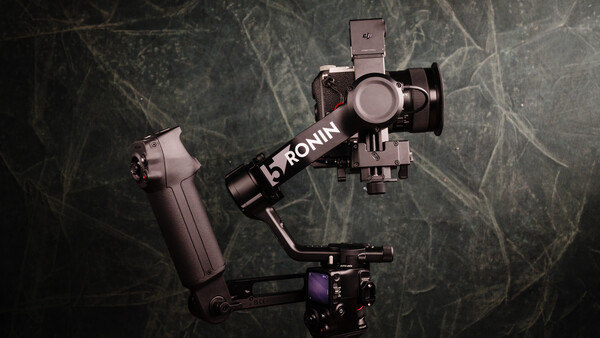
The DJI RS 5 isn’t just a minor iteration; it is a thoughtful evolution of what a mirrorless gimbal should be. While it maintains the familiar silhouette of the RS series, the quality-of-life upgrades—particularly regarding balance and automation—make it one of the most frictionless tools I’ve used in the field.
Key New Features at a Glance
- Micro Fine-Tune Knobs: Now included on every axis (not just the tilt), allowing for surgical precision when balancing.
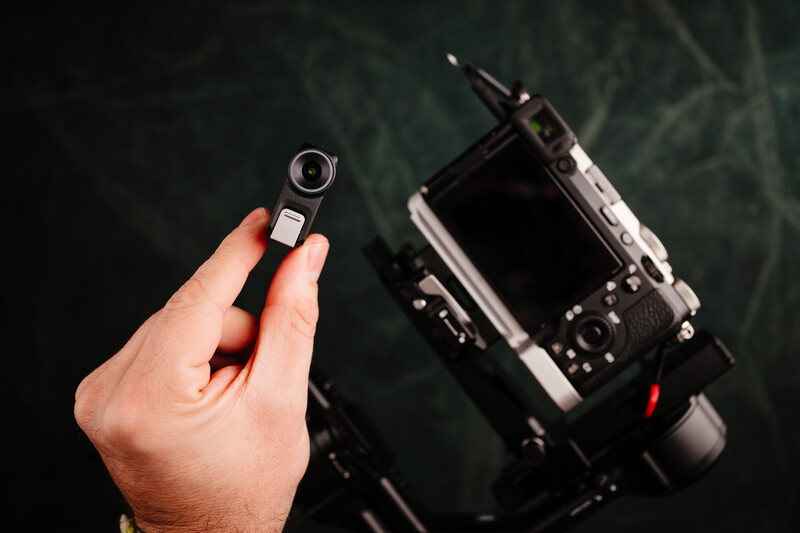
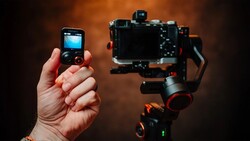
- Enhanced Intelligent Tracking: A magnetic, removable camera module that enables tracking for people, animals, and objects with a live view directly on the gimbal’s screen.
- Z-Axis Indicator: This feature won’t make your footage more stable, but it will let you know when your walk is causing an issue so you can fix it or find a way to be more stable.
- 5th-Gen RS Stabilization Algorithm: Provides a 50% increase in peak motor torque, making it much more capable during fast-paced movements or vertical shooting.
- 2nd-Gen Automated Axis Locks: The gimbal automatically expands and unlocks when powered on, and folds/locks when powered off.
- Ecosystem Integration: As a lightweight commercial gimbal, the DJI RS 5 also leverages DJI's proprietary ecosystem, including DJI SDR Transmission and DJI Focus Pro, to enable seamless wireless monitoring and follow focus integration.
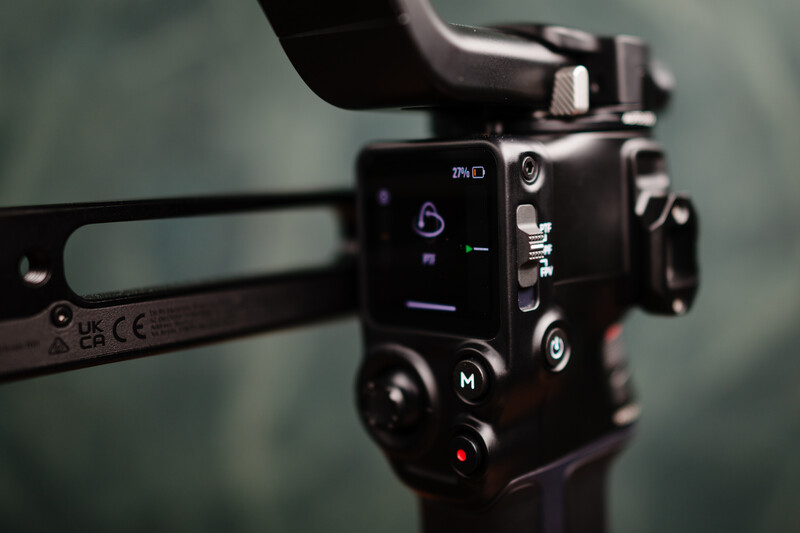
Intelligent Tracking: Stickier Than Ever
The tracking on the DJI RS 5 is impressive. In my testing, I tried to “break” the lock by quickly jumping out of the view of the tracking camera. The system handled it beautifully—it didn’t give up or freak out. Once I re-entered the field of view, it picked me back up almost instantly. This performance is a direct result of DJI significantly advancing its ActiveTrack capabilities. By continuously refining the tech through the RS 3 and RS 4 series and into the Focus Pro line, they’ve reached a level where the intelligent tracking feels incredibly mature and reliable.
One critical setting to note here, though, is that by default, when the gimbal resumes tracking, it will center the subject in the frame. However, if you have a specific composition in mind (like the rule of thirds), you’ll want to jump into the ActiveTrack settings. There, you can toggle off the “Center Tracking Subject” option. This allows the gimbal to place you back into your initial framing rather than forcing you into the middle of the shot every time you move back into frame.
Ergonomics and the Briefcase Handle
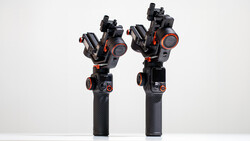
The new Electronic Briefcase Handle included in the combo is a game-changer. It features built-in controls (joystick, trigger, and buttons), meaning you no longer have to sacrifice control for comfort when shooting low-angle “underslung” shots.
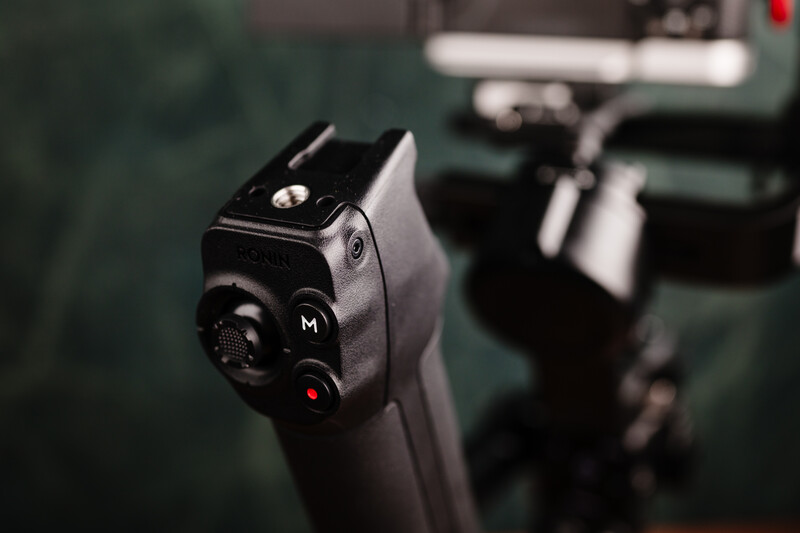
The handle also includes a 1/4-20 thread and a cold shoe mount for external monitors. However, there is a small design quirk: depending on what you mount there, the accessory can actually block the release lever for the gimbal’s battery. Given the 14-hour battery life and fast charging, you likely won’t need to swap batteries mid-shoot, but it is a minor annoyance if you’re a heavy user who likes to carry spares.
Balancing and The Joy of Fine-Tuning
Balancing a gimbal used to be a game of “millimeters and frustration.” On the RS 5, the fine-tune knobs on the axis arms are an absolute joy. They remove the constant back-and-forth sliding of traditional setups. You can get the camera “close enough” by hand and then use the knobs to dial in a perfect balance in seconds.
Where It Falls Short (and the Competition)
While the RS 5 is a powerhouse, it’s not without its missed opportunities, especially when looking at the competition:
- The Tracking Module: The tracking camera is magnetic and removable. Personally, I would have preferred it be built directly into the gimbal arm. I don’t see a reason to remove it, and making it a separate piece just adds another point of failure or something to lose in your bag. It feels like a way to upsell the “Combo” rather than a design necessity.
- The Touch Screen: The color screen is responsive and works great. However, I recently used the Hohem MT3 Pro, which has a similar setup but with a removable screen for wireless monitoring. Once you've experienced controlling your gimbal from several feet away via the screen itself, the fixed screen on the DJI feels a bit dated.
- Missing Essentials: I really missed the integrated wrist support found on the Zhiyun Crane 4. When you’re shooting all day, that extra support makes a massive difference in fatigue. I also would have loved to see a built-in bicolor fill light (like on the Crane 4 or Hohem iSteady MT3 Pro) for those quick “run-and-gun” moments where you just need a kiss of light.
What I Liked
- Love the quick close and open feature
- Tracking is fantastic
- Stabilization is top-notch, and I love having the Z-axis monitor
- Fine-tuning nobs for every adjustment point
What I Didn't Like
- For being the latest and greatest on offer from DJI, it seems to be missing things that you can find with the competition (built-in light, built-in tracking camera, removable monitor/controller, wrist support, etc.)
The Verdict: A Speed Demon’s Dream
My favorite feature of the DJI RS 5 Gimbal remains the auto-lock/unlock system. The ability to pull this out of a bag, hit power, and have it ready to shoot in seconds—and then have it automatically collapse into a locked, travel-ready state when you’re done—is invaluable for professional work. If you need a dedicated, reliable workhorse that prioritizes setup speed and tracking accuracy, the RS 5 is it. Add in the extra-long battery life with a swappable battery, and you have a workhorse rig that can work day in and day out. But if you value built-in lighting or an advanced wireless screen feature, the competition is catching up fast.


Join the Fstoppers community for free
-
Post comments and join in the discussions
-
Browse the site ad-free
-
Share your work and get featured in the community
-
Compete in the photo contests for fun and prizes
No comments yet