
EMEET has introduced itself as a brand making innovative leaps with webcam hardware and software. Its newly released PIXY webcam is the first dual-camera PTZ 4K webcam with AI processing, promising to elevate video for content creators, educators, and professionals. After testing it in lectures, content creation, and virtual meetings, the EMEET PIXY delivers impressive results.
What Is a PTZ Webcam?
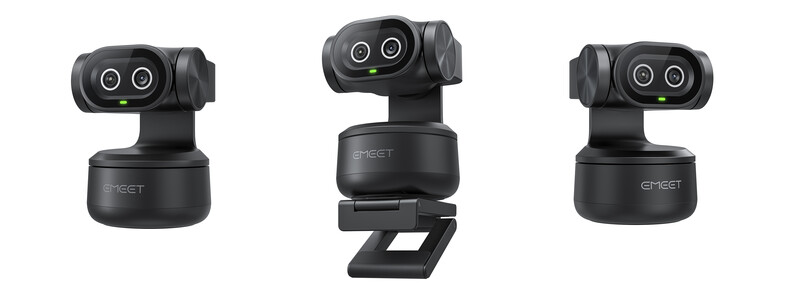
A PTZ webcam is a type of camera that offers motorized pan, tilt, and zoom capabilities (PTZ). For those new to the terminology, panning the camera moves it horizontally (left and right), allowing it to cover a wide area without needing to be physically repositioned. Tilt allows the camera to move vertically (up and down), which helps in adjusting the angle of view. Meanwhile, zooming allows the camera to magnify the image, which the PIXY achieves digitally.
These features transform a webcam into a highly versatile recording tool. This is especially useful for both live streaming and pre-recorded video for a wide range of purposes.
Unboxing and Setup: Simple and Flexible
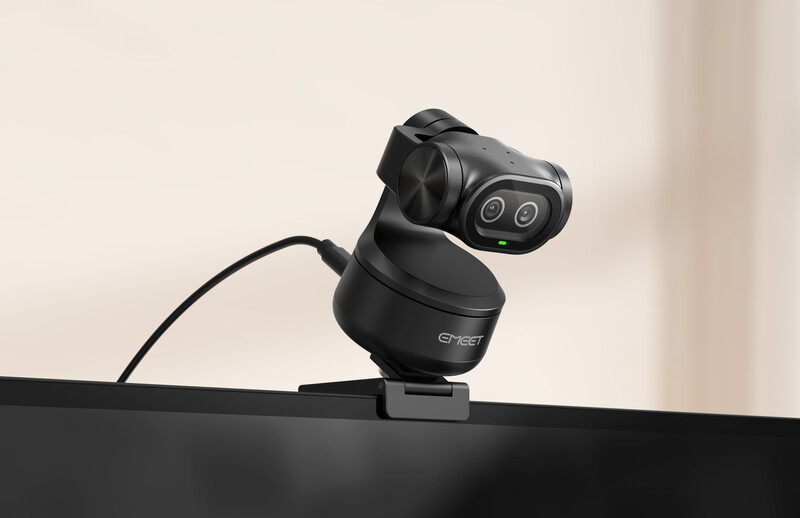
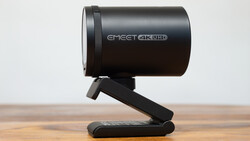
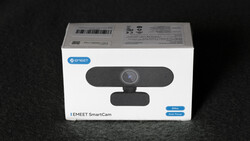
The PIXY arrives in a compact box with the camera unit, a detachable Z-bracket mount, a USB-C cable with a Type-C to Type-A adapter included, a quick-start guide, manual, and warranty pamphlet. At 120 g and 56x43x22 mm, its cute, Pixar-esque design with a subtle LED ring feels modern and sturdy. Positioning the webcam takes seconds. I mounted the PIXY on top of my MacBook Pro via the included mount, which offers more versatility than fixed mounts—suitable for monitor tops, tripods, tabletops, or inverted setups.
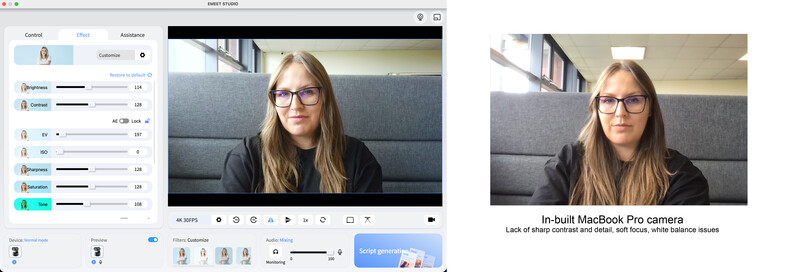
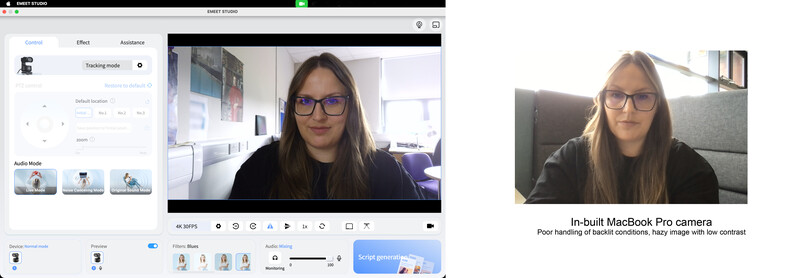
After downloading EMEET Studio software (compatible with Windows 10/11 and macOS 10.14+), I connected via USB-C, and the camera was recognized instantly. The software allows users to define their desired resolution (up to 4K at 30 fps), ISO, brightness, contrast, and white balance, offering camera-like control.
Design and Performance: PTZ Meets AI Innovation
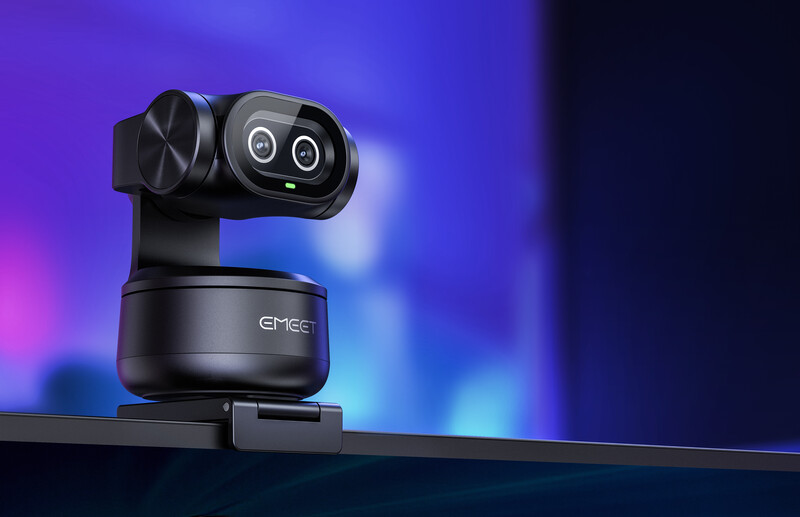
The PIXY’s dual-camera system consists of a 4K primary camera with a Sony 1/2.55" sensor and an AI-assisted secondary camera, which powers the tracking and AI features. BlinkFocus autofocus locks onto subjects in 0.2 seconds, 2.5 times faster than the industry average, outperforming competitors in speed and accuracy. The 73° field of view suits desk setups without distortion, along with smooth motion.
PTZ functionality is a real highlight. Its motorized base silently pans 310° and tilts 180°, controlled via EMEET Studio or gesture-based tracking (raise your palm to toggle, shown by a blue LED). It tracks subjects up to 6 meters, which is perfect for dynamic presentations such as lighting or shooting demonstrations. Privacy mode adds some peace of mind: manually tilt the camera down 79°, or set auto-timeouts (10 s, 1 min, 15 min) to idle. Some users may prefer to disconnect the camera when not in use due to privacy considerations, as you might do with any other camera.
Audio comes via a built-in three-mic array with AI presets: Live Mode for general noise suppression, Noise-Canceling for busy settings, and Original Sound for clean recordings. In a noisy environment with fans, Noise-Canceling isolated my voice effectively when tested in a busy office, removing the need for dedicated mics for presentations. The software supports Zoom, OBS, YouTube, and more, while integrated AI can access ChatGPT, Claude, Grok, and Gemini to offer storyboarding, prompts, or anything else that might streamline content planning.
The PIXY’s 4K video, enhanced by AI-driven dual-camera tuning, delivers sharp, vibrant footage with natural skin tones and balanced highlights, even in backlit conditions. Compared to my MacBook Pro’s webcam, it’s a massive upgrade that looks crisp and professional, especially when combined with flattering lighting. It doesn’t match high-end mirrorless cameras’ dynamic range, clipping highlights in harsh light due to its smaller sensor, but it far surpasses budget webcams. EMEET Studio’s manual adjustments for exposure and color provide fine-tuned control, with options to change the ISO—not just the usual brightness and contrast settings.
Real-World Use: Elevating Lectures and Content
For online lectures, the PIXY transforms delivery. Its PTZ tracking let me move freely while demonstrating setups, unlike static webcams or my iPhone 15 Pro Max, which, while high-quality, ties up my phone for notes or research during meetings, which I usually like to have on hand. Whiteboard Mode is especially useful for making diagrams and text clear for students, and preset PTZ positions simplify switching between board and desk. EMEET seems to have thought of everything with this webcam.
The price point of $159.99 and £149.99 makes the PIXY an excellent option for content creators who deliver to camera, elevating their game at a price that feels low in comparison to the benefits it brings. For vlogs, its tracking adds dynamic pans, enhancing engagement with the camera without help from a second person in control. The AI scriptwriting tool can save prep time or prompt users with bullet-pointed information for their delivery.
Compared to static webcams, its 4K clarity elevates production value, ideal for YouTube or TikTok. In virtual meetings, the PIXY’s sharp video and noise-canceling audio ensure professional communication, keeping users framed even when standing.
What I Liked
-
The PTZ capabilities have transformed my online meetings.
-
4K video with AI enhancement, far better than laptop webcams.
-
Versatile audio presets with strong noise cancellation.
-
Multiple exposure control methods, including ISO adjustment.
-
Video recording feature, making this ideal for creating content for YouTube and TikTok.
What Could Be Improved
-
There is no manual privacy switch, which would remove any privacy concerns.
-
Digital zoom is unavailable in 4K/60 fps mode.
Conclusion
The EMEET PIXY redefines webcams for educators, creators, and professionals. Its dual-camera AI, PTZ tracking, and high-quality audio unlock dynamic possibilities for lectures, vlogs, demos, and meetings in a compact, user-friendly package. The accessible price tag, along with unique first-in-category features, makes it a standout product among other webcams. For anyone seeking to enhance their online presence without complex setups or tying up their phone, the PIXY is a compelling, highly recommended choice.




Join the Fstoppers community for free
-
Post comments and join in the discussions
-
Browse the site ad-free
-
Share your work and get featured in the community
-
Compete in the photo contests for fun and prizes
4 Comments
The built in mics seem pretty good but the audio noise reduction has has a few artifacts. Usually when you hear a little but of high pitched noise when someone is speaking, it means that the camera is using very basic sample based noise reduction and a noise gate.
The noise gate aspect is well implemented in that it had no issues providing output when you speak, and smoothly stopping the output when you stop speaking. Most noise gate defaults cause issues with speech pickup in that a few milliseconds of speech is often lost when someone starts speaking.
Beyond that, one webcam test that I wish would be more common, at least when it comes to webcams with auto focus, is an outdoor detailed scene test, e.g., recording a yard, park, cityscape or any other environment. While that is not a design use case for a webcam, those types of environments allow users to examine the lens quality, as well as examine the max detail it is capable of resolving.
My reasoning for this, is I have seen some 4K webcams that resolve less detail than some 1440p cameras, and it was due to the 4K image looking interpolated.
One ideal that I would like is something that will do the quality of the insta360 webcam, but without its weird annoying tracking issues, along with not having the price gouging of it.
Testing outdoors would be a great idea, I will keep that in mind for any future reviews
The audio quality is terrible with reflections and narrow frequency response, but then no one should rely on webcam mics. Always use an external mic placed close to your mouth or a headset with boom mic. Video quality is OK, but the dynamic range on Obsbot devices is better. https://www.youtube.com/@webcastdude/videos
There it not much that can be done about room sounds if using the mic built into a webcam, as the only way to avoid that is to use a separate mic that can be very close to the individual speaking, or having good sound treatment of the room along with a hypercardioid mic that is some distance away.
Given the design of the webcam and the use of a basic array mic using standard electret mic capsules, it is a good implementation of that technology.
The area where there is need of significant improvement, is the noise reduction algorithm being used, as it allows through background higher pitched noise, and when using the noise gate, it draws more attention to the limits of their noise reduction algorithm.