
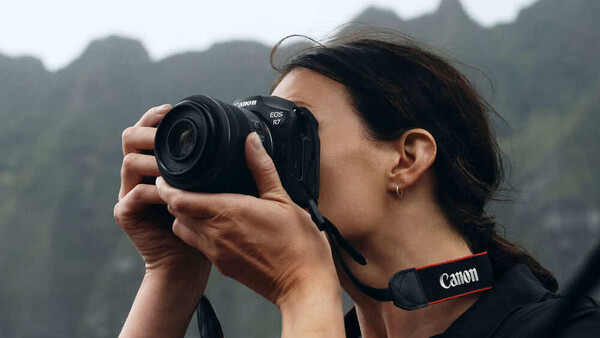
Somewhere in your camera's menu system, buried three levels deep in a file settings submenu you've probably never explored, there's an option to change your default image format from JPEG to HEIF. It's been there for a while now. Canon, Sony, and Nikon have all added it to their mirrorless bodies over the past few years. And almost nobody uses it.
That's not entirely surprising. JPEG has been the universal language of digital photography since before most working photographers picked up their first camera. It works everywhere, with everything, for everyone. It is, in the most literal sense, the default, not just in your camera, but across the entire digital imaging ecosystem. Changing it feels a bit like deciding to start writing in a language might be technically superior, but nobody you're talking to speaks it.
HEIF, though, isn't some fringe experiment. It's the format Apple adopted for iPhones starting with the iPhone 7 and iOS 11 in 2017. It's the format that billions of smartphone photos are captured in every day. And it offers genuine, measurable advantages over JPEG in color depth, file size, and feature set. So the question isn't whether HEIF is better than JPEG on paper (it is, unambiguously). The question is whether switching your camera's default format to HEIF will actually improve your life as a photographer in 2026, or whether it'll create more problems than it solves.
Let's find out.
What HEIF Actually Is
HEIF stands for High Efficiency Image Format, and it was developed by the Moving Picture Experts Group (MPEG), the same organization behind the MP3, MP4, and H.264 standards that quietly run most of the media you consume every day. The format was finalized in 2015, but it didn't enter mainstream consciousness until Apple made it the default capture format on iPhones running iOS 11 in 2017.
At its core, HEIF is a container format, which means it can hold more than just a single image. A single HEIF file can contain multiple images (useful for burst sequences or live photos), depth maps, alpha channels for transparency, audio clips, and extensive metadata. Under the hood, it typically uses HEVC (H.265) compression, the same codec used for 4K video, to achieve significantly better compression efficiency than JPEG's simpler, older implementation of DCT-based compression.
JPEG, by contrast, was standardized in 1992. That's not a typo. The file format that the vast majority of photographers still use as their primary delivery and sharing format is over 30 years old. It was designed when a "high-resolution" digital image was 640 by 480 pixels and when the computing power needed to decode an image was a genuine engineering constraint. JPEG was a brilliant solution to the problems of its era. But those aren't the problems we have anymore.
The Concrete Advantages of HEIF
The spec sheet comparison between HEIF and JPEG is not close. HEIF wins on almost every technical metric, and it's worth understanding exactly where and why.
10-Bit Color Depth
This is the headline advantage. JPEG is limited to 8-bit color, which gives you 256 tonal values per channel and roughly 16.7 million possible colors. HEIF supports 10-bit color, which expands that to 1,024 tonal values per channel and over a billion possible colors. In practical terms, this means smoother gradients, more nuanced skin tones, and significantly less banding in areas like blue skies, sunsets, and any image with subtle tonal transitions.
If you've ever pushed a JPEG in post and watched a smooth sky degrade into visible stepping (bands of slightly different blue that look like a topographic map) that's the 8-bit ceiling you're hitting. HEIF's 10-bit depth doesn't eliminate the problem entirely (you'd need a raw file for truly unlimited editing latitude), but it provides meaningfully more headroom for adjustments before artifacts appear.
Smaller File Sizes
HEIF files are roughly 40 to 50 percent smaller than JPEGs at equivalent visual quality. That's not a marginal improvement; it's a halving of storage requirements. On a 128 GB memory card, switching from JPEG to HEIF could effectively give you the equivalent of a 200 GB card without changing anything else about how you shoot.
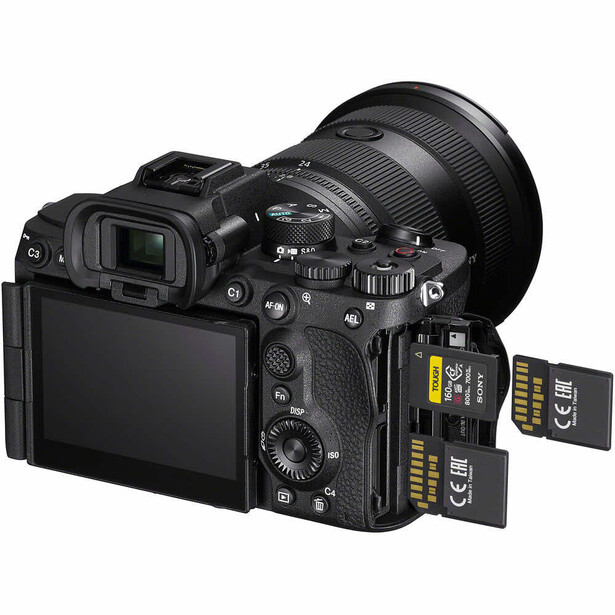
This matters most for high-volume shooters: event photographers firing thousands of frames per day, sports photographers filling multiple cards per session, or anyone working with limited onboard storage. It also matters for long-term archival storage, where the cumulative savings across tens of thousands of files add up to real money in hard drives and cloud storage fees.
Additional Technical Features
HEIF supports transparency (alpha channels), something JPEG has never been able to do and that previously required PNG's much larger file sizes. It supports lossless compression as an option, meaning you can choose to sacrifice no image data at all if the situation calls for it. And its container format means a single file can hold sequences, depth information, and other supplementary data that JPEG simply cannot accommodate.
On paper, it's a clean sweep. But photography doesn't happen on paper.
Which Cameras Support HEIF in 2026
HEIF support has expanded considerably across the major camera systems, though it's far from universal.
Canon offers HEIF on most of its RF-mount mirrorless bodies, including the Canon EOS R5, EOS R5 Mark II, EOS R6 Mark II, EOS R6 Mark III, EOS R1, EOS R7, EOS R8, and EOS R3. It's typically found in the image quality settings menu, where you can select HIF (Canon's file extension for HEIF) alongside the usual JPEG and raw options. Canon's implementation supports 10-bit HDR PQ output, which is designed for HDR-capable displays.
Sony introduced HEIF support with the Sony a7S III in 2020 and has included it in subsequent bodies like the a7 IV, a7R V, a7C II, a7 V, a9 III, and a1. Sony's HEIF files also support 10-bit color depth, and the option is available in the file format settings.
Nikon brought HEIF to its Z-mount lineup, with support in the Nikon Z8, Z9, Zf, Z6 III, and Z5 II. Nikon labels the format as HEIF in its menus and, like Canon and Sony, pairs it with 10-bit capture.
The common thread is that HEIF support has spread broadly across current mirrorless lineups, including many APS-C bodies like Canon's EOS R10. However, some older and entry-level cameras still lack it. If you're shooting with a first-generation Sony a7C or an older Nikon Z5, for example, the option may not be available to you. Check your specific model's menu before assuming either way.
The Real-World Problems That Keep Photographers on JPEG
Here's where the conversation shifts from spec sheets to reality. HEIF's technical advantages are genuine, but a file format's usefulness is determined by the weakest link in its workflow chain. And for most photographers, that chain has several weak links.
Compatibility Remains the Biggest Issue
This is the dealbreaker for a lot of working photographers. Not all web browsers render HEIF natively. Many client gallery platforms, the ones you use to deliver wedding, portrait, and event work, don't accept HEIF uploads. Print labs almost universally require JPEG or TIFF. Social media platforms handle HEIF inconsistently: some convert silently, others reject the files outright.
If your workflow ends with you handing files to another human being or uploading to a third-party service, you are at the mercy of whatever that service supports. And in 2026, the answer is still overwhelmingly JPEG. The format's three decades of universal adoption created an ecosystem so deeply entrenched that displacing it requires not just a better format, but the entire downstream infrastructure to update simultaneously.
Editing Software Support Is Uneven
Adobe Lightroom and Photoshop handle HEIF files without issues. Capture One supports them. But the moment you step outside the major editing platforms, things get unpredictable. Some plug-ins don't recognize the format. Older versions of otherwise capable software choke on HEIF files. Digital asset management tools, batch processing scripts, and automated workflow systems that were built around JPEG and TIFF may not support HEIF at all.
This is particularly frustrating because the failures are often silent. A batch export might skip HEIF files without warning. A plug-in might crash or produce corrupted output. You don't always know something went wrong until the damage is done.
Windows Support Has Historically Lagged
Apple's ecosystem has supported HEIF natively since 2017, which makes sense given that Apple was the format's earliest major adopter. Windows was slower to adopt. Microsoft added HEIF support in Windows 10, but it initially required downloading a separate codec extension from the Microsoft Store, and even then, performance was inconsistent. Windows 11 improved things, but edge cases and occasional bugs persist.
If you work in a mixed-platform environment (which describes most professional photography operations) this inconsistency adds friction. Files that open perfectly on your MacBook might not preview correctly on a client's Windows desktop, and you won't know until they email you asking why the images appear broken.
Decoding Speed
HEVC compression is more computationally demanding than JPEG's lighter encoding. On modern hardware with hardware-accelerated HEVC decoding (which most recent Macs and high-end PCs support), this difference is negligible. But on older machines, or when processing thousands of files in batch operations, the difference in decode time can add up. Import times may increase. Preview generation may slow down. Scrolling through a library of HEIF thumbnails may feel slightly less responsive than the same library in JPEG.
For a photographer who processes a few dozen images at a time, this is invisible. For someone importing 3,000 event photos, it's noticeable.
When HEIF Makes Sense Right Now
Despite the compatibility headaches, there are specific workflows where switching to HEIF is a genuine upgrade.
- Apple-ecosystem photographers. If you shoot, edit, and deliver entirely within the Apple ecosystem (importing on a Mac, editing in Lightroom or Pixelmator Pro, and delivering digitally through platforms that accept HEIF) you'll experience the format's benefits with minimal friction. Apple's native support is mature and reliable.
- High-volume shooters where raw is overkill. Event photographers, corporate shooters, and anyone firing thousands of frames where raw's file sizes are impractical but JPEG's 8-bit ceiling is limiting will appreciate HEIF's middle ground: better quality than JPEG, dramatically smaller files than raw.
- Hybrid shooters and behind-the-scenes documentation. If you're pulling stills from video workflows or documenting a production alongside your primary work, HEIF offers a more capable "quick capture" format than JPEG without the overhead of raw.
- Social media content creators. If your images are destined for Instagram, TikTok, or other platforms that compress everything anyway, HEIF's smaller file sizes and better color depth give you marginally more quality to survive that compression pipeline, though the difference is admittedly subtle at typical social media viewing sizes.
When JPEG Is Still the Smarter Choice
For many photographers, the honest answer in 2026 is that JPEG remains the pragmatic choice. Not because it's technically better (it isn't) but because it's universally compatible.
- Client delivery workflows. If you deliver images to clients, agencies, publications, or print labs, JPEG is the format they expect and accept. Delivering HEIF files to a client who can't open them isn't a technical win; it's a customer service failure.
- Collaborative environments. When files pass through multiple hands, platforms, and operating systems, JPEG's universal compatibility eliminates an entire category of potential problems. Every extra conversion step is a potential point of failure.
- Raw shooters. If you're already shooting raw and using JPEG as a sidecar for previews or quick sharing, switching that sidecar to HEIF gains you very little. You're editing from the raw file anyway. The sidecar format is functionally irrelevant to your final output quality.
- Anyone whose camera adds write delay. Some camera implementations of HEIF introduce a slightly longer write time compared to JPEG, due to the more complex HEVC encoding. If you're shooting fast-paced action and your buffer matters, test this before committing.
The Verdict: Not Yet for Most, but Soon
The frustrating answer is that HEIF's technical superiority doesn't translate into a practical superiority for most working photographers in 2026. The format is better. The ecosystem isn't ready.
If you shoot raw, the JPEG vs. HEIF debate is largely academic. Your raw file is your source of truth, and whether your preview sidecar is JPEG or HEIF makes no meaningful difference to your final images. Switching gives you slightly smaller card usage and marginally better in-camera previews, but neither of those is worth the potential compatibility headaches.
If you shoot JPEG only (and there are entirely valid reasons to do so, particularly for high-volume, fast-turnaround work) HEIF is a meaningful upgrade in image quality. The 10-bit color depth alone provides noticeably more editing headroom in gradients and skin tones. But you need to test your entire workflow end-to-end before making the switch. Every link in the chain matters: your editing software, your export settings, your gallery platform, your print lab, your clients' devices. If any one of those links doesn't support HEIF, you're either converting back to JPEG anyway (negating the benefits) or creating problems for someone downstream.
Here is what I'd recommend: Enable HEIF on your camera. Shoot a full day in the format. Run those files through your entire workflow (import, edit, export, deliver) and see where things break. If nothing breaks, congratulations: you can safely switch. If something does break, you'll know exactly where, and you can make an informed decision about whether the trade-off is worth it for you.
The industry is moving toward HEIF. Apple's adoption gave the format critical mass, and camera manufacturers have followed. The remaining holdouts are the downstream services (galleries, labs, delivery platforms) and they're updating, slowly. Within two or three years, most of the compatibility issues that plague the format today will have been resolved, and the switch will be straightforward.
But today, right now, in February 2026? JPEG has survived since 1992 for a reason. It works everywhere, with everything, for everyone. HEIF is technically superior in almost every measurable way, but photography workflows are chains, and a chain breaks at its weakest link. The format switch will happen eventually. The question is whether your particular chain of tools is ready for it today. That's for you to answer.

Join the Fstoppers community for free
-
Post comments and join in the discussions
-
Browse the site ad-free
-
Share your work and get featured in the community
-
Compete in the photo contests for fun and prizes
27 Comments
Alex,
Great article - very informative and helpful!
I've been considering moving to HEIF for a bit (pun intended) now.
Yes, i am a working pro who mostly still shoots JPEGs, as I find Raw to be too data-consuming (I spend a few $K/year on hard drives/storage already) and just more trouble for editing (event/sports/studio/PJ, etc shooter). I'm old, so had to shoot film on totally manual cameras, calculate flash exposure, and get it right in-camera - so, i still do anyway.
All of my current work-cameras are Heif-enabled (z9, 8, 6iii, Zf) so i may transition to it.
Yours is one of the first articles that has given me the most-needed information to consider it ~Thanks! 📷
I am the same. I get it right in the camera like on film. I just can’t work any other way. In my case I also use older cameras, so this isn’t a thing for me. I don’t like raw at all.
Would you mind explaining what type of emulsion you are comparing jpg to? The information you provided so far is too incomplete for me to understand what "right in camera" means technically.
Pretty much everything you saw in the film era had to be done properly in the camera. That includes any light control and pretty much everything else. This particularly applied to slide film or should I say transparency film. What you did in the camera is what you had. Dark work was mainly to make a finer adjustment on the exposure, however, if the exposure was shot in the way one would expect transparency film to be shot. It was very little that needed to be done in the dark room. That’s all I mean.
This is contemporary still. I come from film, E6 processing, black and white and negative. A properly exposed RAW is very basic in 2026. Data is identical to latent state exposed film. No two lab would have the perfectly identical chemistry mix from another one and variations were contant not just days to day but because of the volume of film and replenishment factors. Same with black and white at home, a little temperature off, more agitation than one realizes, grey market film vs fresh film... RAW is actually much more accurate and duplicable. There was always someone producing the final quality, the lab, not very often the photographer.
Jpg is baked in profile designed by the manufacturer and permanent deletion of the original data. So technically there are no difference between film and digital exposure when it comes to proper exposure.
I think what you are really saying is that you don't want to spend time processing RAW files. But in reality, processing film is a much more involved process. I understand that but the reality is that processing is needed for both digital and film. The inconvenience is really that you can't use a lab therefore the canned profiles are suitable for your needs, which has nothing to do with doing it right in camera.
Alex, you got some things wrong, and missed the biggest problem with HEIF/HEIC.
First, Apple, Canon, Samsung, & Nokia came up with HEIF/HEIC, but HEIF (the container) is merely just a subset of something which came earlier, the ISO Base Media File Format, (ISOBMFF), also a container, and not created by the MPEG/JPEG group, but adopted by them.
The High Efficiency Image Container, (HEIC), is an image format based on the HEVC format, and was created by the aforementioned four. The two biggest hurdles to adoption are, 2), the intense compute power needed to decode, and worse, to encode the format, and 1), the encumberance of patents & royalties
Now these new standards, HEIF/HEVC & HEIF/HEIC, were introduced to compete with the royalty-free VP9 & WebM/WebP standards created & patented by Google.
VP8 was a video compression codex created by a company Google bought. They then expanded that to VP9, which they used for their WebM/WebP movie/picture formats, which became ubiquitous, and practically universally accepted. Noted exception was the Apple ecosystem, including the Safari browser and the iPhone.
Advantage of HEIF/HEIC over WebP? More than 8-bit colour, and better colour profile handling.
Well, the HEIF Four could not get the rest of the world to adopt a costly format, and Google was falling behind regarding colour depth. Meanwhile, JPEG —the group, not the “format”— could not get their patent encumbered formats, (JPEG2000, JPEG XR, JPEG BIG, JPEG XL, et al.), to catch on.
So AMD, Apple, ARM, Comcast, Disney, Google, Intel, Microsoft, Netflix, Nvidia,… the list goes on,… all decided to create a new format, which would go into an ISOBMFF container, and be fully royalty-free, for HDR video & images. The colaboration is called the Alliance for Open Media, (AOM), and their codec is called Advanced Video 1, (AV1), and their image format is called, AV1 Image Format, and, AV1 Image Format Sequence, (AVIF/AVIFS).
Advantages of AV1 over HEVC? Better compression (still compute intensive), super fast decompression (not compute intensive at all), no royalties, universally accepted, (notable exception was Adobe, but they eventually got the memo on AVIF, I believe in June of 2025. Still deaf to AV1).
HEVC encoded files typically have a .heif extension, while AV1 encoded files typically have .av1/.avif/.avifs extensions. However, since the latter fit inside an ISOBMFF container, and since HEIF is a subset of ISOBMFF, some products are placing AV1 encoded files in an HEIF container, and giving them a .heif extension.
Therefore, just because your image file has a .heif extension, does not mean that it is a HEIF/HEIC image.
Most web browsers lack support for HEIF/HEIC images —noticable exception being Safari. All web browsers have support for AVIF images, no exceptions.
TL; DR →
HEIF is NOT an image format. It is a container.
HEIF/HEIC is a proprietary image format, not universally accepted.
AVIF is a universally accepted superior image format.
An AVIF image may be inside of a .heif file.
ASIDE: just because a certain standard is a container, it does not mean that it can contain multiple images, unless specified by the standard. A JPEG container can only have one JIF, JIFF, SPIFF, or EXIF image file. A J2k or JXL container, OTOH, can have multiple images.
P.s., I do recommend switching to AVIF, but I strongly suggest against switching to HEIF/HEIC. If one's device can produce files with a .heif extension, I strongly suggest checking the manual to verify the actual codec being used.
Thanks for the thoughtful correction. You’re right on the technical distinction that HEIF is a container, not a codec, and in practice, most of the camera implementations photographers deal with are HEVC-compressed images inside that container.
Where I’d push back a bit is on the practical focus of the article. I was writing specifically about what photographers can set as their camera’s default still-image format right now, and in that context, the real decision on most current cameras is still JPEG versus the camera maker’s HEIF/HEVC implementation, not JPEG versus AVIF. AVIF is absolutely relevant to the broader conversation about where image formats are going, especially on the web, but it is not yet the default in-camera alternative most photographers are being offered in the field.
I still think the practical conclusion holds: for most photographers in current real-world workflows, the question is less “which format is theoretically best?” and more “which format can I shoot, edit, deliver, and archive without friction?” and for a lot of people, JPEG still wins on that narrower test.
I think the main issue is not addressed and it's that, at least with Canon, you can't send the heif files over wifi for quickly check/post in social media. This makes no sense at all but works like that for some reason. So as the compressed (jpg/heif) are for that purpose, you must stick with jpg (and keep the raw for editing later on).
Ah, here's one of the weird limitations I wasn't remembering.
The one thing that keeps me shooting JPG instead of HEIF/HEIC: Every camera I've tested has some limitations when you switch to HEIF/HEIC, like the FPS drops. I can't remember all the weird things that get limited in the different cameras, but it seems like the camera manufacturers hard-code their chips to process JPGs and then wedged in HEIF/HEIC support as an afterthought.
True, because of the immense compute overhead needed to compress HEIF/HEIC or AVIF. After all, one is attempting better compression with greater detail. That takes effort.
Whereas a 4070 Nvidia card at 180 watts, can do that in no time flat, an ASIC running on 3.5 volts, and less than 500 milliamps can't do it as quickly. Once the file is compressed, it can be saved rapidly to the SD card. It is the time taken to compress it, which is slowing down the frames per second.
There's a similar argument with sRGB and Adobe RGB.
Aside from a universally accepted Raw start point, it often saves a lot of effort and heartache to consider what format the end use needs to be in and use that format as early as possible in the workflow.
Otherwise you can find yourself in the world of weird outcomes, as you wonder why format conversions play tricks.
I would like to argue that that should come as late as possible in the workflow. The end user is at the end point.
You have a start point with all your data, an immediary for sharing with your colleagues, and an end point for the end user. HEIF/HEIC and AVIF and JPG and WebP are end-user points, not processing points.
One ought not use the endpoint in camera unless one is not intended to process, such as going straight from shooting an event to sharing in social media or setting directly to press.
My current experience is that Adobe LRC claims to support heif but i lost several files, unrecoverable, because as a non-raw format LRC didn't create Metadata sidecar but wrote it into the image file and did so incorrectly. Files go bye-bye 😫
Did i report? Yes. Did Adobe care? I don't think so!
Work around was to only save Metadata in catalog.
My biggest disappointment was Adobe's complete lack of interest and unacceptably poor support tools.
Clearly customer disservice is their highest priority 😳
Yes Lrc and PS and camera raw will but on export there is no selection for HEIF except jpeg at 100%. so yes you can but does HEIF format work it photo platforms were you upload and save image on line. A lot of editing in high color forms to be lost at the end.
I am going to switch today for in the past I had to use Sony's editor IEDT to process an image. I will have to do a test to see if Sony's editor will export in HEIF for sending to a image holder used for printing.
Several companies will print HEIF but beware some will convert to Jpeg then print.
Something to play with and compare prints of both.
I may have to get a high end Apple computer to see results!!!
With advances in tech, can't someone come up another efficient photo compression codec?
They all came together and did. It is called, AVIF, using the AV1 compression, created by the Alliance for Open Media (AOMedia) group. It is stored in an ISOBMFF container, (of which HEIF is a subset).
It is completely royalty free, so anyone can use it without cost. Encoders and decoders are freely available for any project which want to use it. It is supported by Apple, Google, Amazon, Netflix, Roku,… the list is long. It is available today in practically all F/LOSS creative titles, including GIMP, Krita, DarkTable, Blender, Eye Of GNOME, KDENLiVE, gPhoto,… the list is long. It is available in most commercial titles competing with Adobe CC.
Just to add most if not all Android phones produce photos in Ultra HDR JPG format. Technically not as good as Apple, but widespread and with pretty good support in photo editing apps, internet browsers, social media, etc. and it's backward compatible with standard JPG.
Interestingly, Hasselblad's (free!) Phocus software running on iPad produces HDR JPG photos, but not Apple format. The wider colour gamut and dynamic range make a huge difference.
Shoot in raw and output HDR JPG seems a good way to go (until the next standard becomes established).
The only viable JPEG formats which can handle HDR, are JPEG 2000 and JPEG XL. Neither of them are compatible with JPEG JIFF, JPEG SPIFF, JPEG EXIF, the early JPEG formats compatible with each other —EXIF, being a superset of SPIFF, and SPIFF being a superset of JIFF.
Even JPEG XL is not compatible with JPEG2000. As JPEG XL is not a superset of JPEG2000, and JPEG2000 is not a superset of JPEG EXIF.
What most Androids do is either create a 12-bit image, and move it down to an 8-bit JPEG, or release them as a 10-bit or 12-bit AVIF —either in an ISOBMFF container with a .avif extension, or in a HEIF container with a .heif extension— or, in the case of Samsung phones, as a 10-bit or 12-bit HEIF/HEIC file. (Samsung is one of the four patent holders of HEIF/HEIC, so they can use it without paying royalties).
Mmmmmmm…. A solution seeking a problem?
Yes. HEIC is dead. At least two of its four creators —Apple and Samsung— have embraced AVIF instead. I believe all four are members of the new Aliance.
Capture One supports 8-bit HEIF but it doesn't support 10-bit HEIF...
Did Fuji not pay for inclusion? I can't see any reason not to mention that they have cameras with HEIF.
I really like HEIF file format. Sadly it is not integrated very well. I have compared both JPEG and HEIF and HEIF is way better. I am really looking forward to when HEIF takes over everything.
They won't. The creators of HEIC have abandoned it for AVIF.
HEIC has patent encumbrances, and compute power encumbrances for decoding. AVIF is royal to free and although, like HEIC, it also needs compute power to encode, unlike HEIC, it is quite easily decoded.
HEIC has the support of four companies, —the patent holders,— while AVIF has the support of the entire industry.
I switched my Iphone to JPEG ...too many problems sending family photos to others. Did this long ago, this is a story too late.