
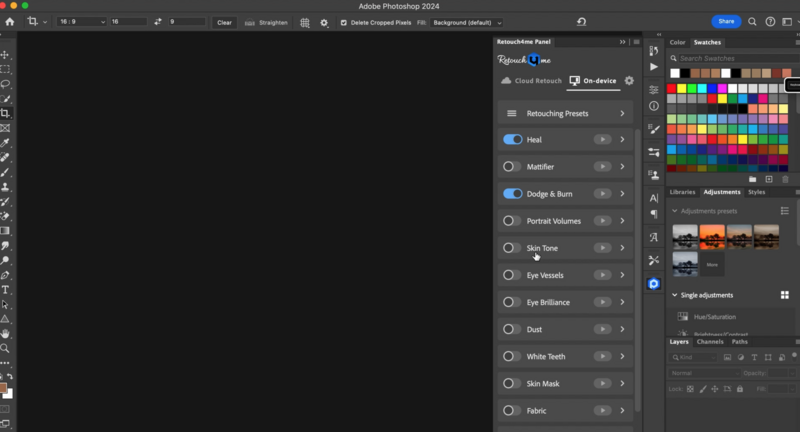
Is the old way of retouching dead? With various AI plugins, the world of classical retouching is definitely changing. Recently, I tried out Retouch4Me and some of their plugins, and these are my thoughts as a working pro on whether it is something that would fit into my workflow or not, as well as where it excels and where I find it to struggle more. Retouch4Me has a suite of different plugins across frequency separation, dodging, burning, healing, cloning, fabric removal, dust removal on a backdrop, and many more.
The particular ones that I've been trying out are the heal, dodge, and fabric removal plugins. As a fashion photographer, I find these are what are most suited to the majority of my work, and I have found that in certain instances they can be helpful and in others they do sometimes struggle.
What I've mostly started using them for is my e-comm work and any shoot where the client doesn't want a lot of retouching. With AI, it is definitely easy to overdo an effect, and that is something that I'm glad Retouch4Me doesn't do. If anything, it holds itself back just slightly so as to not overdo the effect. This is obviously the more favorable option, as if it goes one step less, it does not take much for me to do that last step. Versus if it goes too far, I have to either dial it back or start again.
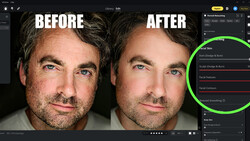
Upon looking at a before and after, skin is noticeably smoother, dark circles lightened, certain blemishes taken care of, and wrinkles on a shirt are less noticeable without it being jarring that it was retouched.
I do often find I have to do a little bit of additional cleanup after sending photos through Retouch4Me, but I would rather do that than have to go back through and try to dial down the effect, as that would be a lot more tedious.
What it's best for is batch retouching. If I just finished up an e-commerce shoot, I'll run the whole catalog after I make my selects through Retouch4Me, usually overnight, because it can take some time for the plugin to do its work across a few hundred photos. From there, I would check in the morning to make sure everything's good, do my adjustments that day or the next day depending on how many photos there are, and send them off from there.
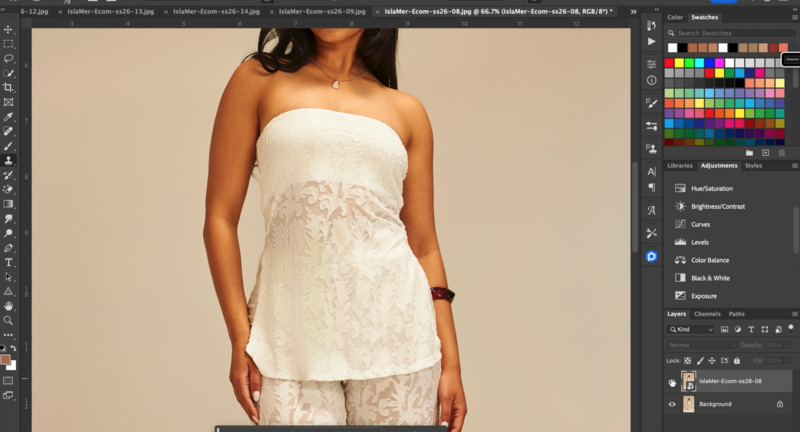
Where I do find it struggles is with more complicated fabric. If you have a lot of lace detail, you will want to be careful to switch the fabric retouching off. And even then, it might still be a little heavier-handed and make the lace less detailed, and in some cases throw off the pattern entirely. I've only found this across a couple of photos, but it's something worth noting.
Additionally, if you have somebody who has any tattoos, there are parts of that tattoo that might start getting a little funky, get partially removed, or removed altogether. This isn't part of a tattoo removal plugin or anything. This is just it doing the regular work and trying to figure out where it should and where it shouldn't retouch.
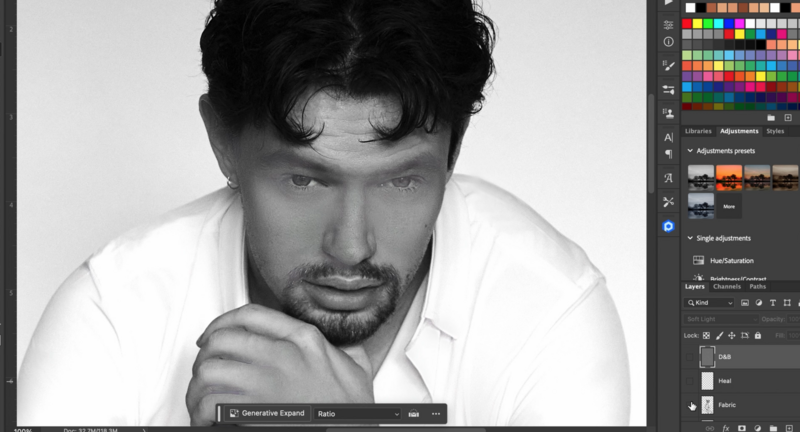
I do think with time it will get better at these certain things, but it is something worth noting that you will have to keep an eye on as you go through to see how it affected your photos, because sometimes even I would miss when it had gone through and made one part of a tattoo look a little funky. I've also noticed that when it comes to somebody with freckles, it often takes them away almost completely. Usually, we want to leave the freckles on someone if that's part of their look, so this is one instance where I would manually retouch rather than use the plugin. Lastly, it does not do as well with black-and-white photos.
If you're going to use or deliver a black-and-white photo, I find it better, rather than sending the photo to Retouch4Me in black and white, to edit the photo, run it through Retouch4Me in color, and then after that apply your black-and-white edit to it, because it will overly smooth certain things, since it's looking for a certain amount of detail that is mostly based off of a color image. I have not found it to do this with color photographs. It's just with black and whites that it starts to overly smooth out skin tones, etc., to where it just looks entirely off. It doesn't do it with every photo, but the ones where it does are definitely noticeable, even at a quick glance. When it gets confused, it definitely overdoes it with certain black-and-white images, in a way that is purely unusable.
All in all, I do think that Retouch4Me is a worthwhile plugin that has saved me hours, which leads to me finishing up projects in a shorter timeframe. It also means I can take on additional work because I'm not spending all that time editing. So that then, in theory, makes me more profitable, or at least allows me to dedicate more time to what I want to be doing rather than looking at a computer until my eyes fall out of my head.
For me, based on that, I do find Retouch4Me is worth it, even with the couple of quirks that it does have. Ultimately, the pros are saving time, efficiency, and doing a high-quality edit without a lot of work. The cons would be when it does get a little funky with certain fabrics, tattoos, freckles, and black-and-white photos. But ultimately, that's not a deal breaker for me, and the benefits of this plugin have outweighed the minor hiccups that I've encountered.
The more I use it, the more I have good things to say, and the more flaws or glitches I find with it. The hope is that as it gets updates, these bugs will be fixed. That said, I'm not sponsored by Retouch4Me and have come to all these conclusions on my own. If retouching skin is a bigger part of your workflow and you want to sharpen the manual side as well, the Skin Retouching Course for Beauty, Fashion, and Portrait Photography is worth a look. If you are interested in checking them out, you can go through this link here.




Join the Fstoppers community for free
-
Post comments and join in the discussions
-
Browse the site ad-free
-
Share your work and get featured in the community
-
Compete in the photo contests for fun and prizes
1 Comment
Commercially? Maybe. I still like to do it manually and will continue to retouch my portraits manually.