





Profile picture for Levi Keplar

Levi Keplar

El Dorado, KS
Katie & Levi Photography
2 Photo of the Day badge
5 3 Star badge
1 10+ Portfolio Images badge
1 Editor's Pick badge
2 Featured on Instagram badge

Articles from Levi Keplar

How Many Backups of Your Images Do You Need?

One of the worst things that can happen to you as a photographer is to lose your images due to a corrupt hard drive or memory card. Here is an excellent plan to put in place to protect against hard drive failure.

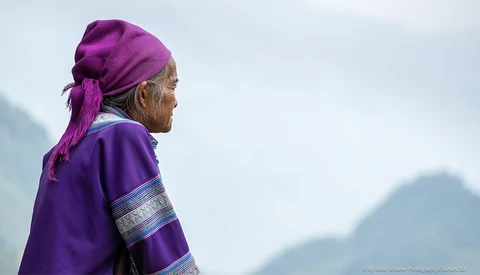
Composition: Photography's Most Underrated Skill

Choosing an interesting composition might be the most underrated of all photography techniques. Here is a tutorial on why changing how you frame your subject can make or break your image.

Five Tricks For Accurate Selections in Photoshop

Getting a pinpoint selection of an object in Photoshop is one of the most basic skills but also can be one of the hardest tasks to do. Here are five tips for getting accurate selections on even the most difficult details.

How to Get Macro Images Without a Macro Lens

Have you wanted to give macro photography a try but don’t have the budget for the proper gear? Here is an excellent lens hack to get close up photos without losing depth of field.

Understanding Lightroom’s Tone Curve

Lightroom’s tone curve is one of the most powerful tools you have, but new photographers tend to overlook what this function offers. Here is everything you need to know about this tool.

Does Having a Full-Frame Camera Matter?

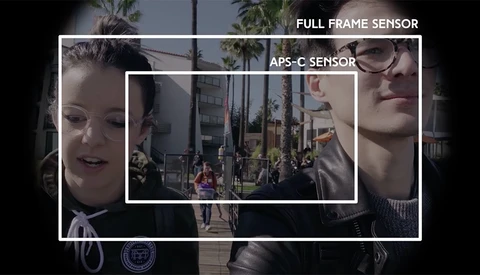
One of the common beliefs in photography is that a full-frame camera is far superior to a crop sensor, but is this true? How much of a difference does a larger sensor provide?

Six Essentials Steps to Editing an Image

If you’ve been feeling stagnant with your editing style, now is a great time to invest time into improving your skill set. Here are six techniques you should consider using on every image you take.

Five Hidden Lightroom Tips That You Should Know

Even after years of using Adobe Lightroom for editing, there are still several options the software offers that few photographers know about. Here are five helpful tips that you likely didn’t know before.

Where to Find Photography Clients in 2019

If you want to keep your business relevant or have that breakthrough year you’ve been dreaming of, you need to have a plan in place that continually attracts quality clients. Here is where you can find them in 2019.

How to Export Sharp Photos for Instagram

Instagram has become the primary avenue for photographers to share their work, but if not appropriately handled, Instagram can ruin the look of your images. Here is the best way to export your photos from Lightroom if you want your pictures to stay as sharp as possible.

Completely Change the Color of an Object in Photoshop

We have all used Photoshop to adjust the color of an object, but what if you need to make something a specific color? This tutorial shows how to have complete control over all the colors in your image.

Understanding the Differences Between Raw and JPEG

You have likely heard that you should capture your images in raw rather than JPEG, but do you understand why? Here is an explanation of the advantages of shooting in each mode and why raw is the way to go for an amateur photographer.

How Composition Can Make or Break a Photo

We all have our unique styles in photography, and we get to choose how we express ourselves in our images. However, poor composition is one of the easiest ways to ruin an image and can take away from what you want to communicate in your photo.

Create Better Images by Mastering the Exposure Triangle

If you are beginning your journey in photography, mastering the basics of the exposure triangle is one of the best places to start. Here is an excellent illustration of how understanding your camera can help you produce better images.

How to Fix Motion Blur in Photoshop

Did you know that Photoshop has a tool for repairing motion blur? Here is a great technique that can salvage a blurry photo and turn it into a sharp image.

Five Tips for Taking Sharper Photos

Do you struggle with taking sharp photos consistently? Here are five tips for improving your photography technique to prevent blurry images.

Did You Know Photoshop Has a Background Eraser Tool?

There are hundreds of tutorials on how to select the background of an image and mask it out, but you probably didn’t know that Photoshop has a dedicated tool for erasing a photo’s background. Here is why you should add this tool to your collection of editing techniques.

Ten Tips for Capturing Stunning Sunset Photos

Sunsets can provide some of the most beautiful images in a photographer’s portfolio, but the dramatic light and vibrant colors can be challenging to capture. Here are ten tips to improve your sunset photography.

Using a Wacom Tablet for Editing

When someone asks me what my favorite photography-related purchase has been, my Wacom tablet is always one of my first responses. Here is how purchasing one could help you and how to get the most out of it if you do.

How to Remove Dark Bags Under Eyes in Photoshop

Dark bags under your subject’s eyes is a common issue that is usually unattractive and can ruin your client’s perception of an otherwise great picture. Here is the best way to remove these bags in Photoshop.

How to Create a Shallow Depth of Field in Photoshop

Did you know that Photoshop has a tool for applying different levels of blur across multiple points in a photo? Here is how to use field blur to create a shallow depth of field while keeping your subject sharp.

How to Shoot and Edit Interior Photos

Taking professional-level interior photos is a surprisingly difficult skill to master. Here are five tips for improving your interior photography.

The Peril of Lowering Your Prices to Compete

When a photographer is desperate for bookings, an inexperienced business owner will turn to the only option they know of: lowering their prices. Before doing this, you should consider all of the other options you have before deciding to compete with others on price.

How to Use Lightroom’s Range Mask to Dodge and Burn

Last year Adobe added the ability to apply a range mask to the adjustment brush tools in Lightroom, but photographers have mostly forgotten about this powerful option. Here is why you should be using range masks more frequently when editing your photos.