
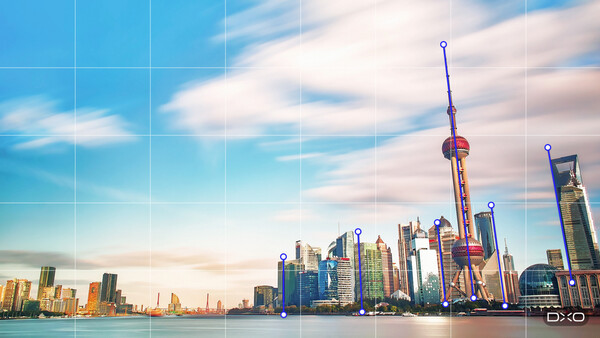
DxO has been busy lately, updating its collection of apps, giving them new capabilities and gently using AI to keep the photographer in control while making editing easier.
Today, DxO is announcing ViewPoint 6, the latest version of its software for correcting geometry, perspective, and distortion. Version 6 brings AI masks to ReShape Fusion, the tool for adjusting the components of a scene from within the frame. Photographers can now concentrate a geometric correction on a single element of the scene instead of applying it across the whole picture.
Jean-Marc Alexia, VP of Product Strategy at DxO, says:
"Photographers have long accepted a trade-off when correcting perspective: Straighten the geometry and you can lose part of the frame. With AI masks in ReShape Fusion, photographers can define the element they want to work on, refine the mesh where greater precision is needed, and control how the correction transitions into the surrounding image. They are rearranging the components of the scene while preserving the framing they chose."
Some geometry problems affect only one part of the picture: a building that leans when nothing else in the frame does, a face stretched at the edge of a group shot, a subject that sits slightly wrong in the composition.
With AI masks, ReShape Fusion can now isolate that element and correct it on its own, with control over how far the change reaches into the surrounding image. For many pictures, the correction no longer costs the borders of the frame.
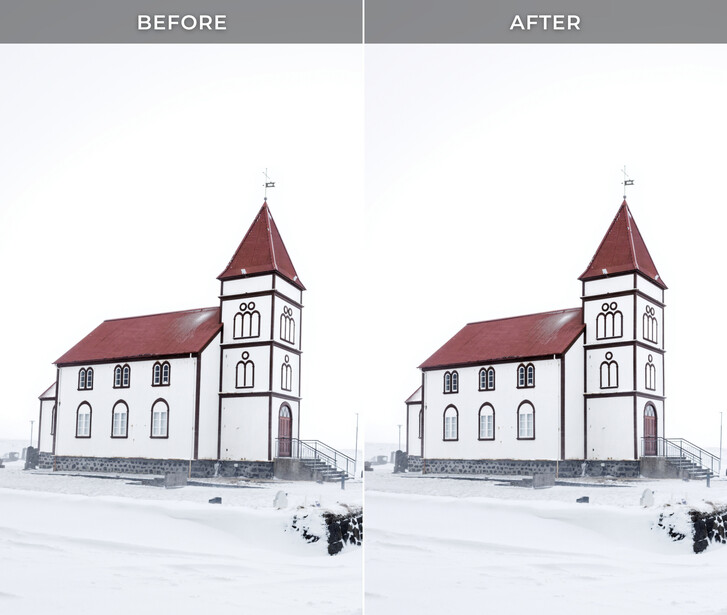
That cost has always been a trade-off. Conventional perspective tools work on the whole image: straightening converging verticals tilts the entire picture plane, the rectangle becomes a trapezoid, and recovering a rectangle means cropping. The stronger the correction, the more image area goes with it.
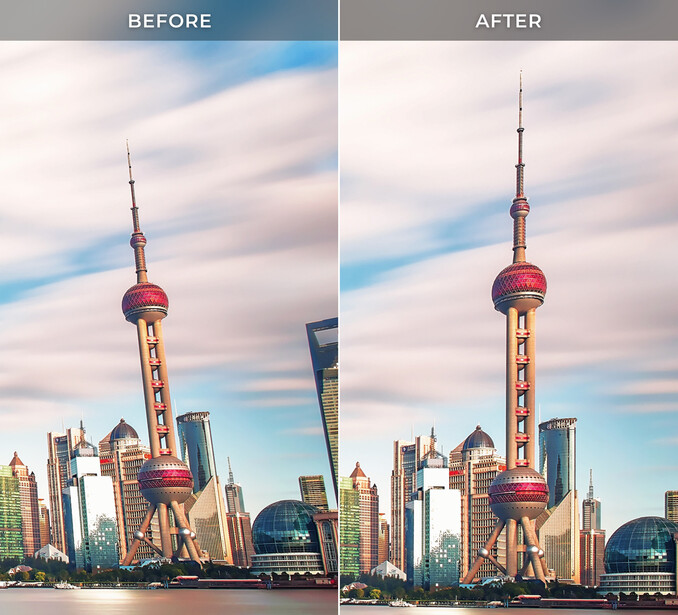
Nothing is generated at any point. ViewPoint invents no pixels and fills nothing in at the edges. It rearranges the components of the scene the photographer captured rather than recreating them, and the dimensions of the frame stay as they were.
How It Works
AI masks are there to make the selection precise. The corrections themselves stay in the photographer’s hands.
The photographer draws a rectangle around the subject, and ViewPoint finds the element inside it and builds a mask that follows its outline. The mesh is then built to match that outline, so the control points sit where the subject actually is, rather than on a uniform grid laid across the picture. The density of that mesh varies across the image: coarse where nothing needs to change, fine where the work is.
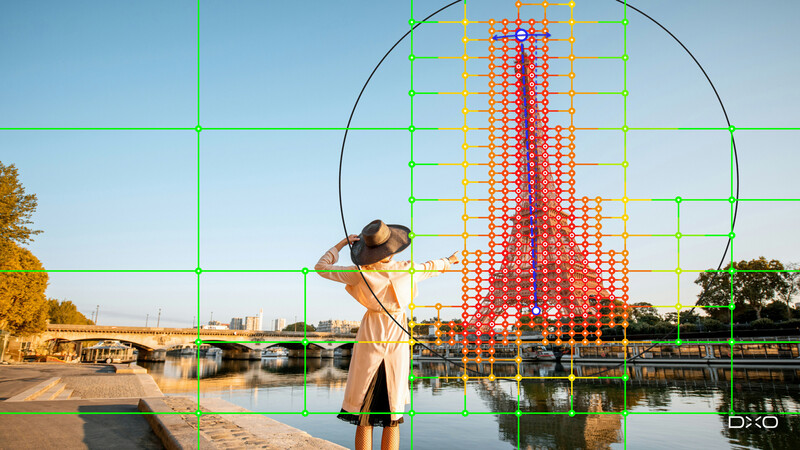
From there, the photographer works the mesh directly. Regions can be subdivided for finer adjustment or merged where that detail is unnecessary, subdivision can be directed inside or outside the selection, and individual control points can be switched on or off. That control extends to how far a change reaches into the rest of the picture, which matters because reshaping one element always pulls at what sits around it.
The result is local geometric correction precise enough to use on the things photographers actually shoot. A face near the edge of a group portrait can be brought back toward natural proportions, with control over how the adjustment carries into the people beside it. The same mesh handles broader work, repositioning or resizing an element that is out of proportion with the rest of the scene.
Using ViewPoint 6
There are a lot of controls in ViewPoint, but it doesn't take too long to understand how it works. Also, there's a user guide built into the app, and what DxO calls a "User Hub," which links to dozens of video demonstrations and tutorials.
For more detailed instruction, Fstoppers also offers Mastering DxO ViewPoint.
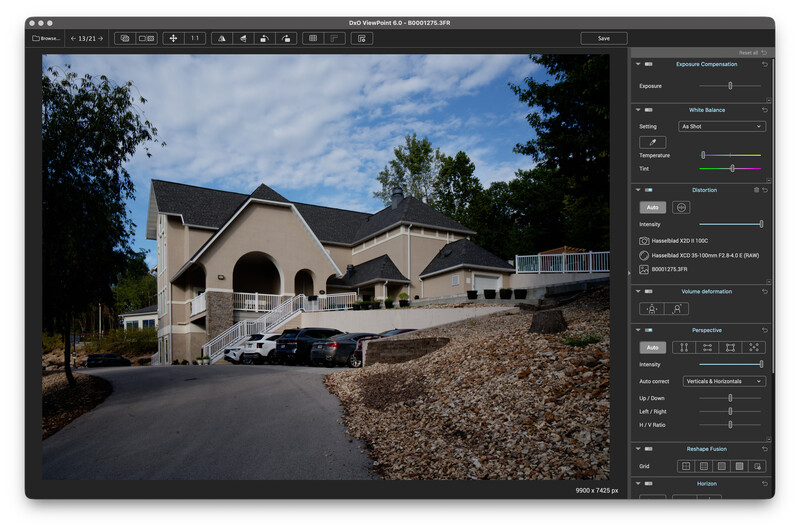
I tried it on some shots I took with a wide angle lens at a hotel in Missouri. It had plenty of distortion and perspective issues.
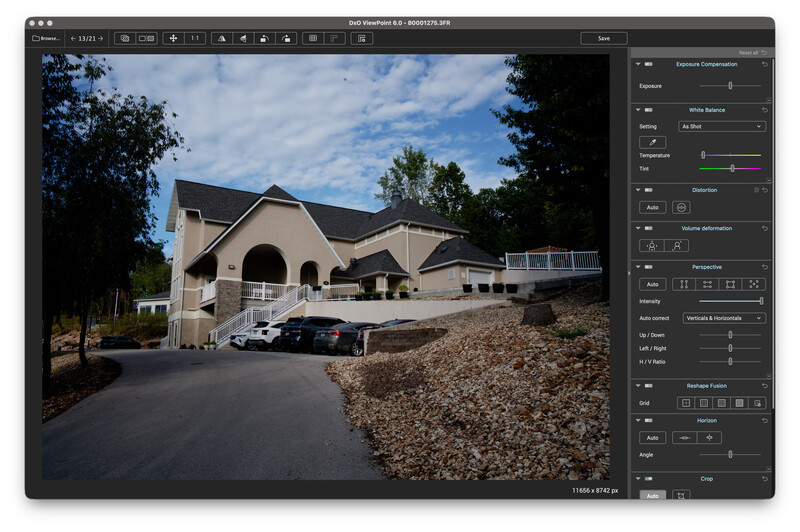
With a couple of clicks, the image was saved, and I was ready to go on to further editing.
I spent some time at Mescal, a Western movie set near Tucson. Lots of architecture and a lot of opportunities for distorted images.
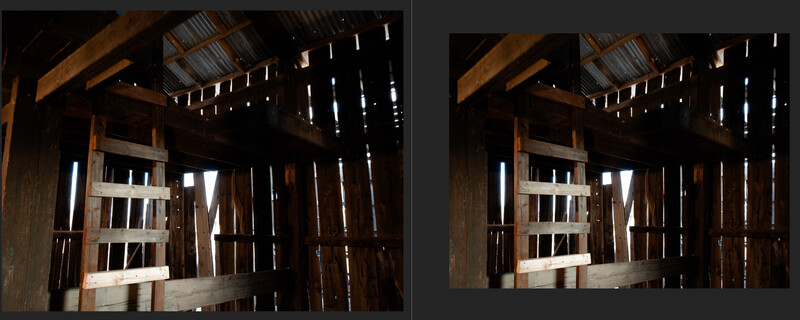
Here's a before and after of a barn interior, and you can see all the perspective issues. Using just the simple tools in ViewPoint 6, the image was rescued at the price of a small crop. I liked the results. The before is on the left, the after on the right.
Here again, shooting on this Western street at dusk got me some slanted buildings.
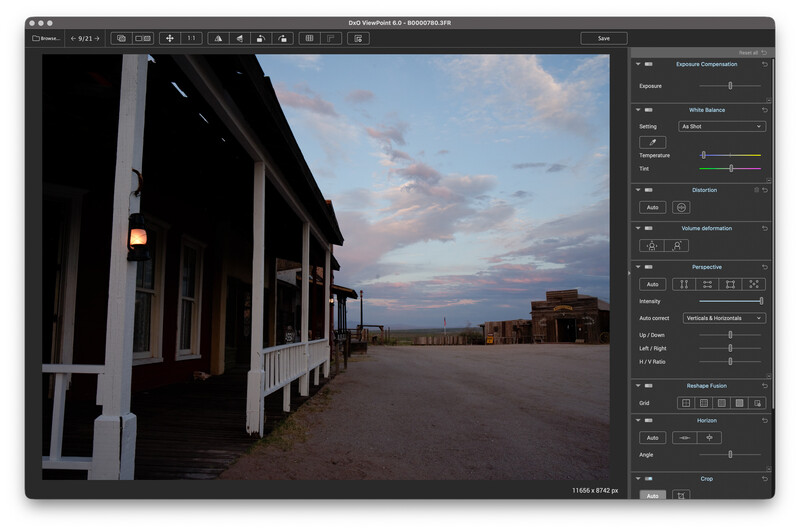
A couple of simple clicks and my image was useful.
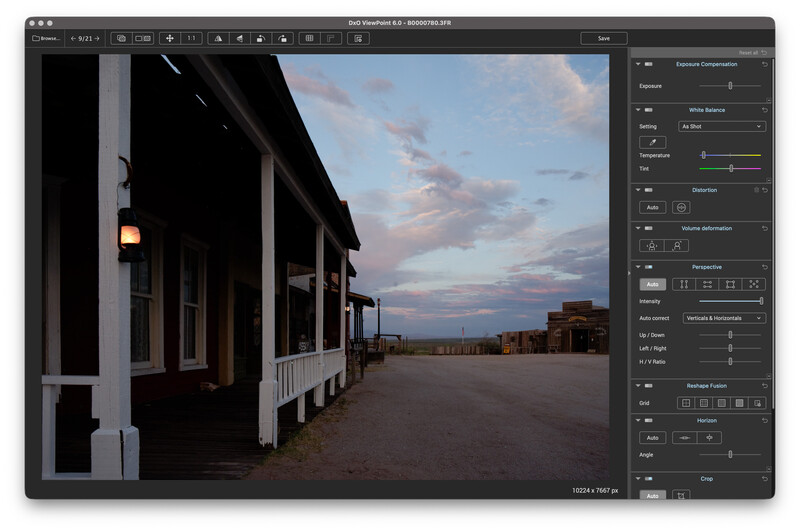
I could have straightened the three columns that were still a bit off in ViewPoint 6, but I was trying to keep it simple, and the image was greatly improved.
Final Thoughts
ViewPoint has continued to evolve, and this latest version is the most advanced app I've seen for optical corrections. Adobe Photoshop/Lightroom doesn't come close, and that's the obvious comparison.
Likes:
- This is a powerful program. It knows what camera and lens you were using for each image, and the metadata helps the program make its corrections.
- Although not easy to use at first, there is plenty of onscreen help and linked videos.
- While not for casual users, professionals are going to find it an essential part of their workflow.
What could be better:
- While not a subscription application, to get major new features, it's a continuing expense, and upgrades are pricey.
- ViewPoint 6 can do its magic with the original files only, it seems. When I used a TIFF file that seemed to have all the metadata the program needed, it kept asking for the original raw file. I'm not sure if that's a bug or a feature.
ViewPoint 6 does things that no other software can do to make optical corrections. The use of AI to fix things within an image is extremely innovative and unmatched by its competitors. It is going to be useful to people who make their living as photographers and want their work to look its best. ViewPoint 6 has utility for landscape and architectural photographers, and there are even many features for portrait photographers.
Getting ViewPoint 6
DxO ViewPoint 6 is available today from the DxO website for macOS and Windows computers:
- New license: $129.99 / €119.99 / £109.99
- Upgrade from DxO ViewPoint 5: $84.99 / €74.99 / £69.99
A 30-day free trial is available here.


Join the Fstoppers community for free
-
Post comments and join in the discussions
-
Browse the site ad-free
-
Share your work and get featured in the community
-
Compete in the photo contests for fun and prizes
No comments yet