

You know the feeling. You're scrolling through reviews at 11 PM, convincing yourself that the new 85mm f/1.2 will finally unlock your creative potential. Your current 85mm is perfectly functional, but this one has slightly better autofocus tracking and a new nano-coating that promises reduced flare in situations you encounter maybe twice a year. Before you know it, you're checking your credit card balance and calculating how many sessions it would take to justify the purchase.
I get it. Lenses and camera bodies are exciting because they directly touch your images. Every photographer can immediately see the difference between f/1.4 and f/2.8, between 24 megapixels and 61 megapixels, between a kit lens and L-glass. These purchases feel like investments in quality because, well, they are. But here's the uncomfortable truth that nobody talks about at the gear counter: professional photography is maybe 10% shooting and 90% everything else. Workflow, logistics, file management, color accuracy, backup systems, and keeping your equipment functional long enough to actually use it. The most expensive lens in the world does you absolutely no good if your hard drive fails the night before a client deadline or if your camera's USB port gets ripped off during a tethered session.
The gear I want to discuss today won't make your bokeh creamier or your autofocus faster. None of these items will show up in your EXIF data or impress anyone at a camera club meeting. What they will do is ensure that you actually have photos to deliver, that those photos look the way you intended, and that your equipment survives long enough to pay for itself. Think of these as insurance policies for your electricity, your data, and your physical connections. They're the infrastructure that keeps your business running while everyone else is arguing about sensor size.
Uninterruptible Power Supply
Let me paint a scenario that will sound familiar to anyone who edits on a desktop workstation. You're three hours deep into retouching a complex composite. The Photoshop file has ballooned to 4 GB with dozens of layers, smart objects, and adjustment masks. You've been so focused on the work that you forgot to hit Ctrl+S for the past forty minutes. Then the lights flicker. Maybe it's a summer thunderstorm rolling through. Maybe it's just your building's aging electrical system hiccupping for no apparent reason. Either way, your monitor goes black, your workstation fans spin down, and that sinking feeling hits your stomach.
When power gets cut to a computer without warning, the consequences range from annoying to catastrophic. On the mild end, you lose whatever work wasn't saved and waste time recreating it. In the middle, you end up with corrupted catalog files or documents that won't open properly. At the extreme end, a voltage spike during that flicker can fry components on your motherboard or damage your drives.
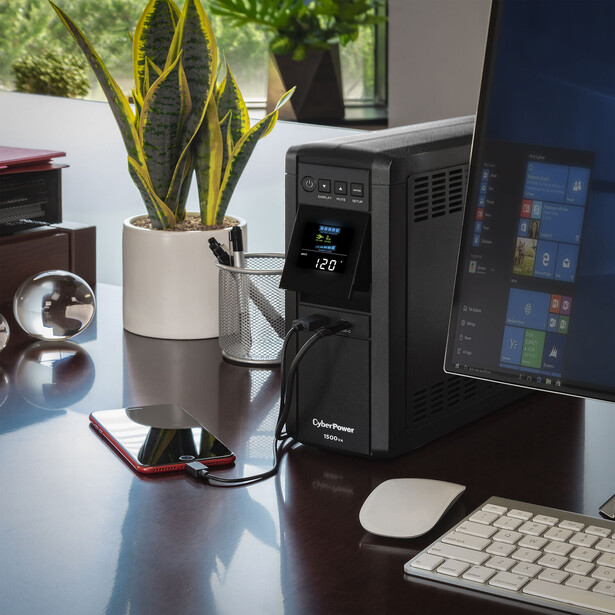
If you own a desktop computer and you don't own a UPS, you're gambling every single day. This isn't optional equipment for professionals; it's mandatory infrastructure. A decent unit from APC or CyberPower runs between $100 and $200, and it protects thousands of dollars worth of equipment plus countless hours of irreplaceable work. I cannot think of a better return on investment in this entire hobby.
Portable Power Station
The UPS protects your studio, but what happens when the job takes you somewhere without outlets? Location work used to mean a logistical nightmare of battery management. Every device needed its own collection of spares: camera batteries, laptop batteries, drone batteries, strobe batteries, and batteries for the batteries. You'd spend the morning before a shoot playing Tetris with chargers, hoping you'd juiced everything up enough to survive the day. Miss one item in the rotation and you might find yourself with a dead laptop at the critical moment when a client wants to review images on set.
Portable power stations, sometimes marketed as solar generators, have completely changed this equation. Companies like Jackery, EcoFlow, Anker, Bluetti, and others now make compact units that essentially function as a wall outlet you can carry into the wilderness. They use battery technology similar to what's in your phone, but scaled up dramatically. A mid-size unit might offer 500 to 1,000 watt-hours of capacity, enough to charge a laptop multiple times, run continuous LED lights for hours, and top off every camera battery you own without breaking a sweat.
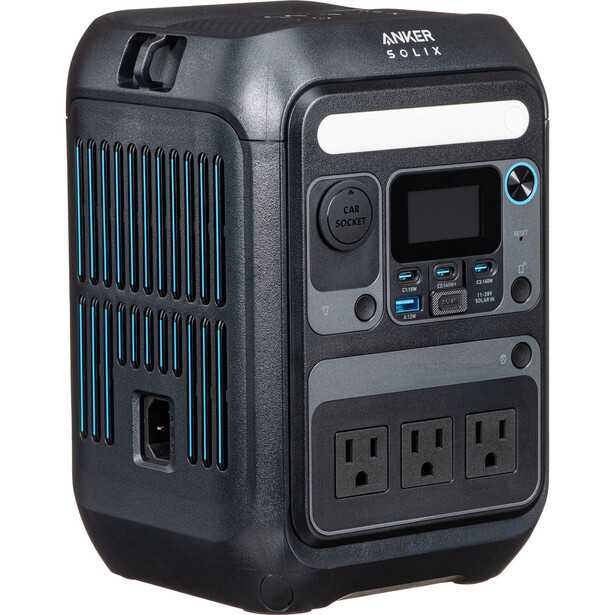
The investment here is larger than a standard UPS, typically $200 to $400 for a unit with enough capacity to be genuinely useful, but the flexibility it provides is transformative. You stop making location decisions based on outlet availability and start making them based purely on creative considerations. That's worth something.
Monitor Calibrator
Here's a question that reveals whether someone is truly working professionally: when was the last time you calibrated your monitor? If the answer is "never" or "I can't remember," we need to fix that immediately because you've been editing blind this entire time. The photos you've been delivering almost certainly don't look the way you think they look.
The problem is biological as much as technical. Human eyes adapt to color casts automatically and unconsciously. If you work in a room with warm tungsten lighting, your brain adjusts and you stop noticing the orange tint on everything. If your monitor runs slightly blue (and many do out of the box, because manufacturers think it looks "crisp"), your brain compensates and you perceive the colors as neutral. You make editing decisions based on this false perception, pushing the image to look correct on your miscalibrated display. Then the client views it on their properly calibrated phone and asks why all the skin tones look greenish. Or you send files to print and they come back two stops darker than expected because your monitor was running too bright.
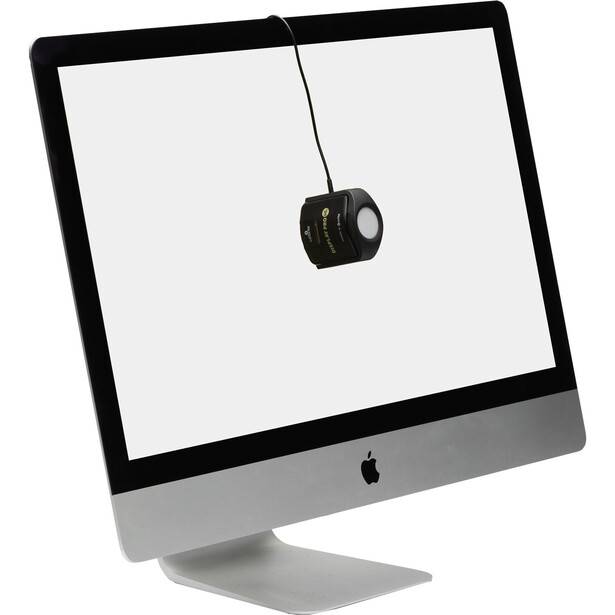
This matters even more in the age of wide-gamut displays. Modern monitors can display colors far outside the standard sRGB space that most of the internet uses. Without proper calibration and profile management, you might be editing in a color space your clients literally cannot see, making adjustments that look beautiful on your display but clip or shift weirdly everywhere else. A colorimeter doesn't just make your monitor accurate; it makes your entire color workflow coherent and predictable.
Off-Site Cloud Backup
Hard drives fail. This is not pessimism or paranoia; it's physics. Spinning platters, read heads, controller chips, and firmware all have finite lifespans. The statistics vary by manufacturer and model, but most studies suggest that roughly 5% of drives fail within the first year, and annual failure rates increase significantly after year three or four. If you have ten drives and keep them for five years, the odds are quite good that you'll experience at least one failure. The question is never whether your drives will eventually die but whether you'll be prepared when it happens.
Most photographers understand this at some level, which is why RAID arrays and local backups are relatively common. Having two copies of your data protects against hardware failure. But local backups, no matter how redundant, share a critical vulnerability: they exist in the same physical location as your primary storage. If your studio floods, both copies are underwater. If there's a fire, both copies burn. If someone breaks in and steals your gear, they're taking the backup drives too. You can have 17 copies of your data and lose everything in a single disaster.
The 3-2-1 backup rule addresses this by requiring three copies of your data, on two different types of media, with one copy stored off-site. That off-site copy is what saves you from the catastrophic scenarios. Cloud backup services like Backblaze, Carbonite, and CrashPlan offer essentially unlimited storage for a small monthly fee (Backblaze is currently around $9/month for unlimited backup from a single computer). You install their software, point it at the folders you want protected, and it quietly uploads everything in the background. When new files appear, they get uploaded automatically. You don't have to think about it, remember to do it, or manage it in any way. It's saved me more than once.
The psychological benefit is almost as valuable as the practical protection. Knowing that your client files exist in a data center across the country, safe from anything that could happen to your local environment, removes an enormous source of low-grade anxiety. Your studio could burn to the ground tomorrow and, once the shock wore off, you could restore your entire archive from anywhere with an internet connection. That peace of mind is worth far more than nine dollars a month.
The Simple Part That Saves $500: Tether Port Protectors
This last item is so inexpensive and so simple that it almost feels silly to include alongside UPS systems and backup infrastructure.
Here's the problem. The USB and HDMI ports on your camera are typically soldered directly to the main circuit board. They're designed for occasional use, plugging in a cable to transfer files or connect a monitor, not for the constant tension and movement that comes with tethered shooting. When you're working tethered in a studio, that cable is running from your camera to a laptop or capture station, often crossing the floor where people walk. All it takes is one person catching a toe on that cable, one moment of inattention, and the sudden yank transfers directly through the connector into the port on your camera body. This has happened to me plenty of times. The force is enough to physically break the USB port loose from the motherboard inside the camera.
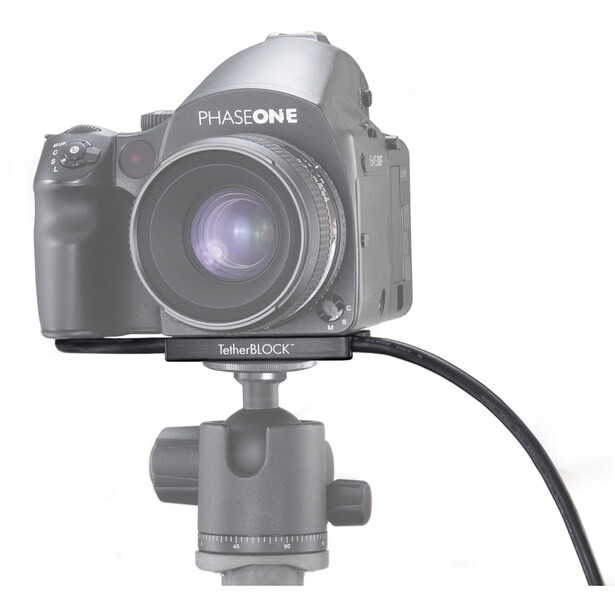
If you shoot tethered with any regularity, whether for studio portraits, product photography, or any scenario where immediate image review matters, this is non-negotiable protection. The price is trivial. The protection is substantial.
The Unglamorous Truth
None of the items on this list will make your Instagram feed more impressive. Nobody has ever looked at a photographer's UPS and said "wow, that's why your work is so incredible." But every working professional eventually learns, usually through painful experience, that the business of photography depends on infrastructure just as much as it depends on artistic skill. You can have the most beautiful vision in the world, but if you can't deliver files on deadline because your workstation died, or if your colors are off because you never calibrated, or if your camera is in the repair shop because you skipped the $15 cable protector, none of that vision matters.
Before you buy that next prime lens or camera body, take an honest inventory of your infrastructure. Is your workstation protected from power events? Can you bring electricity to location shoots? Is your monitor showing you accurate colors? Would your archive survive a house fire? Are your ports protected during tethered sessions? If the answer to any of these is "no" or "I'm not sure," you know where your next gear budget needs to go.


Join the Fstoppers community for free
-
Post comments and join in the discussions
-
Browse the site ad-free
-
Share your work and get featured in the community
-
Compete in the photo contests for fun and prizes
20 Comments
On the topic of tether port protectors - I would much rather use break-away tethers than Tether Block or the like. Why? Some clumsy bozo (like me) can easily trip over a tether cable and pull over a tripod loaded with a favorite camera and an equally favorite lens, and in doing so destroy one or the other or both. Don't ask me how I know...
And on the topic of power protection, two items are absolutely, non-negotiably mandatory. My studio power has whole-house surge protection on the breaker panel, and the feed from my ISP has ethernet surge protection, both properly grounded at the breaker panel. Both have worked well to protect the enterprise and its internal electronic wonders, once installed after one electronic disaster resulting from a lightning strike within 30 feet of the studio. I look at both as cheap insurance.
Yes, a camera on a tripod can be a disaster waiting to happen. Additional protection can be an extra-long cable, so that the klutz getting caught in it is halfway out the door before the cable tightens. Or look for a wireless solution ...
Another bit of redundancy I consider an absolute necessity is a separate internet connection of sufficient capacity that will bail you out when your ISP drops the ball just as you are trying to meet the all-important deadline.
Great, I will rush out now and buy them all (:
"Professional photography is maybe 10% shooting and 90% everything else."
I think the quality of our portfolio and reputation as a photographer depends on the inverse... 90% shooting and 10% everything else. I agree that some of these things can be very valuable as items to have, but I disagree with the title and premise for which the article is written... which is that these items should be a higher priority on our buy-list than an upgrade of cameras and lenses.
Reputation and quality mean everything for a business. Clients aren't looking at our backup system to decide whether to hire us. They might, however, look at the lighting in our portrait portfolio, and if the lighting looks amateurish, it's time to upgrade lights and skills. Time to invest in some off-camera strobes, or better ones as the need may be. Everything else can wait. Professionally speaking, we can't afford not to have the gear which allows us to do the job professionally. Clients can usually tolerate behind-the-scenes disasters, but will never forgive images that fail to meet their expectations.
The ultimate goal for any professional photographer is to make the very best images they can make. We're defined in the minds of our customers by the images we produce. Buy the best gear you can afford. Put it to use wisely. Make great images. Everything else takes a back seat.
But what about those out-of-this-world images that never got to the client due to the issues mentioned in the article?
I never said they were not important things to consider. I'm saying they don't define my work as a photographer, and that the camera equipment we invest in, and skills we aquire, are at the very top of the list of priorities. The title of this article begins "Stop Buying Lenses" and that's my point of objection. Omit those three words and I'm fine with everything else. A different lens has the capacity to raise the quality or diversity of our images. A backup device does not.
You can come up with "what about" scenarios all day long as a reason for missing the out-of-this-world shot, whatever that might be. What if my camera dies. What if my car breaks down on the way to the shoot. What if I get the flu and can't even get out of bed, much as less to the photo shoot. Other than maybe a wedding, any other commissioned job could probably be rescheduled. But you can't reschedule inferior image quality. Invest in that first so that you get a solid foundation and reputation for good work, and let the "what abouts" follow.
Alex Cooke wrote:
"You know the feeling.
You're scrolling through reviews at 11 PM, convincing yourself that the new 85mm f/1.2 will finally unlock your creative potential. Your current 85mm is perfectly functional, but this one has slightly better autofocus tracking and a new nano-coating that promises reduced flare in situations you encounter maybe twice a year. Before you know it, you're checking your credit card balance and calculating how many sessions it would take to justify the purchase."
Actually, I do not know the feeling.
I do not often think about new gear and how great it would be to shoot with this or that lens or body. Especially so if I already have something similar. I can not relate to the mindset that you describe in the opening paragraph, and I wonder if there really are people like that, who think that way. If so, they are tragically misguided, because lust for gear is a pretty asinine way for someone to be wired.
What I think about at 11 PM is where I could go the next day, or next week, or next month, and what wildlife I could find there, and what types of photos I could expect to get. The research I do online has zero to do with lenses or cameras, and everything to do with species and locations where they may be found. If I spent this time thinking about gear, and researching it, then I would pretty much be a materialistic a-hole.
Either way, you sound like an à hole
As for the 5 things that will supposedly "save my career" .....
1. Uninterruptible Power Supply
Hmmmm. I very rarely have the power unexpectedly go out at my home. I have lived there off and on (I travel about 6 months each year) since 2015, and I think it has gone out maybe 3 times in all those years. And I have not been working on photos at any of those times. And even if I had been, so what? The power has always come back on within a few minutes. Just click the computer back on and start the edit over. I do real photography, not so-called photography that requires faking things with photoshop or other editing tricks. So whatever edits I do can be accomplished in a few minutes. No problem at all if I lose an edit and have to start over.
2. Portable Power Station
Huh? There is never any need at all for me to do any editing work, or downloading, or image exporting, "on location". I'm not some urban guy doing for-hire shoots for companies or anything. I just go take whatever photos I want to take, whatever photos I feel passionate about, and then maybe try to sell licensing rights to them at some time much later. Like this week I may try to market some images that I took in 2015 or 2028 or whenever. There is nothing time sensitive about any of the photography I do, from a business standpoint. I can always wait until I get to a motel, or get back home, for any computer work that needs to be done.
It is best to avoid the stress and pressure that comes from taking jobs and assignments that come with such deadlines. Just don't do it. Find a way to sell some pics that is more laid-back, "at your leisure" kind of work, and your mental health will be much better.
3. Monitor Calibrator
I could see this being of some small benefit. I have never had one, and as a result there are a couple of times when my colors were off. But it doesn't stop the images from selling, because they are being sold to companies who already have photo editors and art directors who will re-edit the images anyway, so there's no need for my edits to be perfect or anything. Just provide the editors with a file they can work with and edit to their own tastes, and that is all that I need to do. So this calibrator tool would be mildly useful, but is by no means necessary at all for what I do.
4. Off-Site Cloud Backup
Nah, not useful for me and my workflow and the way I manage and store my images. Not only not useful, but actually wasteful and clunky. I can just keep backing files up to multiple drives, and do so regularly. Any system that requires that a bill be paid periodically is doomed to fail, for someone like me, who may not have internet access for months at at time, and whose credit/debit cards are hacked frequently (and thus have to be replaced with new cards with different numbers), and who may simply not have any money in the account when the bill comes due. I have lost my website, my internet service, my car insurance, and my streaming subscriptions more times than I can count, simply because automated payments did not go through as scheduled. The same thing would undoubtedly happen with cloud storage if I had an account for it. Hence, this seems not only more expensive than just buying another drive, but also much more risky.
5. The Simple Part That Saves $500: Tether Port Protectors
I have no idea what this even is. Nor do I understand how it will save me $500. I have never connected my camera to anything with any kind of wire, and hope that I never need to. So while this tether thing may save someone $500, it sure as hell is never going to save me a single penny.
Synopsis:
The title promises that these 5 things will save MY career. They won't. Because no part of my career has anything to do with any of these technologies. Since the article does not apply to me or photographers like me, the word "your" should not have been used in the title.
A headline which says: "Strategies for Saving Money on Your Taxes" is not wrong. It is simply not meant for you, if you do not pay taxes. "How to Improve Your Writing" is not wrong. Read it if you're interested in improving your writing; otherwise ignore it if you're not. It is commonly done, and perfectly fine to use "your" in a title to create a personal connection with the reader.
Yep! It's called the "impersonal" or "generic you": https://en.wikipedia.org/wiki/Generic_you
As for each of the five items, the issue of monitor calibration is the one which I seem to go against common wisdom (experts claiming that you should do it). I especially have a hard time with the idea that my customer is going to be looking at my images on "their properly calibrated phone." I did not realize there was such a thing. Computer monitors, yes, but mobile devices are pretty much dependent upon the manufacturer... or so I thought.
I do not calibrate my Apple iMac monitor. Practically speaking, I've found color hue to be close enough to my prints, made on my 44-inch Canon inkjet 4100 printer, that calibrating would be very little additional help. Years ago in the era of CRT displays, I had my film output provider calibrate my monitor to their devices, and still had plenty of variations between monitor and print. Their hardcopy proof, compared to my monitor, would look too red in parts of the picture, and too green (not enough red) in other parts. Somebody tell me how calibration fixes that.
More importantly from my point of view is that colors look different on different substrates. Simple color calibration has difficulty solving that problem. Soft proofing has all kinds of weak links. If you work in a closed loop in a large company with other photographers and designers, I see the benefit of calibrating a monitor. Otherwise, I think it's overrated. Maybe worthwhile for a PC or cheap monitor, but iMacs are great out-of-the-box. They're a little bright, but easy to translate what I see on the monitor into a print with some experience.
" ..... but iMacs are great out-of-the-box"
Fully agree! I've had 3 of them and all have been pretty much perfect.
"They're a little bright"
But brightness is not an inherent quality of an iMac monitor. It is something that you are expected to adjust as needed. That's why the screen brightness setting is right there at the top of the screen in many of the latest default setups. At night I turn the brightness way down when I watch a movie to fall asleep to. When editing photos for export I set it right smack dab in the middle. When watching anything on the screen in well lit ambient surroundings, I crank the brightness way up. It is meant to be adjusted throughout the day time and again, each time what you are doing changes, or any time the ambient conditions change. So if you find that yours is "a little bright", that is only because you have not adjusted it to look just the way you want it to.
I understand that it's an adjustable setting. However, I find that for working on my images, it's best to crank the brightness up to its maximum. I find there's a better correlation with color hue in a print, as well as a more accurate rendering of shadow detail. I constantly hear the experts advise turning brightness to closer to its midpoint range, so that prints aren't coming out darker than expected. I just don't work that way. I use the histogram as the ultimate measurement over where to set the highlights for printing, and I rarely have to reprint because of it looking too dark or colors being off. I typically reprint an image in some cases because I can't make up my mind which colors or contrast looks best until I see a few options on paper. The system works for me.
While the brightness levels can be adjusted, Apple iMacs are potentially brighter than a lot of other monitors. So I suppose I should have said that they can be a lot brighter.
"My career" - lucky you - you have that in common with the Pope and POTUS. Their careers also don't depend on the items mentioned in the article.
And if you never lost an edit session due to an untimely shutdown (it could be as the result of a Windows upgrade) count your blessings. Many another reader has, and what saved them might be the original still being accessible on the SD card (minus however much editing might have taken place.)
Monitor calibrators are super important. To an extent. For digital it doesn't really matter to be 100% color accurate because your audience is going to be viewing your work from screens that aren't anywhere close to color correct. So, still, no one is going to see your image as "correct" 99% of the time. IMO for digital as long as you can get "close enough" and at a very minimum, If you have 2 or more monitors, Make sure their color profiles are as close to matching each other as possible.
Printing is a whole different story. Every single piece of equipment used in the production of your images for print needs to be color calibrated and set correctly for color accuracy or else you are spending a bunch of time and money on color calibration that isn't going to be doing anything for you in the end. Color calibration is an insanely deep well to fall down. It's super sensitive, fragile, time consuming, needs regular maintenance often, and is incredibly expensive. BUT in the end if color accuracy in print is what makes you money it's absolutely worth it.
Chris Rogers wrote:
"For digital it doesn't really matter to be 100% color accurate because your audience is going to be viewing your work from screens that aren't anywhere close to color correct. So, still, no one is going to see your image as "correct" 99% of the time."
Great point!
Also, for those who license images, our clients have full time Art Directors and Photo Editors who are going to edit our images themselves, in the way that best fits their particular usage. Of course they are going to adjust the colors to whatever end result they want. All they want is a file they can work with. So monitor calibration matters even less for us.
Yep you raise another great point. They'll change whatever they need for an image to fit their campaign exactly how they want it to.
I'm not sure what other makers do, but every Nikon Camera I've bought for the last decade has come with a tether port protector included.