Lighting can make or break your portraits, yet many people struggle with creating natural-looking illumination that flatters their subjects. The difference between amateur and professional-looking portraits often comes down to understanding just a few key lighting principles.
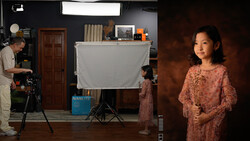
Coming to you from Ed Verosky, this practical video breaks down three essential techniques that will immediately improve your portrait work. The first tip focuses on light placement, specifically why you should get your flash off your camera. Verosky explains that mounting flash directly to your camera creates an unnatural lighting pattern that doesn't match how we're accustomed to seeing faces illuminated in real life. He advocates for the 45/45 rule - positioning your key light about 45 degrees to one side and 45 degrees above your subject's head. This creates shadows that fall at natural angles, similar to how sunlight would light a face during the golden hours rather than harsh midday sun.
The second technique involves background lighting, something many people overlook once they get their subject lighting dialed in. Verosky demonstrates how adding just a small amount of light to your background can create depth and separation that makes your subject pop from the scene. He suggests placing this background light on the opposite side of your key light to create a gradient effect across your backdrop. The goal isn't to make the background lighting obvious or attention-grabbing, but rather to add that subtle illumination that prevents your subject from blending into a flat, lifeless background. This technique works especially well when you're shooting against darker backgrounds where that extra pop of light behind your subject can transform the entire feel of the image. That's just the start, so check out the video above for the full rundown from Verosky.



Join the Fstoppers community for free
-
Post comments and join in the discussions
-
Browse the site ad-free
-
Share your work and get featured in the community
-
Compete in the photo contests for fun and prizes
No comments yet