Most Bookmarked Articles

Below are the most bookmarked articles by our members.

Log in or register to add your own bookmarks.

How to Handle Creative Jealousy as a Photographer or Videographer

Be honest. When was the last time you saw someone's followers count on Instagram and got jealous? Or maybe you felt they didn't deserve that nice camera because their work was subpar in your eyes. Jealousy is a poisonous and yet far too common emotion among creatives, and this great video essay gets really honest about why we feel it and how to handle it.

How to Sync Up Audio and Video in Premiere Pro

If you record audio separately from your video, which most likely you do, then part of your postproduction process will include synchronizing. This process doesn’t have to take a lot of time or require plugins or software. Premiere Pro has built-in tools that allow you to quickly and easily get your video and audio in sync. Let’s have a closer look at how to accomplish this.

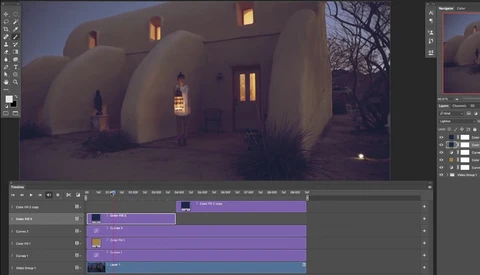
Color Grading Video in Photoshop in 14 Minutes

Have you ever color graded your videos in Photoshop? Although Adobe’s video editing software or Final Cut X is mostly preferred by video editors, some good results can still be achieved by using Photoshop’s video editing feature. Aaron Nace of Phlearn explains these techniques in this 14-minute video.

An Effective Way to Blend Exposures Using Photoshop

Modern digital cameras have some pretty impressive dynamic range, but the world at large still has many scenes that are simply too much to capture at peak quality in one exposure. This helpful tutorial will show you a powerful and effective technique for blending multiple exposures using Photoshop.

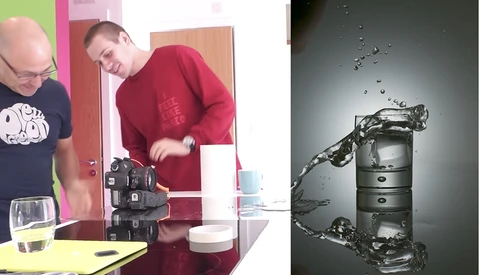
How to Make an Awesome Splash Photo Using Only One Speedlight

While many of us don't own dedicated studio strobes, most of us do own at least one speedlight. And while they may not be as powerful as their bigger cousins, they offer more capabilities than we might give them credit for. This fun video demonstrates how you can create a high-quality splash shot using only a single speedlight and a little DIY ingenuity.

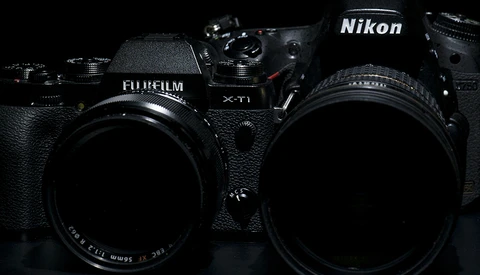
Why Professionals Should Shoot DSLR and Mirrorless Cameras at the Same Time

When shooting assignments in the past, whether portraits, weddings, or journalism, I’ve always been one to carry two bodies to give myself options. I like to be able to access two different focal lengths at a moment’s notice. In the past, it would not be uncommon that those bodies would be two DSLRs of the same brand, usually Nikon or Canon. But now it’s something that is uncommon for me. You see, I now roll with a DSLR and a mirrorless body to allow myself maximum flexibility. And perhaps it’s something you should try, too. Here are a couple of reasons why.

How to Turn Website Visitors Into Paying Photography Clients

If you’re not creating your website with the correct goals in mind, you may be having a hard time converting your website visitors into paying clients. As creatives, we value good visual design and we want to make sure our websites are not only appealing, but are also showcasing our photography in a dynamic way. However, if we’re not asking ourselves the right questions while designing our websites, we may be losing possible clients. Here are a few potential reasons why your website visitors aren’t turning into paying clients.

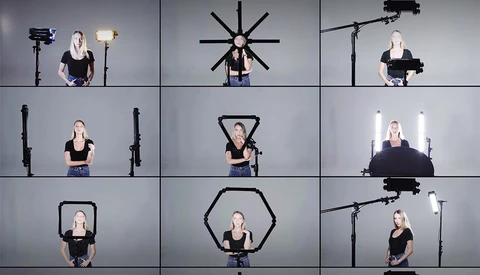
Spiffy Gear Introduces a Unique, All-Around LED Lighting Solution for Photo and Video

With its increasing popularity, photographers and videographers alike have begun to entertain LED lighting as a possible option for their shoots. Spiffy Gear believes they now have that solution, and it's called Spekular. Touted as the "Swiss army knife" to a creative's needs, they introduced their new product as the solution to make videographer and photographer's lives easier. 

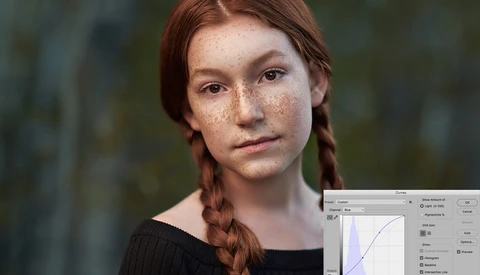
Use Color Contrast in Photoshop for More Depth and Richness in Portraits

There are so many different ways to process your photographs. Some people will spend hours on a single image, others will spend a few seconds, and the rest of us fall somewhere in between those ranges. For the most part I think we all strive to get as much as we can in-camera through the time we spend metering subjects, dialing in exposure settings, and controlling our lighting whenever possible. Post-processing is just another part of that creative process where we harness the capabilities of the image created in the negative and use our own preferential techniques to create the final image.

Using Radial Gradients in Photoshop to Draw Attention

So much of post-processing revolves around editing to bring more attention to your subject, whether that be a person, a waterfall, or whatever you please. One versatile and effective way to do this is through the use of radial gradients. This helpful tutorial will show you just how to use them.

Eleven Items Photographers Should Be Buying in Bulk

We all know that buying in bulk has its financial benefits, but how many of us actually utilize these habits for our photography? Here are 11 items that will not only save you time and money if bought in larger quantities but will also help minimize stress while on a photoshoot.

What Does Painterly Photography Mean to You?

If I asked you what comes to mind when I say painterly photography, what would your answer be? Do you think of technical art school concepts that define the two mediums like abstract versus figurative? Or maybe you think of stylistic photography choices, whether in shooting or post-processing, that give the finished image a timeless quality. Whatever your reaction to the concept is, here's a cool mini-series to check out that is delving much deeper into the topic.

How to Create Rain in Photoshop

Rain can be a great addition to an image, as it can communicate so many things: sadness, romance, etc. We don't really get much control over when it happens, however, and even if you're handy with a garden hose, spraying water everywhere probably won't be appreciated by your model or your camera equipment. Here's how to fake it using Photoshop.

10 Helpful Tips for Finding Models to Shoot

You've got that fancy new lens and a great concept for a shoot, and now, all you need is a model. Finding models to collaborate with is an art in itself, and making sure you're going about it the right way can be the difference between a successful shoot and a concept that is never brought to fruition. Here are 10 useful tips to get you off and running.

Compare to Get Better: Analyze Yourself and Learn

Since the very first session I had, I knew I wanted to be as good as I could possibly be. Without any real formal school, I learned most everything by doing. Coming from a background as a retoucher, and web developer and graphic artist before that, there were things I thought I knew and did know that were more advanced than beginner stuff. But I was lacking some of the formal training. 

30 Days, 80,000 Photos, One Awe-Inspiring Time-Lapse

After seeing the hundredth time-lapse, it can become a little difficult to appreciate the incredible sight of an aurora creeping over hills in Iceland. Do many of us suffer from "art fatigue" where seeing so much great work online can make us a little numb to incredible sights? I admit this was the case for me until I saw this time-lapse from JeffHK.

Natural Light Versus Off-Camera Flash for Portraits: Which Is Better?

There are several debates over which type of lighting is better between natural light and off-camera flash lighting. Some photographers build their style on one over the other, while some find themselves using both. I believe that it comes down to your personal preference in which you like over the other.

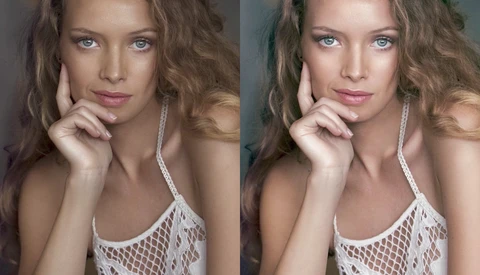
How to Reduce or Remove Eye Bags in Photoshop

There are tons of different ways and several products on the market that people buy to reduce the appearance of bags under their eyes. So it shouldn't be a shock when a client asks you to help them out and reduce or remove the bags under their eyes in the photo. Just as there are many ways to reduce the appearance in real life, there are many ways to do it in Photoshop as well.

Adam Epstein Breaks Down the Six Rules for Cinematic Editing

For video editors and filmmakers alike, understanding the power of the cut is important for telling the most compelling, informative, and/or emotional story. In this video excerpt from MZed, professional editor Adam Epstein (known for SNL and Killing Gunther among other things) provides some thoughtful insight on six rules for cinematic editing, as referenced from award-winning film editor Walter Murch.

Join Me in Starting a Weekly Fstoppers Photo Theme

When what seemed like half the photographers in the United States posted a photo to the #SolarEclipse2017 hashtag, it gave me an idea. Instagram, Twitter, and Facebook all allow for fairly organic public searching of hashtags and a lot of our Fstoppers readers are active on one, if not all of these sites. Our article featuring an Instagram hashtag guide was one of the most popular of the year. Now on a regular basis, Fstoppers readers have a chance to get their work featured based on what is produced instead of likes on a photo, or how many followers they might have. Let's do this.

How to Significantly Speed Up Lightroom

I love Lightroom. It is an amazing tool that is able to do almost everything that I need when I edit, and do so in an organized way. The one problem that we’ve all had with it though is the lagging speed that can be infuriating. This past year, I spent a considerable amount of time with one goal: to do anything I could to speed up my editing process. I can honestly say that after implementing the following tips, my Lightroom is running as fast as ever and I rarely notice the lag that would torture me before. Here is a step-by-step guide to what I did.

Easily Merge Your Photos for Focus Stacking

Even when shooting at f/16, not every part of the photo will be in focus. Depending on where you focus is at, there will still be some fall off. What if you wanted to get your entire photo in focus? You can merge multiple exposures where the focus point has been changed to get one photo showing everything in focus. Landscape Photographer Mark Denney shows us how easy it is to merge multiple exposures into one image using Lightroom and Photoshop together. If you do not use Lightroom, you can still achieve the same results only using Photoshop, so don't worry.

Critical Properties of a Pro Photographer's Website

So, you want to chase a career in professional photography and have managed to build yourself a respectable portfolio that you can begin to use to market your talent. The next step in building your credibility as a professional in the space comes in the form of crafting a web presence that reflects the brand of a seasoned pro. You need customers to see you as someone that really knows what they are doing and is serious about every aspect of your brand. A big part of this aspect of your brand is your own personal website. Social media is fantastic for expanding your influence but it lacks the intimacy to fully represent you. You need a website and that website had better make you look good!

Bad Clients and How to Spot Them

I remember the excitement of wanting to start and have a thriving wedding photography business. I remember how my heart would skip a beat whenever I’d get a new photography inquiry regarding my services, and I remember how desperate I was for any type of wedding photography gig. I also remember not knowing how to price myself, being scared that if I charged too much, clients wouldn’t want to book me. Or if I told a client no to a request, they’d find another photographer. I look back on the first few years of my business very fondly, but I also remember a few times that being a wedding photographer made me want to crawl into a hole and hide from the world forever.

How to Fix Harsh Shadows Using Photoshop

One of the most distracting things you can have on a subject is unintentional harsh shadows. Once they're there, they can be very tricky to deal with convincingly in post. This helpful tutorial will help you tackle and reduce them to manageable levels.