Most Bookmarked Articles

Below are the most bookmarked articles by our members.

Log in or register to add your own bookmarks.

Small-Town Photographers, This is For You

Regardless of whether your idea of a "small-town" is one with 100 people or 20,000, the potential hurdles small-town photographers must get over can stack up quickly if you only focus on the negatives. Perhaps your goal in photography is to simply maintain a hobby. Maybe you aspire to maintain a high-profile business instead. Either way, I’m here to tell you that it’s possible to achieve your goals regardless of where you currently reside.
How To Start a Video Project in Premiere Pro

We all have an idea of how a non-linear editor works. You drag the files into the timeline, and move them around to create the interesting video you are intending to produce. But, if you're like me, setting up the project and to make sure no files go missing or aren't imported correctly can be a problem, especially if no one ever showed you how to do this. So I've put together a short way I do it, and then I've included a video to show how you can do it for a short film and how to sync audio. It's a video production starting kit. 

A Beginner's Guide to the Pen Tool In Photoshop

If you're new to Photoshop, the Pen Tool can make about as much sense as a ketchup-flavored popsicle. Nonetheless, it's one of the most useful tools in the entire program, and it's definitely worth taking the time to learn how to use it. This great tutorial will get you up and running. 

How to Use J-Cuts to Enhance Your Video Transitions

J-Cuts can be described as having the sound enter the scene before the scene appears visually, or it can be used to play out a scene where the audio is used after the shot has ended. They're used in TV and movies, and they're a professional element that sets you and your style apart from those who just cut scenes together. This enables you to get a nice flow in your video, and it all blends and layers to make it more interesting and give your work more power. 

My Several Year Path to Creating This Composite

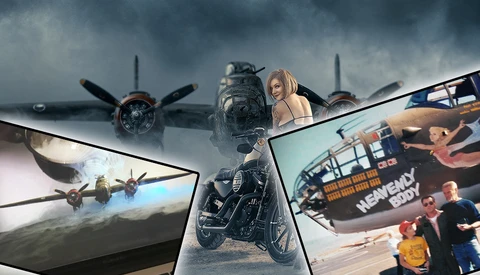
This is a how I did it story. Along with some “why.” Unlike most all folks my age, I am very fond of the WW2 history and even more so WW2 aircraft. My favorite plane of all time is the B-25 mid-range bomber. This concept has been in my mind for years, and I waited to actually implement it until I felt I was able to do it right. Had I done it early in my career, I feel the quality wouldn't have been up to the standard I would have liked. 

Three Tricks To Help Improve Photoshop Performance While Retouching and Compositing

In an era when working on 30 megapixel and higher images has become the norm, a Photoshop document with dozens of layers can quickly become a burden to work with often slowing to a painful delay after each stroke of a brush. The simplest solution is to constantly be crushing those layers down into a single flat layer but this method is the antithesis of non-destructive editing which can make future client feedback rather difficult to implement. Instead, lets focus on few easy tricks you can do to keep your computer running smoothly during the most complex of composites.

A Beautiful Film Made on a Dirt Cheap Lens

We know, we know: gear doesn't matter, except when it matters. I'm not here to rehash that debate. Rather, this is just a great film that shows off what you can accomplish even with a $50 lens and some know-how.

The Sundisc Could Be The Next Best Pocket Sized Light Modifier For Photographers

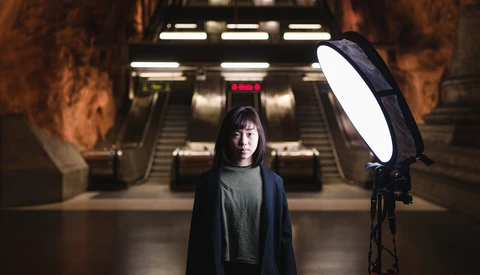
UPDATE:  ENDS TODAY! Have you ever wished you could have a decent sized softbox fit in the palm of your hand? Swedish photographer Vincent Palma and his team have created a 24 inch light modifier that folds down into a mere 8 inches. Using the same patented mechanism as our own Fstoppers Flash Disc, the Sundisc will give you even, soft light when carrying large, bulky softboxes is not practical. The Sundisc Kickstarter has already met its funding goal but that doesn't mean you can't get in on this first production run now before the campaign ends Wednesday, June 28th. 

How to Shoot B-Roll for Your Video Work

B-roll is important stuff. It keeps your viewer's experience from becoming stagnant, and it can be used to explain or elaborate on the main footage. It's entirely its own art to shoot, and this helpful tutorial will give you great tips to get more and better b-roll footage for your video work.

My Favorite Wireless Trigger for Light Painting

Being lazy is one of my favorite traits, so walking needs to be avoided at all costs. I'm kidding... well, not really. This wireless remote for my camera has saved me quite literally thousands of steps in my light painting processes. 

Using Google Maps and Other Photographers To Locate Your Landscape Locations

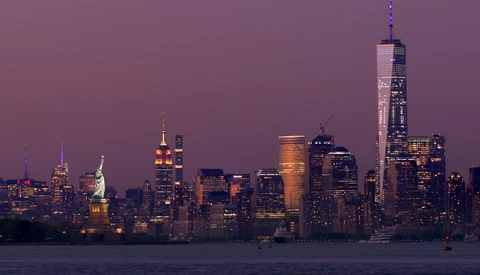
We have all been there: you see an image online that gives you the best perspective of a location but you have no idea exactly where it is located. Sometimes the photographer lists the location on social media, but more often they leave you wondering where exactly they were standing. Last week I set out to film a time-lapse of one of the most photographed skylines in the world. However, finding the exact location I wanted required me to use multiple resources. Welcome to project "New York Harbor." 

Tips for Setting Up Digital Files for Sublimation Printing

Printing images almost became a thing of the past with the digital era. However more and more photographers are helping their clients embrace the idea of hard copies to hang on the walls rather than in a drawer on a flash drive. New mediums for printing are becoming popular as unique options compared to the standard print. Are you sure you are setting up your files correctly for the color shift issues with printing on these new mediums?

Forgot Your Lights? Tips for Shooting in Darkness

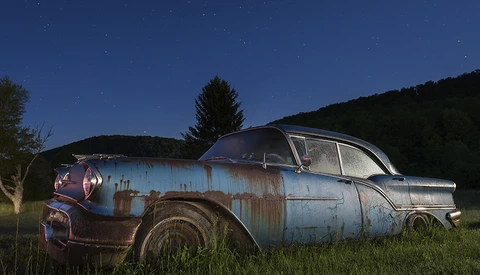
It’s always important to stop and smell the photos – but what happens when your stop is at night, in complete darkness without any lights to help you out? You improvise. There are a few things you can do to help you compensate for lack of proper lighting equipment.

Cloning Yourself in Photos or Videos

How many times have you seen a video or photo where a subject or even the artist themselves appear in it multiple times and wondered how they did that? Having a background in graphic design, I always guessed you just merge the footage or photos together and mask sections out to reveal the subject in each area. Well, it is as simple as it sounds but if you are not sure how to get started or how to do that, Peter McKinnon shows how he cloned himself in both photo and video using Photoshop and Premiere, respectively.

Take a Bite: 10 Tricks Advertisers Use to Make Food Look Irresistible

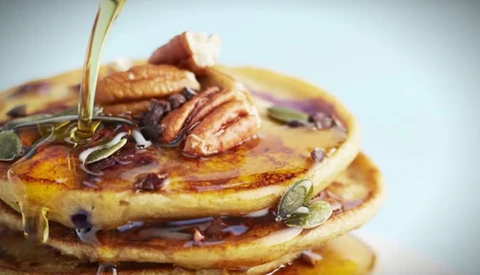
We all know the pictures on the packaging of food you buy usually is a lie. It's not how it's going to look when you open it, and it's not going to taste as good as your imagination was telling you it would based on the photo of the package. But it surely works to get people interested and buying one product over the other. How do they do it? This video shares 10 tricks food advertisers use when shooting the images to be used in advertising and packaging. A picture of a piece of bread being broken open, hot and steaming out of the oven, sure looks delicious. Did you know wet cotton wool will steam longer than bread would? Yes, me neither. 

DIY Studio Seamless Paper Hanging System On the Cheap

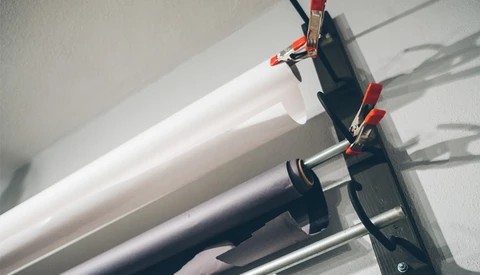
When I moved in to my studio a little over three years ago, I needed a place to hang, store, and use my rolls of seamless paper. I didn’t have many — just a few nine-foot rolls of white, gray, black, and green — but I wanted them out of my way. Storing them vertically wasn’t a good option in the space, and storing them laying down is never a good idea. So, I wanted to figure out a simple system that I could build that would do the trick. Here’s what I came up with.

Pan"Tone" - Sports Photography Project With a Color Twist

When a D1 collegiate athlete becomes a photographer, you should watch out. Zach Ancell is a commercial sports photographer from Portland and has been shooting for almost 10 years now. As any self-respecting creative, he does his own personal projects between the commercials he shoots. Pan"Tone," which is one of Ancell's recent shoots caught my attention, and he kindly agreed to share all we want to know about the set.

Emulating Film Looks and Analyzing Your Color Grading

When I first started out, I always used to see color that I wanted to replicate. It seemed there was some magic preset or tool that helped. There isn’t and really what it boils down to, is first really “seeing” the color. What is it about a certain look you like? To help with this I have always been a fan of side-by-side comparisons, both for photo and video.  

Seven Tips When Working With Photos in Adobe Premiere Pro

You can do a lot with photographs in Adobe Premiere Pro: create and customize a time-lapse with the automate to sequence feature, import a layered Photoshop file as a complex layered video sequence, or animate your images in 2D or 3D space. These are just a few of the things you can accomplish. I'm going to show you seven tips I utilize when working with still images in Adobe Premiere Pro.

Do You Shoot Wide Open? You Might Not Want to, and Here's Why

Bokeh, it’s something that we all love, whether we like to admit it or not. It seems like every other client I work with asks me to "make the background blurry" or tells me "I want everything behind me to be out of focus." The obvious solution would be to shoot wide open, but the truth is, having your aperture wide open can actually have a negative impact on the quality of your image.

Getting Started Using LUTs in Premiere Pro

If you're just getting into video, one of the most important things you can tackle to improve both the look of your footage and the efficiency of your editing is LUTs. This helpful tutorial will get you off and running in very little time.

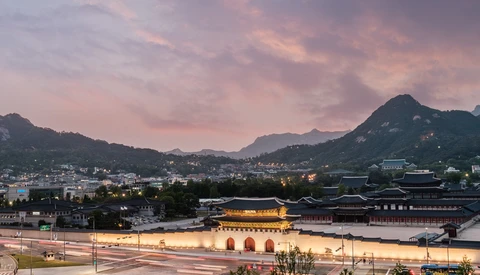
Quick and Dirty Guide to Replacing Skies in Photoshop

The weather. Of the many things I wish I could control, this is certainly one of them. Recently, my home of Seoul has had some of the clearest skies and nicest puffy clouds that I’ve seen in my 11 years of living here, but typically this is not so. On the few days of the year we get nice clouds, fisty-cuffs determine your tripod’s resting place at the popular photo spots, and the Internet is afire with the chatter of excited shutterbugs. However, there are so many days of the year where the haze is too thick or a monotone blanket of clouds covers the sky. I have come up with a quick and dirty method of dropping in skies from my library that I use when the job calls for it. I’d like to share that with you today.