

You paid for 100% of the camera, so why are you only using 20% of it? Most photographers ignore the deep menu settings, but these five hidden tools will instantly make your shooting faster, sharper, and safer.
(Note: Menu locations vary by model, so treat these as starting points, not exact paths. Consult your manual if the specific menu item isn't where described.)
Zebra Stripes: The "Cheat Code" for Perfect Exposure
The histogram is too small to read quickly, and "blinkies" (highlight alerts) only show up after you've taken the photo and checked playback. By then, the moment is gone. Zebra stripes solve this by overlaying diagonal moving lines on your screen before you shoot, showing you exactly which pixels are blown out in real-time.
Here's the problem: many cameras offer a 70 IRE zebra option aimed at skin tones in video, but if you use this setting for photography, you will underexpose everything. The fix is simple but counterintuitive.
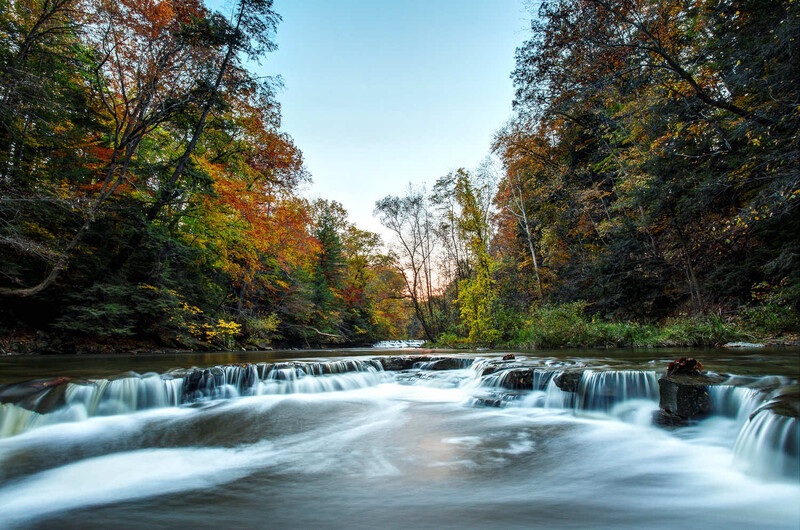
One important note: zebras are based on your camera's JPEG preview, not the raw sensor data. This means your raw file may still have a little highlight detail left even when stripes appear. You aren't technically clipping the raw data yet, but you're very close.
Quick Find
- Sony: Menu > Exposure/Color > Zebra Display > Set to 100+
- Canon: Shooting Menu > Zebra Settings > Set to 100% or High
- Nikon: Custom Settings Menu > Movie settings > Zebra pattern / Highlight threshold > Set to the maximum value (e.g., 255). Note: On some Nikon bodies, zebras are a movie-mode tool. For stills, you'll generally rely on highlight warnings on playback rather than live zebras.
The Diopter: Why Your Eyes Are Lying to You
You think your autofocus is broken because everything looks soft in the viewfinder, but when you load the photos on your computer, they look sharp. Before you send your camera in for repair or buy a new lens, check the diopter.
The diopter is the tiny, jagged dial next to your viewfinder eyecup. It adjusts the focus of the viewfinder itself to match your eyesight (prescription), and it gets bumped easily in camera bags. Fixing it takes ten seconds if you do it properly.
For DSLR users with optical viewfinders: take the lens cap off and point the camera at a blank white wall or clear blue sky. You want zero contrast in the frame. For mirrorless users with electronic viewfinders: leave the lens cap on. This gives you a pitch-black background that makes the white text overlays much easier to see without screen flare.
Half-press the shutter to wake up the data overlay (the shutter speed and aperture numbers in the viewfinder). Now spin the little diopter dial until the numbers are razor sharp. Ignore the image. Focus only on the text overlays.
Once it's set correctly, put a tiny piece of gaffer tape over it. This saves you from thinking your expensive lens is broken in the middle of a shoot. You might even find that it wasn't bumped out of alignment, but that your glasses necessitated an adjustment!
Focus Peaking: The Resurrection of Vintage Glass
Manual focusing on modern digital screens is hard because they lack the tactile "split prism" focus screens of old film cameras. You're guessing based on what looks sharp on a tiny LCD or EVF, and half the time, you're wrong.
Focus peaking uses contrast detection to paint a bright colored outline (red, yellow, or blue) on areas of maximum contrast, which generally correspond to what's in focus. It can make manual focus faster than autofocus for macro work, and it allows you to use cheap, distinctive vintage lenses like the Helios 44-2 with excellent accuracy on a modern body.
Here's the gotcha: don't set the sensitivity to "High." It's too generous and will tell you things are in focus when they are actually slightly soft. Set sensitivity to "Low" or "Standard" for critical sharpness. High is useful for run-and-gun video work, but still photography demands precision.
For absolute critical sharpness, combine peaking with focus magnification (punch-in). While peaking is great for speed, magnifying the image to 100% in the viewfinder is the only way to guarantee perfect focus. Peaking can sometimes highlight high-contrast edges (like tree branches against sky) that are actually slightly out of focus.
Quick Find
- Sony: Focus Assist > Peaking Display
- Fujifilm: AF/MF Setting > MF Assist > Focus Peak Highlight > Red (Low or Standard)
- Canon: AF Tab > MF Peaking Settings
Copyright Information: The "Set and Forget" Theft Deterrent
If someone steals your image from the web, proving it's yours can be a legal nightmare if you didn't watermark it. Even if you did watermark it, a simple crop can remove it. This is where embedded metadata becomes essential.
Most midrange and professional cameras allow you to embed your name and copyright details into the metadata (EXIF/IPTC) that's written with every file, including raw. It happens automatically for every single frame you shoot. If a blog or news site crops out your visual watermark, the metadata often remains inside the file (though some platforms strip aggressively).
Google Images reads this data. If you set this up properly and your image is hosted on a site that preserves metadata, Google can display "Image Credits" or "Copyright notice" with your name right in the search results. This won't stop determined thieves, but it makes casual misuse much easier to prosecute.

Go to your Setup Menu (the wrench icon) and find Copyright Information. Fill in "Author" (your name) and "Copyright Details" (typically "All Rights Reserved" or your specific license). Do this once, and it stays forever. Every camera you buy from now on should have this filled out before you take your first real shot.
Custom Modes (C1, C2, C3): The "Panic Switch" for Pros
You're shooting a landscape on a tripod: ISO 100, f/11, 2-second timer. Suddenly, a bald eagle flies past. By the time you change your ISO, shutter speed, drive mode, and autofocus settings, the bird is gone. This is the problem Custom Modes solve.
Custom Modes (marked as C1/C2/C3 or U1/U2/U3 on your mode dial, depending on brand) let you save a "snapshot" of your camera's entire brain. Most shooting and exposure settings, including white balance, autofocus mode, drive mode, and metering pattern, are stored. When you need it, you just turn the dial.
Here's a common setup. C1 should be your "Action" mode: Auto-ISO with minimum shutter speed of 1/1,000 s, wide open aperture, Continuous AF with tracking enabled, and burst mode set to high. C2 should be your "Portrait" mode: Aperture Priority at f/2.8, ISO 100, Single Shot AF, and Eye-Tracking turned on. C3 should be your "Reset" mode, your standard "walking around" settings. If you mess up your settings deep in a menu and get confused, switching to C3 wipes the slate clean instantly.
One critical warning: check your specific brand's manual for "Auto Update Settings" or similar options. On Canon bodies, look for an "Auto update settings" option for custom modes. If that is enabled, any changes you make while shooting in C1, C2, or C3 will overwrite the preset. If you want your C-mode to stay a fixed, reliable preset, disable auto-update. Other brands handle this differently (Sony typically requires manual registration of changes, while Fujifilm behavior varies by body generation), but it's worth understanding how your camera treats custom mode updates.
The Bottom Line
These five features are already built into your camera. You already paid for them. Your camera is smarter than you think it is. Start using it like the tool it was designed to be.



Join the Fstoppers community for free
-
Post comments and join in the discussions
-
Browse the site ad-free
-
Share your work and get featured in the community
-
Compete in the photo contests for fun and prizes
7 Comments
Thanks for the last tip. In the 20+ years of photography I have never tried it, I will now. 😅
Nothing new here.
Many of these articles are for new(er) photographers.
As a maternity and newborn photographer, reading this article really struck a chord. I find that the advice to explore underused camera features resonates deeply with what I often tell myself — even after years of shooting, sometimes the simplest tools remain overlooked.
When I work with newborns, I’m not just clicking a shutter; I’m capturing tiny, fleeting details — a curled finger, the softness of skin, the serene breathing of a newborn wrapped in light. In those moments, I need more than a standard setup: I need precision, intention, and control. That’s why features like the diopter adjustment — often ignored — matter: having a properly calibrated viewfinder ensures I’m seeing exactly what the camera captures, especially when working quietly in soft light, with no distractions.
Similarly, manual-focus tools like focus peaking can be invaluable when using vintage lenses — I often use older lenses on purpose, for their softness and character. With focus peaking, I’m able to nail critical sharpness on tiny newborn details: eyelashes, lips, the subtle textures of skin.
The article is a reminder: as photographers, we shouldn’t let our gear sit idly at default settings. Our cameras are built to do much more — and when we use those features, we reclaim control over our vision. For me, that means images with more intention, more emotion, and more honesty.
I was a working pro for many years, but I am now 83, and age is a factor. My eyesight is failing. I was right-eye dominant, but retinal deterioration forced me to switch to my left eye. My memory is going, so I rely heavily on the customizable modes. I use Sony A6400s that have nightmare menus (but I am not changing systems). I have two main custom settings that I use 90% of the time. One is manual; the other is GP (General Purpose), based on Aperture Priority, and allows me to switch the camera on and be ready to shoot in about 2 seconds. I guess it's not a lot more sophisticated than putting the thing in full Auto, but I can also change any setting, and it will stay where I put it. To reset, I just go out of the preset and right back in, and everything reverts. I still shoot events for nonprofits, almost always with ambient light, with an occasional flash in TTL mode. I can keep up with the action by just varying my aperture to control DOF and letting my ISO float up to 6400 (or higher if needed). I shoot everything in RAW and process it in Lightroom Classic plus Photoshop 2026. The main thing is, I can only do this with automation. Autofocus is magic (I am always set with eye autofocus since I am shooting people). "Floating" ISO is magic. Presetting white balance is magic.
I'm so glad all those systems are working so well for you! I love the joy in your photos!
Thank you for looking, Alex. If I am any good, it is thanks to 16 years of weddings. I only began to enjoy myself at the reception, shooting candidly with a Hasselblad and flashing everything. I'd hold my shutter down to 1/30 so to capture the warm ambient light in the backgrounds. I would love to have had the modern digital that, IMHO, blows the doors off film. I even shot a wedding this year with the same kit, all ambient light, same processing &c. I jumped at the opportunity to find out whether I could still do it. Seems I could. The shot is me Ca.1980 with the Hasselblad shooting the cake cutting. The rest are from my wedding this year