
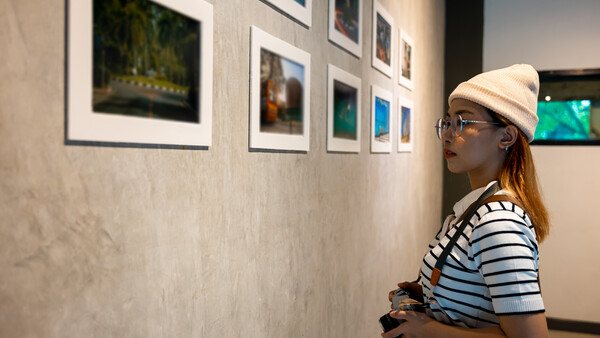
Shiny specs like megapixels and frames per second grab the headlines, but they don’t always make a camera worth carrying every day. The real difference between a tool you love and one that gathers dust often comes down to overlooked features hiding beneath the marketing gloss.
Camera purchasing decisions are dominated by easily quantifiable specifications like megapixels, autofocus points, and frames per second, while the features that actually determine whether you'll enjoy using the camera daily get almost no consideration during the buying process. This spec-focused approach leads to countless photographers owning technically impressive cameras that sit unused because they're frustrating or uncomfortable to operate, while cheaper alternatives with better attention to user experience would have served them far better. The most important camera features are often impossible to evaluate from specification sheets or online reviews, requiring hands-on experience to understand how they affect real-world shooting over weeks and months of daily use. Marketing departments know that megapixel counts and autofocus statistics sell cameras effectively, so they emphasize these easily comparable numbers while downplaying or ignoring the ergonomic and interface decisions that separate cameras you love from cameras you tolerate.
Professional photographers who shoot daily understand that camera comfort, operational efficiency, and interface logic matter far more than marginal improvements in technical specifications that rarely affect final image quality in practical shooting situations. These experienced users often choose cameras based on how they feel and operate rather than which model has the highest numbers in comparison charts, recognizing that shooting enjoyment and creative flow depend more on user experience than on technical capabilities that exceed what most photography actually requires. Understanding which features genuinely improve your photography experience versus which just look impressive in marketing materials helps you make smarter purchasing decisions that result in cameras you'll actually want to use rather than equipment that disappoints despite impressive specifications.
1. Ergonomics and Grip Design: How the Camera Feels Matters More Than Any Spec
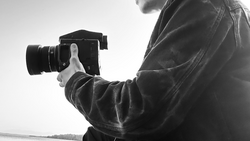
The physical design of how a camera fits in your hand and balances with your typical lenses affects literally every photograph you take, yet this crucial factor receives almost no consideration in most buying decisions because it can't be evaluated from online specifications or reviews. Poor ergonomics create fatigue during long shooting sessions, contribute to camera shake that reduces sharpness, slow down your ability to access controls without looking, and generally make photography feel like fighting with your equipment rather than creating images. A camera with a shallow grip forces you to hold tighter to maintain security, causing hand fatigue and increasing the likelihood of camera shake, while poor button placement means you'll constantly be fumbling for controls instead of keeping your attention on your subject and composition. The weight distribution between camera body and lens also dramatically affects handling comfort, with some camera designs becoming front-heavy with larger lenses while others maintain better balance across a range of focal lengths.
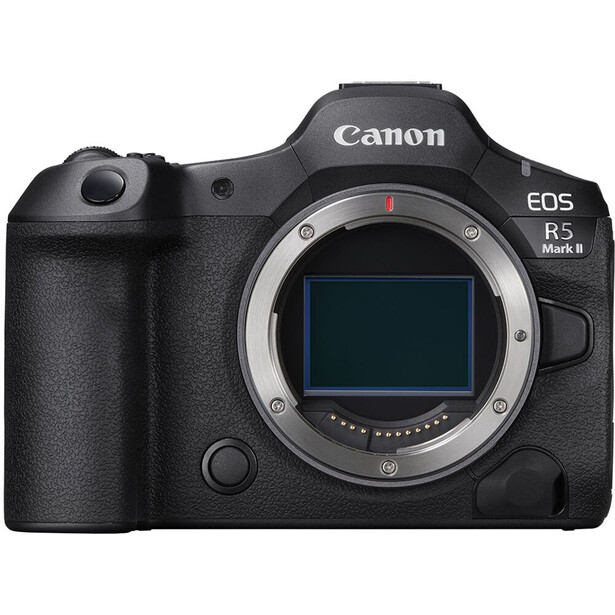
The only way to properly evaluate ergonomics is by holding different cameras with lenses similar to what you plan to use, checking whether you can access critical controls without looking, and assessing whether the grip depth and shape work for your hand size. Pay attention to whether your fingers naturally fall on important buttons, whether the grip provides secure hold without excessive gripping force, and whether the camera balances well with both lightweight primes and heavier zoom lenses you might use. Consider how the camera feels after holding it for ten or fifteen minutes, as initial impressions can be misleading when ergonomic problems only become apparent during extended shooting sessions. A camera that feels slightly awkward in a quick evaluation will feel significantly worse after a day of shooting, while one that immediately feels comfortable will likely serve you well for years of daily use.
2. Menu System Organization and Quick Menu Customization
You'll navigate your camera's menu system thousands of times over its lifespan, making menu design and organization one of the most important factors in daily shooting efficiency and frustration levels, yet menu quality receives minimal attention in reviews and almost no consideration in most purchasing decisions. Bad menu systems waste time hunting for settings, kill creative momentum when you need to adjust camera configuration between shooting scenarios, and create ongoing frustration that accumulates over months and years of use until you actively resent your camera despite its technical capabilities. Some manufacturers treat menu design as an afterthought, creating illogical organizations where related settings are scattered across multiple sections, important functions are buried three or four levels deep, and navigation requires excessive button presses to accomplish simple tasks. The difference between well-designed and poorly designed menu systems can mean the difference between making a critical setting change in five seconds versus thirty seconds, time that often determines whether you capture important moments or miss them while fumbling through menus.
Quick menu customization capabilities provide even more dramatic improvements to shooting efficiency by allowing instant access to eight to twelve frequently adjusted settings without entering the main menu system at all. A properly configured quick menu eliminates most menu diving entirely, providing one-press access to ISO, white balance, image quality, autofocus modes, and other settings that vary between shooting situations. Cameras that allow extensive quick menu customization enable photographers to create personalized interfaces that match their specific workflow and shooting style, while cameras with limited customization force photographers to adapt to the manufacturer's assumptions about which settings matter most. The ability to customize what appears in your quick menu transforms camera operation from fighting with preset assumptions to having exactly the controls you need instantly accessible, dramatically improving shooting efficiency and reducing the mental burden of remembering where various settings are buried in the full menu system.
Sony's menu systems were notorious for being confusing and illogical until their recent redesign improved organization significantly, demonstrating how much menu quality affects user satisfaction independently of camera technical performance. Fujifilm cameras receive consistent praise for intuitive menu organization and excellent quick menu customization that makes camera configuration fast and logical. When evaluating cameras, spend time navigating through menus to see how many button presses are required to access settings you adjust frequently, check whether related settings are grouped logically, and verify that the quick menu can be customized to include the functions you actually use. A camera with a confusing menu system will frustrate you daily regardless of its image quality, while one with excellent interface design makes photography more enjoyable even if its specifications are slightly less impressive than alternatives.
3. Weather-Sealing Quality: Not All Protection Is Created Equal
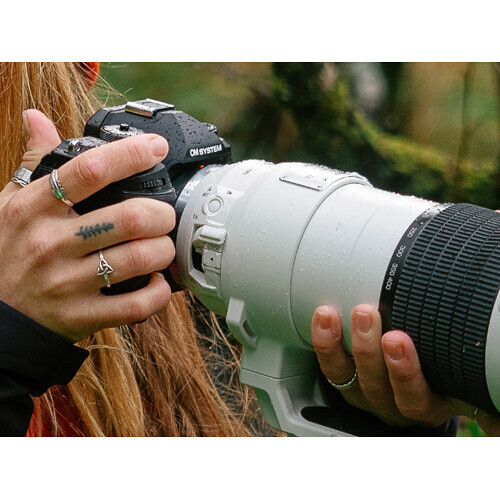
Weather-sealing exists on a broad spectrum from minimal splash resistance to comprehensive protection against heavy rain and dusty environments, yet camera specifications typically list weather-sealing as a simple yes-or-no feature without any indication of the actual protection level provided. This binary classification is misleading because the practical difference between basic weather resistance and professional-grade sealing is enormous, affecting whether you can confidently shoot in challenging conditions or must constantly worry about equipment damage from environmental exposure. Some cameras marketed as weather-sealed provide only minimal protection against light moisture, with sealing limited to a few critical areas and no protection for buttons, dials, or connection ports. Professional-grade weather-sealing includes comprehensive gaskets throughout the body, sealed buttons and controls, protected connection ports, and designs that prevent moisture intrusion even during extended exposure to rain or dusty conditions.
The quality of weather-sealing becomes critically important for photographers who work in unpredictable outdoor conditions, shoot events that continue regardless of weather, or travel to environments where dust and moisture are unavoidable factors. Wedding photographers need cameras that can handle light rain during outdoor ceremonies, wildlife photographers require protection from morning dew and dusty safari conditions, and landscape photographers benefit from weather-sealing that allows shooting in fog, mist, and precipitation without risking equipment damage. Cameras with inadequate weather-sealing force photographers to choose between capturing important images and protecting expensive equipment, while comprehensive weather-sealing eliminates this conflict by providing confidence that your camera can handle whatever conditions the shoot demands. The cost of inadequate weather-sealing isn't just potential equipment damage; it’s the psychological burden of constantly worrying about whether conditions might damage your camera and the missed photographic opportunities that result from that concern.
4. Customization Depth: Making the Camera Work Your Way
The ability to extensively customize your camera's controls, menus, and behavior determines whether you're working with equipment that adapts to your shooting style or fighting against a manufacturer's assumptions about how photographers should operate their cameras. Deep customization capabilities allow you to program multiple buttons for frequently used functions, create custom shooting modes that save complete camera configurations for different scenarios, and modify default behaviors to match your preferences rather than the manufacturer's design decisions. Some cameras provide extensive customization that lets you configure nearly every button, dial, and control to your specific needs, while others lock you into preset control schemes with minimal flexibility beyond basic function button assignments. This customization depth becomes increasingly important as your photography skills develop and your shooting requirements become more sophisticated, making the difference between a camera that grows with you and one that you outgrow when its limited customization prevents implementing workflows you need.
Custom shooting modes represent one of the most powerful but underutilized customization features, allowing you to save complete camera configurations, including exposure settings, autofocus modes, image quality, and custom functions, that can be recalled instantly via a mode dial position. A properly configured custom mode eliminates the need to adjust dozens of settings when switching between portrait work and landscape photography, or between sports shooting and video recording, transforming what would require minutes of menu navigation into a single dial turn. Photographers who take advantage of custom modes often wonder how they ever worked without them, while those who don't use this feature regularly waste time reconfiguring their cameras for different shooting scenarios. The number and comprehensiveness of custom modes vary dramatically between cameras, with some models allowing only basic setting storage while others preserve every camera configuration detail including custom function assignments and menu preferences.
Fujifilm cameras receive consistent praise for customization depth that allows photographers to create highly personalized shooting experiences, with extensive button programming options, detailed custom modes, and interface modifications that make cameras feel tailored to individual working styles. Canon's customization options have improved dramatically in recent mirrorless designs. For example, I keep Eye AF tied to the AE lock button. I never you AE lock, so this allows me to quickly shift to a portrait focus while shooting events. Sony cameras offer extensive customization capabilities but with interface complexity that can make configuration overwhelming for photographers new to their systems. When evaluating customization depth, consider not just whether a camera allows custom function buttons but whether it provides enough programmable controls for your workflow, whether custom modes save the specific settings you adjust frequently, and whether the camera allows modifying behaviors that you find annoying or counterproductive in default configuration. A camera with deep customization capabilities will continue serving your needs as your skills develop, while one with limited flexibility may force you to work around its limitations rather than configuring it to match your evolving shooting style.
5. Rear LCD Articulation Type: Fully Articulating vs Tilt-Only Designs
The type of rear LCD articulation dramatically affects your ability to compose images from unusual angles, shoot video while monitoring your frame, and protect your screen during transport, yet many photographers don't understand the practical differences between fully articulating screens and tilt-only designs until after purchasing. Tilt-only screens move up and down but not sideways, providing some flexibility for high and low angle shots while maintaining a more compact camera profile and simpler mechanical design. Fully articulating screens can flip out to the side and rotate completely, enabling composition from virtually any angle including difficult positions like shooting straight down, and can be rotated to face forward for selfies and video self-monitoring. These design differences affect more than just shooting angles: fully articulating screens can be closed facing inward to protect the LCD during transport, while tilt screens remain permanently exposed to potential damage.
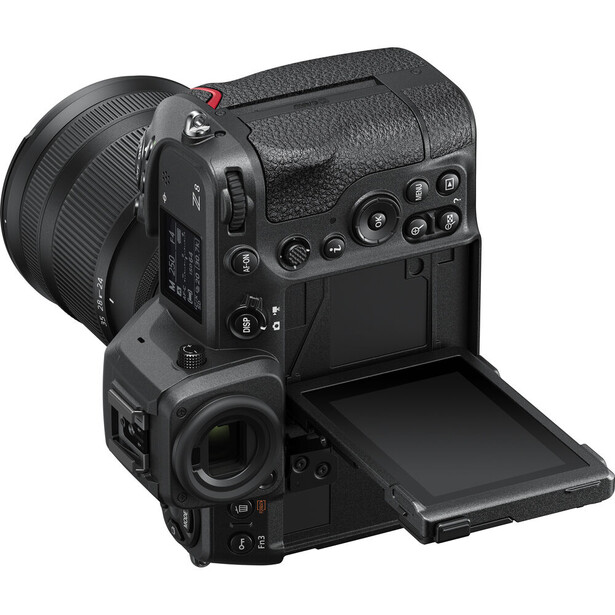
When considering articulation type, honestly assess your actual shooting needs rather than assuming maximum flexibility is always better, as a simpler tilt screen may be more reliable and maintain a more compact camera profile if you rarely need the additional positioning options that full articulation provides. However, if you shoot video content, need to compose from extremely unusual angles, or want the ability to protect your LCD by closing it against the camera body, fully articulating designs provide capabilities that tilt-only screens simply cannot match regardless of their other advantages.
Making Informed Purchasing Decisions
A camera with mediocre ergonomics, confusing menus, poor weather-sealing, limited customization, and inadequate screen articulation will frustrate you daily regardless of how many megapixels it offers or how many autofocus points it provides. Conversely, a camera with excellent attention to user experience can provide years of satisfying photography even if its technical specifications are less impressive than alternatives, because the features that determine whether you enjoy using your camera matter more than marginal differences in image quality that are rarely visible in real-world photography. The most expensive mistake in camera purchasing is buying based on specifications that look impressive in comparison charts while ignoring the features that determine whether you'll actually want to use the camera you purchase.



Join the Fstoppers community for free
-
Post comments and join in the discussions
-
Browse the site ad-free
-
Share your work and get featured in the community
-
Compete in the photo contests for fun and prizes
4 Comments
All are great points; very important features that do not get prioritized enough in reviews and media releases.
Even for me, an absolute amateur and "owner of a camera", not photographer, points 1, 3 and 5 are an absolute must.
1st on this list super critical for the any photographer especially a new shooter at the craft level (this group will send hours with their "instrument" in hand.) At the Art level, hours will be spent with in hand. Shooting or hunting for that one special frame!
"CraftLeveL"
"Art Level"
Interesting. I have never heard or seen those terms before.
Where did you see these terms being used to describe various stages of a photographer's development? Did you create them yourself, or did you see them in use on some website or something?
Are there other levels within this naming convention?