Photography Software

The photography software landscape has never been more crowded — or more capable. This section helps you navigate it: reviews of editing applications, DAM tools, tethering software, AI-powered tools, and the utilities that photographers rely on daily. Whether you're looking for a Lightroom alternative or trying to understand what's new in Photoshop, this is where to start.

Plan Your Next Landscape Trip in Minutes, Not Days

Autumn brings shorter crowds, softer light, and sunrise times you can actually reach without setting three alarms. The hard part is knowing where to point the camera in the first place, especially when time is short.
 

Photoshop's New Edge Tool Costs 20 Credits Every Time You Click It

Photoshop's beta build now includes a Refine Edge feature that cleans up the messy fringing left behind when you cut a subject out of one background and drop them onto another. Every click costs 20 generative credits, so the value depends on whether the result beats what you can do by hand.


The Automatic Halo Fix in Photoshop, Tested on Real Hair

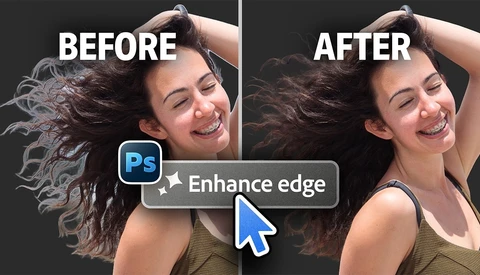
Photoshop's beta 27.11 introduces Enhance Edge, an AI feature that promises to erase the halos that show up when you drop a masked subject onto a contrasting background. Hair cutouts have frustrated retouchers for decades, and any tool that claims to solve them deserves a hard look before you trust it on real work.


20 Photoshop and Camera Raw Updates You Probably Missed

Photoshop's autofocus point checker inside Camera Raw 18.6 shows you exactly which points your camera locked onto, so you can catch a blurred watch face or a hand in focus before you commit to the wrong shot. That single feature answers a question you've probably asked yourself a hundred times while culling: did the camera focus where I thought it did?
 

Every Great Photograph Starts With a Crazy Idea

In 2014, I was at Photokina in Cologne, Germany, which at the time was still one of those wonderfully overwhelming events where it seemed like the entire photography industry had temporarily relocated into a handful of enormous convention halls.
A New Font Reads Normally to You but Feeds AI Scrapers Nonsense

A new open-source typeface called ShieldFont looks like ordinary text when you read it, but hands AI scrapers a corrupted version of the same page. It swaps out select words in a site's source code so bots collect subtly wrong sentences while you see the real thing.


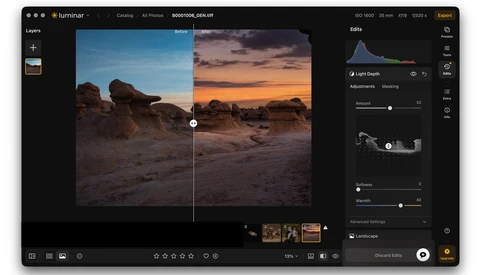
Luminar Updates Neo and Makes Way for Big Changes Ahead

Luminar Neo users will see an update to their app today. It’s version 1.28.0. Skylum is also moving toward a new name for the app, which is actually the original name. Neo will be dropped, leaving just Luminar.


Skylum Adds Lightroom Library Import to Luminar Neo With a Caveat

There's a lot of competition out there for photographers' attention with recent updates of editing software. The big target for competitors is Adobe's ecosystem of programs, and many of my pro photographer friends are pretty locked in on Adobe Lightroom.


Aftershoot Just Became an Entire AI Photography Workflow

AI software for photographers is getting so good that it is both incredible and a little horrifying. Every few months, a new app claims it can save us time, but most of them still only handle one piece of the job. Aftershoot’s newest update feels different. 

Is Retouching As We Know It Over? Putting Retouch4Me to the Test

Is the old way of retouching dead? With various AI plugins, the world of classical retouching is definitely changing. Recently, I tried out Retouch4Me and some of their plugins, and these are my thoughts as a working pro on whether it is something that would fit into my workflow or not, as well as where it excels and where I find it to struggle more.

Stop Squinting: How to Fix macOS’s Tiny Upload Window Icons

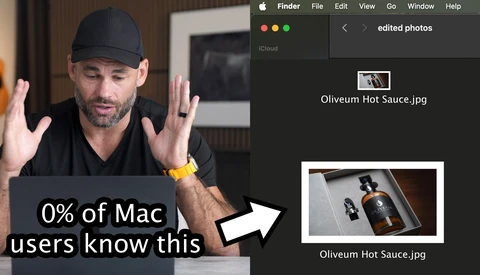
If you use a Mac, you’ve probably hit this infuriating UI quirk: when you click "Upload," the macOS file picker displays microscopic thumbnails. Unlike a normal Finder window, there’s no slider to scale them up. Fortunately, there’s a permanent, 30-second fix. We just have to bypass the UI and tell macOS exactly what we want using Terminal. 

Finding the Best Workflow for Real Estate Photo Editing

Artificial intelligence has quickly become part of the workflow for many photographers. From culling thousands of images to automating complex edits, there's now a tool for almost every part of the process. But not all AI is built for the same job. 

The Real Reason Photographers Are Leaving Adobe

For most of the past decade, Adobe was not a choice. It was the default. Lightroom and Photoshop were where photographers learned to edit, where the workflows lived, where the presets came from, and where the entire industry quietly agreed to standardize. The price hikes were annoying. The subscription model was annoying.

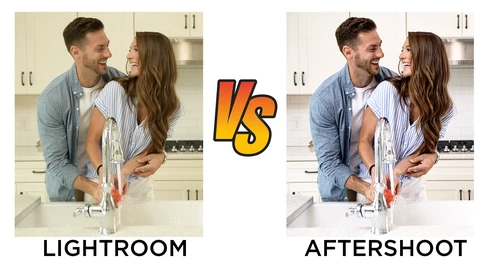
The Same Photo, Five Different Editors: Which One Actually Wins?

Choosing photo editing software is harder than it used to be. With Lightroom Classic no longer the only serious option, five credible alternatives now compete for your workflow, each with real tradeoffs in power, speed, and learning curve. 

Introducing Fotello: The AI-Driven Platform for Real Estate Photographers

Artificial intelligence is transforming creative workflows across countless industries, including photography. From automated writing assistants to advanced image generators, there's now an AI tool for almost every task imaginable. While many AI platforms offer broad capabilities, relatively few are tailored to the specific demands of real estate photography.

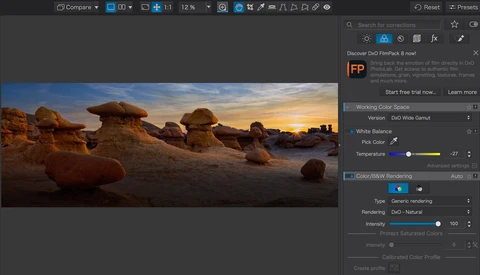
DxO PhotoLab 9 Might Be the Reason to Finally Quit Adobe

If you've been paying for a Lightroom Classic subscription while quietly wondering whether it's still worth it, DxO PhotoLab 9 is a direct answer to that question. After roughly 15 years of Lightroom as his primary editing tool, Matt Day spent two months with PhotoLab 9 before canceling his Adobe subscription entirely. 

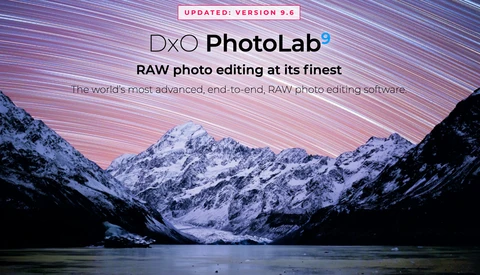
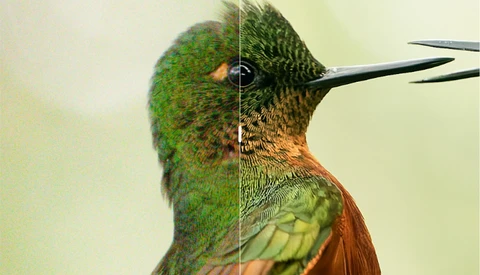
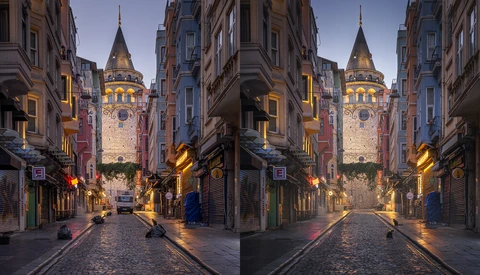
DXO Adds PureRAW 6 Features to PhotoLab 9

DXO had a big announcement a few weeks ago with powerful new features in their raw image processor PureRAW 6. Now those features have been folded into their powerful image editor, PhotoLab, which gets a version bump to 9.6. 

DXO Gives Photographers a Major Update with PureRAW 6

DxO PureRAW has been a go-to item in the workflow of photographers for years. PureRAW launched back in 2021, designed as a tool to preprocess Raw files before they go into an editor. The software de-noises your image, then corrects for defects in your optical path or the sensor.

Skylum Pushes Out an Update for Luminar Neo

Skylum has released an update for its popular Luminar Neo editor that is incremental but will please owners. It follows a major fall update that brought many new features to the editor.  

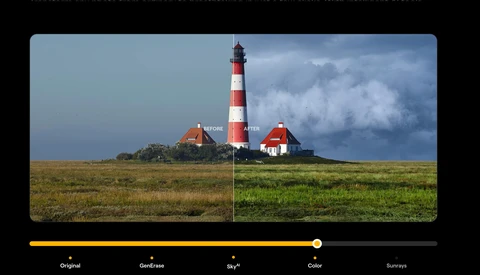
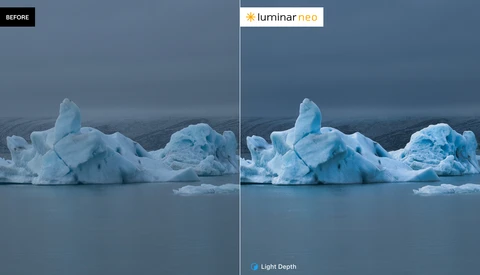
The Power of Luminar Neo's Newest AI Tools Put to the Test

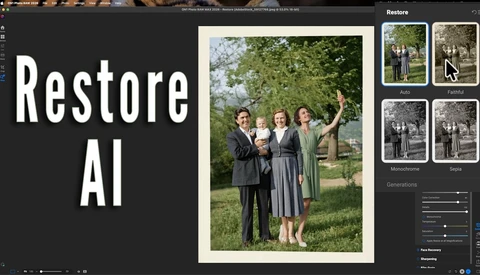
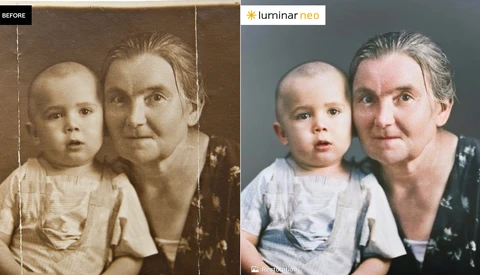
Every photographer has a collection of images that almost worked. The composition was there, the moment was right, but something about the light fell flat, or the exposure didn't quite capture what your eyes saw in person. We also tend to accumulate old family photographs in shoeboxes and drawers, images yellowed by time and marked by creases from decades of handling.

Can a Pocket-Sized Telescope Be a Real Astrophotography Tool?

When I first heard about the Dwarf Mini Smart Telescope, I have to admit I was skeptical. A smart telescope you can carry in a pocket (albeit a large pocket like a photographer's vest), plop down, and produce decent astrophotos seemed like a stretch. Smart telescopes have certainly evolved over the last few years, and I've reviewed a few of them. 

This Image Enhancer Beats the Competition

Among the many AI-powered image enhancement tools, the one we show in this article is the first to come close to a one-click solution for print preparation, with nearly no additional cleanup required. 

Who Makes the Best Noise Reduction Software?

High-ISO files can look fine at thumbnail size, then fall apart the moment you zoom in and see the grit crawling through feathers, skin, or shadows. If you rely on noise reduction, the real question is what each tool does to detail when the file is already stressed at ISO 12,800. 

Did Evoto Betray Photographers With Their New Software?

Thirty years ago, photo editing meant painting and airbrushing prints by hand. Then Photoshop arrived and wiped out most of those jobs.  Over the last few years, AI software like Evoto did the same thing to advanced Photoshop skills. Slide a few controls and get results that once took years to learn. Photographers loved it...Until now.

Apple Creator Studio Brings Video, Music, and Image Tools Under One Subscription

Apple has announced Apple Creator Studio, a new subscription bundle that combines several of the company’s professional creative applications into a single plan. The subscription is designed to cover video editing, music production, image editing, motion graphics, and general visual productivity across macOS, iPadOS, and iOS. 

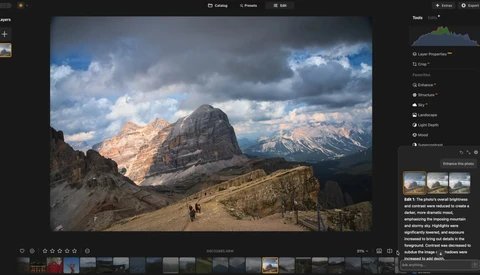
Luminar Neo Adds a Slick AI Assistant

Current owners of Luminar Neo are getting a holiday update with some new and unique features. Besides the usual bug fixes and some speed increases, Neo has added what they call an AI Assistant. 

How to Break Up With Adobe in 2026: The Subscription-Free Creative Suite

The subscription fatigue is real. Every month, the same charges appear on your credit card statement, a persistent reminder that you're renting the tools of your trade rather than owning them. For many photographers and video creators, this model feels fundamentally wrong. The camera in your bag belongs to you. Your lenses belong to you. Why shouldn't your software? 

Testing Fotello: AI Software That Edits Real Estate Photos

Long before I ever started Fstoppers, I was a professional real estate photographer. It was a great job, but the editing was mind-numbing. Fotello can now edit the photos for me... and the results are incredible. 

Stop Checking Forecasts: This AI Predicts Your Perfect Seascape

Every seascape photographer knows the frustration: a stunning location, epic waves, and a sky on fire—but the tide is all wrong. Forget endlessly checking charts. What if you simply received an alert at the exact moment when light, water, and tide align for your masterpiece?

Batch Edit Your Session Quickly With Aftershoot Instant AI Profiles

Applying your custom editing style to all of your raw files so every scene looks consistent can be exhausting. Lightroom presets can help, but with changing lighting conditions and variable exposure settings, you often still have to make tons of micro adjustments image by image.