Most Bookmarked Articles

Below are the most bookmarked articles by our members.

Log in or register to add your own bookmarks.

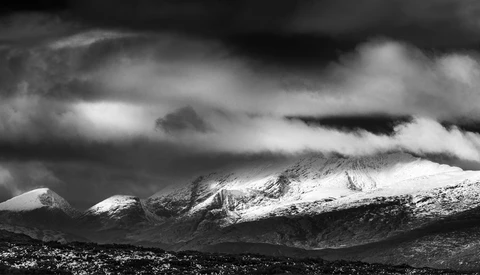
How to Dramatically Improve Your Boring Landscape Photograph in Lightroom

If you've often been shooting in what seems like dramatic light only to get back to your computer and realize that the images are kind of so so, then you're not alone. However, in certain situations, what seems like a dull and unimpressive image might just need a little tweaking to take it to another level.


Create Striking Rays of Light Easily in Photoshop

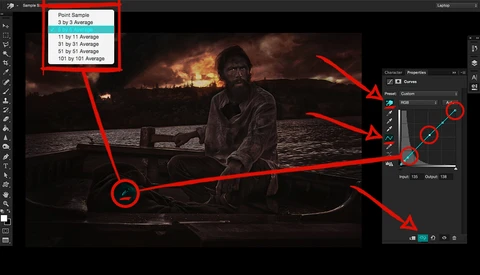
Rays of light pouring through trees or a window can enhance the moodiness of an image, but if there aren't enough particles in the air to reflect and diffuse the light, you may not be able to achieve the look you want in camera. With a little help from PiXimperfect's Unmesh Dinda, it's easy to achieve that effect in Photoshop.  

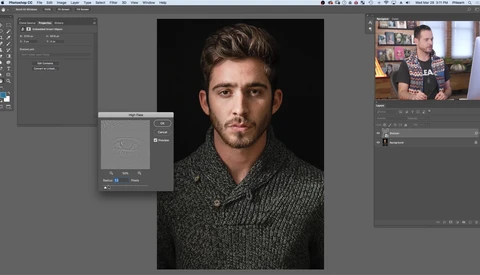
The Hidden Sharpening Slider in Photoshop Is Revealed

Sharpening an image using a high-pass filter can really make it pop, however sharpening the entire frame doesn't always provide the best result, and adding tons of layers can become cumbersome. Fortunately, PiXimperfect's Unmesh Dinda has come up with a great new way to sharpen selected areas without adding a lot of unnecessary layers. 

Why I Mainly Photograph in Portrait Orientation for Actors' Headshots

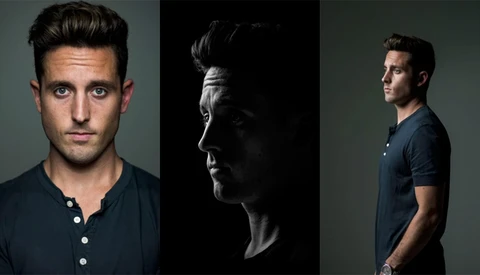
Many people have asked me over time why most of my headshots are taken in portrait orientation and so tight? I used to joke around, saying I shot that way because I am a Virgo and my style of shooting is very much “in the box”. I then realized I could simply sum up three main reasons for why I shoot in portrait. 

Here are the three reasons:

Make Your Cutouts Pixel Perfect With Ease

There are many ways easily to cut out an object from an image using Photoshop, but inevitably, the very edge of your object is imperfect. In this video, Colin Smith at PhotoshopCafe shows us how clean up those edges not just quickly, but perfectly.  

How To Build A Business Plan As A Photographer - Part Three

In our first two segments of building a business plan, we’ve talked about defining your product and forming a long term vision. In this final section we will talk about some of the practical steps you need to take to take those hypothetical concepts and put them into action. 

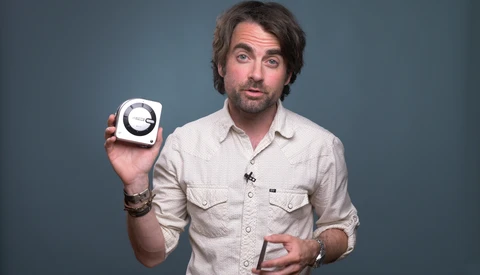
Learning Lighting From a Master

Photographer Michael Muller has been shooting the biggest names — often for the biggest movies — for more than 30 years. In this video, self-confessed lighting newbie Sawyer Hartman heads to Muller's studio to learn a few tricks of the trade. 

The Truth About F-Stops and Aperture

Most photographers learn the basics of aperture in regards to depth of field and light-gathering ability, but some of what you learned is probably wrong, particularly when it comes to f-stops. If you're ready to get geeky, check out this great video that explains the truth behind it all. 

Everything You Need To Know About Smart Objects in Photoshop

The Smart Object has to be one of the more powerful tools in the Photoshop arsenal. If it still confuses you a little — and I know it does — check out this in-depth video on the myriad ways in which it can be utilized.  

Using a Wacom Tablet for Editing

When someone asks me what my favorite photography-related purchase has been, my Wacom tablet is always one of my first responses. Here is how purchasing one could help you and how to get the most out of it if you do. 

Two Lesser Known but Powerful Selection Techniques in Photoshop

Making selections in Photoshop can be an incredibly tedious and time-consuming task, so it helps to know every possible method for a variety of situations. This helpful video will show you two lesser known but quite powerful procedures. 

How to Shoot and Edit Interior Photos

Taking professional-level interior photos is a surprisingly difficult skill to master. Here are five tips for improving your interior photography. 

Five Ways to Check If Your Photography Skills Are Progressing

It can be hard to measure long-term progress in photography, as we grow in slow, small steps. But it's important to know how far you've come and where you still need work, and this helpful video will give you five ways to check just how much progress you've made. 

How to Build a Real Community of Instagram Followers

With social media being such a critical part of a photographer's online presence, developing simple strategies for Instagram is a key part of presenting your work to the world. These simple tips will help you to grow your following and make the process enjoyable as well. 

How to Paint Light Using Radial Filters in Lightroom

Sometimes you might not have time to take every photo you’re editing into Photoshop but you still need to make significant changes to make an image look great. This tip can make your photos stand out without spending a lot of extra time in your editing suite.  

What Do You Say When a Client Laughs at Your Price Quote?

If a client has ever laughed at your quote, you know it’s hurtful and embarrassing. But there are ways to respond so that you can keep the client and get a price that’s good for you.  First, I want to say this isn’t an article about how much you should charge for your work. That’s up to you, and there are hundreds of variables to consider.

The Ultimate Guide on How to Use Photoshop Layer Masks

Diving deep into Photoshop can seem daunting, but to suit both beginners and more experienced Photoshop users alike, Colin Smith from Photoshop Cafe has created a video covering useful tips and tricks on using layer masks to strengthen your Photoshop knowledge. 

How to Use the HSL Panel in Lightroom

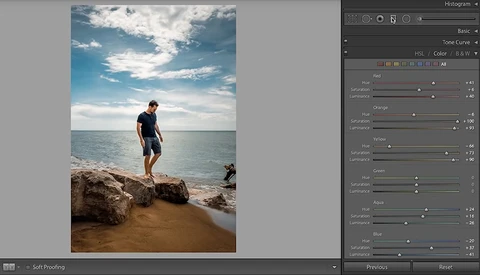
Have you continually skipped over the HSL panel in Adobe Lightroom? As your editing technique develops, the ability to control color in your image becomes increasingly important. This tutorial will teach you how to use the panel to manipulate individual colors in Lightroom.