Photography Software

The photography software landscape has never been more crowded — or more capable. This section helps you navigate it: reviews of editing applications, DAM tools, tethering software, AI-powered tools, and the utilities that photographers rely on daily. Whether you're looking for a Lightroom alternative or trying to understand what's new in Photoshop, this is where to start.

The Easiest Way to Give Your Images a Fresh New Look

One area a lot of photographers can focus their quarantined free time is updating their portfolios. Unfortunately, taking new and fresh photos is probably not part of that process, but that doesn't mean you still can't find new images to add to your website or social media stream. 

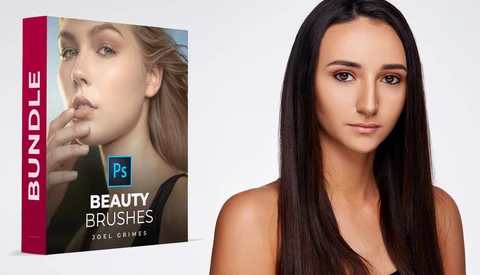
Fstoppers Reviews Joel Grimes Beauty Brushes

It's always best to get it right in camera, but sometimes, there are cases where subtle things may go unnoticed but become visible later during the retouching process. Having the right set of tools is crucial.  

Spend Less Time Culling With the Help of AI

Depending on how many photoshoots you've had, or how long the event was for, you could end up with an abundance of photos to cull through. What if you could use artificial intelligence to help you speed through culling your photos? 

A New Way to Take 3D Photos on Your Phone is Coming

Over the years, 3D has come and sort of gone, then come back again. We've seen it in the movies and in photography. After digital imaging got popular, I had a 3D Fuji camera, which was fun, but you either had to make expensive lenticular prints or watch on a 3D TV. Not a fulfilling experience.  

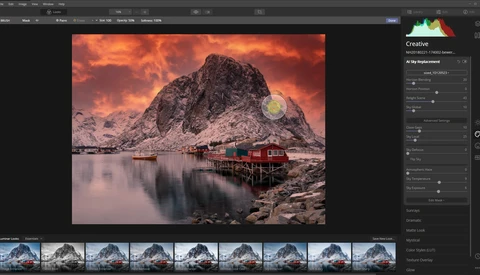
How Useful Is Sky Replacement in Luminar 4 and Should You Use It?

With the release of Luminar 4, it has become amazingly easy to replace a boring sky with something more appealing. You only need to pick the sky of your choice, and the artificial intelligence part of the program does an amazing job in masking out the sky and changing it into something else. But should you use it? 

DxO PhotoLab 3.1: A Lightroom Replacement?

Photolab 3.1 from DXO has been out a couple of months now, and early looks from photographers have been positive. It's a complete raw editor and has many features photographers will expect to see and adds some very worthwhile enhancements that will highly interest editors at every skill level. 

What Photo-Processing Software Is Right for You?

These days, there are numerous options for cataloging and editing your photos, each with its own strengths and weaknesses. This excellent video will give you an overview of the different programs to help you decide which is right for your style and workflow. 

Want to Save Money on Your Adobe Subscription? Try This Simple Trick

Earlier this year, Adobe ditched the option to buy Lightroom for a one-off fee, forcing customers to take out annual subscriptions with monthly payments, and annoying a few people along the way. However, this subscription model does present a few opportunities to save money. Check out this simple trick. 

Is This the Best Image Enhancement Software Currently Available?

The programming team behind Pixelmator Pro has just released an interesting update that introduces the ability to enhance the resolution of an image with some quite impressive results. Billed as being similar to what you often see in cheesy police dramas, the software invents detail using some sophisticated techniques. 

If Everyone Hates Adobe, Why Is It Pulling in Record Profits?

Last week, Adobe reported that the fourth quarter of 2019 was the most lucrative in the company’s history, delivering annual revenues of $11 billion. Given that it’s rare to hear a good word said about Adobe in the world of photography and videography, why is the company still so incredibly successful? 

File Formats Demystified: What to Use When Editing and Sharing

Whether you’ve shot raw or JPEG, the choice of what format to use when editing is very important. There are key differences in the capabilities inherent to PSD, PSB, DNG, TIFF, and more. Want to know which format to choose next time you open Photoshop? 

Luminar 4 for Beauty Retouching

The software that could save you time or money is here in a big way. I’ve compared the time spent retouching an image like I usually do and retouching it using Luminar’s AI, and the latter takes the cake. 

Capture One 20 Released

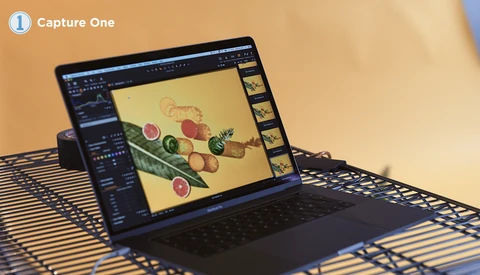
Capture One 20, the newest version of the photo editing and organization software, has released today. Adopting a new, year-based naming convention, Capture One 20 boasts a number of improved features from Capture One 12, centering around refining the user experience.

Check Out These Photography Sales From Black Friday Through Cyber Monday

A huge selection of great sales are happening over the weekend from Black Friday to Cyber Monday. Here are some that we thought could be useful for you. 

B&H

There are too many great deals on B&H this year to list them all. Check out their main Black Friday sales page to get details on all the gear you're planning on buying over the holidays. 

Is JPEG Dead?

We’ve had a great run together, and you served us well, but the time has come that we move on. You didn’t do anything wrong, even though others preached that we, photographers, should always use raw instead of you, JPEG. Those who preached only raw and nothing but raw didn’t understand how you, JPEG, were needed and helped digital photography to explode.

2019 Black Friday Deals for Photographers

We at Fstoppers do our best to keep the photography community informed of noteworthy holiday deals. Since Black Friday week is here, we wanted to let you know about some deals we've heard of from various photography and video companies.

Recovering Noisy and Blurry, Out of Focus Photos Is Possible

Topaz Labs software has more recently been talk of the town in the wildlife photography community, and for good reason. Just like the needs for wildlife gear can get extreme with the 500mm and 600mm uber-expensive lenses and hyper-fast cameras, the demands for software that can squeeze every bit of fine feather or fur detail out of images is equally desired.

What Will Adobe Release Next?

As photographers and video creators we use post-production and editing applications like Photoshop, Lightroom, and Premiere Pro. During Adobe Max this year, they gave us a sneak peak of what’s coming, and these videos will show you what to expect. 

12 Weeks of Christmas: 7 of the Best Voice Assistant Commands

Alexa, Siri, Cortana, and Assistant are here to help, and that has led to a home invasion not seen since the Body Snatchers first lifted B-rate movies in 1956. Voice control is here to stay, so how can photographers make use of it? Here are seven of the best queries. 

Adobe Releases Photoshop on iPad

For the first time, Adobe today released proper Photoshop for the iPad. This isn't Photoshop Mix or any of the other past, smaller, less useful apps that broke out limited features of Photoshop in years past. This is the real deal, complete with PSD support and the ability to handle hundreds of layers (yes, hundreds). 

Here Comes Adobe Photoshop 2020: Faster and More Efficient in More Ways Than One

One of the chief complaints of Adobe’s software across the board is performance. While many are angry about Adobe’s performance updates not living up to their standards for apps such as Photoshop and, more notoriously, Lightroom, some changes are coming. Additionally, it may also be time to shift the way we think about performance. Here's what's new in Photoshop 2020. Give it a shot. 

Adobe Unveils Photoshop Camera App

Alongside a plethora of app updates and new releases, today, Adobe previewed the Photoshop Camera app at its Adobe MAX 2019 keynote presentation. Recently popularized by the ever-increasing capabilities in today’s most popular smartphones, computational photography is all the rage today. Photoshop Camera is Adobe’s take on what Apple, Samsung, and Google think they do best. 

Adobe Just Exposed the Data of 7.5 Million Customers to Hackers

Security researchers have revealed that Adobe exposed the personal data of 7.5 million Creative Cloud subscribers to potential hackers. Fortunately, no payment details or passwords were included and the vulnerability was addressed by Adobe immediately after its discovery. 

Luminar 4 Is Coming Soon: Here Is Fstoppers' Advance Review

There has been much talk about the upcoming version of Luminar 4 from Skylum software. I've tested an early beta release and found the new features, particularly sky replacement, rather incredible. Others will be more interested in the new AI Portrait tools, to which I also gave some attention.

Recover Photos From Damaged Memory Cards for Free: Fstoppers Reviews PhotoRec

Few things are more terrifying than a corrupted or accidentally formatted memory card. When that recently happened to me, I hastily hopped on the Internet to find memory card recovery software. After several hours of searching, I came across an obscure but free tool, and a few hours later, all my images and videos were safely and securely transferred to my hard drive. 

5 Day Deal, Is This A Scam?

5 Day Deal is back again and even though Patrick and I made a video attempting to explain it, we are still getting a ton of questions and complaints from confused photographers. People keep asking us if this is a scam. Let me try to answer everyone's questions.  

Using Lightroom Classic's Secondary Display to Be More Productive

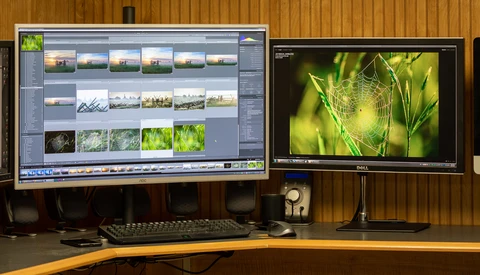
Whether I'm teaching someone Lightroom or only showing a friend my photos in Lightroom for the first time, the one thing they usually comment about right away is my use of Lightroom's Secondary Display feature. It's a great feature that really makes me more productive. 

A Review of the AI Sky Replacement in Luminar 4

Replacing the sky in a landscape or outdoor portrait can be both a difficult and very tedious process. Skylum is preparing Luminar 4 for release this fall, and the marquee feature is its automated sky replacement that can allow photographers to quickly replace a sky in a convincing fashion. Is it the groundbreaking feature it has the potential to be?

Maybe You Should Be Using Lightroom For That

Lightroom isn’t a perfect tool. However, for some users, it is a perfect fit. If you are just getting into editing tools, left Lightroom during the change to Adobe Cloud, or practice photography professionally, there’s a number of reasons Lightroom might be a perfect fit for you. 

Alien Skin Exposure Announce Major Re-branding

On August 29th, photo editing software company, Alien Skin Exposure, announced a major rebranding initiative. The company is now named Exposure Software, and, naturally, has a new logo plus a new website URL reflecting their major focus on Exposure — the company's creative photo editing product.

An Edgy, Cinematic Look With ON1 Photo RAW

Are you exploring ON1 Photo RAW, and looking to get the most out of all its presets and capabilities? Here, learn how to conjure a desaturated, post-modern look using the software.  

Fstoppers Reviews the NBP Freqsep Control 2.1 Plugin Update

As always, I get comfortable in my workflow then something new comes along that I didn't know I needed. This can of course be a good thing as long as we aren't closed minded to change. Today I'm going over an awesome new feature of the new NBP Freqsep Control update version 2.1. 

Refreshingly Simple Video Editing With ACDSee Video Studio 4

The most common complaint with nearly all video editing software available on the market is the learning curve. Most programs lack a certain degree of intuitiveness, so any attempt to tinker leads to exasperation. That was certainly my number one frustration with past attempts to teach myself to use some of the heftier video editing suites.