Photography Software

The photography software landscape has never been more crowded — or more capable. This section helps you navigate it: reviews of editing applications, DAM tools, tethering software, AI-powered tools, and the utilities that photographers rely on daily. Whether you're looking for a Lightroom alternative or trying to understand what's new in Photoshop, this is where to start.

Can AI Turn a Cheap Lens Into a More Expensive One?

Computational photography and AI is one of the most exciting new frontiers in photography, with features ranging from automatic sky replacement to entirely automated portrait processing. This great video takes a look at Topaz Sharpen AI and if it can work enough magic to make a cheap lens look like a more expensive one.  

Cullai for Mac Is a Good Idea but Has a Way To Go

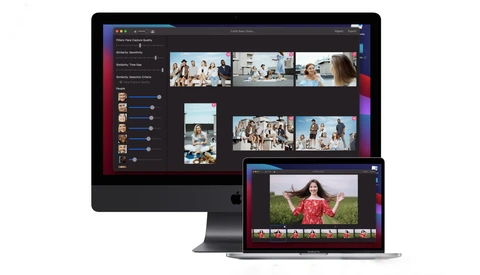
CullAI is a new Mac app recently on the scene. It's designed to let you point to a folder of images and let the software create a catalog that lets a photographer quickly decide which photos are worthy of further use. 

Memory Card Tips and Best Practices

Memory cards are one thing that all digital cameras have in common. If you think about it, nothing happens if your photos don't get onto the card, and nothing happens if you can't copy them from the card to your computer.

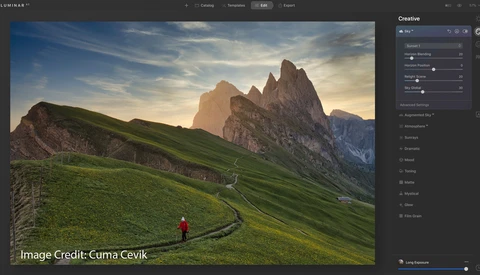
LuminarAI​ Is Out: Fstoppers Takes a Look at This New Software

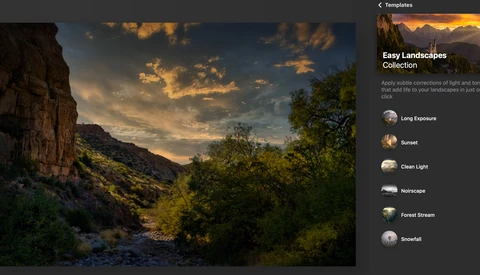
Have you noticed it's been almost impossible to miss all the discussions, arguments, praise, and ads about Skylum's new AI-based software editor, LuminarAI​? It's available for purchase now, and people will get a chance to see how it measures up to their expectations. 

Is the End Nigh? Technology Doesn't Mean the End of Photography

In his trademark understated introduction, Ted Forbes acknowledges that technology is a charged conversation for photographers. Photographers are something of a Luddite-like bunch. On the whole, we seem to have a preference for the technology we learned the craft on.

Why Isn't JPEG Dead and Is HEIF the Solution?

It feels like a bad dream, that just got worse. Just when you thought the nightmares were over, you awake in a cold sweat plagued by the same recurring terrors. Yes, the JPEG really is that bad so why do we keep clinging to it? Isn't it time we killed it off and moved on to something better?


The Tone Wheels in Photo Studio Ultimate 2021 Are Powerful Editing Tools

Color is one of the most important aspects in photography. If you've read any of my previous articles, color is the thing that I'm frequently yapping on about, because it really is crucial. It's what gives many images that emotional connection that we feel and that connection can make or break an image. 


2020 Black Friday Deals for Photographers

Black Friday sales are here and we at Fstoppers want to keep the photography community informed of noteworthy deals. Some of these savings are only available for a very limited timeframe, so if there's something that piques your interest, make sure to act on it now!


Fstoppers Takes a First Look at Luminar AI

Let’s talk about the newest software from Skylum called Luminar AI, editing software that is powered by AI technology.  In recent years, there has been a rising consumer base of casual photographers, and the demand for more user-friendly editing software has been increasing.

5 Time-Lapse Photography Tips for Beginners

If you're looking at getting into creating time-lapse videos, you can try to learn it by trial and error, but that can take a lot of time. You can save yourself a great deal of time by spending just a few minutes learning a few of these tips. 

Are AI Features Taking Over Photo Editing? Is It Time to Panic or Celebrate?

Serious and pro photographers can't help but notice that AI is creeping into our craft. Maybe "creeping in" is not the correct metaphor. It's actually rushing toward just about every software application we use. Luminar was an early adopter, and their upcoming Luminar AI, well, it has AI in its name. 

Is Software Driving or Destroying the Future of Photography?

Photoshop's latest release included such things as sky replacement tools and the ability to change the expression of faces. This is in line with what other software platforms offer. Are these features helping or hindering creativity and the future of photography? 

Does Adobe Need to Start Again and Build Lightroom from Scratch?

Lightroom totally dominates the realm of digital asset management (DAM) — a solution for everything, it fits the mold of most photographic workflows, however the bitter pill to swallow can be the treacle-like performance and that monthly subscription. Is it time for Adobe to start again?


Fstoppers Review DxO PhotoLab 4 With DeepPRIME AI and a Host of Compelling Features

Today, DxO is taking the wraps off their latest update to their PhotoLab series, PhotoLab 4. It's a major update of its multiple award-winning photo-editing software. This latest version features DxO DeepPRIME, a revolutionary demosaicing and denoising technology based on artificial intelligence and trained with deep learning.  

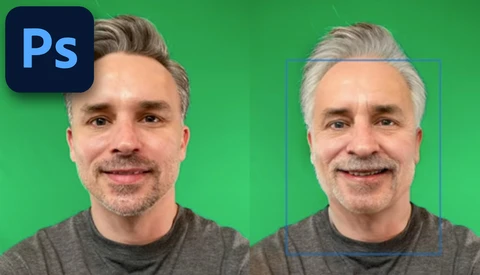
The New Photoshop Update Brings Some Dramatic New Features

Adobe has just announced the roll-out of version 22.0 of Photoshop, an update that brings a range of new features, including neural filters which can manufacture someone’s smile and change a person’s age, all with a handful of sliders. 

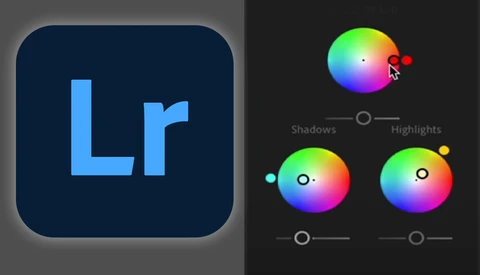
Adobe Announces a New Version of Lightroom, Sort Of

Adobe has announced — and then unannounced — a range of updates to Lightroom, bringing a new color wheel, improved tethering, better zoom, and general overall performance improvements. Will you appreciate the difference? 

Skylum Gives Us a Sneak Peek of Sky Reflections in Water

When Skykum gave us sky replacement features in Luminar 4 in 2019, it was a breakthrough that didn't require masks and a lot of work. A whole lot of landscape photographers and real estate photographers loved the feature. 

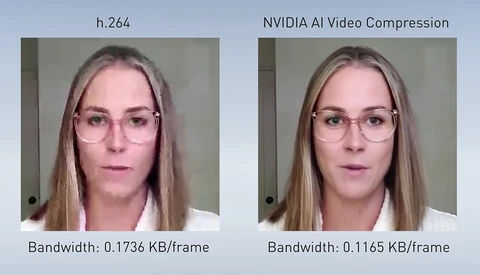
Nvidia Introduces Clever Solution for Drastically Improved Video Call Quality

Due to the ongoing pandemic, many of us are making more video calls than ever. Unfortunately, depending on your location or the load on a video call company's network, there is not always a lot of bandwidth available to produce a high-quality image. Nvidia is seeking to solve that issue with a clever technique.  

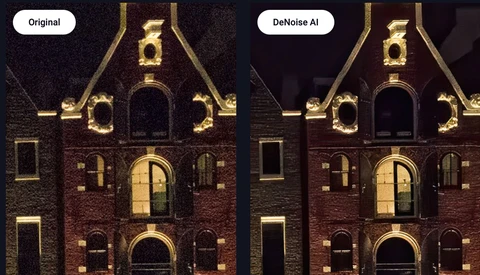
Review: Topaz DeNoise AI Ups the Game for Removing Noise

I took a look at Topaz DeNoise AI earlier this year and found it effective at removing noise without killing the details in your images. My only complaint was that it was not a speed demon. On some large images, I had to wait almost a minute before the image was cleaned up. Is that better in the latest version? 

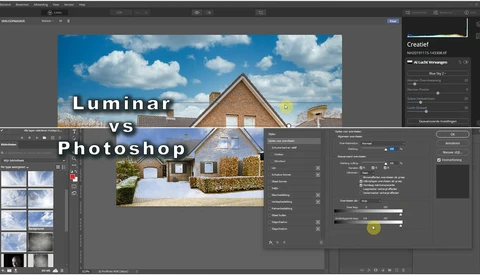
Easy Sky Replacement in Photoshop and Luminar: Which Is Easier?

One of the nice options in Luminar is Sky Replacement. It is a very effective way of replacing a boring sky for a more interesting one. I have been using it for my real estate photography. But how much easier is it compared to Photoshop?
 

6 Important Lightroom Features Most Photographers Forget About

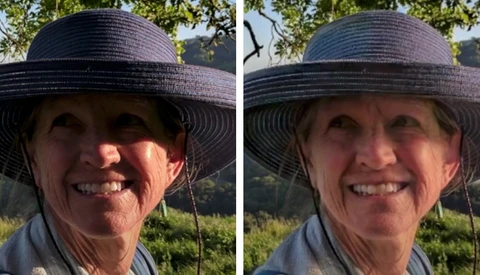
When editing in Lightroom Classic, it's normal to edit as quickly as possible in order to share your finished photograph online, but by doing that you run the risk of missing out on some hugely powerful settings that can save yourself a lot of time and headaches further down the line. 

The Photoshop Action I Wish I Knew When I Started

My most used Photoshop action is actually pretty simple and by following along, you can record it yourself in just about 30 seconds. If you’re new to Photoshop’s actions, it serves as a great introduction to their functionality, and I think it has a place in every photographer’s set of tools. Want to know what it is? 

8 Steps to Better Milky Way Editing in Lightroom

Editing pictures of the Milky Way is difficult to get right. Which white balance do you use? How bright should the scene be? How do you remove excessive noise without stars disappearing? Well, follow these eight steps for image editing success on the galactic scale with Lightroom Classic. 

Skylum Wants to Completely Reimagine Editing with Luminar AI

Luminar software from Skylum has had a tremendous impact with many photo editors, bringing a lot of Photoshop and Lightroom-esque features along with some one-of-a-kind capabilities like one-click sky replacement and AI-based features for landscape and portrait photographers. 

How to Customize the Photoshop Toolbar so That It's Perfect for You

If you’re a Photoshop user, you’ve probably noticed that there are a ton of tools in the toolbar that you never use and others that you have to hunt for. This short video explains how to customize that toolbar to trim out unnecessary icons, make space for new ones, and make your workflow much more efficient. 

What Can We Expect After Canon's Data Breach?

The most depressing year in recent history has set its sights on Canon. As with most 2020-related problems, it's never just one thing. The biggest problem that Canon is facing is the potential loss in trust. 

Quickly Edit Video With the Three Point Editing Technique

Learn how to use the three point editing technique to speed up video editing workflow in Adobe Premiere Pro so you can spend less time on the computer, and more time behind the camera. Making a video can be a bit of a laborious process.

Capture One Releases Film-Like 'Beyond Styles' Style Pack

No matter how good digital cameras get, there's always a group that loves the style and familiarity of how film photography looks. Now, Capture One launches their latest style pack to emulate those old rolls of film. 

'Moments in Time' Photo Editing Breakdown

In the latest episode of "Moments in Time" in the Philippines, I traveled to Legazpi along with Win Magsino to capture images of Mt. Mayon, a very beautiful and iconic volcano on the island of Luzon. In this post, I will take a more in-depth look at the post-processing that went into creating the final image. 
A List of Free or One-Time Payment Alternatives to Adobe Subscription Programs

A few years ago, Adobe moved to a subscription model for their Creative Suite, a decision that was fraught with controversy, particularly since many creatives felt it was a money grab. If you prefer to work with software that is either free or that only requires a one-time payment, here are some great alternatives. 
Is Artificial Intelligence the Next Major Step for Photographers?

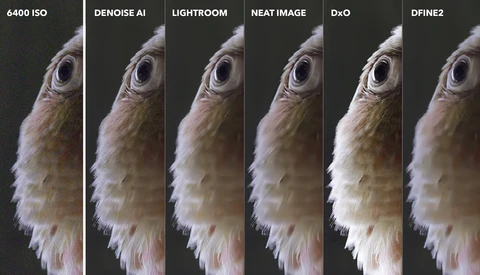
Eye autofocus, insanely fast burst rates, 8K raw video, and more. There is no doubt that camera features are getting better and better at a crazy pace. But the thing I am most excited for is not on a camera, it is in post-processing: artificial intelligence. 

Dramatically Speed up Lightroom Performance

If your copy of Lightroom Classic has been painfully slow, or you're having trouble with images and adjustments loading in the Develop module it could be down to a few crucial settings. Tweak these and you could dramatically improve the speed of Lightroom, and your workflow. 

How to Remove Color Fringing in Lightroom

If you've ever shot on a budget lens, or composed a dark subject against a bright sky, you will have surely noticed color fringing — a glowing colored edge around any contrasted subject. Learn how to remove even the most difficult chromatic aberration in Lightroom Classic using some manual adjustments. 

Do the New Photoshop and Lightroom Updates Affect You?

New features added to Photoshop and Lightroom today might change how you edit your photos, but it entirely depends on what kind of images you make and what your current workflow is like. This is my review of the new features and whether you'll want to dive in or avoid them.  

Is It Time We Dropped Master/Slave Terminology?

In recent weeks, racial inequality has been brought to the forefront of awareness for many around the world. In light of the cultural shift that has the world talking about the Black Lives Matter movement, is it time for the photography community to change some terminology? 

This New Lightroom Feature Update Can Improve Every Photo

Lightroom received a group of new features as part of Adobe’s latest Creative Cloud batch of updates, but one in particular stands out as a huge shift to how you work with the software. Want to know how to make it work for you?