
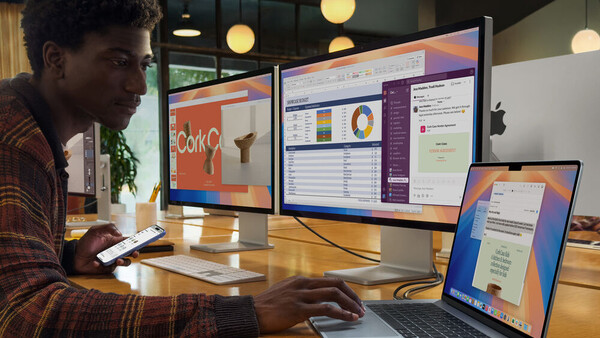
There are a few computers that photographers reach for by default. But Apple has a fantastic option that most creatives never consider.
The 15-inch M4 MacBook Air might be the smartest computer purchase a photographer can make right now, and I suspect most of you aren't even considering it. We've been conditioned to reach for the MacBook Pro when the Air would serve us better, and it's time to challenge that assumption.
The 'Pro' Problem
Photographers have developed a Pavlovian response to the word "Pro." We see it on a product, and we assume it's the one we need. I've been guilty of this myself over the years, and I suspect many of you have too.
But here's the thing: Apple Silicon fundamentally changed the equation. When I reviewed the M2 MacBook Air back in 2022, I was genuinely surprised by how capable it was for photography work. That machine could handle 45-megapixel Canon EOS R5 files without breaking a sweat, and slider movements in Lightroom registered instantly. The problem with that 13-inch model wasn't power; it was screen real estate. At 13.6 inches, you could absolutely edit photos, but you were constantly fighting for space between Lightroom's palettes and actually seeing your image. The 15-inch M4 MacBook Air fixes that problem entirely while adding a few other improvements that make it, in my opinion, the best laptop value for most photographers.
The Goldilocks Form Factor
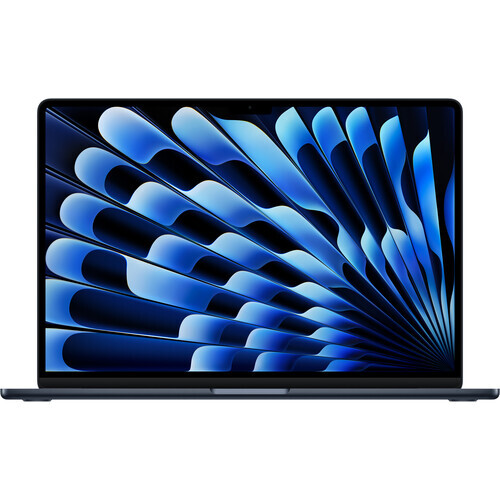
The 15.3-inch display on this MacBook Air feels genuinely spacious in a way that the 13-inch model never quite achieved. You can have your editing tools open, your filmstrip visible, and still see your image at a reasonable size without constantly zooming in and out. For photographers who've been holding out for a larger Air, this is what you've been waiting for.
Here's something that often gets lost in the Air versus Pro discussion: the 15-inch MacBook Air actually has a larger screen than the 14-inch MacBook Pro (obviously). We're talking 15.3 inches versus 14.2 inches, which translates to noticeably more workspace. If screen real estate matters to you for editing, and it should, the larger Air gives you more room for your image and tools than the smaller Pro. You'd have to step up to the 16-inch MacBook Pro to get more screen space, and at that point, you're looking at a significantly heavier and more expensive machine.
Performance: The Fan Question
One of the things I appreciated most about the M2 Air was its completely passive cooling system. No fan means no noise, no dust accumulation, and no spinning distractions when you're trying to focus. The M4 Air maintains this approach, and I remain convinced it's the right trade-off for how photographers actually work.
The conventional wisdom is that passive cooling means you'll suffer from thermal throttling during intensive tasks, and that's technically true. Under sustained maximum load, the M4 Air will eventually dial back its performance to manage heat, typically losing a noticeable but manageable amount of peak performance. But here's the critical question: how often do photographers actually sustain maximum load for extended periods? In my experience, we work in bursts. We import a batch of images, which takes a few minutes. We cull and rate, which is almost entirely limited by our decision-making speed rather than the processor. We make adjustments to individual images, which involves short bursts of computational work as we move sliders and apply changes. We export finished files, which might be the most sustained task we perform, and even that typically completes before throttling becomes a meaningful issue.
The M4 chip handles all of these tasks exceptionally well. Lightroom runs smoothly even with large Raw files, and Photoshop filters apply quickly. For day-to-day photography work, you genuinely won't notice a difference between this machine and a MacBook Pro. The scenarios where the Pro pulls ahead involve sustained heavy workloads like long video exports, batch processing hundreds of images with AI-powered denoise, or 3D rendering. If that's your primary work, or if you're a wedding photographer regularly running AI denoise on thousands of images, the Pro's active cooling makes sense. But for photographers doing standard editing work, the Air's performance is more than sufficient. In practice on my M2 model, thermal throttling almost never kicked in.
The Neural Engine in the M4 chip has become increasingly relevant to photography workflows. Features like Adobe's AI-powered Denoise and the various masking tools in Lightroom benefit from machine learning acceleration, and the M4 handles these tasks well. It's worth noting that Adobe's implementation doesn't always use Apple's Neural Engine directly; some tasks lean more heavily on the GPU. But the overall ML hardware in the M4 is capable, and as AI features continue to proliferate in our editing software, having that capability will only become more important.
The External Display Fix
When I reviewed the M2 MacBook Air, my biggest complaint was the single external display limitation. You could connect one monitor and use it alongside the built-in display, but if you wanted to work in clamshell mode with multiple monitors, you were out of luck. This was a genuine deal-breaker for photographers who wanted to use the Air as a desktop replacement at home while enjoying its portability on the road.
The M4 Air fixes this. Apple now officially supports two external displays regardless of whether the lid is open or closed, and the built-in display remains active. This is a genuine improvement over previous models, which required you to close the lid to drive two displays. You can now run the built-in display alongside two external monitors, depending on the resolution and refresh rate you choose.
What You Actually Give Up
I want to be honest about the trade-offs here because no laptop is perfect for everyone. The 15-inch Air uses Apple's Liquid Retina display, which is excellent by any reasonable standard. It offers P3 wide color, 500 nits of brightness, solid uniformity, and wide viewing angles. You can do professional color work on this screen, and I often did.
However, the gap between the Air's display and the Pro's display is worth noting. The MacBook Pro uses a mini-LED panel that delivers 1,000 nits sustained brightness for HDR content and up to 1,000 nits for SDR in outdoor conditions, compared to the Air's 500-nit SDR brightness. That's potentially double the brightness for working outdoors or in bright studio environments. The Pro also offers 120 Hz ProMotion refresh, deeper blacks thanks to local dimming, and a nano-texture glass option that reduces glare. I genuinely love nano-texture, particularly for working in my sunlit living room. For photographers preparing work for print or standard digital delivery in controlled lighting, the Air's screen is perfectly capable. But if you frequently work in challenging lighting conditions or you're doing HDR video work, the Pro's display has real advantages. To be clear, though, the Air's display was excellent in my usage.
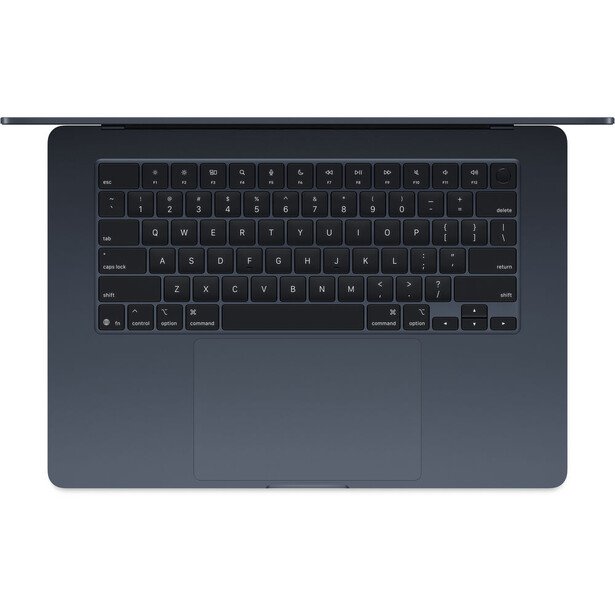
The port situation is where the Air shows its consumer-oriented roots most clearly. You get two Thunderbolt 4 ports on the left side and a headphone jack on the right, plus the MagSafe charging connector. The MacBook Pro, by contrast, adds a third Thunderbolt port, an HDMI port, and an SD card slot. For photographers, that SD card slot is significant. With the Air, you'll need a dongle or hub for card reading, and if you're connecting to a client monitor or projector on set, you'll need an adapter for that too. MagSafe handles charging duties, so both Thunderbolt ports remain available for peripherals, but you're firmly in dongle territory with this machine.
The Value Proposition
This is where the 15-inch Air becomes compelling, though the math requires some honesty. Apple made an important change with the M4 generation: the base configuration now includes 16 GB of unified memory instead of the previous 8 GB starting point. That 8 GB base was the biggest knock against earlier Air models for creative work, and it's no longer a concern.
However, the base 15-inch Air still ships with only 256 GB of storage. You'll almost certainly want to configure up with 512 GB (which has always been my sweet spot) at minimum, which brings the price to $1,399. At that point, you're comparing against the base 14-inch MacBook Pro with M5 at $1,599, which also includes 512 GB of storage.
That $200 savings is still meaningful, and it becomes more significant if you catch the Air on sale. But the value proposition is really about what you get for that $200 difference. With the Pro, you're paying for a better (albeit smaller) display, more ports including the SD card slot, active cooling for sustained workloads, the newer M5 chip, and longer battery life. With the Air, you're getting a larger screen, a lighter and thinner chassis, and silent operation. Neither choice is wrong, but as creatives frequently appreciate more screen real estate, it's well worth considering the Air.
The base M4 chip in the Air features a 10-core CPU and 10-core GPU, which is plenty of processing power for photography work. You can configure up to 24 GB or 32 GB of unified memory if you need it, and storage options go up to 2 TB. For most photographers, though, the 16 GB/512 GB configuration will be more than sufficient.
Stop Defaulting to Pro
The 15-inch M4 MacBook Air represents a compelling option that I think many photographers overlook simply because it doesn't have "Pro" in the name. It offers excellent performance for photography workflows, a spacious screen, support for dual external displays with the lid open, all-day battery life, and a lightweight design that makes it genuinely portable. The base RAM configuration is now usable for creative work, and while you'll want to upgrade the storage, the overall package remains less expensive than the comparable Pro.
If you genuinely need the MacBook Pro's brighter mini-LED display, or you work frequently in challenging lighting conditions, or you're doing enough sustained heavy processing that active cooling would help, or you want the newer M5 chip, or you need the Pro's SD card slot badly enough to avoid dongle life, then the Pro remains the right choice. But I suspect that describes fewer photographers than you might think. For the rest of us, the Air isn't a compromise. It's a larger screen in a smaller package at a lower price. Spend the savings on glass, or a trip to somewhere worth photographing, or simply enjoy having extra money in your pocket.




Join the Fstoppers community for free
-
Post comments and join in the discussions
-
Browse the site ad-free
-
Share your work and get featured in the community
-
Compete in the photo contests for fun and prizes
22 Comments
I've found, after years as an Apple fanboy, that a gaming PC is the best computer for photo/video. Gaming rigs have high-quality graphics cards, lots of RAM and high-powered processors that are designed to render photorealistic game graphics. Handling photography and video editing is a walk in the park. And it does it for about as much as an underpowered Mac. Plus, you can actually upgrade/replace components in a PC far easier than you can on a Mac.
I agree although a Macbook has the portability factor. I wish more laptops had the same level of customization as desktops. Even after the markdown, my desktop outperforms the Macbook on several measures and cost me about half.
Yarp. I was able to pick up my Dell G15 5535 with a ryzen 7, 16gb of ram, a 512gb NVME SSD, Nvidia RTX 4060 8gb, and a 165Hz, 3ms, 100% sRGB display with gysync for right around $930 shipped after taxes. I also spent about $70 on a 1tb NVME SSD to add to the 512gb NVME SSD after I bought it. That's right. It has a SECOND NVME SSD slot so I can have 2 of just about any size NVME SSD I want and it's very easy to swap them in and out. Apple would charge a minimum of $400 for the same upgrade and you can only upgrade their computers at your cart before you buy them. After purchase it's impossible unless you want to void your warranty and solder on some higher capacity chips. My Dell even came with a second SSD heat shield pre-installed. I can easily upgrade my ram as well with two available slots for up to 64gb too.
I will say though, if you are shopping based off of what OS you should you buy I'm going to have to say Mac. Microsoft is killing it's OS by writing 30% of it's code with AI. This year alone we have seen MS break it's OS almost on an monthly basis. I'm not talking about your average glitches. I'm talking updates that will literally brick your computer and/or your hard drives. Their new "agentic AI" is even completely wiping peoples hard drives without their permission. Windows bricked my bios 6 months ago because it decided it wanted to update it without asking me or even telling me what it was doing.
So even though PC's have the better value to performance when it comes to hardware and most of which are actually repairable and mostly affordable to up-gradable. Windows has really become a HUGE downside to buying anything other than mac unless you want to use Linux which simply isn't there yet for photographers. I'm hoping valve does something like proton but for average windows apps instead of just games. If that happens I'd never touch windows again.
But, many photographers also shoot video where the specs are much more demanding. 32 GB RAM would be a good starting point. Also, DaVinci Resolve Studio requires 8GB VRAM to take advantage of the more advanced features
"We're talking 15.3 inches versus 14.2 inches, which translates to noticeably more workspace."
That's simply not true. The 15.3" Air has a resolution of 2880 x 1864 pixels, while the 14.2" has a resolution of 3024 x 1964 pixels, which means you have a larger workspace on the 14.2", it's just magnified on the 15.3".
Alex was talking about work space, which means physical space, not pixel density.
Sad to see so much ignorance about other platform than Apple. Probably they were getting short on article for the end of year. Netiehr these computers are recent and we're already talking about M6
Meanwhile I'm running Gimp on a custom build. Said my goodbyes to Adobe.
After a lifetime using Windows PCs — and even the old IBM PCs running DOS — I finally made the switch to Mac. What pushed me over the edge was my upgraded 5-year-old Windows machine: 64GB of RAM, SSD, a solid video card… yet it couldn’t run the Photoshop plugin NoiseXterminator on my 800+ megapixel images. I kept getting "Not enough resources" errors.
I also wanted something compact with great battery life for travel, so I tried a MacBook Air. To my surprise, it ran everything faster than my powerful Windows PC. I was so impressed, I went out and bought a Mac Studio as well.
Installing Windows under Parallels on the Studio took around 20 minutes — including the download. Compare that to the two days I spent trying to update my son's Windows laptop from a recovery install of Windows 10 to Windows 11. It was an ordeal: figuring out if the hardware was even compatible, solving update issues, and working through error after error.
I also manage several Windows PCs at work. There’s always some issue — printer drivers vanishing overnight, problems after updates, unexpected errors for no clear reason.
I haven’t had the Macs long, but so far, they’ve been solid. The MacBook Air, in particular, is shockingly powerful when editing the massive photo files I work with. For me, the higher cost has been well worth it.
My experience is somewhat similar to yours. I used Windows-based computers for years. Then when I got my first iMac, I was surprised, and relieved, at how easy everything was. I didn't have to know anything about computers - it just did what I wanted without me having to know how to get it to do things. I guess "intuitive" is the word that describes that. I could never go back to Windows because I simply don't have the brain to figure out what to do when things go awry (with the iMacs, things just don't go awry, so I never have to figure anything out that's above my paygrade).
My setup is a Dell T5820 Win11 with an 8 core cpu, 256 GB ram, and a Nvidia 1070TI. 6TB disk for image storage and a 2TB NVMe for the OS and programs. Runs another 2TB NVMe that takes the images to be worked on from the 6TB storage drive. Total parts outlay including the T5820 was around $800.
Thats a ton of ram. Impressive for that price.
It's running an Intel Xeon SR3LR W-2155 which will handle 256GB of DDR4 ram. It's a 10 core cpu, the one before was the 8 core. The board has eight slots that will take up to 32GB sticks each.
Except for the drives, most of it was bought on Ebay, the ram was 256GB (8x32GB) PC4-19200R 2400MHz DDR4 ECC REG for $220; CPU was $178; The Nvidia 1070TI was $117. Bare box T5820 with a 950 watt PS was $135.
If you want to go all out big dog, the Dell T7820 will, with a compatible CPU, handle 512GB ram. The T7820 bare box with PS and motherboard runs $300-$500 on eBay.
The MS / Windows users unless experienced the true convenience / and power of Apple silicon may not understand that how much better a simple MacBook Air with basic configuration of 8 or 16GB RAM can be, as compared to heavily speced Windows PC.
Besides being powerful the apple silicone is much less demanding as far as the battery life goes. Not to mention the display and keyboard.
I have compared a PC and MacBook air side by side for Lightroom and Topaz AI. You might be surprised by the results. Just go ahead and do it yourself. It takes one third, some times one fourth of time taken by a PC, which has better specs.
Mac products architecture were and are always good at graphics. For a PC to compete you need some upgrades. The main component these days is the ram and graphics card. The gamers demand has forced the price for those cards into the stratosphere; BUT, the older used cards are far cheaper and for still image software will kick some A, compared to your everyday PC.
Good timing for a computer article - I just got a new-to-me computer two weeks ago! First time I have upgraded since I bought my iMac in 2015. I wish computers would last more than 10 years, but that's about all I can get out of one.
I strongly agree that the bigger the screen, the better. I can't even use a laptop because of how small even the 15" screen is. In fact, I can't even use a 21" iMac. I have to have the 27" iMac, and even then wish it was larger. I am constantly zooming in to see things better, then zooming back out for context. I wish that somebody would make an affordable all-in-one that had a 32" 5K screen.
A Windows or Linux PC offers more power and a better upgrade path at a lower price than any Apple product.
nah ..... they eventually get viruses if you don't run updates or have antivirus stuff installed ..... I've used Apples exclusively since 2008 and go to any site, including many "naughty" sites that are notorious for viruses, and I open any link that is ever sent to me from any source, and I have never had a virus that I knew of; my Apple iMacs never had any issues running great ..... it would absolutely SUCK to have to install updates frequently or take antivirus precautions ... why even have a computer if you have to do horrible inconvenient things like that?
Windows PCs dominate global desktop usage, so attackers create far more malware for Windows, simply to reach more victims.
While macOS has far fewer malware samples overall, mac-specific malware and threats are increasing, and Macs can still get infected.
I can only go by my own personal experiences, not by what I read or hear or see reported. And my experience with windows-based computers from 1999 to 2008 was absolutely horrible, and I dreaded using computers. My experience with iMacs from 2008 to the present has been completely different - everything is so easy that I don't even have to think about the computer at all, it just does whatever I want it to without me having to troubleshoot or figure anything out. Think of a certain kind of car being good IF you don't mind changing a headlight bulb from time to time, and doing a tune up every year or two, and resetting some of the functions on the dashboard computer screen periodically. Well for some people it would be a freaking nightmare to have to do those car things just to be able to use the car - they just want to use the car and use it and use it and use it without ever having to learn about how it works. While others don't mind learning a little bit about their car and how it works so they can keep it in good working order. I am definitely the former when it comes to computers.
I have both Microsoft and Apple system. The notion that Microsoft has more viruses than Apple is partially right. Dut to fact that Microsoft have more than 75% of the install base and it's the mose lucratives one, businesses. Apple on the other hand have user that think that they are secure, a wrognfull premise that are making them more susceptible to be attack. If I remember right, in the "hack-o-ton" , Apple Safari was the first browser to be hack, way before any other browser.
For personnal info security, just think that a lot of Apple apps are from Google, and has you know Google only lives for perso info. Even now with AI, Apple will be using Gemini AI from Google and even Google network chips fro their "Apple Intelligence".
Cut & Pasted this: Cybercriminals have always chased whatever people trust the most. First, it was email. Then search results. Now it’s AI chat answers. Researchers are warning about a new campaign where fake AI conversations are showing up in Google search results and quietly pushing Mac users to install dangerous malware. What makes this especially risky is that everything looks helpful, legitimate, and step-by-step, right up until your system is compromised.
The malware being spread is Atomic macOS Stealer, often called AMOS, and the attacks abuse conversations generated by tools people increasingly rely on for everyday help. Investigators have confirmed that both ChatGPT and Grok were misused as part of this campaign.
Researchers traced one infection back to a simple Google search: “clear disk space on macOS.” Instead of landing on a normal help article, the user was shown what looked like an AI conversation result embedded directly in search. That conversation offered clear, confident instructions and ended by telling the user to run a command in the macOS Terminal. That command installed AMOS.
When researchers followed the same trail, they found multiple poisoned AI conversations appearing for similar searches. That consistency strongly suggests this was a deliberate operation aimed at Mac users searching for routine maintenance help.