




Articles from Quentin Decaillet

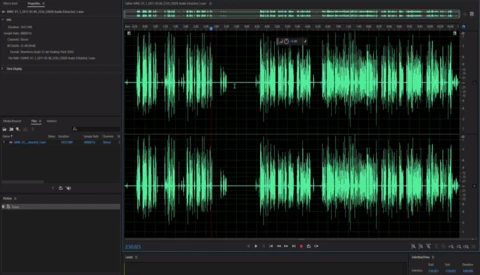
How to Eliminate Audio Noise with Adobe Audition and Premiere Pro

A huge part of shooting video is audio. No one wants to look at footage with poor sound with distracting background noise. But thanks to Steven Oakley from MiesnerMedia, if you are reading this article, poor audio will be a story of the past in your videos. Oakley gives us a handy trick to eliminate almost any background noise using only Adobe Audition and Premiere Pro.
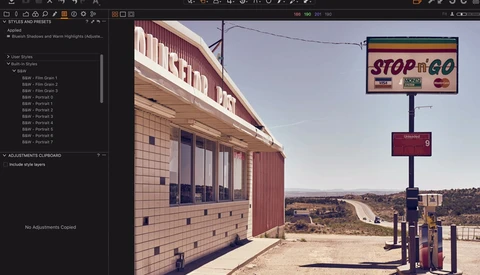
How to Color Grade Your Images Using ACDSee Ultimate 10

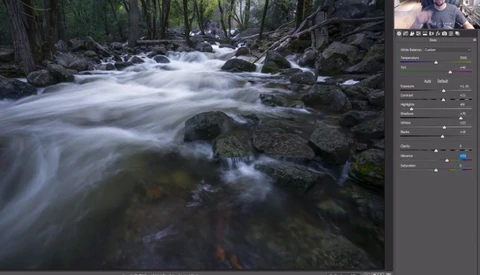
Editing a picture is all about making the most out of what your sensor has captured to make your creative vision come to life. How you see a scene will differ from what others, or even your camera, see at the exact same time and place. Adjusting your file in post-production is thus critical to share with others what you saw with your eyes and mind. In this article, I’ll show you one way to edit your images quickly using ACDSee Ultimate 10. You’ll see how to give a cinematic feel to your shots and also how to edit them in batch to save time.

Wacom Announces the Cintiq Pro 24 and 32 Inch

After updating their Cintiq line with the Cintiq Pro 13 and 16 inch in the previous month, Wacom announces two new products coming for the beginning of 2018. Both products will complete the Cintiq Pro range and come with brilliant 4K displays. One will be 24 inches and the second 32 inches, offering a solution for everyone.

How to Make Your iPhone Videos More Cinematic

Getting into video is often thought to be expensive. Buying new cameras, new lenses and specific gear such as stabilizers or fluid head tripods. But what if you could save some money and film with your iPhone, while still getting an amazing quality out of it? In a recent video, Matti Haapoja from TravelFeels gives us a few ideas on how to create cinematic looking footage with our smartphone.

Which Stabilizer Is Right for You

Even though many photographers like to think they can move to video whenever they want, the truth is both medias are totally different. Shooting films is an entirely different story than capturing stills. One example is stabilization. While many photographers can safely rely on their lens or body stabilization, videographers must use much more complex systems. One issue when starting out in the cinematography world is knowing what stabilization to buy. YCImaging created a video comparing three of the most popular options out there, giving us his advice on what to use according to our work.

How to Edit Pictures on Your iPhone Using ACDSee Pro for iOS

A little earlier this month we published a review of ACDSee Pro for iOS. Some people seem not to understand fully the purpose of being able to edit pictures on a smartphone, so to make it clearer, I decided to follow up with a tutorial. The goal is to show you the possibilities offered by ACDSee Pro but also give you some ideas on how to use such an app while on the go.

Is Lexar About to Die?

Until yesterday, when someone asked for a memory card brand recommendation, most people would answer with either SanDisk or Lexar. However, this is all about to change with the decision of Micron Technology to discontinue its Lexar retail removable media storage business. The parent company has decided to concentrate its activities and efforts on opportunities in higher value markets and channels.

How to Retouch a Portrait From Start to Finish With ACDSee Ultimate 10

The traditional workflow to edit a portrait from start to finish usually  requires a few different apps. But why complicate things and not just try and rely on one single software to get to the final result? Last month I reviewed ACDSee Ultimate 10 and thought it’d be a good idea to follow up with a tutorial showing how far you can go by using exclusively this photo editing solution to retouch a portrait. Discover all my steps and see how this alternative could perhaps suits your workflow better than your current one.

How to Retouch Hair in Photoshop Efficiently and Quickly

Cleaning hair in post-production is without a doubt retouchers’ and photographers’ worst nightmare. It takes up a lot of time, energy, and precision, but more importantly, there are so many techniques out there that often we forget about even the most basic ones. In this very comprehensive video, Aaron Nace from Phlearn shows how to retouch hair in the most simple way possible.

Create a Realistic Gunshot Wound Using Play-Doh, Makeup, and a Bit of AfterEffects

Whether you are a photographer or a videographer, special effects are one way to separate your work from the crowd. Not everyone is willing to put in the time or effort, and many don’t know how to get it done. If you are amongst the ones missing the knowledge, don’t worry, Film Riot has got you covered with a new tutorial on how to create a fake bullet with Play-Doh, a bit of post-processing, and a few makeup products.

Fstoppers Reviews ACDSee Pro for iOS, One of the Best Raw Editing and Capture Apps for Mobile

With the importance that social networks now take, our work as photographers has evolved into something entirely different over the past few years. Nowadays, images must be edited faster than ever, and, sometimes, that means not being able to use our computers, but having to rely on mobile solutions. One of such solutions is ACDSee Pro for iOS, which will allow you to edit your pictures on the go with a straightforward and easy-to-use interface. In this review, discover how it could improve your workflow, whether you are a photographer or an Instagrammer.

Fstoppers Reviews One of the Most Efficient Raw Processing Software, Alien Skin Exposure X2

The raw processing world often seems restricted to Capture One, Lightroom, and Camera Raw. However, these three are far from being alone. One alternative is called Alien Skin Exposure X2, and while you may have heard of it as a Photoshop plugin, it’s also a standalone app able to edit your raw files. Despite being younger than the other options, it offers a broad palette of features, and I would almost dare say it took most of the best functionalities found on the market to bring to life a very appealing photo editing software. After a few weeks working with it, here’s my review and why you should perhaps give it a try too!

Magically Remix Your Music to Be the Same Length as Your Videos

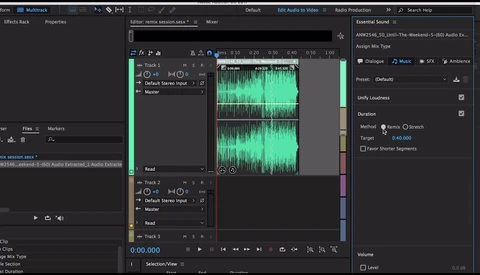
As a photographer getting into video work, audio has quickly become the area where I had to learn the most. Anything camera related is very similar to photography, editing is not too complicated once you learn the software, but then there is the sound. Something we do not have when shooting still frames. One of the issues is how to make a track last the length of our video without having to spend too much time cutting it manually? Here’s the answer using Adobe Audition.

Refine Your Images Contrast With This Simple Capture One Pro Tool

Capture One offers quite a few tools to adjust your raw files. It’s best known for its color editing capabilities, but luminosity adjustments are also very well designed. One of them was introduced last year with Capture One Pro 9, and it’s called the Luma Curve. It’s a powerful feature to adjust contrast manually while avoiding any color shift. Let’s see how it works and how it compares to an RGB curve.

Where to Find Great Music for YouTube Videos

Beautiful images are crucial to create an attractive video, but the soundtrack is just as important if not more. Put crappy sound over your breathtaking pictures, and people will probably not even watch more than a few seconds before stopping the film. When creating content for YouTube, finding good music or sound effects can be quite a challenge. But there are solutions, here are three of them to help you out and hopefully make your clips even better!

25-Year-Old Photographer Goes on the Hunt for the Perfect Wild Bison Picture

The beauty of animal and nature photography has nothing to envy to other genres. The work and patience that goes into creating one single frame are astonishing and sometimes, all the time and efforts don’t even result in a picture. In this video, Michel D'Oultremont describes how he ended up shooting animals and also what he feels when doing what he loves most. No matter if you love animal photography or not, this 10-minute-long documentary is one to watch!

Overview of Capture One Pro 10.1 New Features

A little over a week ago, Phase One introduced Capture One Pro 10.1. The new release of the professional imaging software comes with a couple of exciting new features making life easier for many photographers, especially those using Fuji cameras. In this 45-minute long webinar, David Grover goes over most new aspects of the app and shows how to take advantage of them.

Mass Planner Shut Down by Instagram: The End of the Bot Era

Bots have been used on social networks for as long as I can remember. They are a way of growing one’s community without much effort and getting more attention than by doing everything manually. However, it’s not organic, and thus social media companies have tried to shut them down for a while. Instagram recently launched a witch hunt and managed to get Instagress to close down. Yesterday, another big bot service, Mass Planner, was taken down. Is it the end of the bot era?

Four Tips to Get Paid Collaboration With Brands Through Social Media

So you got into filmmaking, and you want brands to pay for your work? Many of you are probably in this case and are wondering where to start to get paid jobs. Matti from TravelFeels gives us a few tips and requirements to make it possible and start receiving brand collaboration offers.

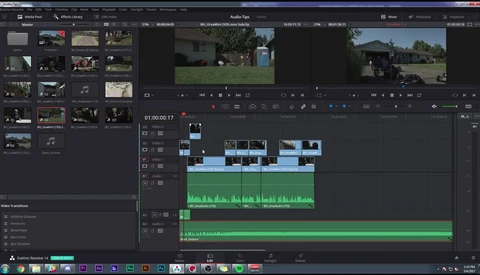
Quick Overview of DaVinci Resolve 14 Audio Editing Capabilities

DaVinci Resolve 14 looks very promising and more videos about it are popping up on YouTube every day. One feature that was left out in many demonstrations until now is the integration of FairLight for audio editing. With the new version of Resolve, it’s possible to edit sound within the software. No need for an additional costly plugin, or any round-trip of a sort. Let’s see how with Casey Faris.

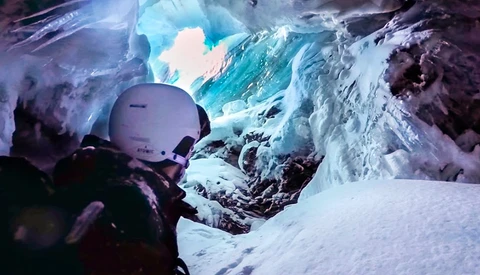
Skier Falls Into a Crevasse and Documents It With a GoPro

Those who have never been on a glacier may not realize how big a crevasse can be and how dangerous falling into one is. Last December, Jamie Mullner while skiing in Zermatt discovered it all within a few seconds when he tripped and ended up at the bottom of a crevasse. He wasn’t injured, but happened to have his GoPro on and documented the accident. The video is quite impressive but also surprising!

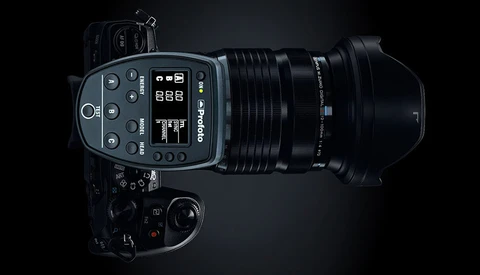
Profoto TTL and HSS Now Available to Olympus Users

With the introduction of new features such as TTL, HSS, HS, and the likes, flash manufacturers have been forced to develop a different remote for each camera brand. Profoto has its Air TTL system for Sony, Canon, and Nikon, but was lacking micro four third systems compared to Elinchrom. It’s now a thing of the past with the release of the Air TTL-O remote.

Boost Your Instagram Engagement With Quality Stories

Instagram has evolved in many ways over the past few years, but the most significant change was probably the addition of stories. They are a unique way of sharing things that may not be worthy of your photo stream but still a part of your life or work that you want to share. Everyone has pretty much been using it like Snapchat even though it offers different features, such as uploading content just as if it had been taken with your phone. Jesse Driftwood shows us how he takes advantage of this opportunity to create unique content that drives engagement up.

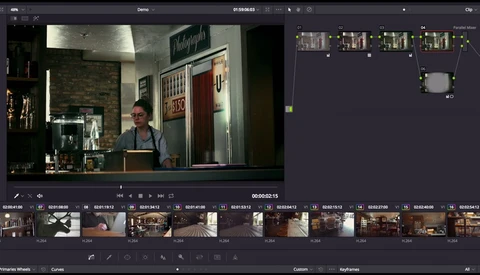
Step Up Your Photography Color Editing Game With DaVinci Resolve

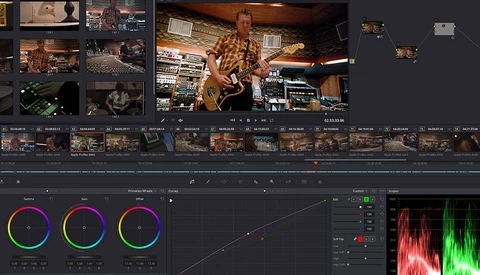
In recent articles here on Fstoppers, you may have noticed the name DaVinci Resolve coming up on a regular basis. It’s a fantastic software for color grading video footage, and it’s evolving towards becoming a one-stop video editing solution. Some of the tools it offers are envied by photographers as they differ quite a bit from what’s available in Photoshop, Lightroom, or even Capture One. Many have been wondering if it’s possible to edit pictures with it and Ted Forbes from The Art of Photography has the answer for you: Yes. More than that, he shows you how to do it.

The Poor Man's Drone: Get Yours for Less Than $60

Drone footage is everywhere nowadays and it probably makes you want to buy one! However, not everyone can justify the price of a good unit. So how about a device that costs less than $60 and can take advantage of your GoPro? Looking at Nicolas Vuignier’s latest creation it seems to be quite fun and it could even replace a drone in some applications even though it’s not as practical.

All-In-One Imaging Software and Digital Asset Manager: Fstoppers Reviews ACDSee Ultimate 10

In the image editing market, there is a clear separation between the assets management, editing, and retouching solutions. Most photographers rely on multiple apps to fulfill their workflow. Although we have grown accustomed to working with a few different software to get to the final result, it would be fantastic to have everything in one place. I didn’t think it existed until I stumbled upon ACDSee Ultimate 10. I’ve been trying it out for the past few weeks and wanted to share my impressions with you.

Two Free E-Books to Learn Color Theory Fundamentals for Retouching

Color theory for photography and retouching is more important than many would like to admit. Knowing how to create a visually strong color photography starts there. You can always go by the feeling, but failing to plan is planning to fail. Learning all about colors takes time and finding the proper resources is not an easy task. But thanks to Wacom, digital artists now have a place to get the needed materials to get familiar with all the theory necessary to get started.

What's New in DaVinci Resolve 14?

A few days ago Blackmagic Design announced DaVinci Resolve 14. The all-in-one video editing software was published in public beta version at the same time, and a few people have played with it to see what the differences are. Amongst them, Casey Faris recorded his experience and explained what’s going to change from the version 12.

This Free App Makes Your Instagram Feed More Attractive Than Ever

Instagram is a fantastic tool for photographers to promote their work. It’s not incredibly complicated to get the hang of it: post your pictures, add a description along with a couple of hashtags, and people can find your images. However, if you’ve been using it long enough, you may have noticed that your stream quickly looks like a mass of pictures with no continuity. Since the app doesn’t allow for pre-planned posts, it’s difficult to keep a visually appealing account. That is unless you use an app such as UNUM to help you out.

The Easiest and Most Efficient Way to Color Correct Any Image

White balancing shots is not always as easy of a task as it seems. Sometimes, a gray card cannot be used, other times the lighting is too poor and the colors don’t come out perfectly. However, Blake Rudis from f64 Academy has found an extremely efficient and quick solution to color correct any shots in three easy steps.

Easily Replace the Sky on Your Video Footage With DaVinci Resolve

As a photographer getting into video, it’s frustrating when you are not able to reproduce what you are used to with Photoshop. For example, the simple task of the replacing a sky in a frame can eat up a lot of time when you don’t know what you are doing. But thanks to DaVinci Resolve and Aram K, the process is actually much easier than you could imagine. It almost makes me wish Adobe would include similar tools in their apps.

Getting Into Medium Format on a Budget: Fstoppers Reviews the Mamiya RB67

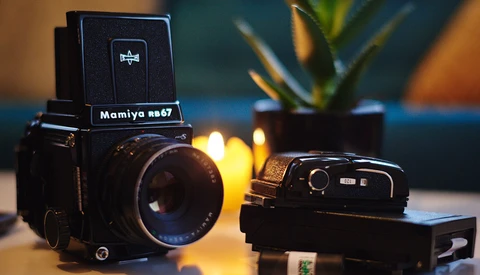
Getting into medium format is quite costly. It’s difficult to know if the investment is going to be worth it and if it’s going to match your current workflow. Medium format has a tendency to slow you down, kind of like film. When I tried my first Phase One, I couldn’t afford one. So I went with the cheapest alternative I could find, the Mamiya RB67 Pro-S. Here’s why I’m glad I made that move but also why it doesn’t replace a digital medium-format system.

Blend Your Mask in Photoshop Better Than Ever With the Feather Slider

Masking plays a crucial role in the quality of your retouching. There are so many tools available to create and refine masks, that’s often times we forget the most basics and useful ones. One of them is a bit hidden and it seems like many don’t even know it exists! However, it’s probably amongst the most useful options to refine a mask and make your adjustment shine through in a more natural and convincing way. It’s the feather option and I’m going to show you how you can use it with a real-world example.

Broncolor Announces the Scoro WiFi and BronControl for Desktop

The Broncolor Scoro was initially released in 2012 by the Swiss flash manufacturer. Five years later, they introduce a new release of the high-end power pack and it’s called the Scoros S WiFi/RFS2. Along with it, the bronControl app is made available for Mac and PC to make remote control of your units easier than ever.

Blackmagic Design Announces DaVinci Resolve 14

DaVinci Resolve is well known for color editing in the video world. But Blackmagic's goal is to create a complete solution for NLE, color, and sound. While 12.5 was already very convincing, the newly announced DaVinci Resolve 14 is even more so. It is up to 10 times faster than the previous version and with new tools for audio, this new release could be what many have been waiting for.