Lightroom

Adobe Lightroom is where most photographers spend a significant portion of their working lives — and knowing it well makes a real difference to both the quality of your output and the speed of your workflow. This section covers Lightroom from practical angles: import and organization, raw processing, masking and local adjustments, color grading, and the workflow habits that separate efficient photographers from those drowning in a backlog.

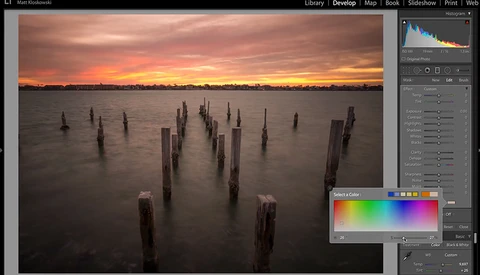
Check Out This Little Known Color Tool for Lightroom Users

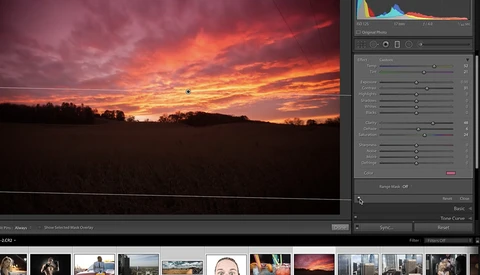
Adobe Lightroom and Camera Raw house some solid color and toning options. These can be applied in a non-destructive way, and in general will get the job done, our photos finished and out into the world. However, for many others, Photoshop with its plethora of adjustment layers is hard to best when heavy color work is applied. 

Take Advantage of These Advanced Brush Tool Settings in Photoshop and Lightroom

At the core of any image editor is the brush tool, and although many of us don't give it a second thought, it really is one of the most important features to master. Density, opacity, hardness, and flow all affect how the brush works in very different ways. Make sure you know the difference between these settings so you can work smarter when editing your images. 

Three Important Steps to Organizing Your Photos for a Client

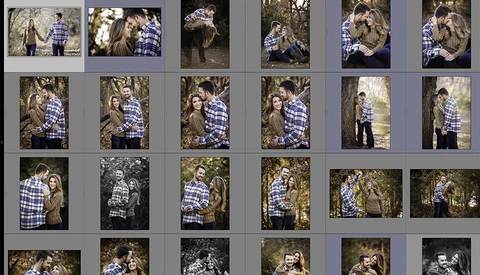
The chaotic nature in which photographers send their final galleries to a client is something I've often noticed. Galleries will jump around between scenes and cameras without any flow or organization. I am a wedding photographer, and maybe this means more to me than it would to other genres of photography.

Shortcuts That Will Save You Time in Lightroom

Time is valuable. The next three minutes of this video could possibly save you a ton of time over the course of your editing career, and if there is absolutely anything I can do to speed up my Lightroom workflow, I’m all for it. 

What Makes Lightroom Photo Edits Go Wrong

Have you ever taken a photo you knew had great potential from the moment you saw it on the back of your camera, come home to edit it, then spent an hour in Lightroom, only to look at the result and feel strangely let down? This great video examines why Lightroom edits sometimes go awry.  

Seven Quick and Easy Photo Fixes Using Lightroom

When you're first starting out post-processing work in both Lightroom and Photoshop, any sort of editing can feel like it takes a long time, just because there are so many ways of going about things and it can take a little while to get your bearings. This great video will show you seven quick and straightforward fixes for photos using Lightroom. 

What's Better for Tethering: Capture One Pro or Adobe Lightroom?

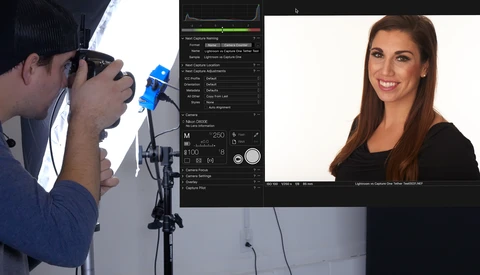
I've been a Lightroom user since the beginning of my career and honestly, I love it. It fits seamlessly into my workflow, and I couldn't imagine using any other raw processor. That is of course until I downloaded a trial of Capture One 11. I've heard people talk about Capture One, but I never thought much of it. After all, what's wrong with Lightroom? 

How to Sharpen High-ISO Photos

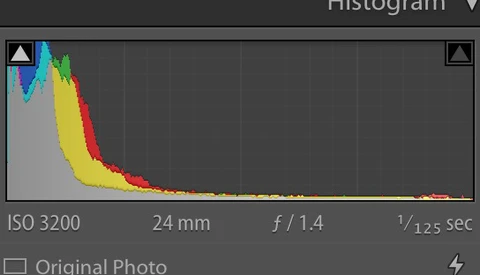
Sharpening photos taken at higher ISOs is a tricky thing, as you run the risk of making the appearance of noise much worse very quickly. This helpful video will show you how to sharpen high-ISO photos to enhance detail while still reducing noise. 

The Easiest Way to Edit in Lightroom From Multiple Computers

One of the most common complaints among Adobe Lightroom’s users is the issue of it restricting your catalog access to a single computer. Photographers who travel often or studios with multiple editors have continually looked for options that would allow them to sync their edits across several computers conveniently.

Ten Lesser Known But Helpful Lightroom Tips and Features

Lightroom is likely where you spend a lot of (if not the majority) of your time working on images, so any tips that increase your efficiency or control over your images can add up to big time and quality gains over the long run. This helpful video contains 10 lesser known Lightroom tips and features that should be of use to most any photographer. 

File Formats for Photographers in Lightroom and Photoshop

Greg Benz, creator of the luminosity masking Photoshop script panel Lumenzia, is one of those experienced photographers who doesn't hesitate to share their technical knowledge with followers. In his latest video, he explains file formats in detail, both for Photoshop and Lightroom. 

Adobe Releases Final Lightroom Update for Standalone Version

Adobe announced yesterday their 6.14 update for Lightroom is now available. The new update addresses bugs that were introduced in the previous release as well as additional camera raw support and profiles. Good news, right? Well, this will also be the last update released for perpetual customers. 

Five Tips for Better and More Creative Edits in Lightroom

People often think of Lightroom as the place where cataloging and basic editing takes place with Photoshop doing the heavy lifting. And while it's true that Photoshop is the more powerful editor, you can accomplish quite a bit using just Lightroom. This helpful video will show you five ways to edit more creatively using Lightroom. 

Fstoppers Reviews the Rocket Rooster Analog Film Bundle Lightroom Presets Collection

Most people are a fan of the film look, but actually shooting, developing, and scanning it can be a bit more hassle and money than many of us are willing to undertake. The Rocket Rooster Analog Film Bundle gives you Lightroom presets for many popular film stocks as well as a range of local adjustment brushes for avoiding the need to go into Photoshop.

How to Process Drone Photos in Lightroom

Chances are that many of you are familiar with the works of Michael Shainblum. Not only was he Fstoppers' Photographer of the Month earlier this year in September, but he also garnered quite a bit of acclaim for his iconic shot of the solar eclipse in August this year. Aside from being an impressively accomplished landscape photographer, Shainblum is a skilled photography mentor.

Skip Lightroom CC and Sync Catalogs With LR Classic

Let's be honest, managing our image files is arguably the least rewarding part of a photographer's job. There's very little satisfaction that comes with a well-organized catalog, and even less satisfaction when we can't find the files we need on a particular device. In the mobile age, having access to all your images and catalogs at any time on any device is critical.

Squeezing Extra Autumn Colors Out of Lightroom

If you've been out shooting recently, there's a good chance that you're now sitting down to edit a pile of photographs that capture the incredible colors that autumn brings. This brief tutorial shows you a quick and dirty trick (jump to three minutes to skip the waffle!) for getting Lightroom to make the most of those gorgeous, orangey tones. 

Quick and Easy Orange and Teal Look in Lightroom

One of the strongest ways to create a style or mood, and even consistency is to really nail your color. For years I struggled with color, and it can be a subjective thing but there are also some basic colors that look good together. The most popular I would say is that of the orange and teal.

Are Lightroom CC's Embedded Previews Worth Using?

Import and culling have always been two of the most time consuming and, frankly, annoying parts of Adobe Lightroom. Despite all of its improvements over the years, the process of getting files into Lightroom has remained a huge bottleneck in an otherwise swift workflow application.

How to Pre-visualize, Shoot, and Edit a Landscape Photo

Knowing how to visualize a shot in your head before you take it is an important step in the creative process, else you're simply firing off shots and hoping for a good edit to come out of the process. This great video follows a landscape photographer from pre-visualization all the way to printed photo. 

Three Tips to Speed Up Adobe Lightroom

I have heard several photographers complain about how slow Adobe Lightroom is. While I agree that Adobe needs to make some improvements to their photo processor and image organizer, there are a few things we can do on our machines to help Lightroom run a little more smoothly.   

Sharpening in Lightroom: Make the Most Out of the Detail Panel

Adobe Lightroom was a pretty slick piece of software to begin with, but over the past several updates it has become an incredibly powerful tool for photographers. Of all the different controls and tools available within the software, the Detail panel has become one of my favorites.

Some Handy Hidden Tricks in Lightroom

Lightroom is likely where you spend a lot of, if not the majority of your post-processing time. And so, any little shortcuts or tricks you can pick up can add up to more efficiency and better output down the road. This helpful video will show you five such tricks to add to your arsenal.  

How to Create a Great Product Photo Using Things Lying Around Your House

If there's any genre that requires the photographer to constantly be creatively resourceful, it's probably product photography. This helpful tutorial will show you how to create an interesting shot of a watch using common items you probably have around your house and some creative editing in Lightroom and Photoshop. 

A Complete Guide to Lightroom CC

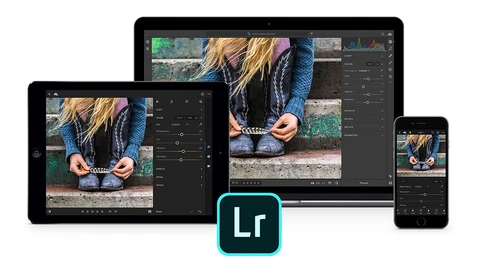
Adobe recently released the latest version of the desktop version of Lightroom, which is now dubbed "Lightroom Classic CC." Alongside it, they released Lightroom CC, an entirely new application that moves things to the cloud and seems to be targeted mostly toward advanced amateurs, but that also includes some interesting features along with the ability to integrate with the desktop version

PSA: Don't Sweat the New Process Version In Lightroom Classic CC

You may have had the same reaction I did when I first started loading up the Develop module in Adobe's new Lightroom Classic CC update: oh no, why did Lightroom change all of my photos to an old process version!? First things first: don't worry. The process version did not change.

Fstoppers Reviews Capture One Film Styles Pack

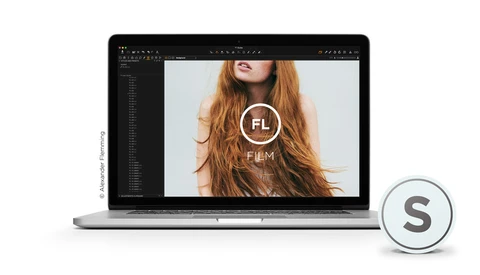
Phase One has already released multiple Styles Pack since the beginning of the summer. Today, they announced their brand new Film Styles Pack and I had the chance to play around for a few days before it was officially announced. Rather than offering you a simple release article, I thought a review would be more useful.

Editing a Time-Lapse With Only Adobe Applications

Michael Shainblum, Fstoppers' Photographer of the Month for August, has been creating epic time-lapses for years now and he’s just released a new YouTube video tutorial. In this new video, Shainblum goes through his editing process detailing an Adobe-centric workflow for time-lapses. 

Creative Cloud: Is It Time to Ditch Adobe?

Adobe just killed one of its last major one-time fee softwares, Lightroom, in favor of the subscription model introduced in 2013. While the most refractory users may continue to run on the previous versions, they will be forced to roll to the Creative Cloud at some point since Adobe will stop supporting the traditional software.

How I Shot and Edited Portraits of William H. Macy

Being that I’m primarily a wedding and documentary photographer, it’s not every day that I get the chance to take a portrait of a celebrity. Add to this that I live in Northwest Arkansas, which isn't really a hub for celebrities, makes it even less likely for me — especially one as well known as William H. Macy.

Is Adobe Lightroom Classic CC Really Faster? [Updated]

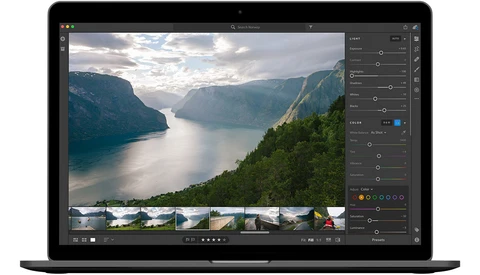
It's been at least four major updates to Lightroom throughout which so many photographers have been begging for performance improvements, even at the cost of feature updates. Finally, that day is here. Alongside today's announcement of Lightroom Classic CC (the new "normal Lightroom" for those who aren't yet aware of the name change), Adobe promised major performance updates.

Fstoppers Reviews the New Adobe Lightroom CC

Adobe just announced some major photography-centric updates to its Creative Cloud programs. Alongside a new release of Lightroom Classic CC (the new name for what we all used to call "Lightroom"), Lightroom CC is a brand new application that works across all platforms: desktop, web, and mobile.

Adobe Announces Lightroom Classic CC, Lightroom CC, Photoshop CC Updates and More

Adobe MAX is always a big time of the year for photographers, but this year's announcements and updates are the company's biggest since the introduction of Lightroom. Going forward, the now-old desktop-run Lightroom CC is called Lightroom Classic CC. But there's nothing classic about it when it comes to its performance improvements. This time, it's for real.

A Quick and Helpful Tip for Organizing Images in Lightroom

Half the trick to success with Lightroom is knowing how to move around the app efficiently. A lot of that comes down to the right combination of shortcuts and workflow, and this helpful video show you a quick way to organize relevant images and some key combinations to make the process quicker. 

Fstoppers Readers: Get 2 Free Photo Enhancement Software

Photographers and digital artists alike have been using image editing software like Photoshop to enhance their work for years. There are several ways to add creative enhancements and filters to your work within Photoshop, but there are ways to add them without using the program or even in conjunction via other software and plugins.

A Beginner’s Guide to Adobe Lightroom: Part 3

Do you know what keywords are and the best way to add them to your photos? What about what options to select when you are exporting your images? Have you ever heard of the painter tool? In this final part of my three-part series on Lightroom for beginners, I will cover the final steps to take after applying your final edits to your images. 

DVLOP Presets Bring Creativity Back Into Your Lightroom Workflow

Love them or hate them, Lightroom presets have become a staple in the world of editing. A lot of users use them to emulate their favorite photographers or in an effort to recreate certain film looks. The problem with these presets is that everyone that uses them ends up releasing work that looks the same as everyone else who has the same preset.

Tips for Adding Metadata to Lightroom for Manual Lenses

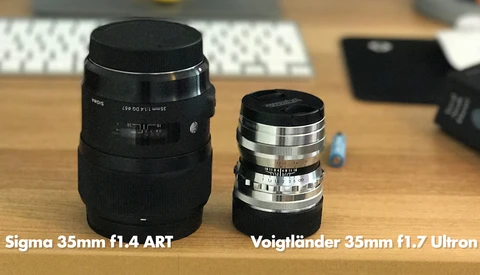
Manual lenses have a fraction of the weight, size, unsurpassed sharpness, and price in many instances over autofocus lenses. With all these benefits there would have to be some form of a con, and that is the issues that arise when adding metadata to your images. 

How to Switch From Lightroom to ACDSee Ultimate 2018: Part 1

A couple of weeks ago, I reviewed ACDSee's latest photo editing software release and even said it could replace Adobe products in many ways for Windows users. It was only wise to back that statement up with two complementary articles, this one being the first, showing to Adobe users how they could switch from Lightroom to ACDSee.

Some Helpful Lightroom Keyboard Shortcuts

Workflow efficiency can always stand to be improved, and keyboard shortcuts are one of those little things that can add up to big savings over time. Here are seven such shortcuts for hopping around Lightroom as quickly as possible.  

How to Master the Import Dialog in Lightroom

It might be easy to overlook the features of the Import dialog in Lightroom when your focus is on simply getting the images onto your computer so you can edit them. However, there are a few nuances to the process that can make the post-import work both more efficient and easier, and this helpful video will show you everything that's possible. 

How to Edit Your Pictures Like Instagrammer Sam Kolder Using Lightroom

We have all been guilty of watching someone’s Instagram account and wonder how the hell the pictures are edited. Sebastian from TechGenie has recently been creating videos to demonstrate how to mimic some famous Instagramers editing style. The latest one on the list is named Sam Kolder and his desatured teal and orange look. 

A Beginner’s Guide to Lightroom: Part 2

In Part 1 of this series, I explained the basics of how Lightroom works, the best way to import your photos, and the different options you have when culling your images. In Part 2, I want to show you the essentials of the Develop module. This module is the area of Lightroom where you can color correct, crop, straighten, sharpen, and perform several other adjustments as well. 

Adobe Introduces New Website Portfolio Integration for Lightroom

Perhaps one of the most prominent roadblocks to efficiency when building a portfolio website is the process of selecting, exporting, and uploading batches of photos. Adobe is seeking to reduce the number of steps in that process with their new feature that allows for one-click implementation of Lightroom collections. 

The Power and Convenience of Lightroom's Web Features

Most of us use Lightroom for our cataloging needs as well as probably a fair chunk of our editing. As Adobe continues to push for greater and greater cloud capabilities, if you haven't examined the power of Lightroom's web features yet, this helpful video will show you how they can make working with a client far easier. 

Shaping the Light of a Landscape Photo Using Only Lightroom

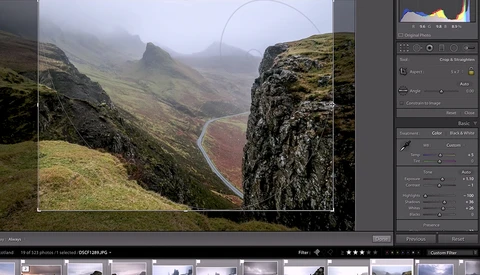
There's often the belief that creating a fully polished photo requires the use of Photoshop at some point in the process. However, Lightroom is itself a very powerful program, and often, one can create a finished image using only it. Here's how to do just that with a landscape photo. 

A Beginner’s Guide to Adobe Lightroom: Part 1

It is easy to feel overwhelmed with the many different features of Adobe Lightroom. Lightroom has so many possibilities, that even after years of using it, I still am consistently learning something new.

How to Use Any Lightroom Presets in the Lightroom Mobile App

As Adobe Lightroom Mobile has become more and more powerful with each update, more photographers are starting to adopt mobile workflows to get images out to both social media and clients faster. The ability to quickly make edits on your phone or tablet then share those images almost instantly has a lot of uses.